
1. Introduction and Overview
The AZZUNO START-100 is an advanced automatic battery charger designed for various 12V and 24V lead-acid batteries, including flooded, gel, maintenance-free, AGM, and WET/GEL types. It features multiple charging modes, including engine start, automatic charging, and battery maintenance, along with a multi-stage charging process for optimal battery health. This manual provides essential information for safe and effective operation.

Image 1.1: The AZZUNO START-100 Battery Charger, highlighting its maximum 30 Amp charging capability and applicable voltages (12V and 24V).

Image 1.2: Overview of the AZZUNO Battery Charger's key functions, including engine start, automatic charging, and battery maintenance.
2. Safety Information
Always read and understand the entire manual before using the charger. Failure to follow these safety instructions may result in electric shock, fire, or serious injury.
- Wear Eye Protection: Always wear safety glasses or goggles when working with batteries.
- Ventilation: Ensure adequate ventilation when charging batteries to prevent the accumulation of explosive gases.
- No Smoking/Sparks: Do not smoke or allow sparks or flames in the vicinity of the battery or charger.
- Battery Type: This charger is designed for 12V and 24V lead-acid batteries only. Do not attempt to charge dry-cell batteries or lithium batteries, as this may cause explosion and injury.
- Frozen Batteries: Never charge a frozen battery. Allow it to thaw before charging.
- Connections: Always connect the battery clamps to the battery terminals before plugging the charger into an AC outlet. Disconnect the AC power before removing the clamps.
- Children: Keep the charger and batteries out of reach of children.
- Damaged Equipment: Do not operate the charger if it has been dropped, damaged, or if the cables or clamps are compromised.
3. Product Features
The AZZUNO START-100 Battery Charger offers a range of features for efficient and safe battery management:
- Multi-Voltage Compatibility: Supports both 12V and 24V lead-acid batteries.
- Variable Charging Current: Offers multiple charging current options: 12V (8A, 15A, 30A) and 24V (4A, 7.5A, 15A).
- 130A Engine Start Function: Provides a powerful boost for starting vehicles with discharged batteries.
- Automatic Battery Charger: Intelligently detects battery type and condition to apply the optimal charging process.
- 5A Battery Maintainer: Keeps batteries fully charged during storage without overcharging.
- Automatic Battery Test: Assesses battery health and condition.
- Smart 7-Stage Charging Process: Includes stages for battery detection, pulse repair, bulk charging, absorption, trickle charge, battery analysis, and float charging for comprehensive battery care.
- Auto Repair Function: Automatically repairs and reverses damage to sulfated or deeply discharged batteries, improving performance and extending battery life.
- Digital Meter Display: Provides real-time information on charging status and battery voltage.
- Compact and Lightweight Design: Measures approximately 11.4" x 7.5" x 5.7" and weighs 9.13 lbs for easy portability and storage.
- Wide Battery Chemistry Compatibility: Suitable for Flooded, Gel, Maintenance-free, AGM, and WET/GEL batteries. Note: Not compatible with lithium or dry cell batteries.

Image 3.1: The compact design of the AZZUNO START-100, illustrating its dimensions and portability.

Image 3.2: Diagram illustrating the 7-stage smart charging process of the AZZUNO charger, from detection to float charging.
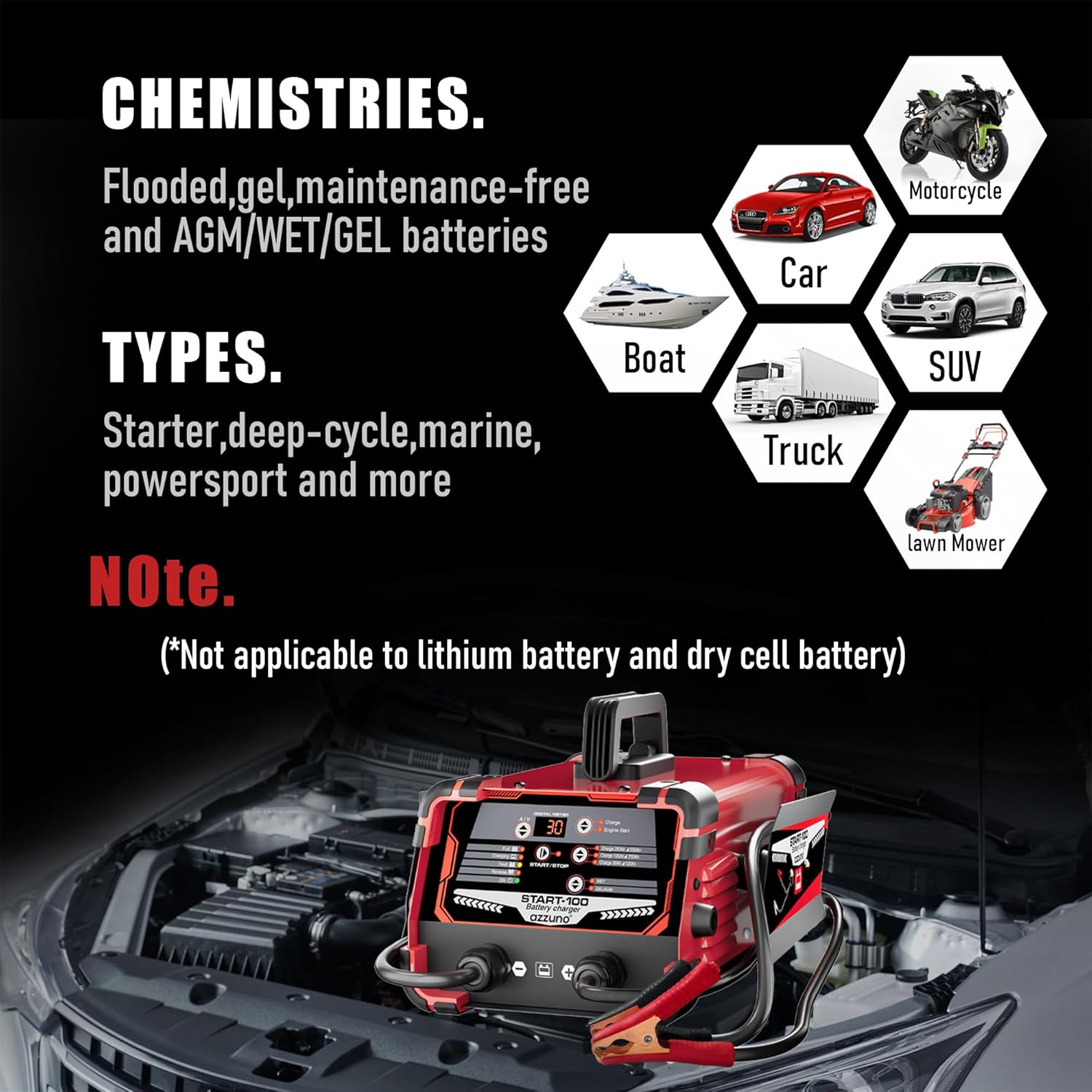
Image 3.3: Information on compatible battery chemistries (Flooded, Gel, Maintenance-free, AGM/WET/GEL) and vehicle types (Car, Motorcycle, Boat, SUV, Truck, Lawn Mower).
4. Package Contents
Upon opening the package, verify that all components are present and undamaged:
- AZZUNO START-100 Battery Charger Unit
- Heavy-duty Battery Clamps (integrated)
- AC Power Cord (integrated)
- User Manual
5. Setup
Follow these steps to properly set up your AZZUNO START-100 Battery Charger:
- Placement: Place the charger on a stable, non-flammable surface in a well-ventilated area. Ensure it is not directly exposed to rain, snow, or excessive moisture.
- Power Off: Ensure the charger is unplugged from the AC power outlet before making any battery connections.
- Connect Positive: Connect the red (+) battery clamp to the positive (+) terminal of the battery. Ensure a secure and clean connection.
- Connect Negative: Connect the black (-) battery clamp to the negative (-) terminal of the battery. For vehicles, if the battery is installed in the vehicle, connect the black (-) clamp to the vehicle chassis or engine block away from the battery and fuel line. Do not connect directly to the negative battery terminal if the battery is still in the vehicle.
- AC Power: Once battery connections are secure, plug the charger's AC power cord into a suitable 240V AC electrical outlet.
6. Operating Instructions
The AZZUNO START-100 is largely automatic, but understanding its modes is crucial for optimal use.
6.1 Automatic Charging
- After connecting the battery and AC power (as per Section 5), the charger will automatically detect the battery voltage (12V or 24V) and begin the appropriate charging cycle.
- The digital display will show the charging status, voltage, and current.
- The charger will progress through its 7-stage charging process, optimizing the charge for battery health.
- Once the battery is fully charged, the charger will automatically switch to maintenance (float) mode.
6.2 Engine Start Function
Use this function to assist in starting vehicles with a discharged battery.
- Ensure the battery is connected correctly to the charger and the charger is plugged into AC power.
- Select the 'Engine Start' mode on the charger (refer to the charger's control panel for specific button).
- Attempt to start the vehicle. Do not crank the engine for more than 5 seconds.
- If the vehicle does not start, wait at least 3-5 minutes before attempting again to allow the charger to recover.
- Once the vehicle starts, disconnect the AC power from the charger, then disconnect the battery clamps (negative first, then positive).
6.3 Battery Maintenance Mode
The charger automatically enters maintenance mode once a full charge is achieved, preventing overcharging and keeping the battery at optimal levels during long-term storage.
6.4 Recondition / Pulse Repair
This function helps to restore deeply discharged or sulfated batteries.
- With the battery connected and charger powered, press the 'Recondition' or 'Repair' button (if available on your model).
- The charger will initiate a specialized pulse repair cycle. The display may indicate the current stage of the 7-stage process.
- Allow the cycle to complete. This process can take several hours depending on the battery condition.

Image 6.1: The charger's auto repair function, designed to restore battery performance and extend life.
7. Maintenance
Proper maintenance ensures the longevity and safe operation of your AZZUNO START-100 Battery Charger.
- Cleaning: Disconnect the charger from AC power and the battery. Wipe the exterior with a soft, dry cloth. Do not use solvents or abrasive cleaners.
- Cable Inspection: Regularly inspect the AC power cord and battery cables/clamps for any signs of damage, cuts, or corrosion. Replace if damaged.
- Storage: Store the charger in a cool, dry place when not in use. Keep it away from direct sunlight, moisture, and extreme temperatures.
- Ventilation: Ensure the charger's ventilation openings are clear of dust and debris to prevent overheating.
8. Troubleshooting
If you encounter issues with your AZZUNO START-100, refer to the following common problems and solutions:
| Problem | Possible Cause | Solution |
|---|---|---|
| Charger not turning on / No display | No AC power; Faulty outlet; Damaged power cord. | Check AC power connection. Try a different outlet. Inspect power cord for damage. |
| 'Fault' indicator or error message | Incorrect battery connection (reverse polarity); Severely damaged battery; Battery voltage too low for detection. | Verify correct positive (+) and negative (-) connections. Test battery with a multimeter. If battery is below 2V, it may not be recoverable. |
| Battery not charging | Poor clamp connection; Battery sulfation; Incorrect battery type. | Ensure clamps are clean and securely connected. Try the 'Recondition' mode for sulfated batteries. Confirm battery is a compatible lead-acid type. |
| Engine Start function not working | Weak battery connection; Battery too deeply discharged; Vehicle issue. | Ensure all connections are tight. Allow the charger to pre-charge the battery for a few minutes before attempting to start. Check vehicle's starter or fuel system. |
If the problem persists after attempting these solutions, contact customer support.
9. Specifications
- Model Number: START-100
- Input Voltage: 240 Volts AC
- Output Voltage: 12V / 24V DC (Automatic Detection)
- Charging Current (12V): 8A, 15A, 30A
- Charging Current (24V): 4A, 7.5A, 15A
- Engine Start Current: 130A
- Maintainer Current: 5A
- Compatible Battery Types: Flooded, Gel, Maintenance-free, AGM, WET/GEL Lead-Acid Batteries
- Incompatible Battery Types: Lithium-ion, Dry Cell Batteries
- Product Dimensions (L x W x H): 35D x 25.5W x 16.5H Centimetres (11.4 x 7.5 x 5.7 inches)
- Item Weight: 3.97 kg (8.75 Pounds)
- Manufacturer: AZZUNO
10. Warranty and Support
For warranty information, technical assistance, or customer support regarding your AZZUNO START-100 Battery Charger, please refer to the documentation included with your purchase or visit the official AZZUNO website. Ensure you have your model number (START-100) and proof of purchase available when contacting support.