
Product Overview
The RadioShack Universal Rechargeable Battery Charger, model 100128482, is designed to efficiently and safely charge various types of rechargeable batteries. This compact and versatile charger features LED indicators to display charging status and supports multiple battery sizes, making it suitable for home, office, or travel use.
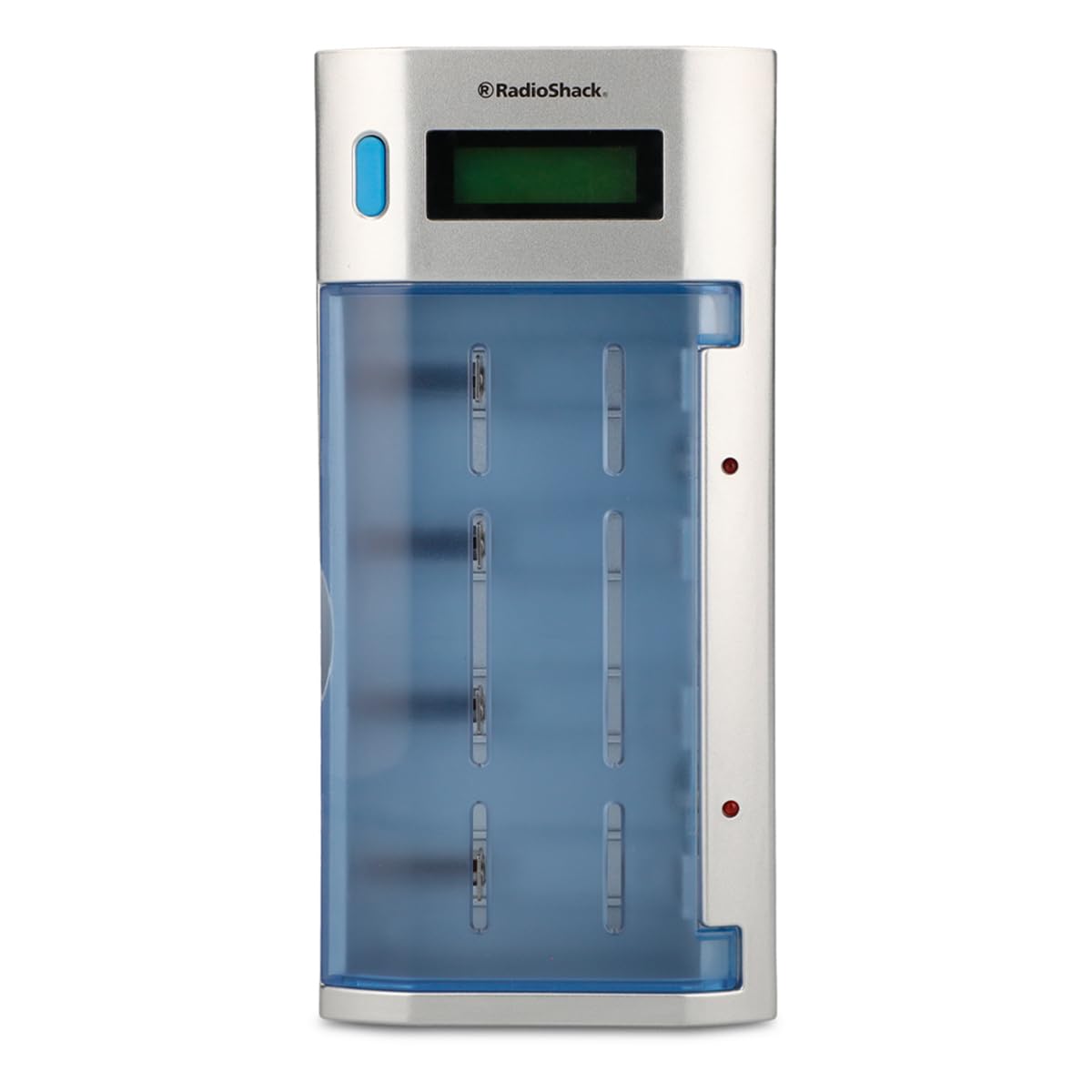
Figure 1: Front view of the RadioShack Universal Rechargeable Battery Charger.
Key Features
- Universal Compatibility: Charges AA, AAA, C, D, and 9V rechargeable batteries.
- LED Indicators: Provides clear status updates for each charging slot.
- Compact and Portable Design: Features a foldable design for easy storage and transport.
- Efficient Charging: Designed for fast and safe recharging of batteries.
- Simultaneous Charging: Capable of charging multiple batteries of different types concurrently.
Setup and Operation
1. Unpacking and Inspection
Carefully remove the charger from its packaging. Inspect the unit for any signs of damage. Ensure all components, including the power cable, are present.
2. Connecting to Power
- Locate the power input port on the side of the charger.
- Connect the provided power cable to the charger.
- Plug the other end of the power cable into a standard 100-240V AC wall outlet.

Figure 2: Connecting the power cable to the charger.
3. Inserting Batteries
- Open the transparent cover of the charger to access the battery slots.
- Insert rechargeable AA, AAA, C, D, or 9V batteries into the appropriate slots. Ensure correct polarity (+ and - ends) as indicated on the charger and batteries.
- The charger can accommodate 4 to 6 batteries of different types simultaneously.
- Close the transparent cover once batteries are inserted.
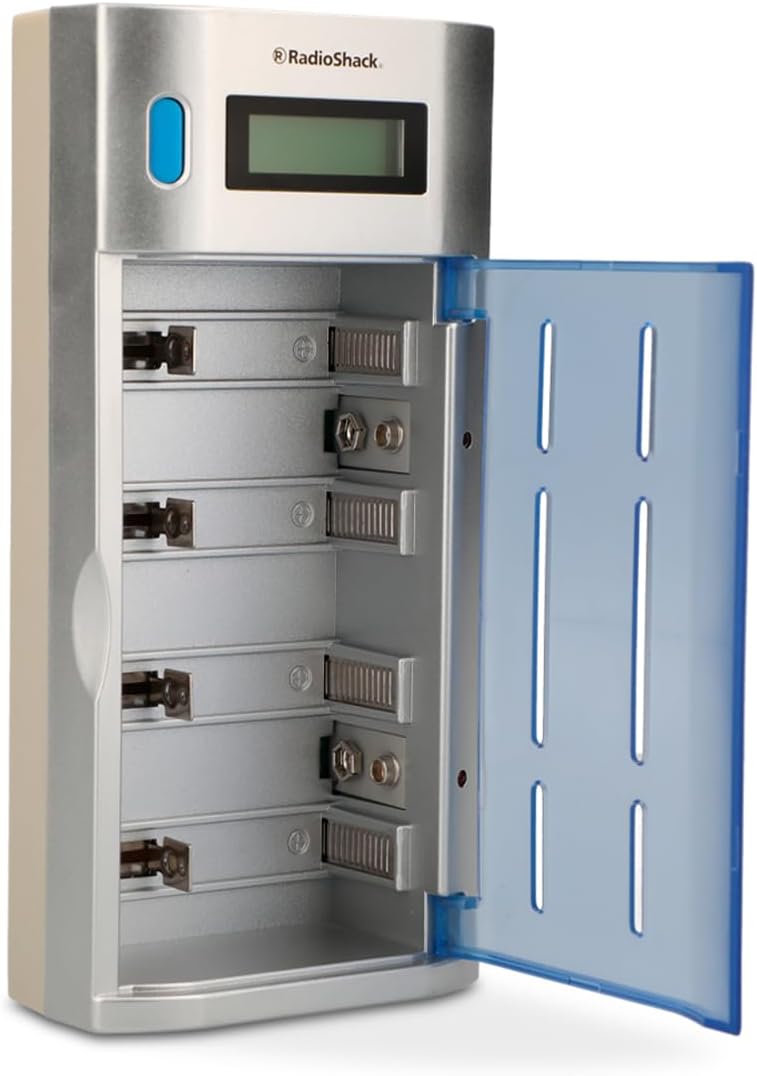
Figure 3: Charger with lid open, ready for battery insertion.

Figure 4: Batteries correctly inserted and charging.
4. Charging Process
Once batteries are correctly inserted and the charger is powered, LED indicators will illuminate to show the charging status for each battery. The LEDs will change color or pattern to indicate charging in progress and when charging is complete.
For optimal performance and battery longevity, it is recommended to remove batteries once fully charged.
Maintenance
- Cleaning: Disconnect the charger from power before cleaning. Use a soft, dry cloth to wipe the exterior. Do not use liquid cleaners or solvents.
- Storage: Store the charger in a cool, dry place away from direct sunlight and extreme temperatures. Ensure the transparent cover is closed to protect the battery slots from dust.
- Battery Care: Only charge rechargeable batteries. Do not attempt to charge non-rechargeable batteries, as this may cause damage to the batteries or the charger.
Troubleshooting
| Problem | Possible Cause | Solution |
|---|---|---|
| Batteries not charging. |
|
|
| LED indicators not working. |
|
|
Specifications
| Feature | Detail |
|---|---|
| Model | 100128482 |
| Compatible Battery Types | AA, AAA, C, D, 9V (Rechargeable Ni-MH/Ni-CD) |
| Input | 100-240V AC, 50/60 Hz, 1.0 A |
| Output (AA/AAA/C/D) | 1.2V DC, 1A per channel |
| Output (9V) | 9V DC, 25mA per channel |
| Dimensions | 5.5 x 10 x 20.5 cm (2.17 x 3.94 x 8.07 inches) |
| Weight | 370 g (0.82 lbs) |

Figure 5: Product label with electrical specifications.
Important Safety Information
- Do not attempt to charge non-rechargeable batteries.
- Do not disassemble or modify the charger.
- Avoid exposing the charger to water or high humidity.
- Keep out of reach of children.
- Use only in well-ventilated areas.
Product Video
Video 1: Overview of a universal battery charger, demonstrating its compatibility with AA, AAA, C, D, and 9V Ni-MH/Ni-CD batteries. This video illustrates the charger's features and ease of use.
Warranty and Support
This RadioShack product is backed by a manufacturer's warranty. For warranty details, technical support, or customer service, please refer to the contact information provided with your purchase or visit the official RadioShack Mexico website.
For returns, please note that Amazon.com.mx offers 30 days for free returns.