
1. Introduction
The Samsung Galaxy A55 5G is a versatile Android smartphone designed for daily use, offering a blend of premium design and robust features. This manual provides essential information for setting up, operating, and maintaining your device.
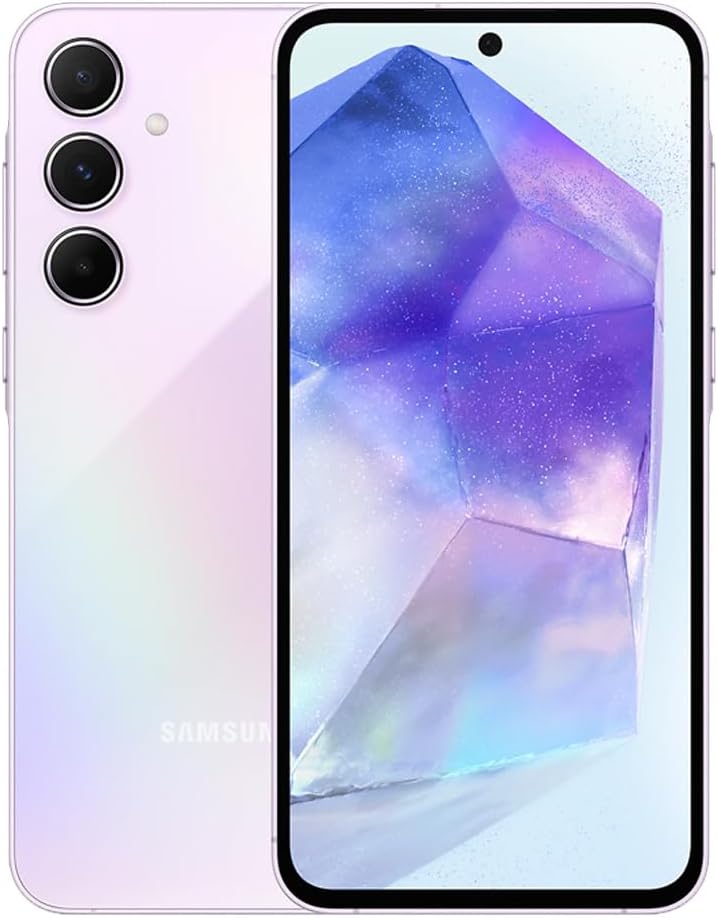
Image: Front view of the Samsung Galaxy A55 5G smartphone in Awesome Lilac color.
2. Setup
2.1. SIM Card and MicroSD Card Installation
Your Samsung Galaxy A55 5G supports dual SIM cards or one SIM card with a microSD card for expandable storage up to 1TB. Use the provided SIM tray ejector tool to open the tray located on the top edge of the device.

Image: Top view of the Samsung Galaxy A55 5G showing the SIM tray ejected.
- Insert the SIM ejector tool into the small hole on the SIM tray.
- Gently pull out the tray.
- Place your Nano-SIM card(s) and/or microSD card into the designated slots on the tray.
- Carefully reinsert the tray into the device.
2.2. Initial Power On and Setup
Press and hold the Power button (located on the right side of the device) until the Samsung logo appears. Follow the on-screen instructions to complete the initial setup, including language selection, Wi-Fi connection, and Google account setup.
3. Operating Your Device
3.1. Display and Navigation
The device features a 6.6-inch FHD+ Super AMOLED display with a 120Hz adaptive refresh rate for smooth scrolling and responsive touch. Navigate the interface using touch gestures.

Image: Front view of the Samsung Galaxy A55 5G displaying the home screen.
3.2. Camera Usage
The Samsung Galaxy A55 5G is equipped with a versatile camera system:
- Rear Cameras: 50MP Main, 12MP Ultra-Wide, 5MP Macro.
- Front Camera: 32MP Selfie.
Both front and rear cameras support 4K video recording at 30fps. Explore various modes like Portrait, Super HDR, and Night Mode for enhanced photography. Pro Video and Pro Photo modes offer greater control over settings.

Image: Rear view of the Samsung Galaxy A55 5G in Awesome Lilac, highlighting the triple camera setup.
3.3. Security Features
Unlock your device using the in-display fingerprint sensor or face recognition. Set up a PIN, password, or pattern for additional security.
4. Maintenance
4.1. Software Updates
Keep your device's software up to date to ensure optimal performance and security. Navigate to Settings > Software update to check for and install available updates.
4.2. Storage Management
Regularly manage your device's storage to maintain performance. Delete unnecessary files, uninstall unused apps, and utilize cloud storage services. The device supports microSD cards up to 1TB for expanded storage.
4.3. Durability and Water Resistance
The Galaxy A55 5G features Corning Gorilla Glass Victus+ on the front and back, and an IP67 rating for dust and water resistance. This provides protection against splashes, spills, and dust intrusion. Avoid intentional submersion in water.
5. Troubleshooting
For common issues, refer to the device's built-in help features or visit the Samsung support website. Ensure your software is updated and clear cache for apps experiencing issues.
6. Specifications
| Feature | Detail |
|---|---|
| Operating System | Android 14, One UI 6.1 |
| Processor | Exynos 1480 Octa-core (4x2.75 GHz Cortex-A78 & 4x2.0 GHz Cortex-A55) |
| RAM | 8 GB |
| Internal Storage | 128 GB (expandable via microSD up to 1TB) |
| Display | 6.6-inch FHD+ Super AMOLED, 1080 x 2340, 120 Hz Refresh Rate, 1000 nits peak brightness |
| Rear Camera | 50 MP (wide) + 12 MP (ultrawide) + 5 MP (macro) |
| Front Camera | 32 MP |
| Battery Capacity | 5000 mAh (typical) |
| Charging | 25W Fast Charging |
| Water & Dust Resistance | IP67 |
| Biometric Security | Fingerprint Sensor, Face Recognition |
| Connectivity | 5G, Wi-Fi 802.11a/b/g/n/ac/ax, Bluetooth v5.3, NFC, USB Type-C |
| Dimensions | 6.34 x 3.03 x 0.31 inches |
| Weight | 213 Grams |
7. What's in the Box
- Samsung Galaxy A55 5G Smartphone
- SIM Tray Ejector
- USB Cable (Type-C to Type-C)
- Bundle 25W Wall charger With dual USB
8. Warranty and Support
This product comes with a 30-day warranty. For detailed warranty information and support, please refer to the documentation included in the box or visit the official Samsung support website.
9. Official Product Videos
Samsung Galaxy A55 5G - Unboxing & First Review!
Video: An unboxing and initial review of the Samsung Galaxy A55 5G, showcasing its design and features.
Smooth Screen, Big Battery, Good Deal?
Video: A review focusing on the smooth display, large battery, and overall value proposition of the Samsung Galaxy A55 5G.
Samsung Galaxy A55 Unboxing
Video: An unboxing video of the Samsung Galaxy A55 5G, showing the contents of the retail package.
Let Me Save You Some Time. Watch This First!
Video: A concise overview of the Samsung Galaxy A55 5G's key features and benefits.
The color and price are so beautiful ✨😍
Video: A short clip highlighting the aesthetic appeal and color options of the Samsung Galaxy A55 5G.
Best Official Cases for Samsung Galaxy A55 5G
Video: An overview of official Samsung cases designed for the Galaxy A55 5G, demonstrating their features and fit.
Quick Review of the Samsung Galaxy A55
Video: A brief review summarizing the key aspects and user experience of the Samsung Galaxy A55 5G.


