
1. Introduction
This manual provides essential instructions for the safe and efficient use of your FitStand FQ1 Electric Height Adjustable Desk. Please read this manual thoroughly before assembly and operation, and retain it for future reference. The FitStand FQ1 desk is designed to offer a versatile and ergonomic workspace, allowing seamless transitions between sitting and standing positions.
2. Safety Information
- Adult Supervision: Children must use this product under adult supervision to prevent accidents.
- Weight Capacity: Do not exceed the maximum load capacity of 60 kg for 1260/1460/1660 models or 70 kg for 1880/2080 models. Overloading can cause damage or injury.
- Clearance: Ensure there are no obstructions above or below the desk when adjusting its height to prevent pinching or damage.
- Power Supply: Use only the provided power adapter and ensure it is connected to a grounded outlet.
- Liquid Contact: Keep liquids away from the control panel and electrical components to avoid electric shock or malfunction.
- Child Safety Lock: Utilize the child safety lock feature to prevent unintended height adjustments by children.
3. Setup
The FitStand FQ1 desk is designed for quick and straightforward assembly, typically taking around 30 minutes. All necessary tools and clear instructions are included in the packaging.
- Unpack Components: Carefully remove all parts from the packaging and verify against the parts list in the included assembly guide.
- Assemble Frame: Attach the desk legs to the crossbar frame using the provided screws.
- Attach Tabletop: Secure the tabletop to the assembled frame. Note that some larger tabletops (1660/1880/2008 models) consist of multiple boards.
- Install Control Panel: Mount the control panel to the underside of the desk in an easily accessible location.
- Connect Cables: Connect all motor and control panel cables to the control box. Use the included cable management channel to organize wires neatly.
- Power On: Plug the power adapter into the control box and then into a wall outlet.
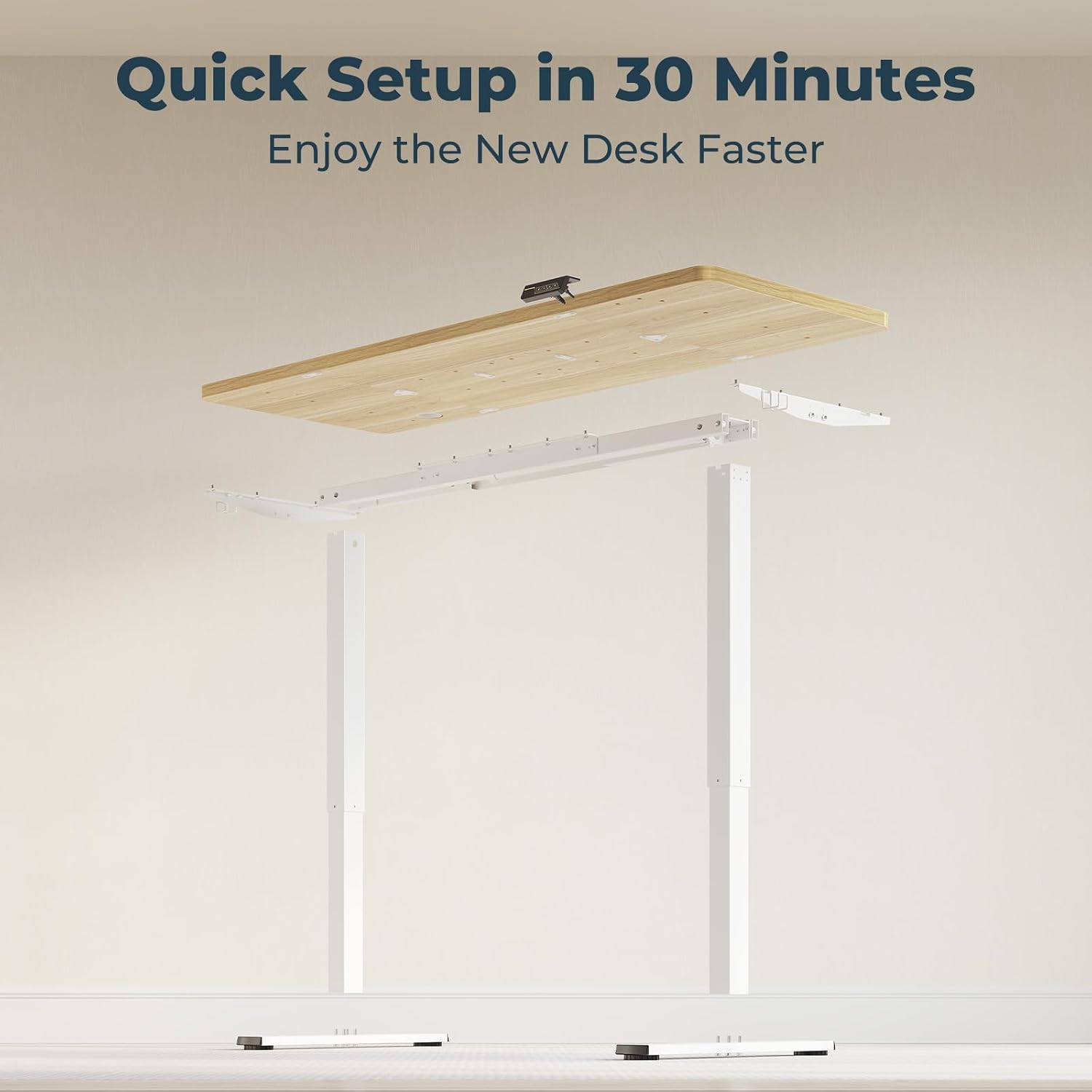
For detailed step-by-step instructions, please refer to the dedicated assembly guide included in your product packaging.
4. Operating Instructions
4.1 Control Panel Overview
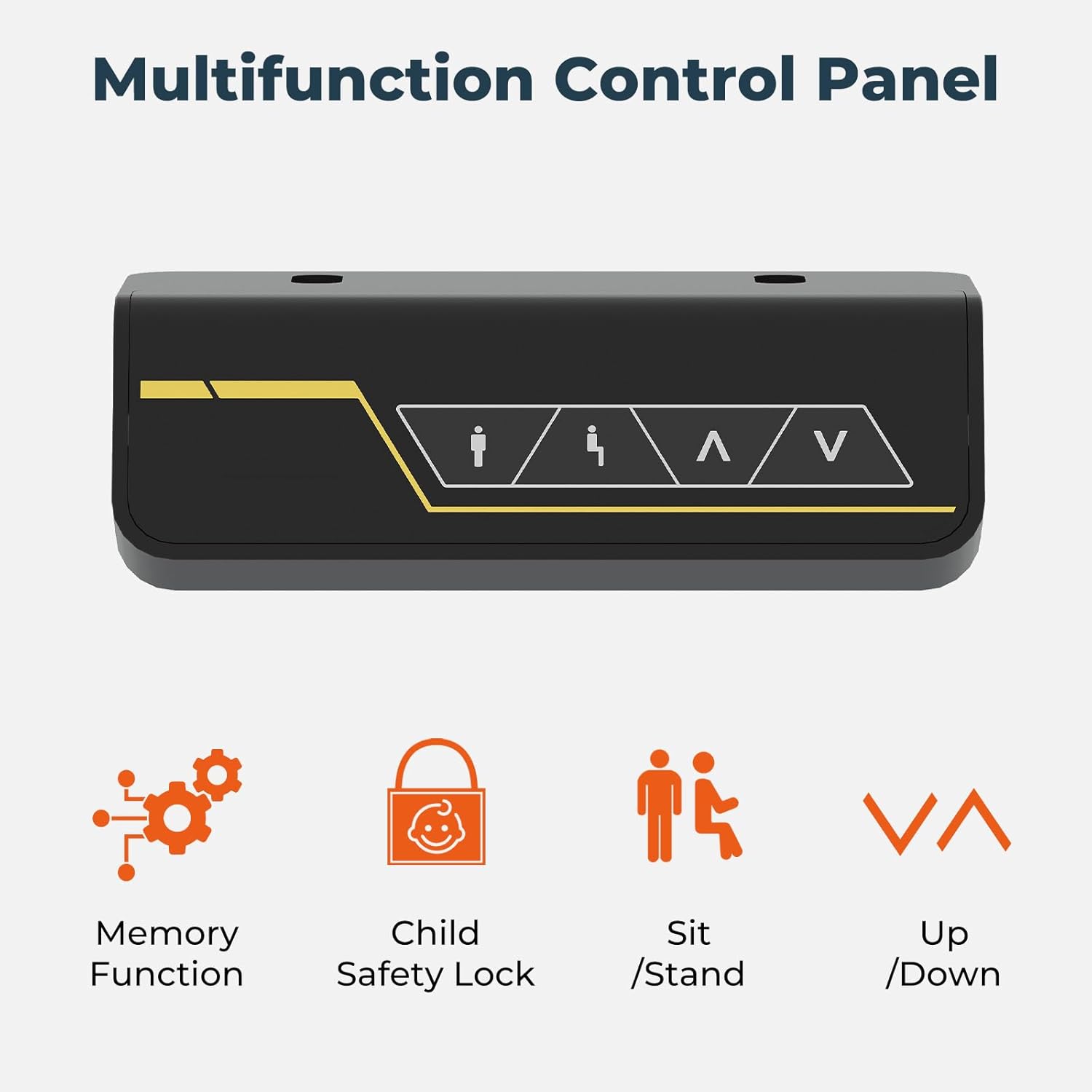
The control panel allows you to adjust the desk height and utilize its smart features:
- Up/Down Buttons (▲ / ▼): Press and hold to manually adjust the desk to your desired height. Release the button to stop movement.
- Memory Function (M1/M2): The desk features two programmable memory positions. To set a memory position:
- Adjust the desk to your desired height using the Up/Down buttons.
- Press the 'M' button, then press either '1' or '2' within 3 seconds. The display will show 'S-1' or 'S-2' to confirm the setting.
- Child Safety Lock: To activate the child safety lock, press and hold the 'Lock' button (often indicated by a padlock icon) for 3 seconds. The display will show 'LOC'. All buttons will be disabled. To deactivate, press and hold the 'Lock' button again for 3 seconds.
- Sit/Stand Presets: Some models may have dedicated sit/stand buttons for quick transitions between common ergonomic heights.
4.2 Height Adjustment
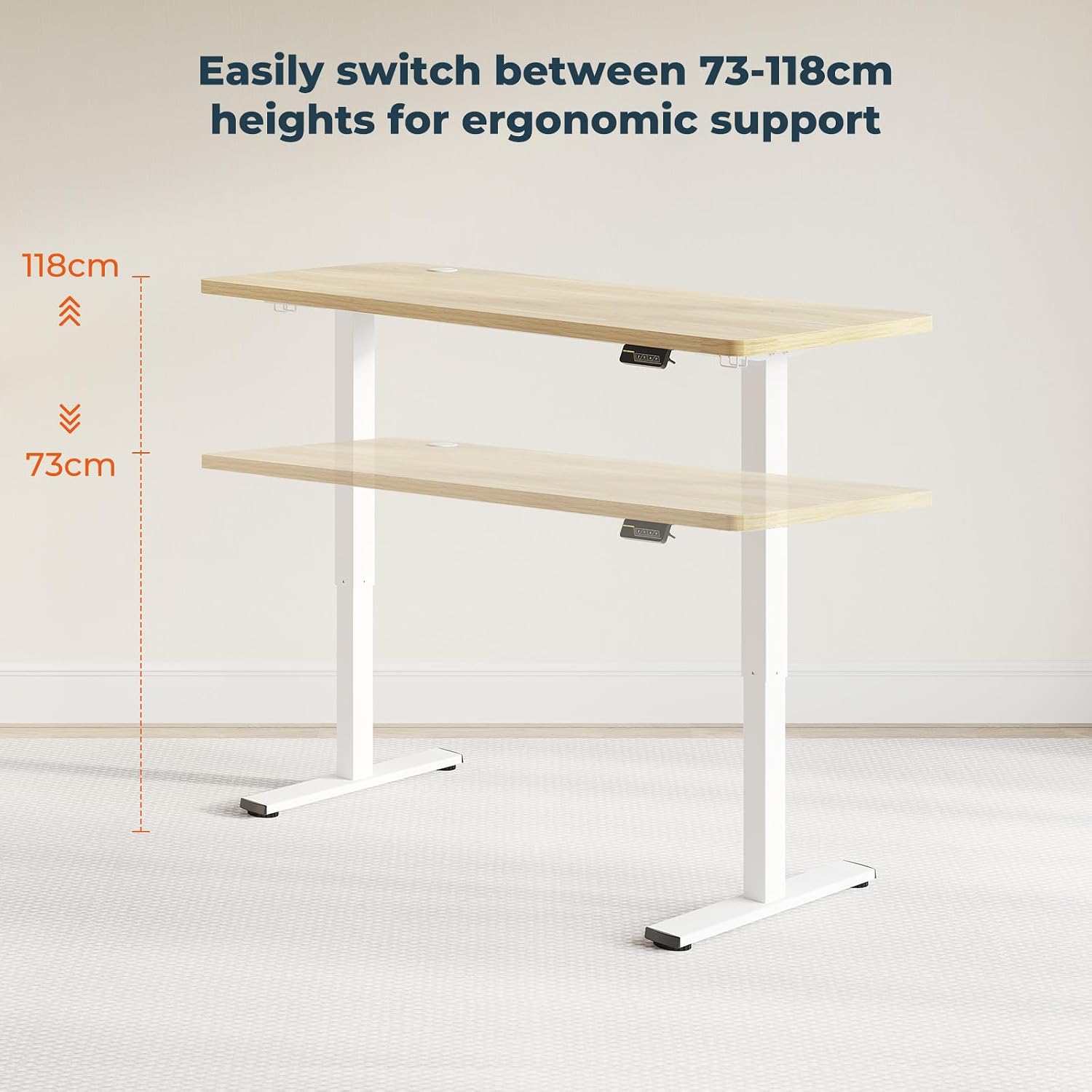
The desk offers a wide adjustable height range to accommodate various user preferences and ergonomic needs. For 1260/1460/1660 models, the height adjusts from 73 cm to 118 cm. For 1880/2080 models, the range is 73 cm to 122 cm.
4.3 Whisper-Quiet Operation

The FitStand FQ1 desk operates with a super low noise level, typically not exceeding 50 decibels. This ensures a quiet and undisturbed working environment.
4.4 Convenient Hooks

The desk includes convenient hooks for organizing accessories such as headphones or bags, helping to keep your workspace tidy.
5. Maintenance
- Cleaning: Wipe the desk surface with a soft, damp cloth. Avoid abrasive cleaners or harsh chemicals that could damage the finish.
- Cable Management: Regularly check and ensure all cables are securely connected and properly routed through the cable management system to prevent damage or entanglement.
- Fastener Check: Periodically check all screws and fasteners to ensure they are tight. Retighten if necessary.
- Motor Care: Do not attempt to open or service the motor or control box. Contact customer support for any issues.
6. Troubleshooting
- Desk Not Moving:
- Check if the power cable is securely plugged into both the wall outlet and the control box.
- Ensure the child safety lock is not activated.
- If an error code appears on the display, refer to the full user manual for specific code meanings and solutions.
- Uneven Movement:
- Ensure the desk is not overloaded and weight is evenly distributed.
- Perform a reset procedure (usually by holding the 'Down' button until the lowest position is reached and then holding it again for a few seconds until a 'reset' indicator appears). Refer to the full manual for exact steps.
- Noise During Operation:
- A slight hum is normal. If the noise is excessive or unusual, check for loose components or contact support.
7. Specifications

| Feature | Detail |
|---|---|
| Brand | FitStand |
| Model | FQ1 |
| Product Dimensions (L x W x H) | 60 x 160 x 73 cm (example size) |
| Minimum Height | 73 cm |
| Maximum Height (1260/1460/1660 models) | 118 cm |
| Maximum Height (1880/2080 models) | 122 cm |
| Maximum Load Capacity (1260/1460/1660 models) | 60 kg |
| Maximum Load Capacity (1880/2080 models) | 70 kg |
| Tabletop Material Type | Oak Wood |
| Furniture Finish | Maple |
| Noise Level | Less than 50 dB |
| Special Features | Ergonomic, Height Adjustable, Electric, Memory Function, Child Safety Lock |
| Assembly Required | Yes |
| Included Components | Electric Cable Channel |
8. Warranty and Support
For warranty information, please refer to the documentation included with your purchase or contact FitStand customer support directly. If you encounter any issues or require assistance with your FitStand FQ1 desk, please reach out to the manufacturer's customer service team. Contact details can typically be found on the product packaging or the official FitStand website.