
1. Introduction
Thank you for choosing the FitStand FQ1 Electric Height Adjustable Desk. This manual provides essential information for the safe assembly, operation, and maintenance of your new desk. Please read these instructions carefully before use and retain them for future reference.

This image displays the FitStand FQ1 electric height adjustable desk, highlighting its spacious 200 cm length and 80 cm width. The desk is shown with multiple monitors and laptops, illustrating its capacity for a comprehensive workstation.
2. Safety Instructions
- Ensure all components are securely fastened before operating the desk.
- Keep hands and objects clear of moving parts during height adjustment.
- Do not overload the desk. Refer to the 'Specifications' section for maximum weight capacity.
- The desk features a child safety lock. Activate this function to prevent accidental adjustments by children.
- Only use the provided power adapter and ensure it is connected to a grounded outlet.
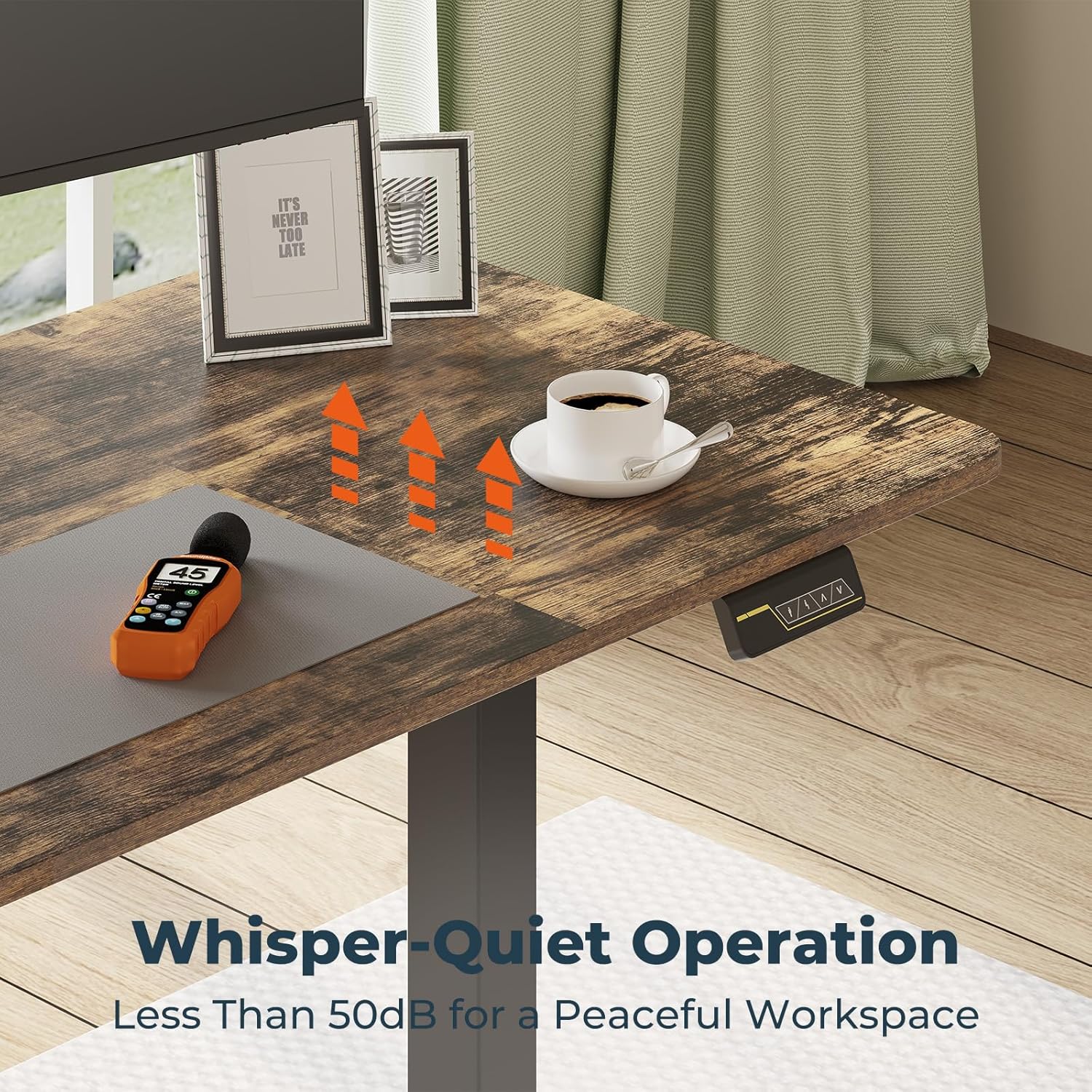
- Avoid placing liquids directly on the control panel or near electrical components.
- If any unusual noise or malfunction occurs, disconnect power immediately and contact customer support.
3. Package Contents
Before assembly, verify that all parts are present and undamaged. If any parts are missing or damaged, please contact FitStand customer service.
- Desk tabletop (200 x 80 cm) - Note: This size typically consists of multiple board sections.
- Electric lifting columns (legs)
- Foot bases
- Control panel
- Control box
- Power adapter and cable
- Cable management hooks
- Assembly hardware (screws, bolts, tools)
- User Manual
An exploded diagram illustrates the main components of the FitStand FQ1 desk, suggesting a straightforward assembly process that can be completed in approximately 30 minutes.
4. Assembly Instructions
Assembly typically takes 30-60 minutes. It is recommended to have two people for easier assembly, especially when handling the tabletop.
- Unpack Components: Carefully remove all parts from the packaging and lay them out on a clean, soft surface to prevent scratches.
- Attach Lifting Columns to Tabletop: Secure the electric lifting columns to the pre-drilled holes on the underside of the tabletop using the provided screws.
- Install Foot Bases: Attach the foot bases to the bottom of the lifting columns.
- Mount Control Box: Secure the control box to the designated area under the tabletop.
- Connect Cables: Connect the motor cables from the lifting columns to the control box. Connect the control panel cable to the control box. Finally, connect the power adapter to the control box.
- Attach Cable Management Hooks: Install the convenient hooks under the desk for cable organization or hanging accessories.
- Power On: Plug the power adapter into a wall outlet.
5. Operating Instructions
5.1 Control Panel Overview
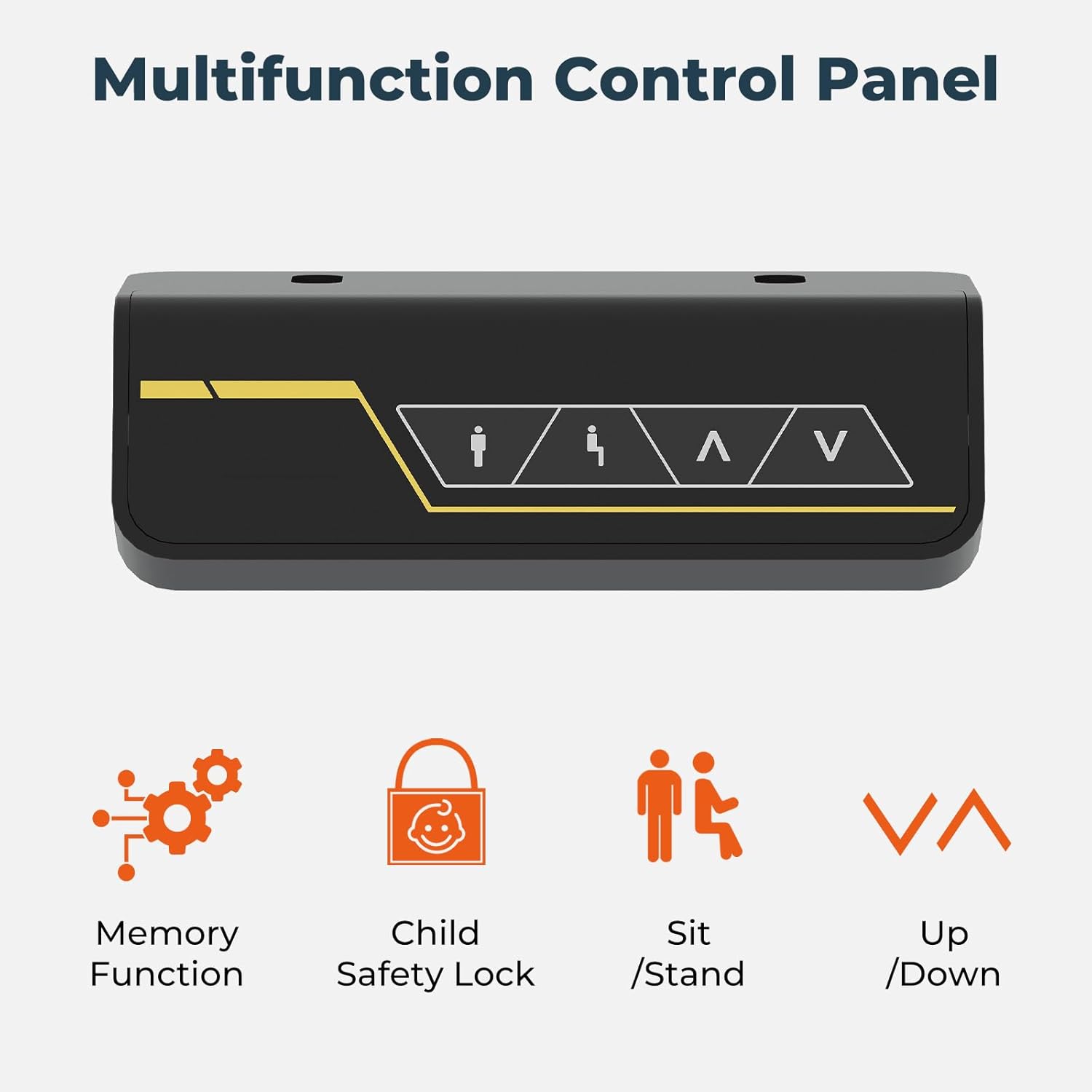
This image provides a detailed view of the FitStand FQ1 desk's control panel, featuring intuitive buttons for setting memory positions, activating the child safety lock, and adjusting the desk height up or down.
The multifunction control panel allows for easy adjustment and customization of your desk settings.
- Up/Down Buttons (∧ / ∨): Press and hold to raise or lower the desk to your desired height.
- Memory Function Buttons (1, 2): Store and recall preferred height settings.
- Child Safety Lock Button: Activates or deactivates the child safety lock.
5.2 Height Adjustment
Press and hold the ∧ (Up) or ∨ (Down) button to move the desk to your desired sitting or standing position. Release the button to stop the movement. The desk operates quietly, with noise levels below 50 decibels.
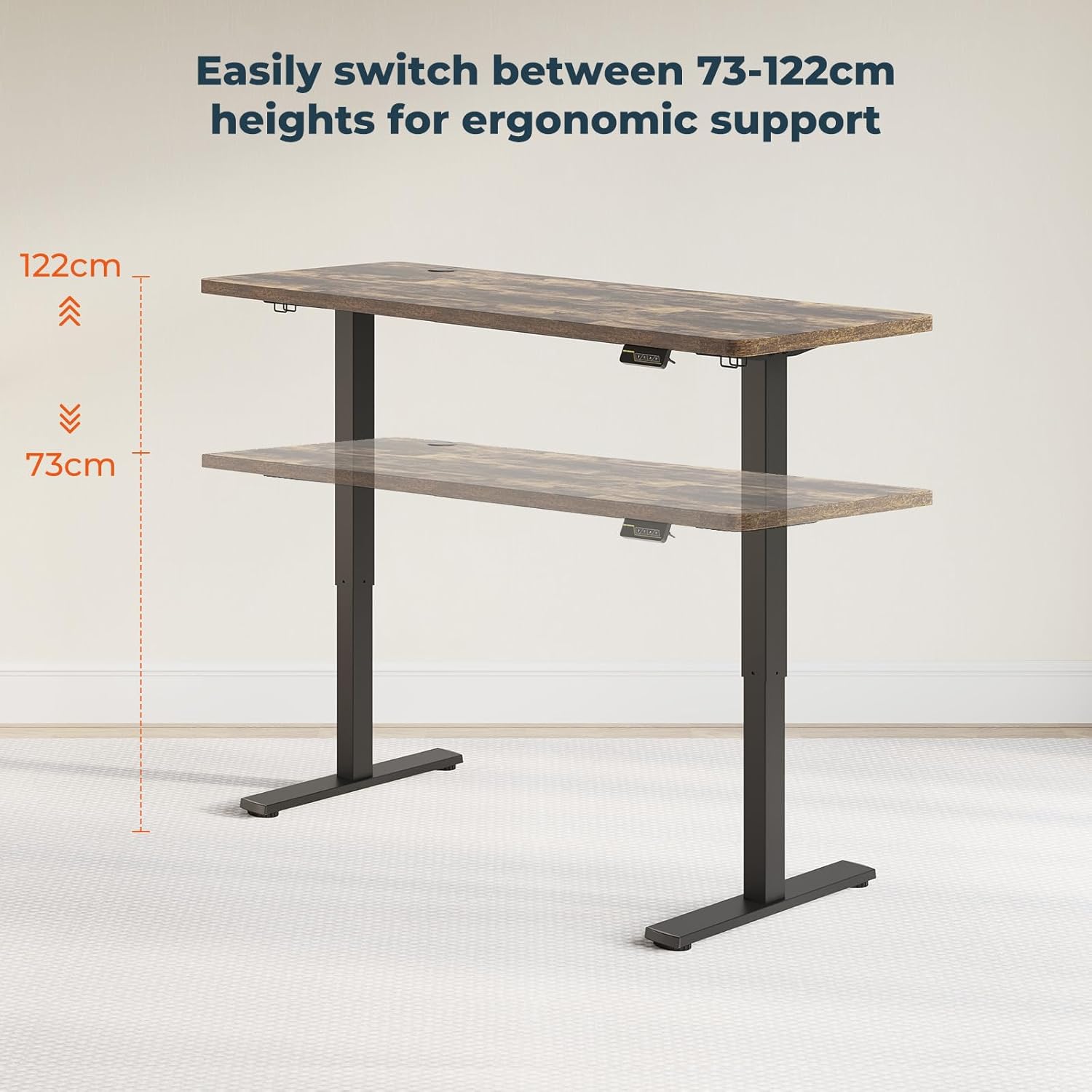
This visual guide demonstrates the adjustable height range of the FitStand FQ1 desk, allowing users to easily switch between sitting and standing positions from 73 cm to 122 cm for optimal ergonomic support.

The image highlights the whisper-quiet operation of the FitStand FQ1 desk, indicating a noise level of less than 50 decibels, which ensures a peaceful working environment.
5.3 Memory Function
The desk allows you to save two preferred height settings for quick recall.
- Adjust the desk to your desired height using the Up/Down buttons.
- Press the 'M' button (or similar 'Set' button if present, then the number).
- Press one of the memory preset buttons (1 or 2) within 3 seconds. The display will show 'S-1' or 'S-2' to confirm the setting is saved.
- To recall a saved height, simply press the corresponding memory button (1 or 2). The desk will automatically move to that position.
5.4 Child Safety Lock
To prevent unintended operation, especially by children, activate the child safety lock.
- To Activate: Press and hold the Child Safety Lock button (often represented by a lock icon) for 3-5 seconds until the display indicates the lock is active (e.g., 'LOC'). All other buttons will be disabled.
- To Deactivate: Press and hold the Child Safety Lock button again for 3-5 seconds until the display indicates the lock is released (e.g., 'UNL'). The desk can now be operated normally.

The image shows the underside of the FitStand FQ1 desk tabletop, where integrated hooks are used to hang headphones, promoting a tidy and organized workspace.
6. Maintenance
- Cleaning: Wipe the desk surface and legs with a soft, damp cloth. Avoid abrasive cleaners or harsh chemicals that could damage the finish.
- Cable Management: Regularly check and organize cables to prevent tangles and damage. Use the integrated hooks for tidiness.
- Fastener Check: Periodically check all screws and bolts to ensure they remain tight. Retighten if necessary.
- Motor Care: The electric motors are maintenance-free. Do not attempt to open or lubricate them.
7. Troubleshooting
| Problem | Possible Cause | Solution |
|---|---|---|
| Desk does not move. | Power cable disconnected; Child safety lock active; Overload. | Check power connection; Deactivate child safety lock; Reduce weight on desk. |
| Desk moves unevenly or makes unusual noise. | Loose connections; Obstruction; Damaged component. | Check all cable connections; Remove any obstructions; Contact customer support if problem persists. |
| Memory function not working. | Incorrect saving procedure. | Refer to '5.3 Memory Function' for correct saving steps. |
| Display shows an error code. | Specific system error. | Note the error code and contact customer support for assistance. |
8. Specifications
- Brand: FitStand
- Model: FQ1
- Model Number: 0810072881762
- Dimensions (L x W x H): 200 cm x 80 cm x 73-122 cm
- Height Adjustment Range: 73 cm to 122 cm
- Material: Alloy Steel
- Maximum Load Capacity: 70 kg
- Noise Level: < 50 dB
- Features: Electric Height Adjustment, Memory Function, Child Safety Lock, Ergonomic Design
- Color: Dark Brown

This image emphasizes the robust construction of the FitStand FQ1 desk, showcasing its impressive weight capacity of 70 kg, ensuring stability for various equipment.