
1. Introduction
The KSADBOSSBO Body Camera is a versatile and portable device designed for audio and video recording in various outdoor and indoor settings. It features 1080P recording, a built-in flashlight with multiple modes, and a durable, waterproof design. This manual provides essential instructions for setting up, operating, and maintaining your body camera.

Image 1: KSADBOSSBO Body Camera with included accessories (64GB Micro SD card, USB adapter, magnetic lanyard).
2. Setup
2.1. Unboxing and Components
Before first use, ensure all components are present:
- 1x 64GB Body Camera
- 1x 28-inch Strap
- 1x User Manual
- 1x Type-C Charge Cable
- 1x SD Card Reader
- 1x Card Pin
- 1x Magnetic Necklace Lanyard

Image 2: Overview of the body camera and its complete accessories.
2.2. Charging the Device
The body camera is equipped with a 1000mAh rechargeable battery. To charge:
- Connect the provided Type-C charge cable to the camera's Type-C port.
- Connect the other end of the cable to a USB power source (e.g., computer, wall adapter).
- The charging indicator light will show the charging status. A full charge takes approximately three hours.

Image 3: Charging the body camera via Type-C cable. Red light indicates charging, blue light indicates full charge.
Battery Life: Approximately 5.5 hours for recording only, 3 hours for flashlight only, and 2 hours for simultaneous flashlight and recording.
2.3. Memory Card
The camera comes with a built-in 64GB Micro SD card. This card is detachable for easy file management. Use the provided card pin to access the card slot if needed.
3. Operation
The body camera features two main buttons for control: a recording button (1) and a flashlight/warning light button (2).
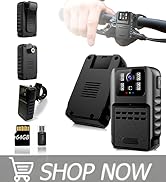
Image 4: Front view of the body camera highlighting the two control buttons.
3.1. Recording Mode
- To start recording: Short press button (1). The blue LED indicator will flash to confirm recording has started.
- To stop recording: Long press button (1). The blue LED indicator will stop flashing.
The camera records in 1080P resolution at 30 frames per second. It supports loop recording, automatically overwriting the oldest files when the memory is full.
3.2. Flashlight Mode
The camera features four white light LEDs with three adjustable brightness modes.
- To activate flashlight: Short press button (2).
- To cycle through brightness modes (Strong, Medium, Low): Short press button (2) repeatedly.
- To turn off flashlight: Continue short pressing button (2) until the light turns off, or long press button (2) to activate warning mode and then short press to turn off.

Image 5: The body camera's flashlight function with three switchable modes.
3.3. Warning Mode (SOS)
The camera includes an SOS warning mode with flashing red and blue lights for enhanced visibility and safety.
- To activate warning mode: Long press button (2). The red and blue lights will begin to flash. This mode will shield other LEDs.
- To turn off warning mode: Long press button (2) again.
Video 1: Demonstration of the body camera's flashlight and warning light functions. This video shows how to activate and cycle through the different light modes, including the red and blue SOS warning lights.
3.4. Accessing Recorded Files
You can access recorded files using two methods:
- Direct USB Connection: Connect the camera to a computer using the Type-C charge cable. The camera will appear as a removable drive, allowing you to transfer files.
- SD Card Reader: Remove the Micro SD card from the camera and insert it into the provided SD card reader. Connect the card reader to your computer to access files.

Image 6: Illustrates connecting the camera directly via USB or using an SD card reader to access recorded files.
4. Maintenance
4.1. Waterproofing
The body camera has an IP65 waterproof rating, meaning it is protected against dust ingress and low-pressure water jets from any direction. It is suitable for use in rain or wet conditions but should not be submerged in water.

Image 7: The body camera's IP65 waterproof feature, suitable for outdoor use.
4.2. Lens Protection
A protective tab covers the camera lens when not in use, safeguarding it from scratches and damage during transport or storage.
5. Troubleshooting
- Camera not recording: Ensure the battery is charged and the Micro SD card is properly inserted. Short press button (1) to initiate recording; the blue LED should flash.
- Flashlight not working: Short press button (2) to activate the flashlight. If it doesn't turn on, ensure the battery is charged.
- Difficulty accessing files: Try both methods (direct USB connection and SD card reader). Ensure the USB cable is securely connected and the SD card is correctly inserted into the reader. If using a computer, check if the device or card is recognized.
- Video playback issues: Some older devices or software might have compatibility issues with AVI video files. Try playing files on a different device or using a different media player.
- Short battery life: Battery life can vary based on usage, especially when using the flashlight at high brightness or recording continuously. Ensure the device is fully charged before extended use.
- Water ingress: While rated IP65, the camera is not designed for submersion. Ensure the rubber cover for the ports is securely closed to maintain water resistance.
6. Specifications
| Feature | Detail |
|---|---|
| Model Name | Flashlight 64GB Body camera |
| Video Capture Resolution | 1080p |
| Frame Rate | 30 fps |
| Viewing Angle | 120 Degrees |
| Water Resistance Level | IP65 Water Resistant |
| Flash Memory Installed Size | 64 GB (Built-in Micro SD Card) |
| Battery Capacity | 1000mAh Lithium Ion |
| Battery Life (Recording Only) | Up to 5.5 hours |
| Battery Life (Flashlight Only) | Up to 3 hours |
| Battery Life (Recording + Flashlight) | Up to 2 hours |
| Charging Time | Approximately 3 hours |
| Connectivity | Type-C USB |
| Dimensions (L x W x H) | 1.9 x 0.8 x 2.2 inches |
| Item Weight | 1.6 ounces |
| Special Features | 3 Modes LED Flashlight, Warning Lights, Magnetic Lanyard |
7. Warranty and Support
7.1. Warranty Information
The KSADBOSSBO Body Camera comes with a 1-year guarantee and replacement service. Additionally, a 30-day refund is ensured from the date of purchase.
7.2. Customer Support
For any questions regarding the product or customer service, please contact the KSADBOSSBO customer support team. They are available to assist you within 24 hours.
Email Support: KSADBOSSBO@163.COM
You can also reach out through Amazon's messaging system for product inquiries.


