
Introduction
Thank you for choosing the NEREIDS NET Mobile File Cabinet. This manual provides essential information for the safe and efficient assembly, operation, and maintenance of your new file cabinet. Please read these instructions thoroughly before assembly and retain them for future reference.
Important Safety Information
- Ensure all parts are present and undamaged before beginning assembly.
- Assemble on a soft, clean surface to prevent scratches.
- Do not overtighten screws during assembly.
- Keep small parts away from children.
- Do not stand or sit on the cabinet.
- Distribute weight evenly in drawers to prevent tipping.
Package Contents
Verify that all components listed below are included in your package:
- 1 x File Cabinet (disassembled components)
- Assembly Hardware (screws, dowels, etc.)
- Assembly Tools (if provided, otherwise standard household tools like a screwdriver are required)
- Instruction Manual (this document)
Setup and Assembly
Assembly is required for this product. Follow the illustrated instructions provided with your package. It is recommended to have a second person assist with assembly for ease and safety.
- Unpack Components: Carefully remove all parts from the packaging. Lay them out on a clean, soft surface to prevent damage.
- Identify Parts: Refer to the parts list in your separate assembly guide to identify each component. Parts are typically labeled.
- Assemble Frame: Begin by assembling the main frame of the cabinet according to the step-by-step diagrams. Ensure all connections are secure.
- Install Drawer Slides: Attach the drawer slides to the cabinet frame and the drawer sides as indicated. Ensure they are aligned correctly for smooth operation.
- Assemble Drawers: Construct each of the three drawers. Insert the bottom panel and secure the back panel.
- Attach Handles: Secure the handles to the front of each drawer.
- Insert Drawers: Carefully slide the assembled drawers into the cabinet frame, ensuring they engage with the drawer slides.
- Attach Casters: Install the four 360° swivel casters to the bottom of the cabinet. Ensure the two lockable casters are positioned at the front for easy access. The fifth wheel for stability on the bottom drawer should also be installed.
- Final Check: Verify that all screws are tightened and the cabinet is stable. Test the drawers for smooth operation and the caster locks.

Figure 1: Assembled NEREIDS NET Mobile File Cabinet in an office environment.

Figure 2: Dimensional diagram of the file cabinet.
Operating Instructions
Drawer Usage
- The cabinet features three spacious drawers designed for various storage needs.
- The bottom drawer is equipped with adjustable hanging rails to accommodate A4 or letter-size file folders. Files can be hung horizontally for easy access without fully opening the drawer.
- The steel ball bearings ensure smooth and quiet drawer operation.
- The recessed handle design allows for safe and convenient opening.
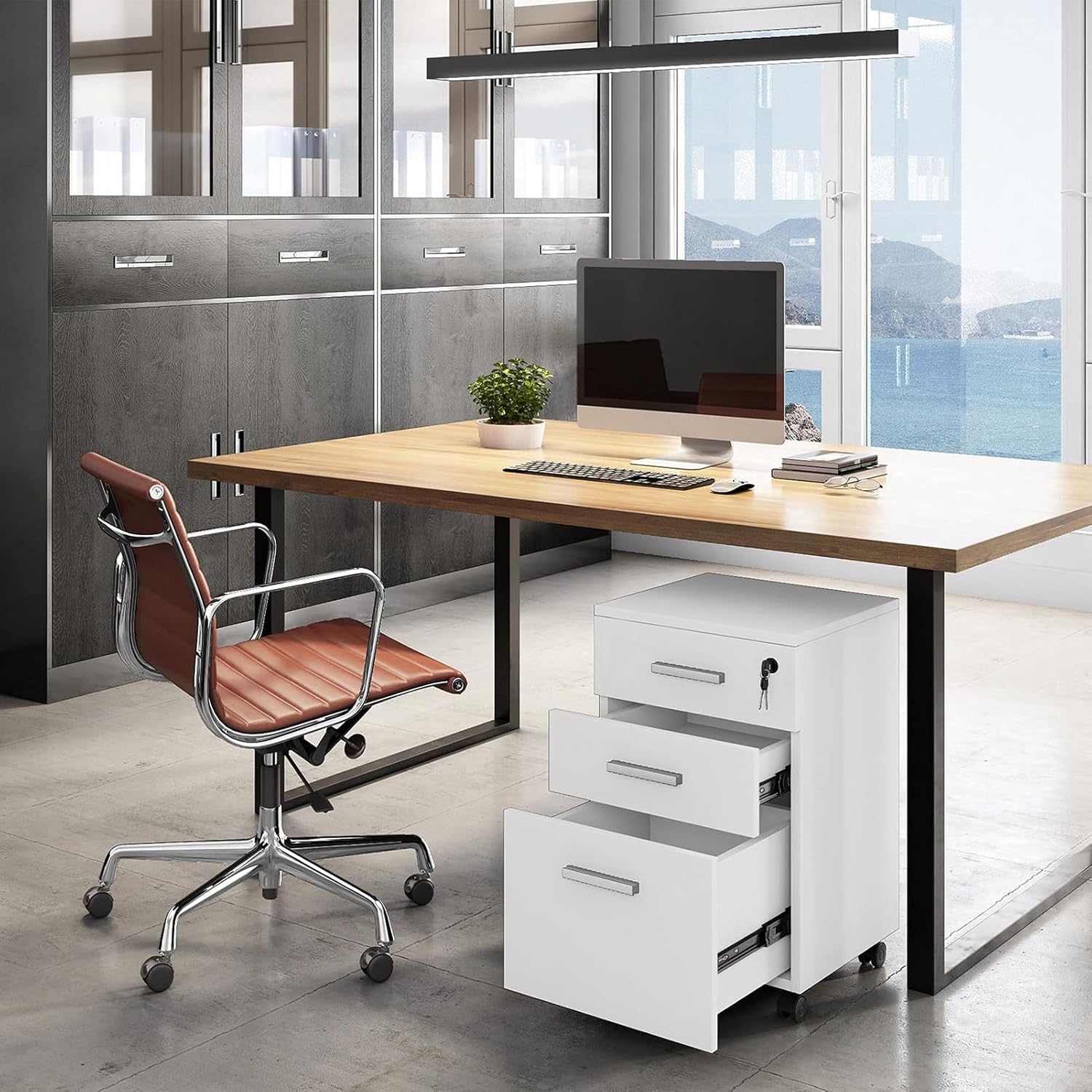
Figure 3: File cabinet with bottom drawer open, showing file storage.
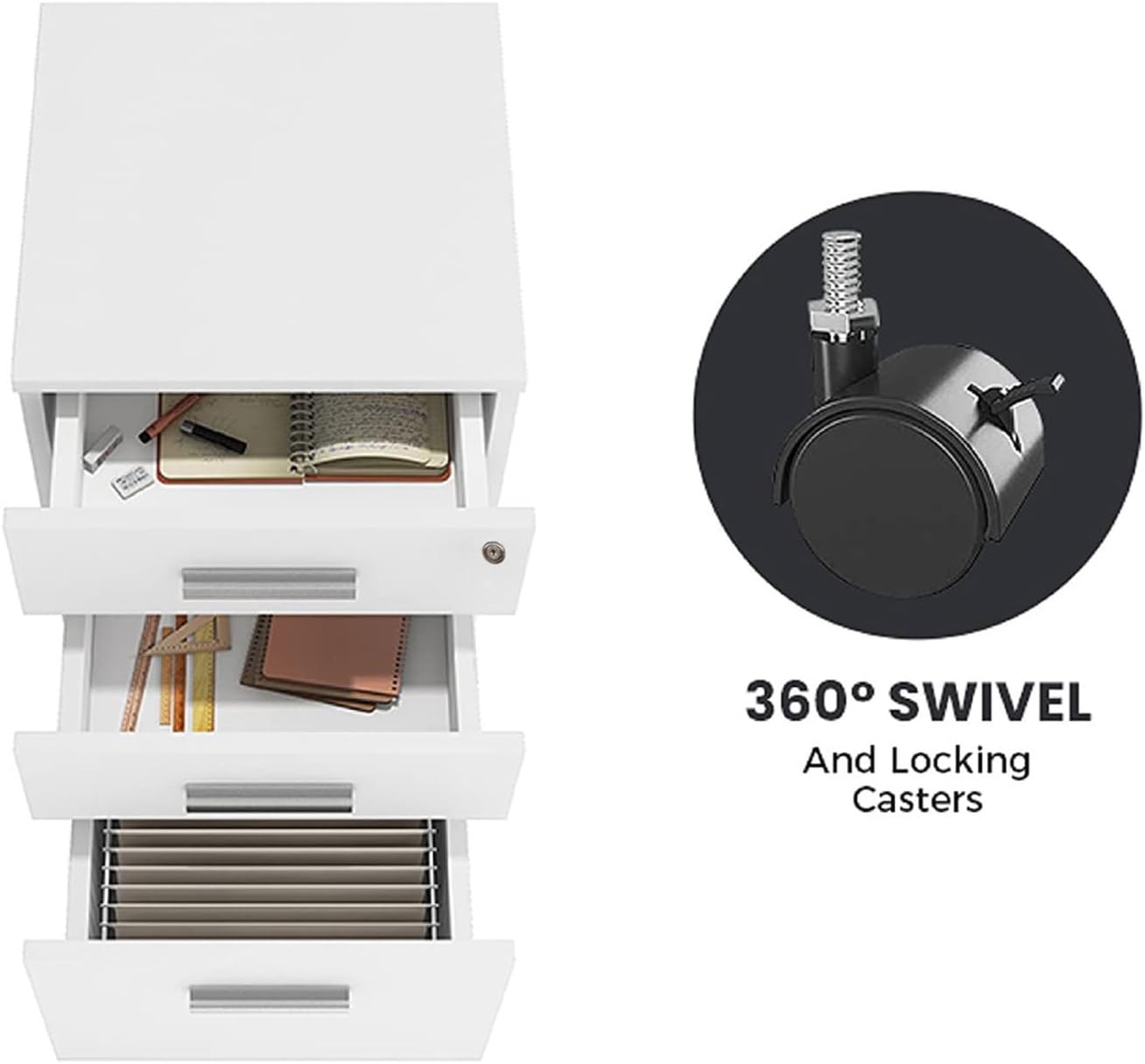
Figure 4: Drawers open, illustrating storage capacity and caster features.
Mobility and Locking
- The cabinet is equipped with four 360° swivel casters for easy movement.
- Two front casters are lockable. To secure the cabinet in place, press down on the lever of these casters. To unlock, lift the lever.
- A fifth wheel is located under the bottom drawer for enhanced stability, especially when the drawer is extended.
- The casters are designed to be floor-friendly, preventing damage to various floor surfaces.

Figure 5: File cabinet showcasing its mobile design and lockable top drawer.
Maintenance and Care
- Cleaning: Wipe the cabinet surfaces with a soft, damp cloth. Avoid abrasive cleaners or harsh chemicals, as the finish is waterproof and scratch-resistant but can be damaged by strong agents.
- Drawer Slides: Periodically check drawer slides for smooth operation. If they become stiff, a small amount of silicone lubricant can be applied.
- Casters: Keep casters free of debris (hair, dust) to ensure smooth rolling.
- Hardware: Occasionally check all screws and fasteners to ensure they remain tight. Retighten if necessary.
- Weight Distribution: Avoid overloading drawers. Distribute weight evenly to maintain stability and prevent damage to the cabinet structure.
Troubleshooting
| Problem | Possible Cause | Solution |
|---|---|---|
| Drawers do not slide smoothly. | Misaligned drawer slides, loose screws, debris in slides, overloaded drawer. | Check alignment of slides, tighten screws, clean slides, redistribute drawer contents. |
| Cabinet is unstable or wobbles. | Loose assembly hardware, uneven floor, casters not locked. | Ensure all screws are tight. Move cabinet to a level surface. Engage caster locks. |
| Casters do not roll freely. | Debris (hair, lint) caught in casters. | Clean casters thoroughly, removing any obstructions. |
| Lock mechanism not working. | Key not fully inserted, mechanism jammed. | Ensure key is fully inserted and turned correctly. Do not force the lock. |
Product Specifications
| Brand | NEREIDS NET |
| Model Number | NT436GEGTR765 |
| Color | White |
| Material | Engineered Wood |
| Product Dimensions (D x W x H) | 15"D x 15.8"W x 26.8"H (approximately 38 cm D x 40 cm W x 68 cm H) |
| Number of Drawers | 3 |
| Item Weight | 1 Pounds (0.45 kg) |
| Assembly Required | Yes |
Warranty and Support
For information regarding warranty coverage or to obtain support for your NEREIDS NET Mobile File Cabinet, please refer to the contact information provided at the point of purchase or visit the official NEREIDS NET website. Please have your model number (NT436GEGTR765) ready when contacting support.