Pureatic V3 Robot Vacuum and Mop Cleaner Instruction Manual
Brand: Pureatic | Model: Pureatic-V3-WT-01
1. Introduction
The Pureatic V3 Robot Vacuum and Mop Cleaner is an advanced 3-in-1 cleaning solution designed to simplify your home maintenance. With powerful 5000Pa suction, intelligent navigation, and versatile control options, it efficiently vacuums, sweeps, and mops various floor types. This manual provides essential information for setup, operation, maintenance, and troubleshooting to ensure optimal performance of your device.
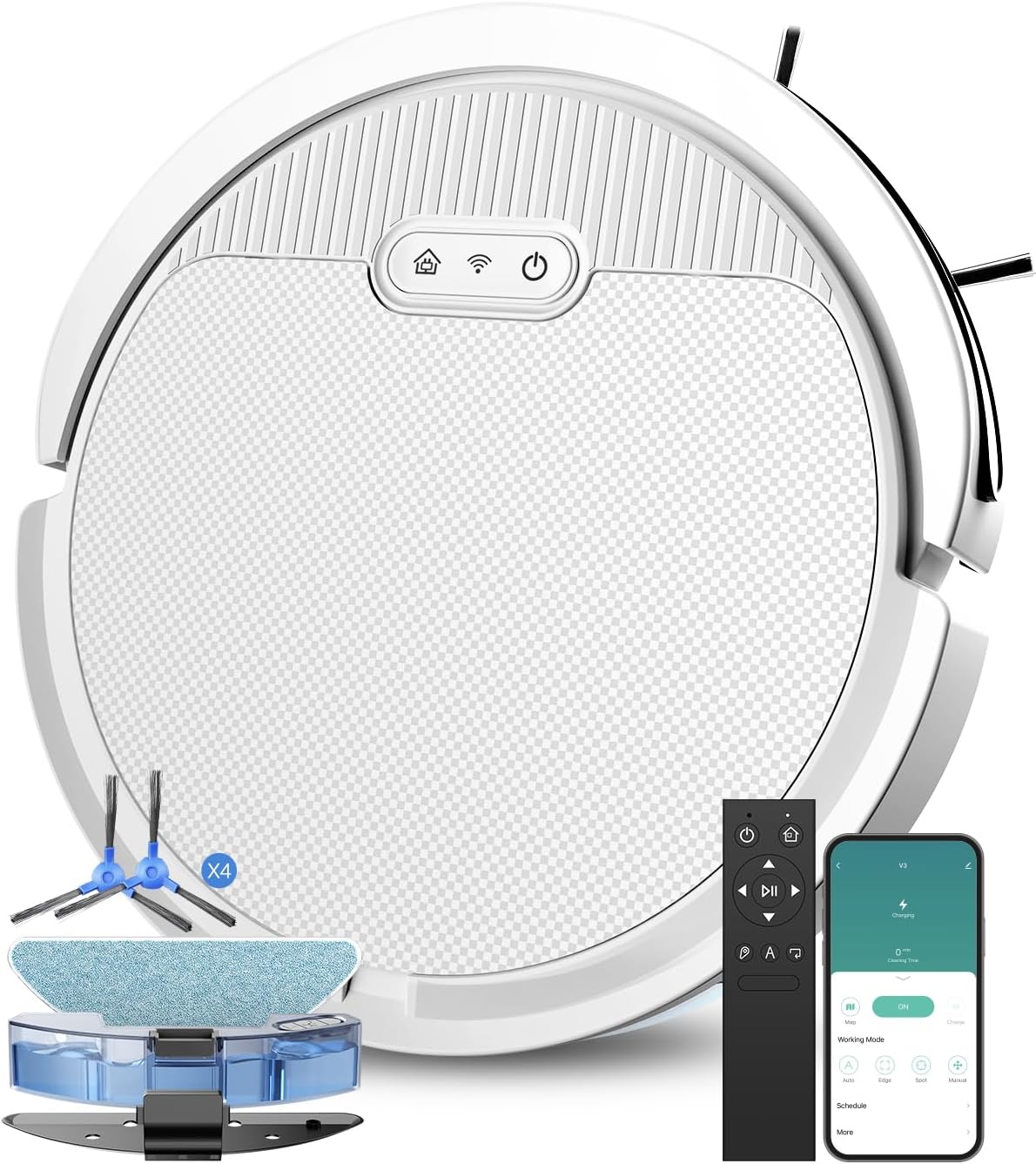
Figure 1: Pureatic V3 Robot Vacuum and Mop Cleaner with included accessories.
2. Key Features
5000Pa Powerful Suction: Equipped with a robust motor, the Pureatic V3 delivers 5000Pa of suction power, making it highly effective at picking up crumbs, pet hair, and dust from hard floors, tiles, wooden floors, and low-pile carpets.
Figure 2: Visual representation of the robot vacuum's powerful 5000Pa suction.
3-in-1 Vacuuming, Sweeping, and Mopping: This versatile robot cleaner can vacuum, sweep, and mop simultaneously. Adjust wind power and water flow levels via the app for customized cleaning.
Figure 3: The robot vacuum demonstrating its integrated sweeping, vacuuming, and mopping capabilities.
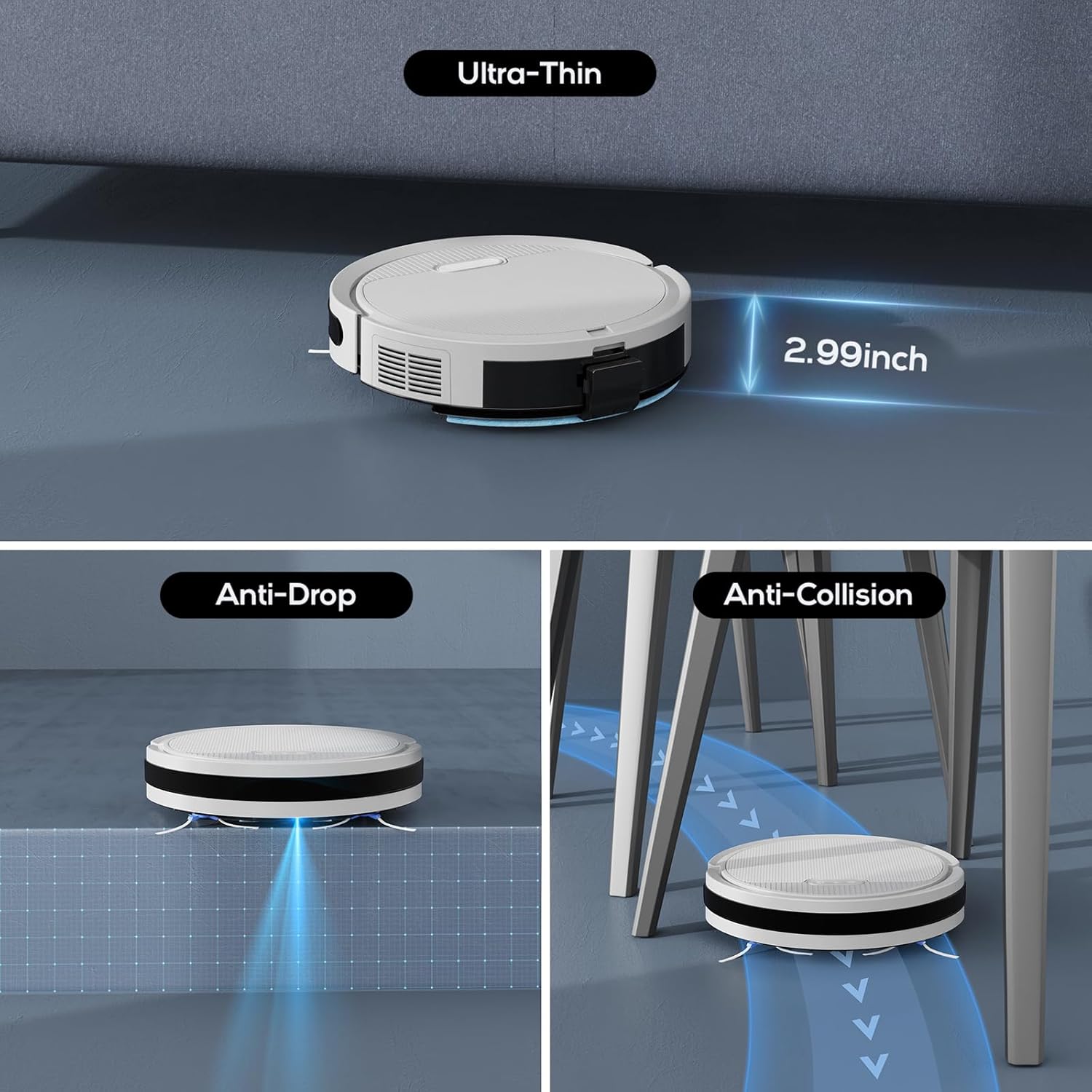
Slim Design: With a height of just 2.99 inches, the Pureatic V3 can easily navigate under low furniture and access hard-to-reach areas. It also features a climbing angle of 15° to effortlessly cross 0.6-inch thresholds or carpets.
Figure 4: The robot vacuum's ultra-thin profile, along with its anti-drop and anti-collision sensors.
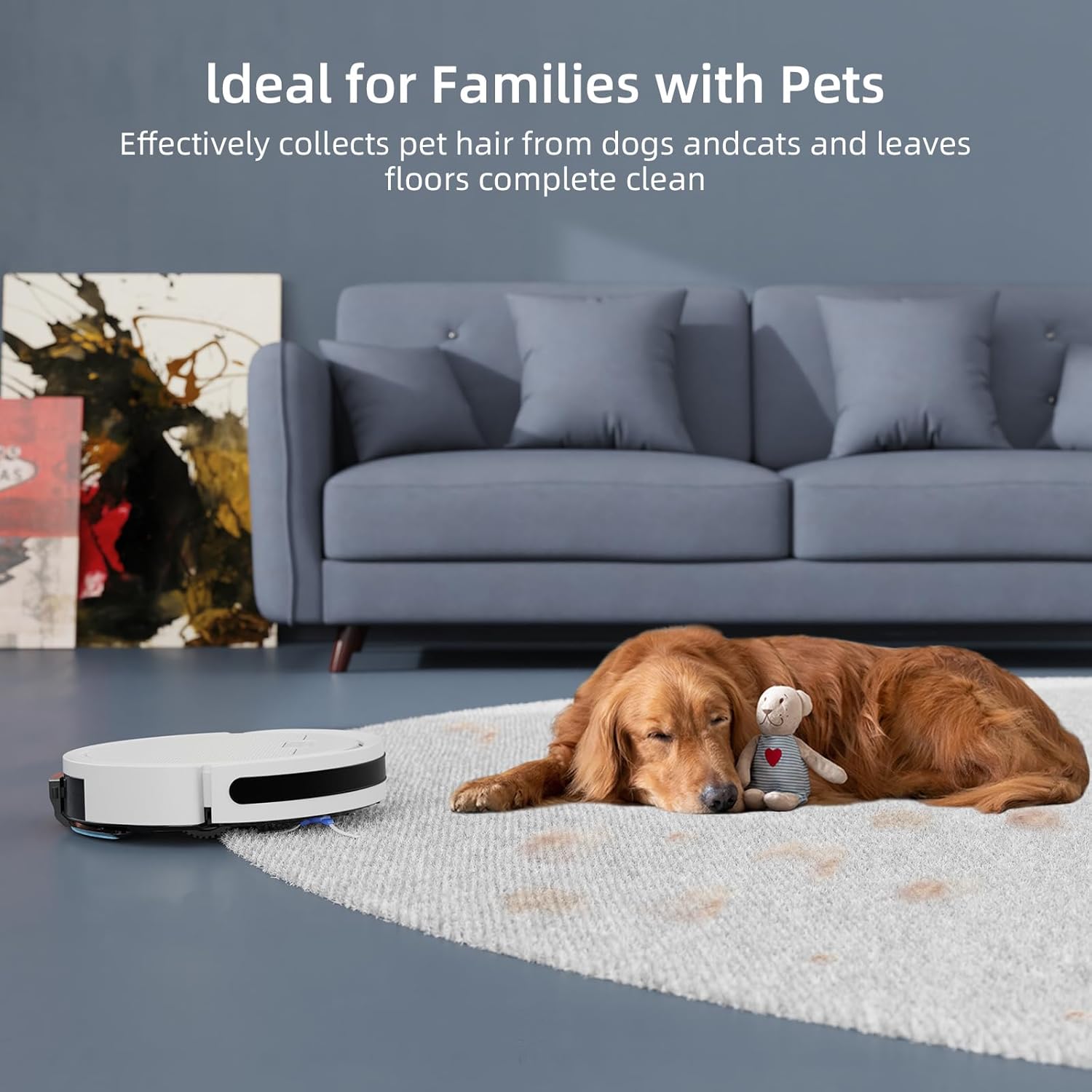
Engineered for Pet Owners: The unique air intake design prevents clogging from pet hair, a common issue with traditional roller brush vacuums. It includes a high-efficiency filter and a large 650ml dust box.
Figure 5: The robot vacuum effectively cleaning pet hair, showcasing its suitability for homes with pets.
Intelligent APP, Voice, and Remote Control: Control the robot's cleaning direction, switch modes, adjust suction power, and set schedules easily via the dedicated app. It is compatible with Alexa, Siri, and Google Home for convenient voice control. A remote control is also included for direct operation. (Supports 2.4Ghz Wi-Fi only)
Figure 6: Control options for the robot vacuum, including mobile app and voice assistant integration.
6 Cleaning Modes: Choose from Auto Cleaning, Spot Cleaning, Edge Cleaning, Schedule Cleaning, Manual Control, and Zigzag Cleaning to tailor the cleaning process to your specific needs.
Gyroscope Smart Navigation: Built-in infrared sensors enable the robot to identify steps and obstacles, following an efficient Zig-zag path to ensure thorough cleaning without missing areas.
Figure 7: Key components of the Pureatic V3, including the water tank, mop holder, washable mop cloth, and high filtration HEPA filter.
3. Setup Guide
Unboxing and Initial Inspection: Carefully remove all components from the packaging. Check for any visible damage. Ensure all accessories listed in the packing list are present.
Video 1: Unboxing the Pureatic V3 Robot Vacuum Cleaner, showing all included components and initial setup steps.
Remove Anti-Collision Strip: Before first use, locate and remove any protective anti-collision strips from the robot's bumper.
Install Side Brushes: Attach the side brushes to the designated posts on the underside of the robot. Press firmly until they click into place.
Place Charging Dock: Position the charging dock against a wall in an open, uncluttered area. Ensure there is at least 1 meter (3 feet) of clear space on both sides and 2 meters (6 feet) in front of the dock. Plug in the power adapter.
Initial Charge: Place the robot onto the charging dock. Ensure the charging contacts on the robot align with those on the dock. The indicator lights will show charging status. Fully charge the robot before its first use (approximately 4-5 hours).
Prepare for Mopping (Optional): If using the mopping function, remove the water tank from the robot. Open the water tank plug and fill it with clean water. Securely close the plug and reinstall the water tank back into the robot. Wet the mopping cloth completely and attach it to the mop board, then install the mop board onto the host.
Video 2: Demonstrates how to prepare the Pureatic V3 for mopping, including filling the water tank and attaching the mop cloth.
4. Operating Instructions
4.1 Control Methods
App Control: Download the Pureatic app from your smartphone's app store. Follow the in-app instructions to connect your robot vacuum to your 2.4Ghz Wi-Fi network. The app allows for comprehensive control, including starting/stopping cleaning, selecting cleaning modes, adjusting suction/water flow, and setting schedules.
Voice Control: Integrate your Pureatic V3 with Amazon Alexa or Google Home for hands-free operation. Use simple voice commands to start or stop cleaning.
Remote Control: Use the included remote control for basic functions such as starting/stopping, directing the robot, and selecting modes.
Video 3: Overview of the Pureatic V3's features, including app and voice control, powerful suction, 2-in-1 function, slim design, anti-collision, and auto-recharge.
4.2 Cleaning Modes
Auto Cleaning: The robot intelligently navigates your home using a zigzag path to ensure thorough coverage.
Spot Cleaning: Ideal for concentrated dirty areas. The robot will clean in a spiral pattern around a specific spot.
Edge Cleaning: The robot cleans along walls and furniture edges to ensure no dust is left behind.
Schedule Cleaning: Set specific times for the robot to automatically start cleaning.
Manual Control: Use the app or remote control to manually direct the robot's movement.
Zigzag Cleaning: The robot follows a systematic zigzag pattern for efficient and comprehensive cleaning.
4.3 Automatic Recharging
When the battery level is low or cleaning is complete, the Pureatic V3 will automatically return to its charging dock to recharge. Ensure the charging dock remains powered on and accessible.
Video 4: Demonstrates the Pureatic V3's various cleaning modes, anti-collision, fall prevention, and automatic recharging capabilities.
5. Maintenance
Regular maintenance ensures the longevity and optimal performance of your Pureatic V3 robot vacuum.
5.1 Dust Bin and Filter Cleaning
Remove Dust Bin: Open the top cover of the robot and pull out the dust bin.
Empty Dust Bin: Open the dust bin latch and empty all collected debris into a trash can. The 650ml capacity means less frequent emptying.
Clean Pre-filter: Remove the pre-filter from the dust bin. The pre-filter is washable; rinse it under running water. Ensure it is completely dry before re-installing.
Clean HEPA Filter: Remove the HEPA filter. The HEPA filter is not washable. Use the included cleaning tool or a soft brush to remove dust and debris.
Reassemble: Place the clean HEPA filter back into the pre-filter, then insert the pre-filter into the dust bin. Close the dust bin latch and firmly press the dust bin back into the robot until it clicks into place.
Video 5: Detailed instructions on how to maintain and clean the dust bin and filters of the Pureatic V3 robot vacuum.
5.2 Mopping Pad Care
After each mopping session, remove the mopping cloth from the mop board.
Hand wash the mopping cloth with mild detergent and warm water.
Allow the mopping cloth to air dry completely before reattaching it for future use.
6. Specifications
Feature
Specification
Brand
Pureatic
Model Name
Pureatic-V3-WT-01
Product Dimensions
12"L x 12"W x 2.9"H
Item Weight
5.13 pounds
Color
White
Suction Power
5000Pa
Dust Bin Capacity
650 Milliliters
Battery Life
120 minutes
Battery Type
3 Lithium Ion batteries (included)
Voltage
11.1 Volts
Filter Type
HEPA
Climbing Capacity
15° (max 0.6 inch thresholds)
Control Methods
WiFi App (2.4Ghz only), Alexa, Siri, Google Home, Remote Control
Dusting Brush, Battery, Cleaning Solution, Charging Adapter, Side Brush
7. Troubleshooting
If you encounter any issues with your Pureatic V3 robot vacuum, please refer to the following common troubleshooting tips:
Robot not charging: Ensure the charging dock is plugged in and powered on. Check that the charging contacts on both the robot and the dock are clean and free of debris. Reposition the robot on the dock to ensure proper alignment.
Robot not starting: Make sure the robot is fully charged. Check if the main power switch (usually on the side or bottom) is turned on.
Poor suction/cleaning performance: Empty the dust bin and clean all filters (pre-filter and HEPA filter). Check if the side brushes are tangled with hair or debris and clean them if necessary. Ensure the air intake is not blocked.
Robot getting stuck frequently: Clear obstacles from the cleaning path. Ensure the robot's sensors (anti-collision, anti-drop) are clean.
App connectivity issues: Ensure your Wi-Fi network is 2.4Ghz (5Ghz is not supported). Restart your router, the robot, and your smartphone. Re-pair the device in the app if necessary.
Mopping function not working: Ensure the water tank is filled and properly installed. Check that the mopping cloth is wet and correctly attached to the mop board.
For more complex issues or persistent problems, please contact Pureatic customer support.
8. Warranty and Support
All Pureatic products come with a 24-month warranty from the date of purchase. This warranty covers manufacturing defects and ensures your product is free from material and workmanship flaws under normal use.
If you require assistance, have questions, or need to claim warranty service, please do not hesitate to contact Pureatic customer support. Our dedicated team is ready to help you with any concerns regarding your Pureatic V3 Robot Vacuum and Mop Cleaner.
Thank you for choosing Pureatic!
Related Documents - Pureatic-V3-WT-01
Pureatic V3 Robot Vacuum and Mop User Manual User manual for the Pureatic V3 robot vacuum and mop, detailing safety instructions, specifications, operation, maintenance, and troubleshooting.
User's Guide for N5 Robot Vacuum Cleaner This user's guide provides instructions and safety information for the N5 Robot Vacuum Cleaner, including setup, operation, maintenance, and troubleshooting.
Viomi V3 Max Robot Vacuum Cleaner User Manual and Guide Comprehensive user manual for the Viomi V3 Max robot vacuum cleaner, detailing setup, operation, safety precautions, maintenance, and troubleshooting for efficient home cleaning.
Dyson V8 Absolute Cordless Vacuum Cleaner | Powerful, Versatile, Low Noise Discover the Dyson V8 Absolute cordless vacuum cleaner. Featuring powerful suction, de-tangling technology for homes with pets, advanced filtration, and up to 40 minutes of run time. Includes key specifications and what's in the box.