
1. Introduction and Safety Information
Thank you for choosing the DCK KDRM105 Robotic Lawn Mower. This manual provides essential information for the safe operation, installation, and maintenance of your robotic lawn mower. Please read this manual thoroughly before using the product and keep it for future reference.
Important Safety Instructions
- Always ensure the safety stop button is accessible and functional.
- Keep children and pets away from the robotic mower during operation. The mower is equipped with LiDAR for obstacle detection to prevent injuries.
- Do not operate the mower in wet conditions or during heavy rain. The integrated rain sensor will guide the mower back to its charging station.
- Before performing any maintenance or cleaning, switch off the mower and disconnect it from the power source.
- Regularly inspect the blades for wear and damage. Replace worn blades to ensure efficient and safe operation.
- Ensure the boundary wire is correctly installed to define the mowing area and prevent the mower from leaving designated zones.
2. Product Overview
The DCK KDRM105 is an advanced robotic lawn mower designed for efficient and precise lawn care. It features intelligent navigation, LiDAR obstacle avoidance, multi-zone management, and app control.
Components and Features
- LiDAR Obstacle Avoidance: Detects obstacles 5000 times per second with a 360° scan for precise navigation and safety.
- Intelligent Mowing Pattern: Utilizes parallel cutting for a neat and beautiful lawn, achieving an efficiency of 100 m²/h.
- Optimal Return Route: Automatically calculates the most efficient path back to the charging station, maximizing battery usage.
- Multi-Zone Management: Capable of navigating through narrow paths (80 cm wide) and managing complex garden layouts with slopes up to 40%.
- Quiet Operation: Equipped with a brushless motor, operating at less than 54 decibels.
- App Control: Allows scheduling, real-time status checks, and adjustable cutting height (30-60 mm) via a mobile application.
- Connectivity: Supports both Wi-Fi and Bluetooth for reliable signal reception and control.

Figure 2.1: Overview of the DCK KDRM105 Robotic Lawn Mower with key components labeled, including safety stop, control panel, charging port, handle, rain sensor, rear wheel, front wheel, mowing blade, mowing disc, and bumper.
3. Setup and Installation
Proper installation is crucial for the optimal performance of your robotic lawn mower. Follow these steps carefully.
3.1 Preparing the Lawn
Before installation, clear the lawn of any debris, stones, or objects that could interfere with the mower's operation. Identify the areas to be mowed.

Figure 3.1: Visual quick start guide for the DCK KDRM105, illustrating the five main installation steps: selecting a lawn area, installing the charging station, laying the boundary cable and RFID beacons, securing the charging station, and initiating the robotic mower.
3.2 Installing the Charging Station
- Choose a suitable location for the charging station, preferably in a sheltered area.
- Ensure there is at least 1 meter of clear space on both sides of the charging station and 2 meters in front of it.
- Secure the charging station to the ground using the provided pegs.
- Connect the charging station to a power outlet.
3.3 Laying the Boundary Wire and RFID Beacons
The boundary wire defines the mowing area. The RFID beacons assist with navigation and multi-zone management.
- Lay the boundary wire around the perimeter of your lawn, ensuring it is taut and securely fastened to the ground.
- Place RFID beacons at regular intervals (e.g., every 10 meters) along the boundary wire, especially in complex areas or between zones.
- Ensure the wire is connected to the charging station as per the instructions.
4. Operating the Robotic Lawn Mower
The DCK KDRM105 offers intelligent operation through its mobile application and advanced navigation features.
4.1 Initial Mapping and Learning
After installation, place the robot on the charging station. Upon activation, the mower will perform automatic checks and create an autonomous map of the mowing area using the RFID tags.
4.2 App Control and Connectivity
Download the "Terraina" app from your mobile app store. Connect the mower via Wi-Fi and Bluetooth for optimal signal reception.
- Scheduling: Set mowing schedules and times within the app.
- Real-time Monitoring: Check the mowing status from your mobile phone.
- Cutting Height Adjustment: Adjust the cutting height between 30-60 mm directly through the app.
- Multi-Zone Management: Customize zones and set different cutting heights for various areas of your lawn.

Figure 4.1: Illustration of the mobile application interface for controlling the DCK KDRM105, demonstrating how to set different cutting heights (30mm, 50mm, 60mm) for various lawn zones.
4.3 Mowing Operation
- The mower uses an intelligent pattern for efficient and parallel cutting.
- LiDAR technology ensures obstacle avoidance, detecting objects in advance and navigating around them.
- When battery energy drops below 20%, the mower automatically returns to the charging station via an optimal route.
- The integrated rain sensor will prompt the mower to return to the charging station if rain is detected.

Figure 4.2: The DCK KDRM105 robotic lawn mower demonstrating its intelligent and organized mowing pattern, designed for 2 times more efficient mowing at 100 m²/hour.
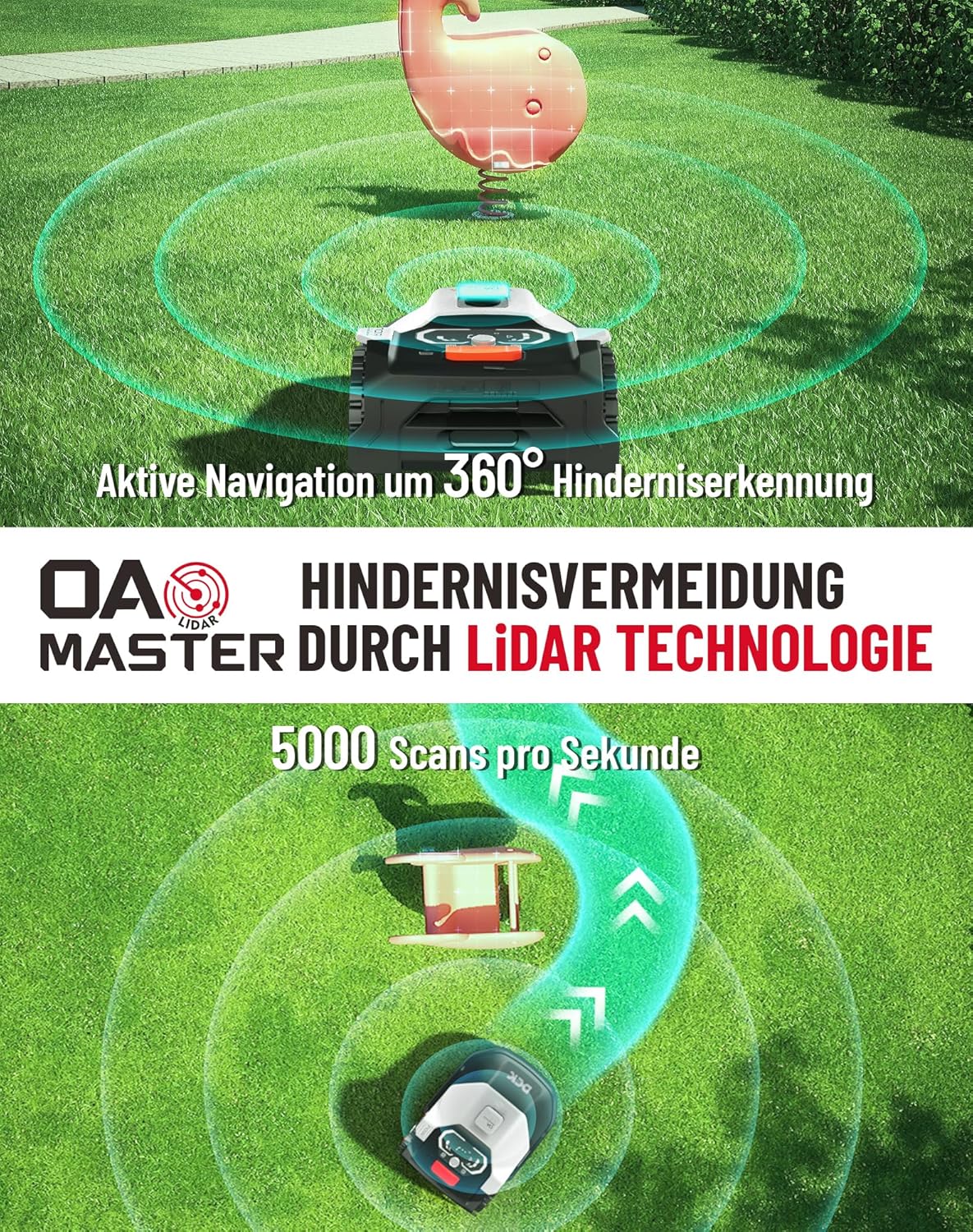
Figure 4.3: The DCK KDRM105 utilizing 360° active obstacle detection and LiDAR technology for precise obstacle avoidance, performing 5000 scans per second.

Figure 4.4: The DCK KDRM105 automatically returning to its charging station when battery energy is below 20%, demonstrating its optimal return route and integrated rain sensor functionality.

Figure 4.5: The DCK KDRM105 robotic lawn mower demonstrating its capability to operate on slopes up to 22° (40% incline).
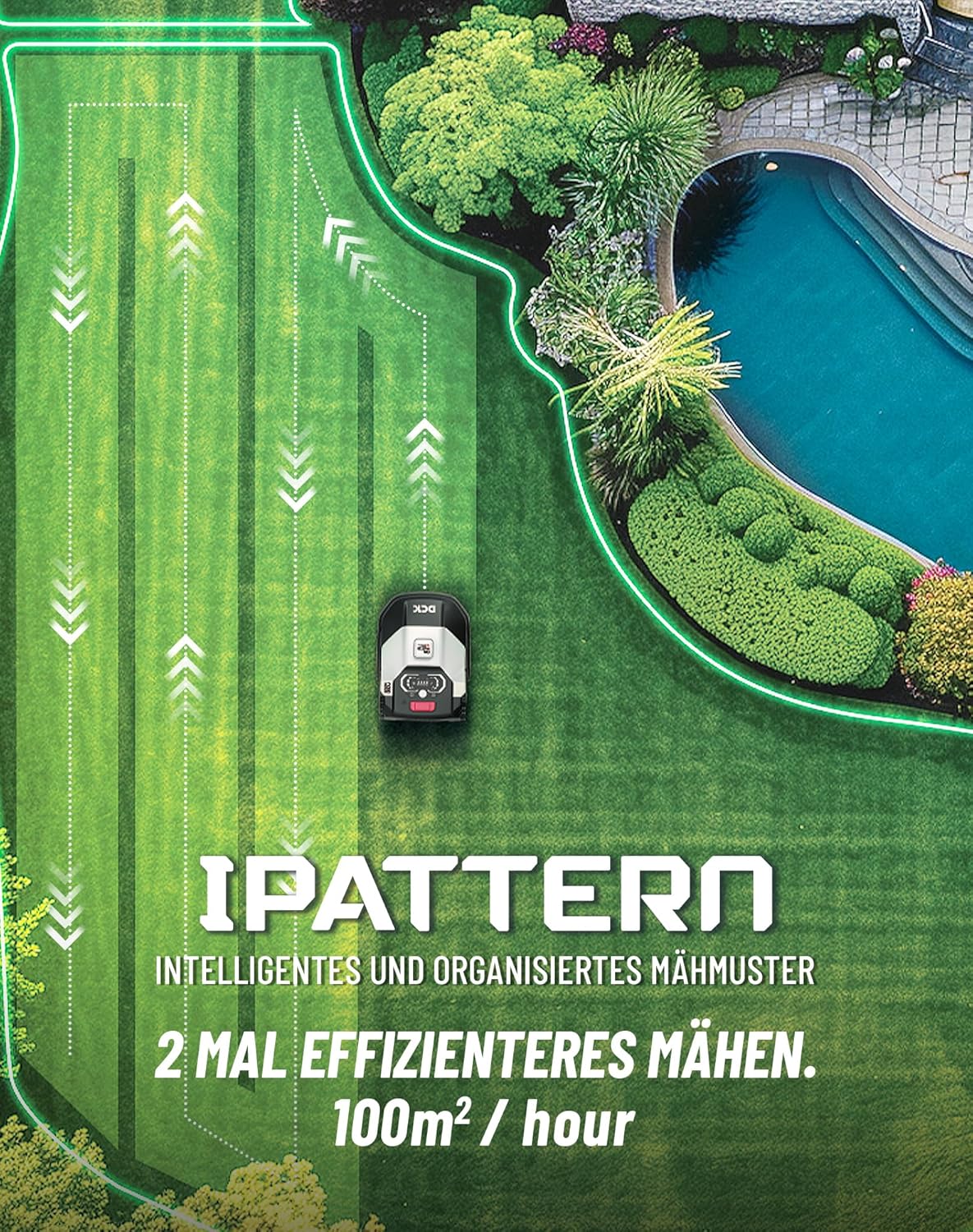
Figure 4.6: The DCK KDRM105 robotic lawn mower navigating a narrow 80cm passage, highlighting its ability to manage complex garden layouts.
5. Maintenance
Regular maintenance ensures the longevity and optimal performance of your DCK KDRM105 robotic lawn mower.
5.1 Cleaning
- Clean the mower regularly, especially the underside, wheels, and cutting deck, to remove grass clippings and dirt.
- Use a soft brush or cloth. Avoid using high-pressure washers or harsh chemicals.
- Ensure the charging contacts on both the mower and the charging station are clean.
5.2 Blade Replacement
- Inspect the blades regularly for sharpness and damage. Dull or damaged blades can affect cutting quality and increase power consumption.
- Always wear protective gloves when handling blades.
- To replace blades, switch off the mower and turn it over. Unscrew the old blades and replace them with new ones, ensuring they are securely fastened.
5.3 Winter Storage
- Before winter, fully charge the battery.
- Clean the mower thoroughly.
- Store the mower and charging station in a dry, frost-free environment.
6. Troubleshooting
This section provides solutions to common issues you might encounter with your robotic lawn mower.
| Problem | Possible Cause | Solution |
|---|---|---|
| Mower does not start or stops unexpectedly. | Low battery; safety stop engaged; boundary wire issue; software error. | Charge the battery; check safety stop button; verify boundary wire connection; restart the mower; check app for error codes (e.g., E71). |
| Poor cutting performance. | Dull or damaged blades; grass too high; cutting height set too low. | Replace blades; mow frequently; adjust cutting height via app. |
| Mower gets stuck or avoids certain areas. | Obstacles; incorrect boundary wire placement; LiDAR sensor obstructed. | Remove obstacles; check boundary wire layout; clean LiDAR sensor. |
| Mower does not return to charging station. | Charging station not powered; signal interference; boundary wire issue. | Verify power to charging station; check Wi-Fi/Bluetooth connection; inspect boundary wire. |
| Error E71 displayed. | Software exception; RFID tag issue. | Restart the mower; check for app updates; inspect RFID tags and their placement. Contact customer support if the issue persists. |
7. Specifications
| Feature | Detail |
|---|---|
| Model Number | KDRM105 |
| Brand | DCK |
| Recommended Lawn Area | Up to 500 m² |
| Max Slope Capability | 40% (approx. 22°) |
| Cutting Width | 220 mm |
| Adjustable Cutting Height | 30 - 60 mm (via app) |
| Mowing Efficiency | 100 m²/hour |
| Noise Level | Less than 54 dB |
| Battery Type | 1 Lithium-ion (included) |
| Product Weight | 15 kg |
| Product Dimensions (L x W x H) | 46.9 x 64 x 27.4 cm |
| Material | Plastic |
| Connectivity | Wi-Fi, Bluetooth |
| Obstacle Detection | LiDAR (360° scan, 5000 scans/sec) |
8. Warranty and Support
For warranty information and customer support, please refer to the documentation provided with your purchase or visit the official DCK website. Keep your proof of purchase for warranty claims.
If you encounter persistent issues not covered in the troubleshooting section, please contact DCK customer service for assistance.