
HOLEWOR Fingerprint
HOLEWOR Biometric Fingerprint Pistol Safe User Manual
Model: Fingerprint (B0CY8VRT1X)
1. Introduction
This manual provides essential instructions for the safe and effective use of your HOLEWOR Biometric Fingerprint Pistol Safe. Please read this manual thoroughly before installation and operation. Keep it for future reference.
2. Important Safety Information
WARNING: Firearm safety is paramount. Always store firearms securely to prevent unauthorized access, especially by children. This safe is designed to aid in responsible firearm storage.
- Never store loaded firearms in an unsecured manner.
- Keep backup keys in a secure location separate from the safe.
- Ensure the safe is properly mounted and secured to prevent removal.
- Regularly check battery levels to ensure continuous operation.
3. Product Overview
The HOLEWOR Biometric Fingerprint Pistol Safe offers quick and secure access to your firearm. It features multiple access methods, an internal environment display, and flexible mounting options.
Key Features:
- Biometric Fingerprint Access: Stores up to 100 fingerprints for rapid entry.
- Electronic Keypad Access: Supports up to 10 sets of 6-digit passcodes.
- Manual Key Access: Two backup keys are provided for emergency entry.
- LCD Display: Shows current time, battery level, internal temperature, and humidity.
- Internal LED Light: Automatically illuminates upon opening for visibility in low-light conditions.
- Multiple Mounting Options: Can be mounted on the left, right, or top of a surface.
- Durable Construction: Made from alloy steel for enhanced security.
4. What's Included
- HOLEWOR Biometric Fingerprint Pistol Safe
- Mounting Bracket
- 2 Backup Keys
- 4 AAA Batteries
- Mounting Screws and Anchors
- User Manual
- Small Screwdriver
5. Setup Instructions
5.1. Battery Installation
- Locate the battery compartment on the back of the safe.
- Use the provided screwdriver to remove the cover screws.
- Insert the 4 AAA batteries, ensuring correct polarity.
- Replace the cover and secure it with the screws.
5.2. Initial Unlock
In its initial state, the safe is locked. Use one of the provided mechanical keys to open it for the first time.
- Insert the mechanical key into the keyhole on the back of the safe.
- Turn the key to unlock and open the safe door.
5.3. Programming Fingerprints
The safe can store up to 100 unique fingerprints.
- With the safe open, locate the setting button inside the safe.
- Short press the setting button. The display will prompt for fingerprint registration.
- Place your finger on the fingerprint scanner. Lift and repeat several times until the display confirms successful registration.
- Repeat for additional fingerprints as desired.
5.4. Programming Passcode
The safe can store up to 10 sets of 6-digit passcodes.
- With the safe open, short press the setting button.
- Press the '1' key on the numeric keypad. The display will prompt for passcode entry.
- Enter your desired 6-digit passcode.
- Press the '#' key to confirm. The display will confirm successful registration.
- Repeat for additional passcodes as desired.
6. Mounting Instructions
The safe offers versatile mounting options to suit various locations such as under a desk, inside a nightstand, or in a bookcase.

Image: Pistol safe mounted on the top of a desk, showing the top mounting bracket.
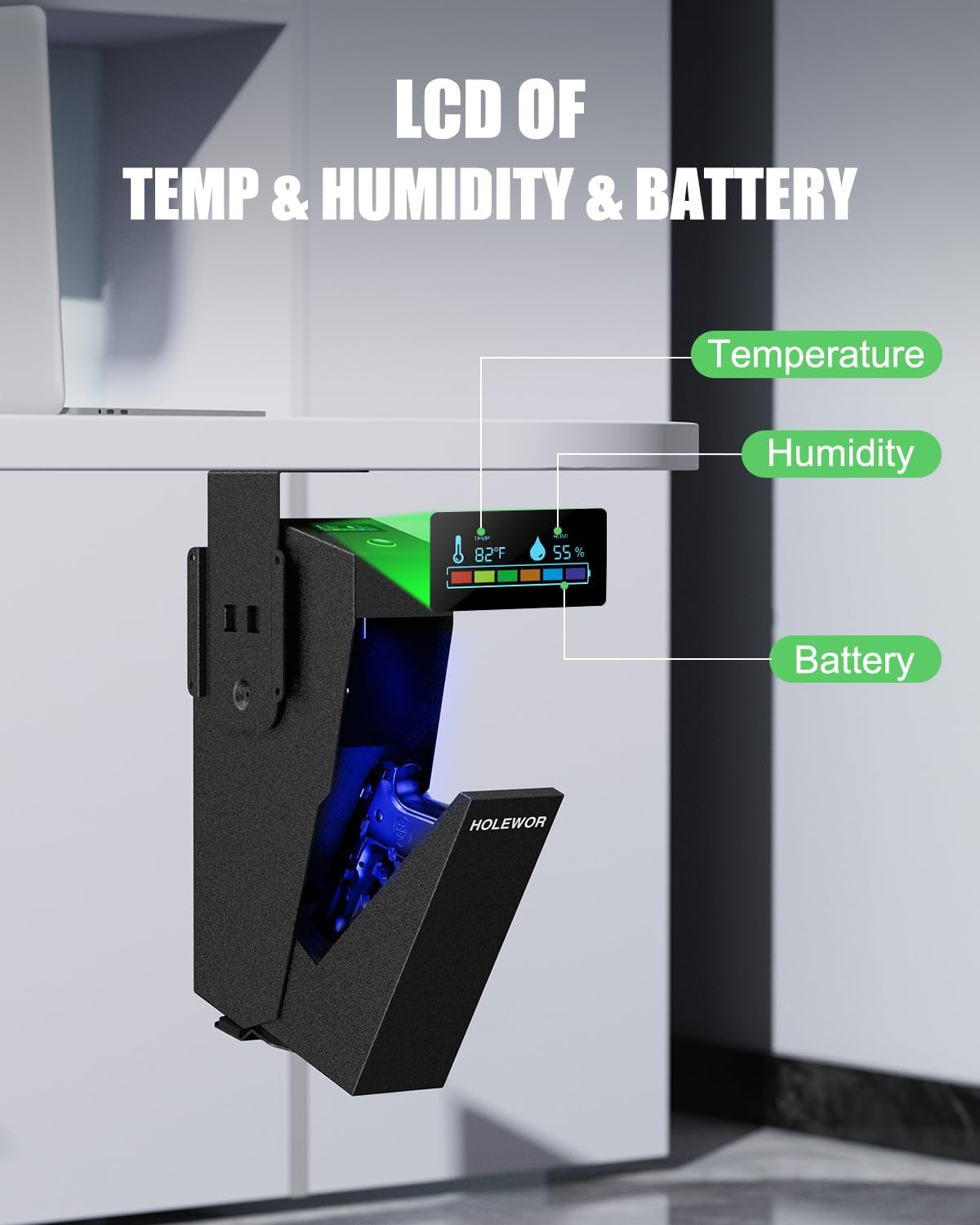
Image: Pistol safe mounted on the left side of a cabinet, demonstrating side mounting.

Image: Pistol safe mounted under a desk, showing the drop-down access.
- Choose a suitable mounting location (e.g., under a desk, inside a nightstand, or on a wall).
- Position the mounting bracket in the desired orientation (top, left, or right).
- Mark the drill holes through the bracket onto the surface.
- Drill pilot holes into the marked spots.
- Secure the mounting bracket to the surface using the provided screws and anchors.
- Align the safe with the mounted bracket and slide it into place.
- Secure the safe to the bracket using the internal security screw (located inside the safe once mounted).
7. Operating Instructions
7.1. Quick Access (Fingerprint or Passcode)
- To open with a fingerprint, place a registered finger firmly on the fingerprint scanner. The safe will open automatically.
- To open with a passcode, enter your 6-digit passcode on the numeric keypad. The safe will open automatically.
7.2. Manual Key Access
Use the mechanical keys for emergency access or if batteries are depleted.
- Locate the keyhole on the back of the safe.
- Insert the mechanical key and turn it to unlock the safe.
7.3. LCD Display
The LCD screen on top of the safe provides real-time information:
- Time: Displays the current time.
- Battery Level: Indicates the remaining battery power.
- Temperature: Shows the internal temperature in Fahrenheit.
- Humidity: Displays the internal humidity percentage.
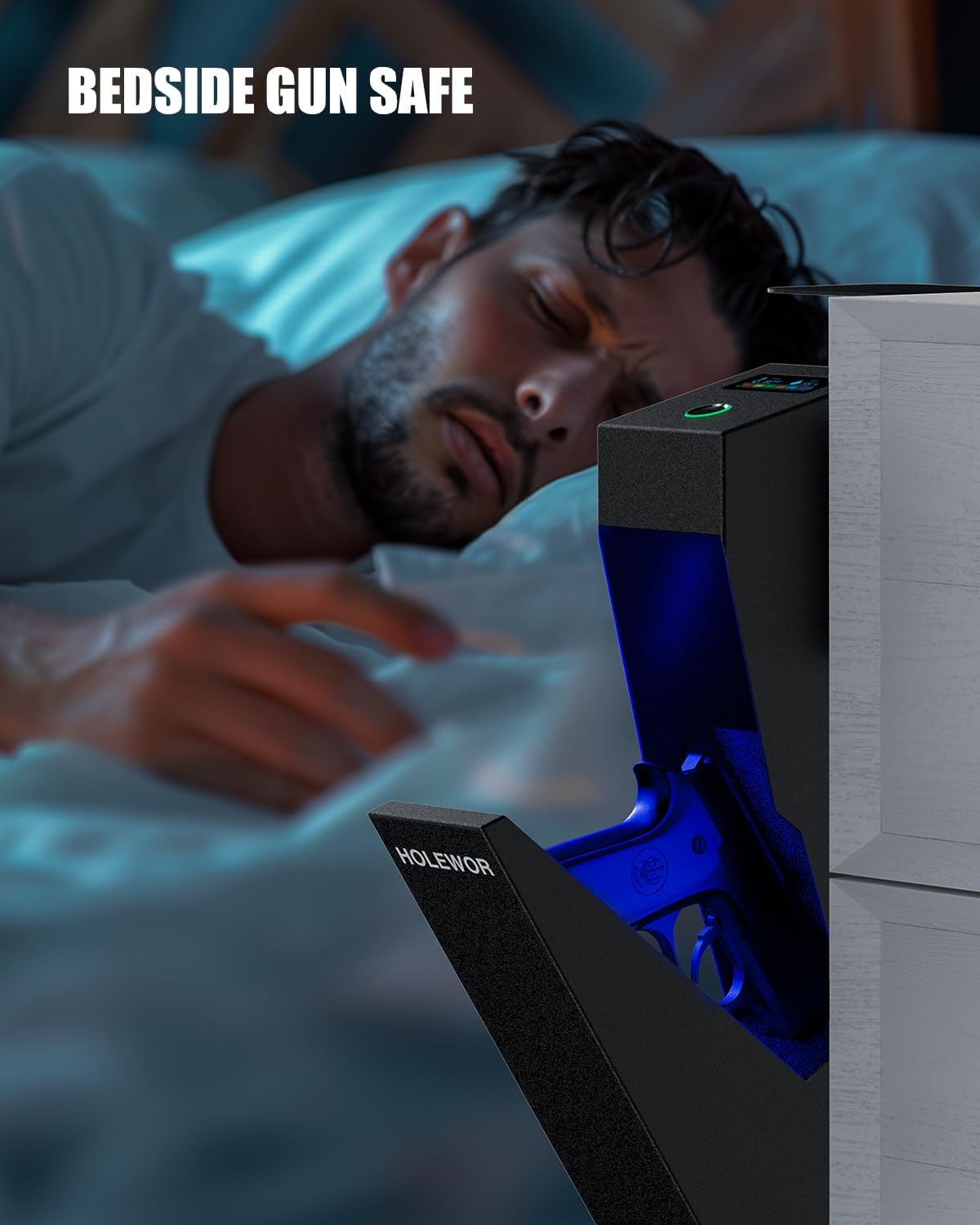
Image: Close-up of the LCD display on the safe, showing temperature, humidity, and battery status.
7.4. Internal LED Light
The internal blue LED light automatically turns on when the safe door opens and remains on for approximately 10 seconds, assisting visibility in dark environments.
8. Maintenance
8.1. Battery Replacement
When the battery level indicator on the LCD display is low, replace the batteries promptly to ensure continuous operation. Follow the battery installation steps in Section 5.1.
8.2. Humidity Control
Monitor the humidity level on the LCD display. If the internal humidity is too high, consider placing desiccant packets (dry packs) inside the safe to protect contents from moisture damage.
9. Troubleshooting
- Safe not opening with fingerprint/passcode: Ensure batteries are not low. Re-register fingerprints or re-enter passcode if issues persist. Use backup keys if necessary.
- LCD display not working: Check battery level and replace if low.
- Safe not mounting securely: Ensure appropriate screws and anchors are used for your surface type. Verify the internal security screw is tightened.
10. Specifications
| Feature | Specification |
|---|---|
| Brand | HOLEWOR |
| Product Dimensions | 7.87"D x 2.76"W x 15.6"H |
| Lock Type | Biometric, Electronic Combination Lock, Key |
| Color | Black |
| Capacity | 9.5 Pounds |
| Material | Alloy Steel |
| Special Features | Biometric Fingerprint, Combination Lock, Keys, LED Light, Temp & Humidity Display |
| Mounting Type | Under Desk, In Nightstand, Bookcase, Car |
| Item Weight | 8.86 pounds |
| Batteries Required | 4 AAA (Included) |
| Water Resistance Level | Not Water Resistant |
11. Warranty and Support
This HOLEWOR product comes with a 1-Year Warranty from the date of purchase. For technical support, warranty claims, or any questions regarding your safe, please refer to the contact information provided in the original product packaging or visit the official HOLEWOR website.
Related documentsFingerprint


Ask a question about this manual
Ask about setup, troubleshooting, compatibility, parts, safety, or missing instructions. Manuals+ will review the question and use this page’s manual context to help answer it.