
Gerrit GT4 Pro
Gerrit GT4 Pro Smart Watch User Manual
Model: GT4 Pro
Introduction
Thank you for choosing the Gerrit GT4 Pro Smart Watch. This manual provides essential information for setting up, operating, and maintaining your device. The GT4 Pro features a 1.6-inch AMOLED HD screen, Bluetooth 5.0 connectivity, NFC, GPS, and IP68 water resistance, designed to enhance your daily life with smart notifications, health monitoring, and various sports modes.

Image: The Gerrit GT4 Pro Smart Watch, showcasing its round AMOLED display with a digital watch face, black strap, and side button. The screen displays various metrics including time, date, heart rate, steps, and weather information.
Safety Information
- Do not attempt to disassemble or modify the device. Unauthorized modifications may void the warranty and pose safety risks.
- Keep the device away from extreme temperatures, direct sunlight, and high humidity.
- Avoid exposing the watch to strong impacts or drops.
- This device is IP68 waterproof, meaning it can withstand submersion up to 1.5 meters for 30 minutes. However, it is not suitable for hot water, saunas, or diving.
- Consult a medical professional before starting any new exercise regimen or if you have pre-existing health conditions, especially if relying on the watch's health monitoring features. The health data provided by the watch is for reference only and should not be used for medical diagnosis or treatment.
- Use only the provided charging cable.
What's in the Box
Upon opening the package, please ensure all the following items are present:
- Gerrit GT4 Pro Smart Watch x1
- USB Wireless Charging Cable x1
- User Manual x1
Setup
1. Charging the Smart Watch
Before first use, fully charge your GT4 Pro Smart Watch.
- Connect the USB end of the wireless charging cable to a USB power adapter (not included) or a computer's USB port.
- Place the back of the watch onto the magnetic charging pad. Ensure the charging contacts align correctly. The watch screen will indicate charging status.
- A full charge typically takes approximately 2-3 hours.
2. App Installation and Pairing
To unlock the full functionality of your GT4 Pro, you need to pair it with your smartphone via the dedicated companion application.
- Scan the QR code provided in the watch's quick start guide or search for the recommended app name (usually mentioned in the manual or on the watch screen during initial setup) in your phone's app store (Google Play Store for Android, Apple App Store for iOS).
- Install the application on your smartphone.
- Ensure Bluetooth is enabled on your smartphone.
- Open the installed app and follow the on-screen instructions to add a new device. The app will search for your GT4 Pro.
- Select "GT4 Pro" from the list of available devices to initiate the pairing process. Confirm the pairing request on both your watch and phone if prompted.
- Once paired, the watch will synchronize time and data with your phone.
Compatible mobile phones: Android 5.0 and above, IOS 9.0 and above.
Operating the Smart Watch
Basic Navigation
- Touchscreen: Swipe left/right, up/down to navigate through menus and features. Tap to select.
- Side Button/Crown: Press to wake the screen, return to the home screen, or access the app list. Rotate the crown (if applicable) to scroll through lists or adjust settings.
- Brightness Adjustment: Access through quick settings or display settings to adjust screen brightness for optimal visibility.
Key Features
Custom Watch Dials
Personalize your watch face. The GT4 Pro offers 6 main dials to choose from, plus massive dials available through the app, and DIY options. Rotate the watch crown to switch personalized dials. Long press or double-click the screen on the watch face to open your own defined functions. Double-click to switch menu style.
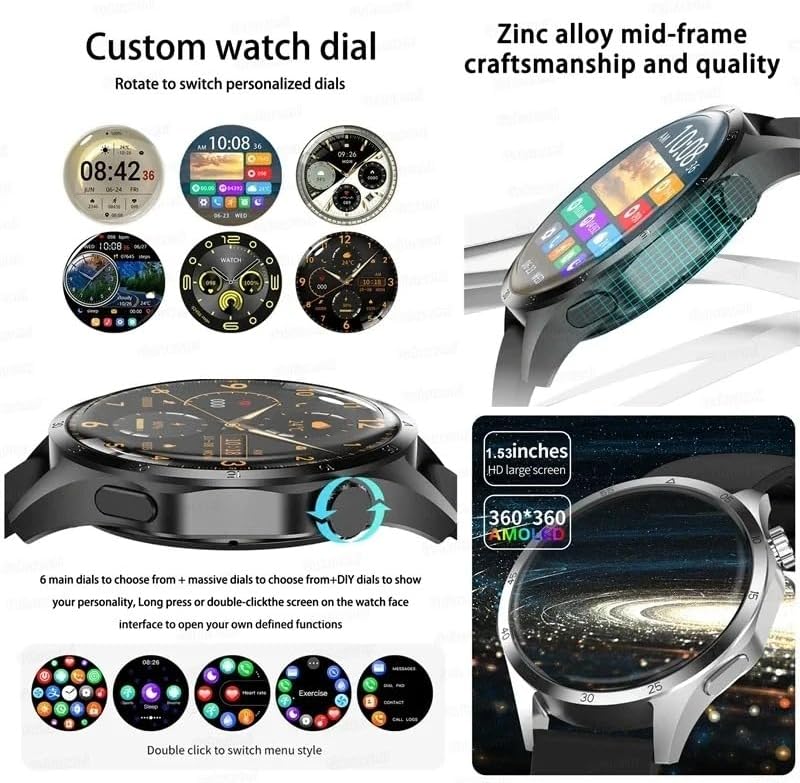
Image: A collage showing various customizable watch faces for the GT4 Pro, demonstrating the ability to rotate to switch dials. Also featured are close-ups highlighting the watch's zinc alloy mid-frame and its 1.53-inch 360x360 AMOLED HD large screen.
Bluetooth Call & Smart Notifications
Make and receive calls directly from your watch when connected to your phone via Bluetooth. The watch also supports voice assistant functionality. Receive notifications from various apps such as Facebook, Instagram, Twitter, LINE, Skype, LinkedIn, WhatsApp, and Gmail directly on your wrist.
- Bluetooth calling
- Remote music control
- Remote camera control
- Apps notifications
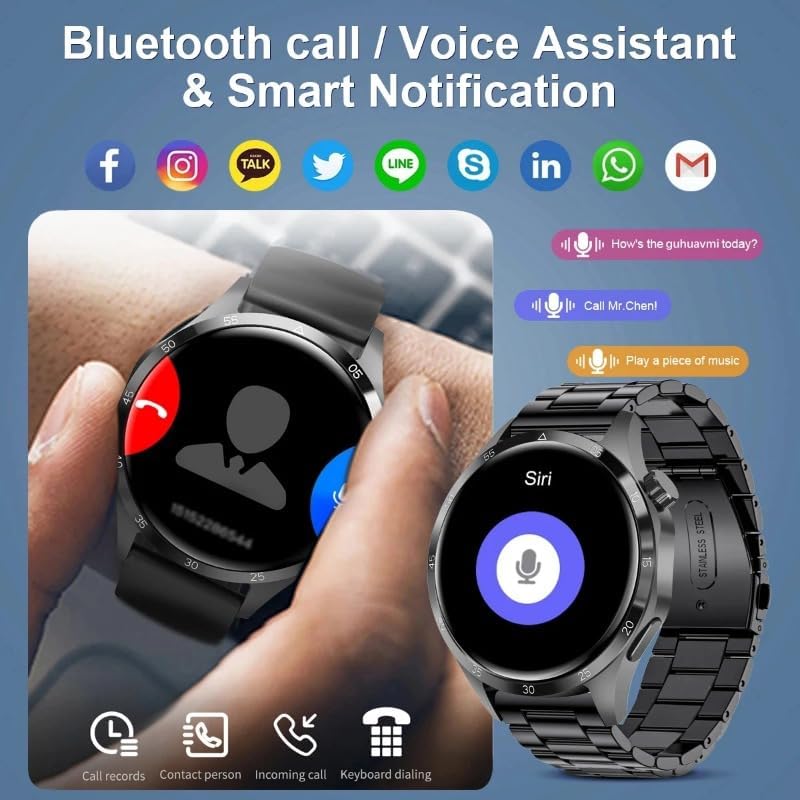
Image: The GT4 Pro Smart Watch showing its Bluetooth call function with options to answer or decline, and a separate screen demonstrating the voice assistant feature. Icons for popular social media and messaging applications are displayed at the top, indicating smart notification capabilities.
Health Monitoring
The GT4 Pro is equipped with sensors to monitor various health metrics.
- Heart Rate Monitoring: Continuously track your heart rate throughout the day.
- Blood Pressure & Oxygen Monitoring: Monitor your blood pressure and blood oxygen levels.
- Sleep Tracking: Analyze your sleep patterns to help improve sleep quality.
- Breathing Training: Guided breathing exercises for relaxation.
Note: The health data provided by this watch is for reference only and should not be used for medical diagnosis or treatment.
Sports Modes & GPS Positioning
The watch supports multiple sports modes and 156 sports algorithms to track your activities accurately. With built-in GPS, you can record your exercise trajectory and view professional sports data including exercise time, distance, steps, calorie consumption, and heart rate changes.
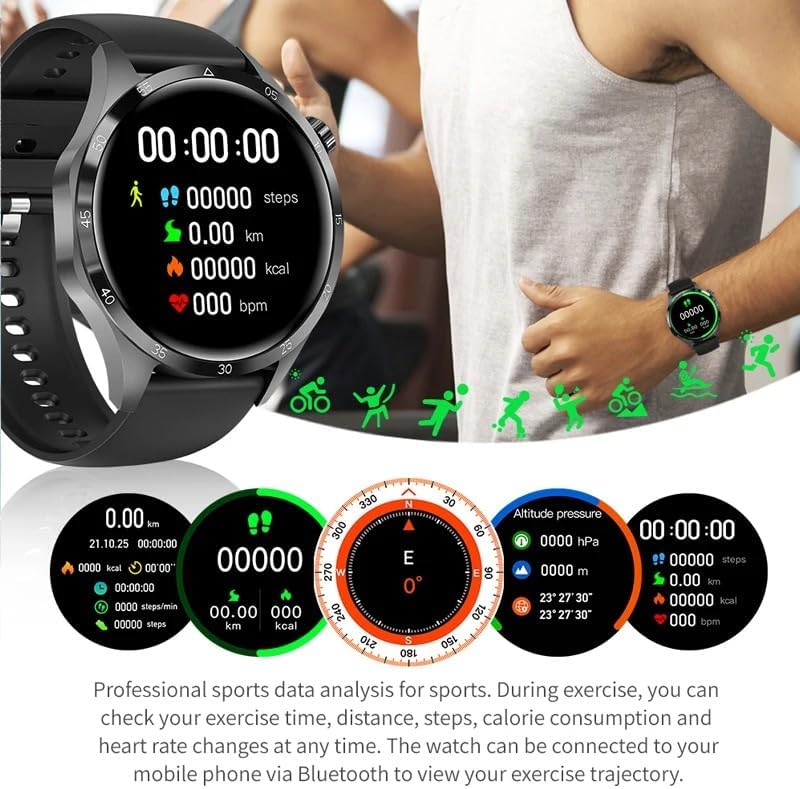
Image: The GT4 Pro Smart Watch screen showing real-time sports data including steps, distance, calories burned, and heart rate. The background depicts a person engaged in running, illustrating the watch's fitness tracking capabilities.

Image: A composite image illustrating the "Smart Travel" features of the GT4 Pro. It includes displays for a digital compass, NFC access control, GPS positioning with a map, and altitude pressure readings, demonstrating the watch's utility for outdoor activities and daily convenience.
Other Functions
- NFC Access Control: Use your watch for convenient access control (check compatibility with your system).
- Compass & Qibla Finder: Navigate and find directions.
- Stopwatch & Calculator: Essential utility tools.
- Weather: Get real-time weather updates.
- Find My Phone: Locate your paired smartphone (requires connection with phone).
- Password Protection: Secure your device.
- Split-screen display & Quick widgets: Enhance multitasking and quick access to information.
- Meteorology & Massage function: Additional features for daily use.
- Alipay & My QR code: For convenient payments and sharing (region dependent).
- Recent task bar: Quickly switch between recently used applications.
Maintenance
Cleaning Your Smart Watch
To maintain the appearance and functionality of your watch, clean it regularly.
- Wipe the screen and body with a soft, lint-free cloth.
- For stubborn stains, dampen the cloth slightly with water. Avoid using harsh chemicals or abrasive cleaners.
- Ensure the charging contacts are clean and dry before charging.
Water Resistance (IP68)
The GT4 Pro is rated IP68, meaning it is protected against dust ingress and can withstand immersion in water up to 1.5 meters for up to 30 minutes.
- It is suitable for daily use such as washing hands, rain, and light splashes.
- Do not use the watch in hot water, saunas, or during diving, as steam and high pressure can compromise the seal.
- After exposure to water, especially saltwater, wipe the watch dry with a soft cloth.
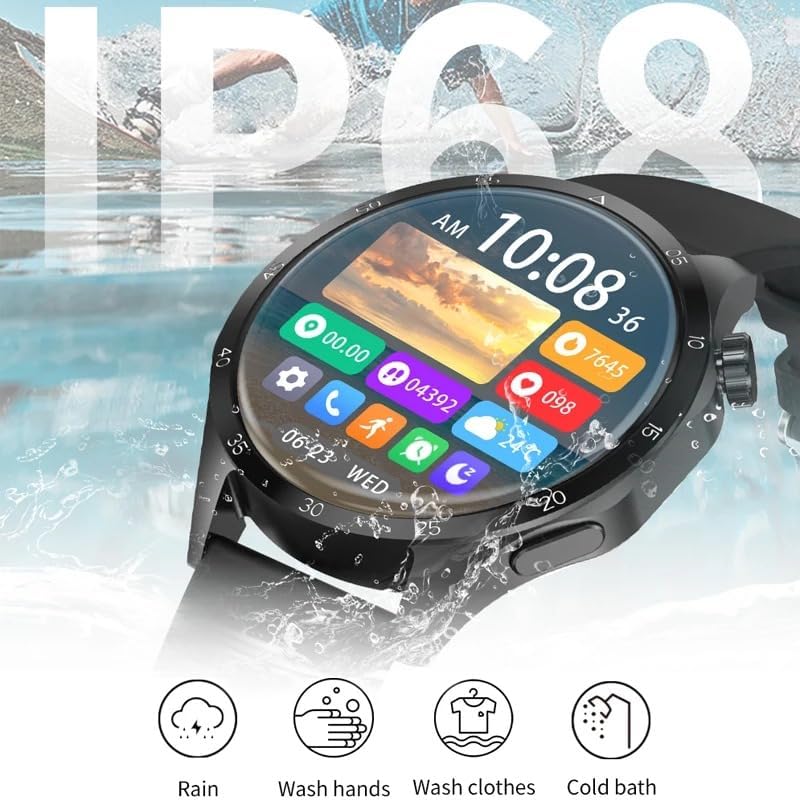
Image: The GT4 Pro Smart Watch being splashed with water, visually representing its IP68 waterproof rating. Below the watch, icons illustrate its suitability for various water exposures: rain, washing hands, washing clothes, and cold baths.
Troubleshooting
| Problem | Possible Cause | Solution |
|---|---|---|
| Watch does not turn on | Low battery; Device frozen | Charge the watch for at least 30 minutes. If still unresponsive, press and hold the side button for 10-15 seconds to force restart. |
| Cannot pair with phone | Bluetooth off; App not running; Watch not discoverable; Interference | Ensure Bluetooth is on for both devices. Restart the watch and phone. Make sure the app is open and searching. Move closer to the phone. Forget previous pairings and try again. |
| Inaccurate health data | Improper fit; Sensor obstruction; Not a medical device | Ensure the watch is worn snugly on the wrist, not too tight or too loose. Clean the sensor on the back of the watch. Remember, data is for reference only. |
| Notifications not received | App permissions; Notification settings; Bluetooth disconnected | Check app permissions on your phone to allow notifications. Verify notification settings within the watch app. Ensure the watch is connected via Bluetooth. |
| Short battery life | Frequent use of features; High brightness; Many notifications | Reduce screen brightness. Limit continuous heart rate monitoring or GPS usage. Turn off unnecessary notifications. |
Specifications
| Parameter | Value |
|---|---|
| Model Name | GT4 Pro |
| Screen Size | 1.6 Inches (454*454 resolution) |
| Display Type | AMOLED HD Screen |
| Main Chip | RTL8762D |
| Battery Capacity | 360mAh |
| Standby Time | About 30 days |
| Working Time | About 3-5 days |
| Waterproof Rating | IP68 |
| Bluetooth Version | 5.0 |
| Connectivity Technology | Bluetooth, NFC |
| GPS | Built-in GPS |
| Operating System | Android (compatible with Android 5.0+ and iOS 9.0+) |
| Health Monitor | Heart Rate, Blood Pressure, Oxygen, ECG |
| Special Feature | Heart Rate Monitor |
Warranty and Support
For warranty information and customer support, please refer to the documentation provided with your purchase or contact the retailer/manufacturer directly. Keep your proof of purchase for warranty claims.
For further assistance or technical inquiries, please visit the official Gerrit website or contact their customer service.
Ask a question about this manual
Ask about setup, troubleshooting, compatibility, parts, safety, or missing instructions. Manuals+ will review the question and use this page’s manual context to help answer it.