
Introduction
The GeRRiT YATEGOOD G600 is an advanced walkie-talkie designed for long-range communication without distance limitations, utilizing 4G and 5G LTE network technology. This device enables real-time communication across vast distances, making it suitable for various professional and personal uses. It features a long standby time and supports multiple calling modes.
Important Note: To utilize the POC (Push-to-Talk Over Cellular) function, it is necessary to purchase two or more units of the G600 walkie-talkie.
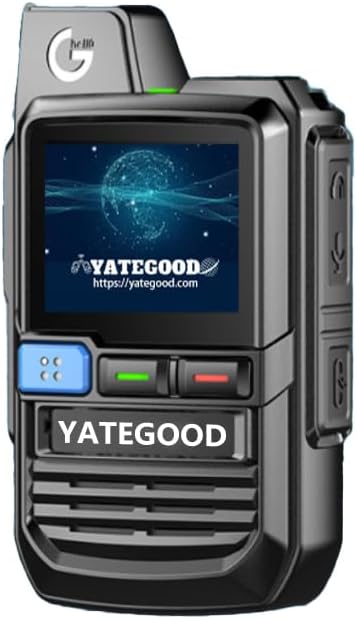
Figure 1: Front view of the GeRRiT YATEGOOD G600 Walkie Talkie, showcasing its compact design and display screen.
What's in the Box
Upon unboxing your GeRRiT YATEGOOD G600, please ensure all the following components are present:
- G600 Host Unit
- Rechargeable Battery
- Back Clip
- Charger
- SIM Card (Standard SIM1PCS)
- Earphone
- Mobile Phone Invisible Holder
Setup
1. Battery Installation
- Locate the battery compartment on the back of the G600 unit.
- Carefully open the battery compartment cover.
- Insert the provided rechargeable battery, ensuring the contacts align correctly.
- Close the battery compartment cover securely.
2. SIM Card Insertion
The G600 operates on 4G/5G networks and requires a SIM card for communication. Your package includes a standard SIM card with 1 year of data usage.
- Identify the SIM card slot, usually located near the battery compartment.
- Insert the provided standard SIM card into the slot until it clicks into place.
- Ensure the SIM card is properly seated for network connectivity.
3. Initial Charging
Before first use, fully charge the device.
- Connect the provided charger to the Type-C charging port on the G600.
- Plug the charger into a power outlet.
- The charging indicator light will illuminate. Allow the device to charge until the indicator shows a full charge.
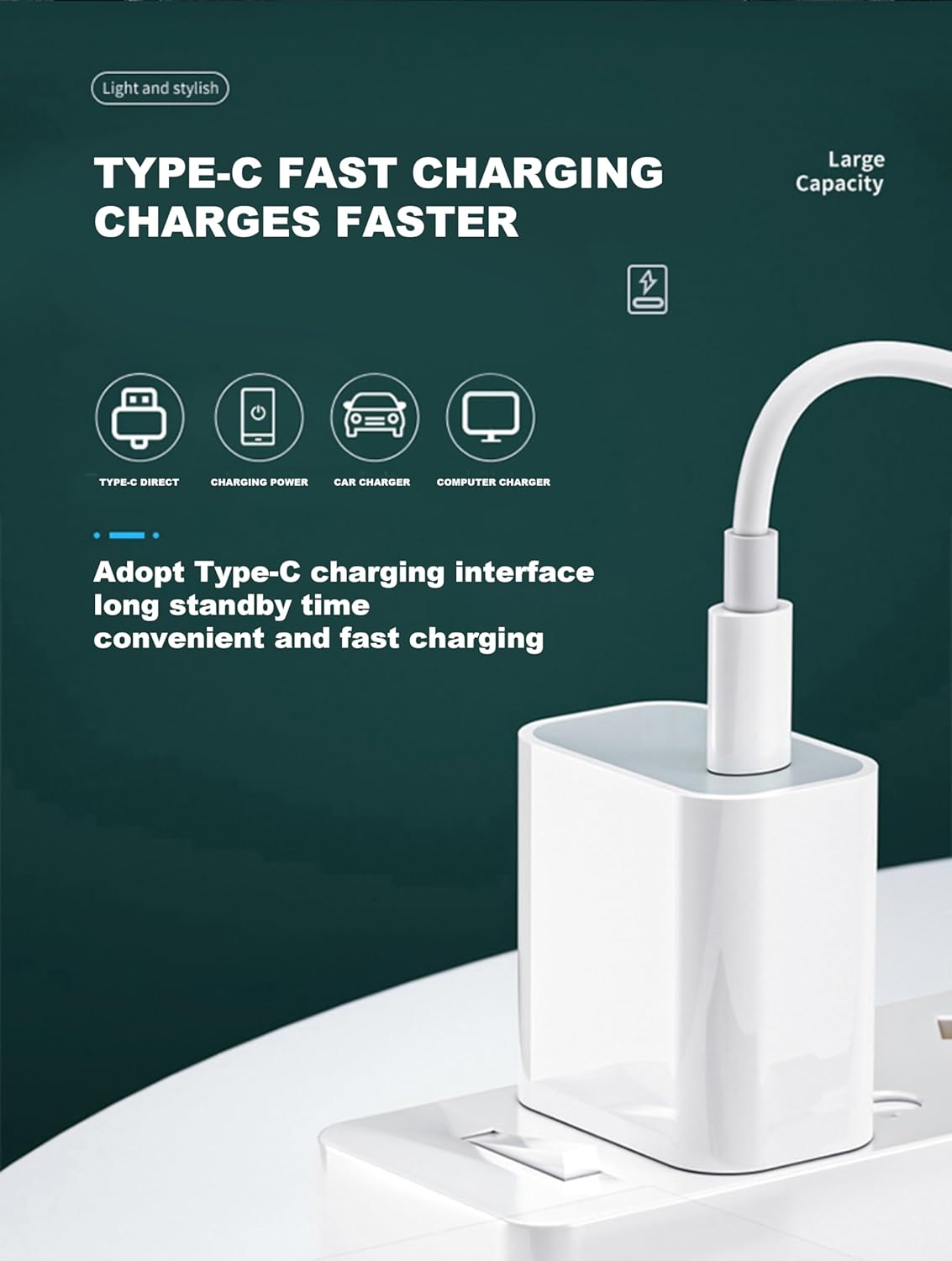
Figure 2: The G600 supports Type-C fast charging for convenient and quick power replenishment.
Operating Instructions
Powering On/Off
- To power on, press and hold the power button until the screen illuminates.
- To power off, press and hold the power button until a power-off prompt appears, then confirm.
Network Connectivity
The G600 automatically connects to available 4G/5G networks. Ensure you are in an area with network coverage for optimal performance. The included SIM card provides data usage in 72 countries, automatically switching service providers.

Figure 3: The G600 display shows network signal strength, current time, and active group information, indicating its readiness for communication.
Making Calls (POC Function)
The G600 supports Push-to-Talk Over Cellular (POC) for instant communication.
- Group Call: To initiate a group call, select the desired group from the menu. Press and hold the PTT (Push-to-Talk) button on the side of the device to transmit your voice. Release the button to listen.
- Individual Call: To make a private call to a specific contact, navigate to the contact list, select the individual, and then press and hold the PTT button to speak.
- Single Call: Similar to individual call, for direct one-to-one communication.

Figure 4: The G600 offers flexible calling modes, allowing users to switch between single, group, and individual calls for efficient communication.

Figure 5: Multiple G600 units can communicate seamlessly in group calls, enabling coordination across distances.
Signal Coverage
The G600 leverages 4G/5G networks for extensive coverage. Communication is possible even in challenging environments where traditional radio signals might be weak.
- Signal available in mountain areas.
- Mine signal available.
- Basement signal available.
- Suitable for self-driving tour outdoor fleets.

Figure 6: The G600 maintains communication even in remote or challenging locations, supporting various operational needs.
Maintenance
- Cleaning: Use a soft, dry cloth to clean the device. Avoid using harsh chemicals or abrasive materials.
- Charging: Always use the provided charger. Do not overcharge the battery.
- Storage: Store the device in a cool, dry place away from direct sunlight and extreme temperatures.
- Water Resistance: Note that this device is not water resistant. Avoid exposure to water or high humidity.
Troubleshooting
| Problem | Possible Cause | Solution |
|---|---|---|
| Device does not power on. | Low battery or battery not installed correctly. | Charge the battery. Ensure the battery is correctly inserted and fully charged. |
| No network signal. | Out of network coverage area or SIM card issue. | Move to an area with better network coverage. Reinsert the SIM card. Contact your SIM card provider if issues persist. |
| Cannot make or receive calls. | No network signal, incorrect call mode, or only one unit purchased for POC. | Check network signal. Ensure correct group/individual call mode is selected. Remember, POC function requires 2 or more units. |
| Short battery life. | Frequent usage, high volume, or battery degradation. | Enable Battery Saver Mode. Reduce volume. Ensure full charge before use. Consider battery replacement if significantly degraded. |
Specifications
| Feature | Detail |
|---|---|
| Model Number | G600 |
| Dimensions (H x W x D) | 4.32 x 1.25 x 2.01 inches (10.97 x 3.17 x 5.10 cm) |
| Weight | 1.1 pounds (approx. 0.5 kg) |
| Network Compatibility | 4G + 5G Network (LTE technology) |
| Talk Range Maximum | 12000.0 kilometers (network dependent) |
| Tuner Technology | 12000KM |
| Battery Type | 1 Lithium Polymer battery (required) |
| Voltage | 7.4 Volts |
| Special Feature | Battery Saver Mode |
| Water Resistance Level | Not Water Resistant |
| Number of Channels | 1 (referring to the single channel for POC communication) |

Figure 7: The G600 is designed to be small and stylish, making it easy to carry for various applications. Its overall height is approximately 7.8cm and weight is 270g.
Warranty and Support
Warranty Information
The GeRRiT YATEGOOD G600 Walkie Talkie comes with a one-year warranty from the date of purchase. This warranty covers manufacturing defects and malfunctions under normal use. It does not cover damage caused by misuse, accidents, unauthorized repairs, or exposure to water.
Customer Support
For technical assistance, warranty claims, or any questions regarding your G600 walkie-talkie, please contact GERRIT customer support through the retailer's platform or the official GERRIT website. Please have your product model number (G600) and purchase details ready when contacting support.