
TRESKO AERSON 50 cm Floor Fan
Contents
TRESKO AERSON 50 cm Floor Fan Instruction Manual
Model: AERSON 50 cm Floor Fan
1. Important Safety Instructions
Please read all instructions carefully before using the appliance and retain them for future reference. Failure to follow these instructions may result in electric shock, fire, or serious injury.
- Ensure the power supply voltage matches the rating label on the fan.
- Do not operate the fan with a damaged cord or plug. If the cord or plug is damaged, it must be replaced by the manufacturer, its service agent, or similarly qualified persons to avoid a hazard.
- Keep fingers, pencils, or any other objects out of the fan grille when it is running.
- Unplug the fan from the outlet when not in use, when moving it from one location to another, and before cleaning.
- Do not use the fan in wet or damp locations such as bathrooms or laundry areas.
- Place the fan on a stable, level, and non-slip surface to prevent tipping. The fan features a stable and non-slip base for secure positioning.
- This fan is designed for indoor use only.
- The fan features a protected metal grille at the front and rear for safety. Do not attempt to remove or bypass these safety features.
2. Product Overview
The TRESKO AERSON 50 cm Floor Fan is a robust, high-performance fan designed for maximum cooling power and high airflow. Its industrial design, featuring a sturdy metal construction and aluminum rotor blades, ensures durability and effective air circulation.
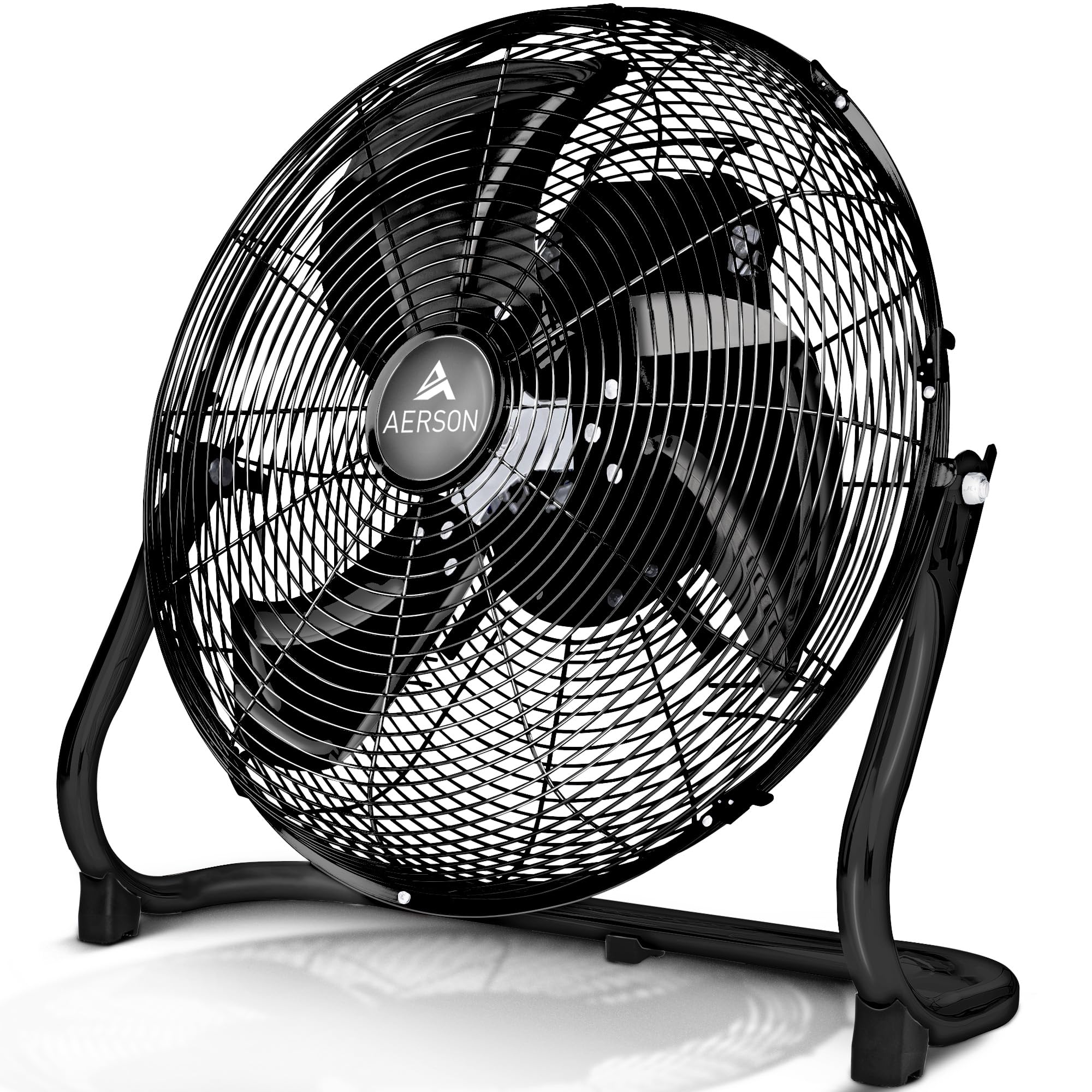
Figure 2.1: Front view of the TRESKO AERSON 50 cm Floor Fan, showcasing its robust metal grille and stable base.
Key Features:
- High Airflow: Engineered for maximum air movement, suitable for ventilation, wind production, and cooling.
- Three Speed Settings: Adjustable airflow with three distinct power levels.
- Adjustable Tilt: The fan head can be continuously tilted up to approximately 110 degrees to direct airflow precisely.
- Durable Construction: Features a robust metal housing and aluminum fan blades for longevity.
- Integrated Carrying Handle: For easy portability.
- No Assembly Required: Ready for immediate use out of the box.
- Cable Winder: Convenient cable management.

Figure 2.2: Illustration of the fan's customizable airflow, three-speed settings, and head adjustability.
3. Setup
The TRESKO AERSON Floor Fan requires no assembly and is ready for immediate use.
- Unpacking: Carefully remove the fan from its packaging.
- Placement: Place the fan on a firm, level, and stable surface. Ensure there is adequate space around the fan for optimal airflow and to prevent obstruction of the air intake or exhaust.
- Power Connection: Unwind the power cable (approximately 154 cm long) and plug it into a standard 220-240V AC electrical outlet.

Figure 3.1: The fan positioned in a room, highlighting its portability via the carrying handle.
4. Operating Instructions
Operate your TRESKO AERSON Floor Fan using the control panel located on the unit.
4.1 Power On/Off and Speed Selection
- The fan features a tactile control method. Locate the control knob or buttons on the fan unit.
- To turn the fan ON, rotate the knob or press the power button.
- Select your desired speed setting:
- Speed 1 (Low): For gentle air circulation.
- Speed 2 (Medium): For moderate cooling.
- Speed 3 (High): For maximum airflow and cooling power.
- To turn the fan OFF, rotate the knob to the '0' position or press the power button again until the fan stops.

Figure 4.1: Detail of the fan's control panel and robust metal blades.
4.2 Adjusting Airflow Direction
The fan head can be manually adjusted to direct the airflow where needed.
- Gently grasp the fan housing and tilt it upwards or downwards to achieve the desired angle.
- The fan head can be continuously tilted up to approximately 110 degrees.

Figure 4.2: The fan head tilted to its maximum angle, illustrating its directional flexibility.
4.3 Enhancing Cooling Effect (Optional)
For an enhanced cooling effect, particularly in very warm conditions, you can use the fan in conjunction with ice.
- Place the fan on the floor, or as low as possible.
- Place a large bucket or container filled with ice cubes in front of the fan.
- Ensure the fan blows air directly over the ice. This method can provide a cooling effect similar to air conditioning.

Figure 4.3: The fan positioned to blow air over ice cubes, demonstrating a method for homemade air conditioning.
5. Maintenance
Regular cleaning and maintenance will ensure optimal performance and extend the lifespan of your TRESKO AERSON Floor Fan.
5.1 Cleaning
- Disconnect Power: Always unplug the fan from the power outlet before cleaning.
- Exterior Cleaning: Use a soft, damp cloth to wipe the exterior surfaces of the fan. Do not use abrasive cleaners or solvents, as these may damage the finish.
- Grille and Blades: Dust and debris can accumulate on the fan grille and blades. The fan can be disassembled for thorough cleaning of the blades. Refer to the diagram below for general guidance on accessing the blades. Use a vacuum cleaner with a brush attachment or a soft cloth to remove dust from the grilles and blades. Ensure all parts are completely dry before reassembling and operating the fan.

Figure 5.1: Diagram showing fan dimensions, which can also assist in understanding its structure for cleaning access.
5.2 Storage
When not in use for extended periods, store the fan in a cool, dry place, preferably in its original packaging, to protect it from dust and damage.
6. Troubleshooting
If you encounter any issues with your TRESKO AERSON Floor Fan, please refer to the following troubleshooting guide:
| Problem | Possible Cause | Solution |
|---|---|---|
| Fan does not turn on. |
|
|
| Weak airflow. |
|
|
| Unusual noise or vibration. |
|
|
7. Specifications
| Brand | TRESKO |
| Model Name | AERSON Floor Fan |
| Size | 50 cm |
| Color | Black |
| Power | 120 Watts |
| Input Voltage | 220-240V AC |
| Number of Speeds | 3 |
| Airflow Rate | 121.21 Cubic meters per minute |
| Max Swivel Angle | 110 degrees |
| Product Dimensions (D x W x H) | 20P x 57l x 58H cm |
| Cable Length | 154 cm |
| Material | Metal (housing), Aluminum (blades) |
| Control Method | Tactile |
| Usage | Indoor |
8. Warranty Information
Specific warranty details for the TRESKO AERSON 50 cm Floor Fan may vary by region and retailer. Please refer to the warranty card included with your purchase or consult your retailer's terms and conditions for comprehensive warranty information.
9. Customer Support
Should you require assistance, have questions about your product, or need to report an issue, please contact your retailer or visit the official TRESKO website for support. Please have your model number (AERSON 50 cm Floor Fan) and purchase details ready when contacting support.
Documents and downloads
Ask a question about this manual
Ask about setup, troubleshooting, compatibility, parts, safety, or missing instructions. Manuals+ will review the question and use this page’s manual context to help answer it.