
Introduction
The Inateck FE2029 is a high-performance external enclosure designed for M.2 NVMe SSDs. It features a 40Gbps transfer rate, supporting USB4.0 and Thunderbolt 3/4 interfaces, and is backward compatible with various USB standards. This enclosure offers a tool-free installation process and robust heat dissipation, making it an efficient and convenient solution for expanding storage or transferring large files.

Image: The Inateck 40Gbps NVMe M.2 SSD Enclosure connected to a laptop, illustrating its high-speed data transfer capabilities.
Features
- Compatibility: Supports NVMe M.2 SSDs in size 2280, with a maximum capacity of 8TB. Compatible only with M-Key SSDs.
- Lightning Transfer Speed: Utilizes JHL7440+RTL9210B chips for stable transmission. USB4/TBT4 interface supports 40Gbps transfer rates and read/write speeds up to 2700MB/s. Also supports 8K@60Hz video output. Compatible with Thunderbolt 3/4 devices and backward compatible with USB 3.2/3.1/3.0/2.0.
- Comprehensive Heat Dissipation: Features an aluminum alloy shell and internal thermal silicone for efficient heat dissipation, ensuring stable performance and extended SSD lifespan.
- User-Friendly Design: Magnetic flip-open design allows for tool-free installation. Plug and play functionality. Compatible with Windows 8/10/11, Linux, and macOS (10 and above). Includes a 50cm Thunderbolt 4 data cable.
- Compact and Portable: Dimensions of 10 x 6 x 1.4 cm and a weight of 131.8g make it easy to carry.

Image: The Inateck enclosure connected to a laptop, emphasizing its 40Gbps data transfer capability.
Package Contents
Please check the package for the following items:
- Inateck FE2029 M.2 NVMe SSD Enclosure
- 50cm Thunderbolt 4 Data Cable
- Thermal Silicone Pad (0.5mm)
- Thermal Silicone Pad (1mm)
- User Manual
Video: An overview of the Inateck FE2029 M.2 NVMe SSD Enclosure and its package contents, demonstrating the items included with the product.
Setup and Installation
The Inateck FE2029 enclosure features a tool-free magnetic design for easy installation of your M.2 NVMe SSD.
- Open the Enclosure: Gently slide the "OPEN" marked side of the enclosure to release the magnetic cover.
- Apply Thermal Pad: Choose the appropriate thickness of the thermal silicone pad (0.5mm or 1mm) and apply it to the top surface of your M.2 NVMe SSD. Ensure it covers the main chip area for optimal heat dissipation.
- Insert SSD: Carefully insert your M-Key NVMe M.2 2280 SSD into the M.2 slot on the circuit board inside the enclosure. Ensure it is fully seated.
- Secure SSD: Use the provided rubber fastener to secure the end of the SSD in place.
- Close the Enclosure: Align the magnetic cover and gently slide it back into position until it clicks securely.
- Connect to Device: Use the included Thunderbolt 4 data cable to connect the enclosure to your computer or compatible device.

Image: A close-up view of the Inateck enclosure being opened, demonstrating its tool-free magnetic design for easy access.
Video: A step-by-step guide on how to install an M.2 NVMe SSD into the Inateck FE2029 enclosure, including applying the thermal pad and securing the SSD.
Operating Instructions
Once the SSD is installed and the enclosure is connected to your computer, it should be recognized automatically. Follow these general steps for operation:
- Initial Setup (New SSD): If you are using a new SSD, it may need to be initialized and formatted before use.
- Windows: Open Disk Management, find the unallocated disk, initialize it (GPT recommended), and create a new simple volume with a desired file system (e.g., NTFS).
- macOS: Open Disk Utility, select the external drive, erase it, and choose a format (e.g., APFS or Mac OS Extended).
- Linux: Use disk utility tools like GParted or `fdisk`/`mkfs` commands to partition and format the drive.
- Data Transfer: Drag and drop files to and from the recognized drive, or use your operating system's copy/paste functions. The 40Gbps interface ensures rapid data transfer for large files.
- Safe Ejection: Always safely eject the drive from your operating system before disconnecting the cable to prevent data corruption.
Image: The Inateck enclosure in use, connected to a laptop for high-speed data operations.
Compatibility
- SSD Type: NVMe M.2 SSDs (M-Key only).
- SSD Size: 2280 form factor.
- Max Capacity: Up to 8TB.
- Interface: USB4.0 / Thunderbolt 3 / Thunderbolt 4.
- Backward Compatibility: USB 3.2, USB 3.1, USB 3.0, USB 2.0.
- Operating Systems: Windows 8/10/11, Linux, macOS (10 and above).

Image: A visual representation of the enclosure's compatibility with M-Key NVMe M.2 2280 SSDs, indicating supported and unsupported key types.
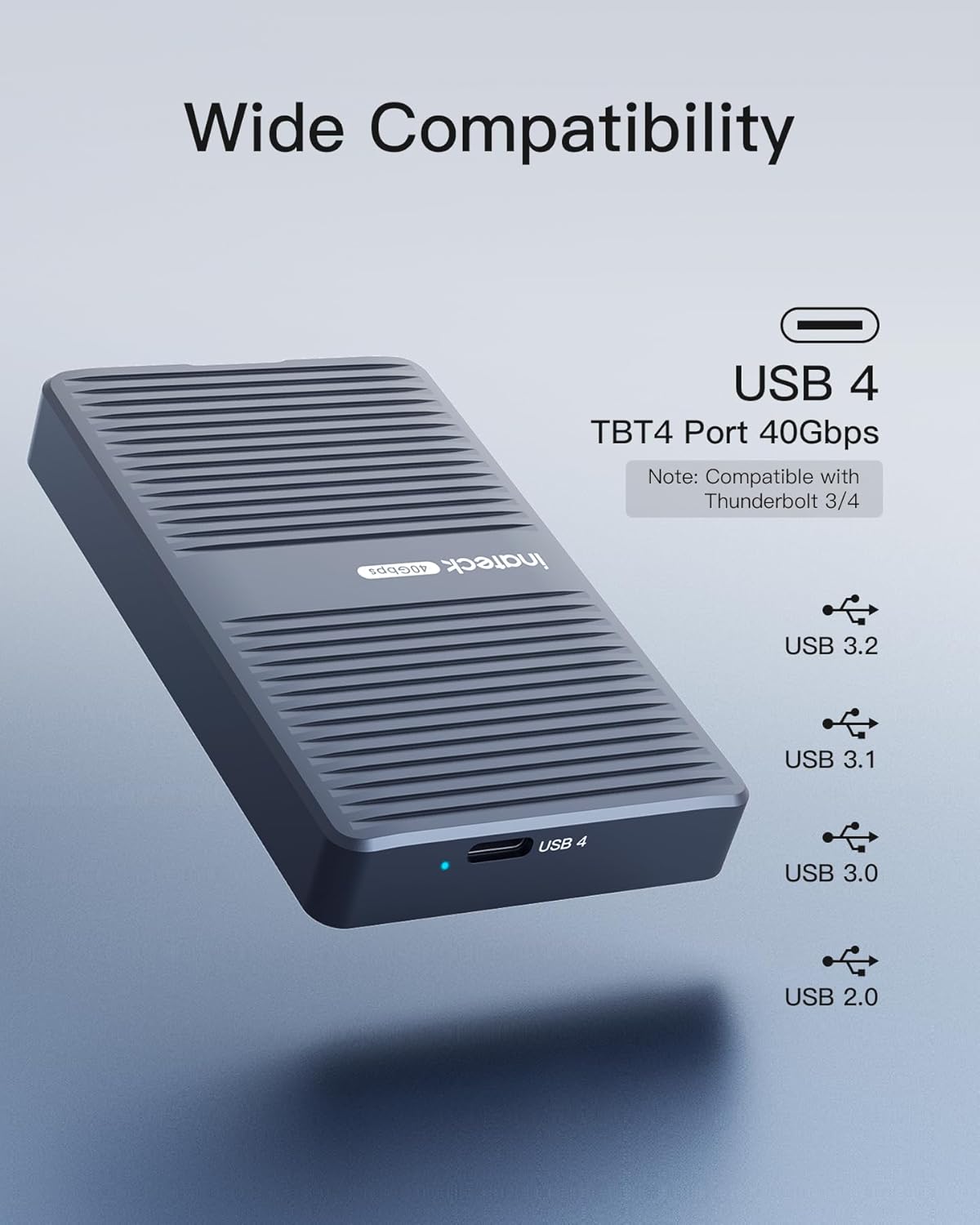
Image: An illustration detailing the wide compatibility of the enclosure with Thunderbolt 3/4, USB4, USB 3.2, USB 3.1, USB 3.0, and USB 2.0 transfer protocols.
Specifications
| Model Number | FE2029 |
| Data Transfer Rate | 40 Gigabits Per Second (USB4.0/Thunderbolt 3/4) |
| Max Memory Storage Capacity | 8 TB |
| Compatible Devices | Laptop, Desktop PCs with compatible ports |
| Hardware Interface | Thunderbolt, USB4.0 |
| Material | Aluminum |
| Product Dimensions (LxWxH) | 3.96 x 2.35 x 0.55 inches (100.7 x 59.8 x 14 mm) |
| Item Weight | 4.6 ounces (131.8g) |
| Supported OS | Windows 8/10/11, Linux, macOS (10 and above) |

Image: The compact size of the Inateck enclosure, shown with its precise dimensions and weight for portability.
Troubleshooting
- Enclosure Not Recognized:
- Ensure the SSD is correctly installed and seated firmly in the M.2 slot.
- Verify the cable connection between the enclosure and your computer. Try a different USB/Thunderbolt port.
- Check if the SSD is properly initialized and formatted in your operating system's Disk Management (Windows) or Disk Utility (macOS). New SSDs require this step.
- Confirm your SSD is an M-Key NVMe M.2 2280 type. B-Key or B+M Key SATA SSDs are not compatible.
- Slow Transfer Speeds:
- Ensure you are using a USB4.0 or Thunderbolt 3/4 port on your computer and the included Thunderbolt 4 cable. Connecting to older USB ports will result in lower speeds.
- Verify your SSD's performance capabilities. The enclosure's speed is limited by the SSD's maximum speed.
- Check if the thermal pad is correctly installed and making good contact with the SSD to prevent thermal throttling.
- Enclosure Gets Hot:
- It is normal for high-speed NVMe SSDs to generate heat during heavy use. The aluminum casing and thermal pads are designed to dissipate this heat.
- Ensure proper airflow around the enclosure.
- If temperatures are excessively high and causing performance issues, verify the thermal pad installation.
Maintenance
- Cleaning: Use a soft, dry cloth to clean the exterior of the enclosure. Avoid liquid cleaners or abrasive materials.
- Storage: Store the enclosure in a cool, dry place away from direct sunlight and extreme temperatures when not in use.
- Handling: Handle the enclosure with care to avoid drops or impacts that could damage the internal components or the SSD.
Warranty and Support
For warranty information, technical support, or further assistance, please refer to the official Inateck website or contact their customer service directly. Keep your purchase receipt for warranty claims.