
1. Introduction
Thank you for choosing the eeese Anna Dehumidifier & Air Purifier. This device is designed to effectively reduce excess moisture and improve air quality in rooms up to 100 m². The Anna model combines efficient dehumidification with HEPA-quality air purification, offering a versatile solution for a comfortable and healthy indoor climate.
Key features include Wi-Fi connectivity for remote control, a low noise level, energy-efficient operation, and an IPX4 rating making it suitable for damp environments like bathrooms. Please read this manual thoroughly before operating the device to ensure safe and optimal performance.
2. Safety Information
Please read all safety warnings and instructions carefully before use to prevent injury or damage.
- Always ensure the device is placed on a stable, level surface.
- Do not block the air inlet or outlet. Maintain at least 20 cm clearance from walls or other objects.
- Use only the specified power supply (220-240V/50Hz).
- Do not operate the device with a damaged power cord or plug.
- Keep the device away from heat sources, direct sunlight, and flammable materials.
- Do not immerse the device, power cord, or plug in water or other liquids.
- Unplug the device before cleaning, maintenance, or when not in use for extended periods.
- This appliance can be used by children aged 8 years and above and persons with reduced physical, sensory or mental capabilities or lack of experience and knowledge if they have been given supervision or instruction concerning use of the appliance in a safe way and understand the hazards involved.
- Do not allow children to play with the appliance. Cleaning and user maintenance shall not be made by children without supervision.
3. Product Overview
The eeese Anna is a versatile 2-in-1 device designed to enhance your indoor environment. It features a sleek Scandinavian design with integrated handles and 360° wheels for easy portability.
Key Features:
- 2-in-1 Functionality: Dehumidifier and HEPA-quality Air Purifier.
- Wi-Fi Control: Compatible with Tuya and Google Assistant for remote operation via smartphone app.
- HEPA Filter: Improves air quality by removing dust, pollen, allergens, spores, bacteria, and viruses.
- Low Noise Level: Operates quietly at just 40 dB(A).
- Low Power Consumption: Energy-efficient with only 245 W.
- IPX4 Classification: Suitable for use in damp rooms, including bathrooms.
- Laundry Drying Mode: Efficiently dries clothes, offering an eco-friendly alternative to tumble dryers.
- Integrated Ionizer (Optional): Generates negative ions to bind airborne particles.
- Automatic Shut-off: Activates when the water tank is full.
- 24-Hour Timer: Allows scheduled operation.
- Easy Portability: Equipped with integrated handles and 360° wheels.

Image: Front view of the eeese Anna Dehumidifier and Air Purifier, showcasing its minimalist design.
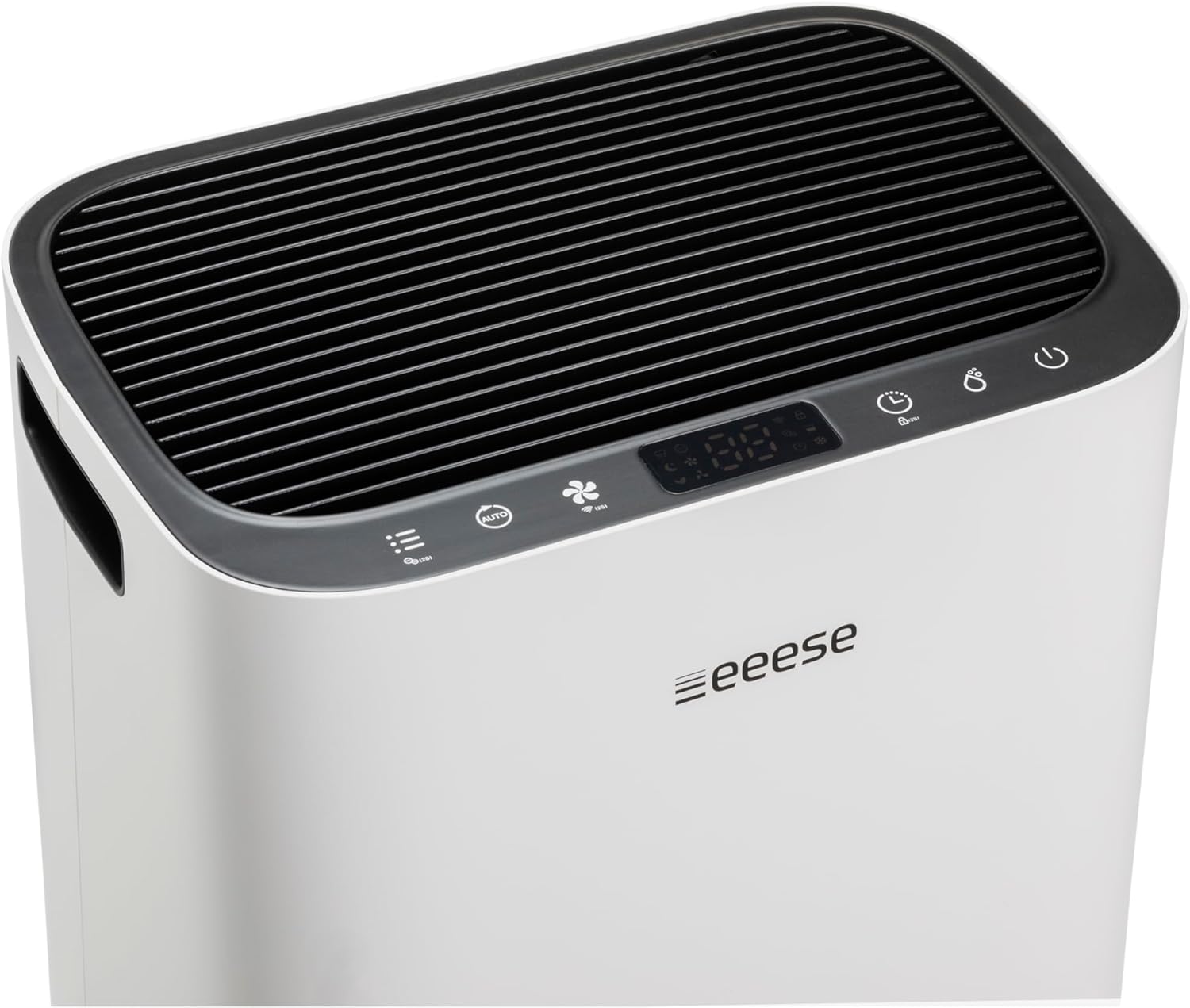
Image: Top view of the eeese Anna Dehumidifier, highlighting the intuitive control panel and air outlet.
4. Setup Guide
4.1 Unpacking
- Carefully remove the dehumidifier from its packaging.
- Remove all packing materials and protective films.
- Inspect the device for any signs of damage. If damaged, do not operate and contact customer support.
4.2 Placement
- Place the dehumidifier on a firm, level surface.
- Ensure there is at least 20 cm (8 inches) of space around the air inlet and outlet for optimal airflow.
- Avoid placing the unit near heat sources, in direct sunlight, or in areas with excessive dust.
- For best results, place the unit in the center of the room or the area where dehumidification is most needed.

Image: The eeese Anna Dehumidifier positioned discreetly in a modern living room, demonstrating suitable placement.

Image: The eeese Anna Dehumidifier placed in a bathroom, illustrating its suitability for damp environments due to its IPX4 rating.
4.3 Power Connection
Plug the power cord into a grounded electrical outlet (220-240V/50Hz). The unit will enter standby mode.
5. Operating Instructions
5.1 Control Panel Overview
The Anna features a smart LED display with soft-touch keys for easy operation. Refer to the diagram on the top of your unit for specific button functions.
5.2 Basic Dehumidification
- Press the Power button to turn on the unit.
- Use the Humidity Setting button to set your desired humidity level. The unit will operate until this level is reached and then automatically restart if the humidity rises above it.
- The display will show the current room humidity.
5.3 Air Purification Mode
The Anna can operate as an air purifier independently or in conjunction with dehumidification.
- To activate air purification, ensure the HEPA filter is correctly installed.
- The ionizer function (if equipped) can be activated to further enhance air quality by binding airborne particles.
5.4 Laundry Drying Function
The integrated laundry drying function provides an efficient way to dry clothes indoors.
- Place the dehumidifier in a small, enclosed room with the laundry.
- Hang clothes on a drying rack.
- Activate the Laundry Drying mode via the control panel. This mode optimizes airflow and dehumidification for rapid drying.
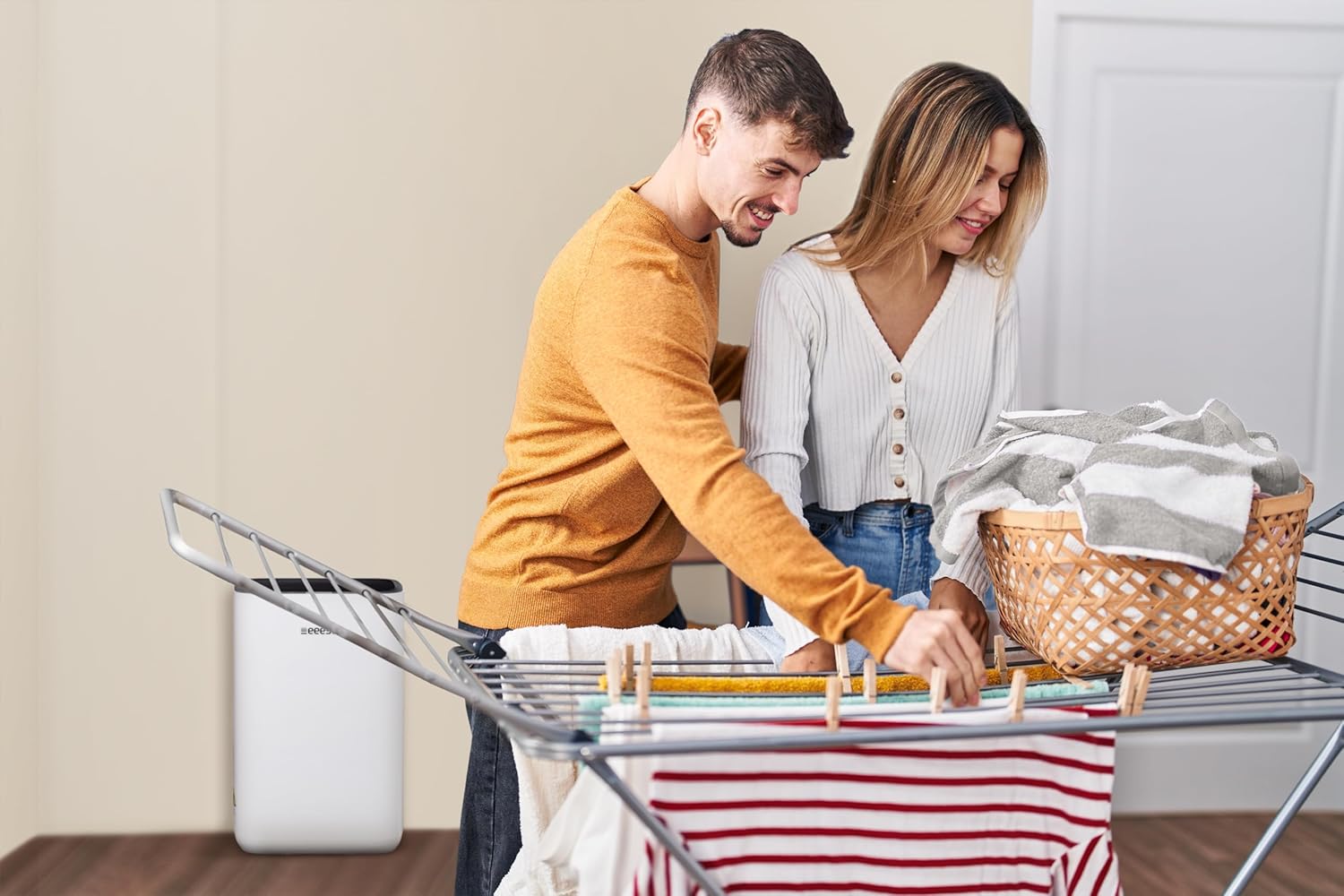
Image: The eeese Anna Dehumidifier operating next to a clothes drying rack, demonstrating its laundry drying function.
5.5 Wi-Fi Connectivity
The Anna dehumidifier can be controlled remotely via a smartphone app, compatible with Tuya and Google Assistant.
- Download the compatible app (e.g., Tuya Smart) from your app store.
- Follow the in-app instructions to connect your Anna dehumidifier to your home Wi-Fi network.
- Once connected, you can control settings, monitor humidity, and schedule operations from anywhere.
5.6 Timer Function
Use the 24-hour timer to schedule when the unit should turn off, helping to save energy.
- Press the Timer button.
- Adjust the desired operating time (1-24 hours) after which the unit will switch off.
5.7 Continuous Drainage
For continuous operation without needing to empty the water tank, connect a drain hose.
- Locate the continuous drainage outlet on the back of the unit.
- Connect a suitable drain hose (diameter 14mm, not included) to the outlet.
- Ensure the hose is directed downwards to a floor drain or a larger container, allowing gravity to drain the water.
5.8 Water Tank Full Indicator & Automatic Shut-off
The unit has a 4.5 L water tank. When the tank is full, the unit will automatically shut off, and an indicator light will illuminate. Empty the water tank to resume operation.
6. Maintenance
Regular maintenance ensures the longevity and efficient operation of your eeese Anna dehumidifier.
6.1 Cleaning the Unit
- Always unplug the device before cleaning.
- Wipe the exterior with a soft, damp cloth. Do not use abrasive cleaners or solvents.
- Clean the air inlet and outlet grilles with a soft brush or vacuum cleaner to remove dust.
6.2 Cleaning/Replacing the HEPA Filter
The HEPA filter should be checked and cleaned regularly, and replaced as needed (typically every 6-12 months depending on usage and air quality).
- Unplug the dehumidifier.
- Remove the filter cover on the back of the unit.
- Carefully remove the HEPA filter.
- Gently vacuum the filter to remove dust and debris. Do not wash the HEPA filter with water.
- If the filter is heavily soiled or damaged, replace it with a new eeese Anna compatible HEPA filter.
- Reinsert the clean or new filter and replace the filter cover.

Image: Back view of the eeese Anna Dehumidifier, illustrating the location of the air filter and water tank.
6.3 Emptying the Water Tank
- When the water tank is full, the unit will stop operating and the 'Tank Full' indicator will light up.
- Carefully pull out the water tank from the back of the unit.
- Empty the collected water.
- Slide the empty water tank back into its position until it clicks securely. The unit will then resume operation.
7. Troubleshooting
If you encounter issues with your eeese Anna, please refer to the following common problems and solutions:
| Problem | Possible Cause | Solution |
|---|---|---|
| Unit does not turn on | No power supply Water tank full or not correctly inserted | Check power cord and outlet Empty and reinsert water tank correctly |
| No dehumidification | Room temperature too low Air filter blocked Humidity setting too high | Ensure room temperature is above 5°C Clean or replace air filter Lower the desired humidity setting |
| Weak airflow | Air filter blocked | Clean or replace air filter |
| Unit is noisy | Unit not on a level surface Air filter blocked | Place unit on a flat, stable surface Clean or replace air filter |
| Wi-Fi connection issues | Incorrect Wi-Fi password Router too far App not updated | Verify Wi-Fi password Move unit closer to router Update app to latest version |
If the problem persists after trying these solutions, please contact eeese customer support.
8. Technical Specifications
| Feature | Specification |
|---|---|
| Model Number | 2562 |
| Max. Room Size | 100 m² |
| Recommended Room Size | 4-70 m² |
| Capacity (30°C/RH 80%) | 20 L/Day |
| Capacity (27°C/RH 60%) | 12 L/Day |
| Power Consumption | 245 W |
| Power Supply | 220-240V/50Hz |
| Timer | 1-24 Hours |
| Fan Speed | 2 settings |
| Airflow High | 190 m³/h |
| Airflow Low | 160 m³/h |
| Sound Level High | 44 dB(A) |
| Sound Level Low | 40 dB(A) |
| Water Tank Capacity | 4.5 L |
| Operating Temperature | 5-35 °C |
| Refrigerant | R290 |
| IPX Rating | 4 |
| Net Weight | 14.9 kg |
| Gross Weight | 16.5 kg |
| Product Dimensions (WxDxH) | 378x273x580 mm |
| Package Dimensions (WxDxH) | 425x333x640 mm |
| EAN | 5704841025622 |
| 2-in-1 Dehumidifier and Air Purifier | Yes |
| Wi-Fi | Yes |
| HEPA Filter | Yes |
| Activated Carbon Filter | No |
| Laundry Drying Mode | Yes |
| Ionizer | Yes |
| UV Light | No |
| Automatic Shut-off (Full Tank) | Yes |
| 24-Hour Timer (Off) | Yes |
| Sleep Mode | Yes |
| Automatic Dehumidification | Yes |
| Humidity Sensor | Yes |
| Automatic Defrost Function | Yes |
| Handles | Yes |
| Wheels | Yes |
| Child Lock | Yes |
| Drain Hose Diameter | 14 mm |
| Drain Hose Included | No |
9. Warranty and Support
The eeese Anna Dehumidifier & Air Purifier is manufactured to high-quality standards. For information regarding warranty coverage, please refer to the warranty card included with your purchase or visit the official eeese website.
For technical support, troubleshooting assistance beyond this manual, or to inquire about replacement parts, please contact eeese customer service:
- Website: www.eeese.com (Please check the official website for specific contact details for your region.)


