
1. Product Overview
The DYNASONIC A29 is a portable Bluetooth karaoke speaker designed for children aged 3-15 years. It features a vibrant Unicorn design, comes with two wireless microphones, and offers multiple connectivity options for a fun and engaging singing experience. Its compact size and rechargeable battery make it ideal for use at home, parties, or outdoors.

Image 1.1: The DYNASONIC A29 Unicorn Karaoke Speaker with its two accompanying wireless microphones.
2. Package Contents
Please ensure all items are present in the package:
- 1 x DYNASONIC A29 Karaoke Bluetooth Speaker (Unicorn design)
- 2 x Wireless Microphones
- 1 x USB Charging Cable
- 1 x User Manual
3. Features
The DYNASONIC A29 offers a range of features for an enhanced karaoke experience:
- Dual Wireless Microphones: Two dynamic microphones are included for duets and shared fun.
- Multiple Voice Effects: Features 4 magic voice effects to add variety to singing.
- Vocal Cut Function: Ability to remove or restore music vocals for karaoke tracks.
- Adjustable Controls: Independent volume control for microphone, echo, and music.
- Bluetooth Connectivity: Seamlessly connect to iOS and Android devices.
- Multiple Playback Modes: Supports Bluetooth, Line-IN (AUX), and USB playback.
- Portable Design: Lightweight and compact with a convenient handle for easy transport.
- High-Quality Sound: Delivers 3D surround sound with no distortion and amazing high-bass experience.
- Rechargeable Battery: Built-in rechargeable battery for extended playtime.
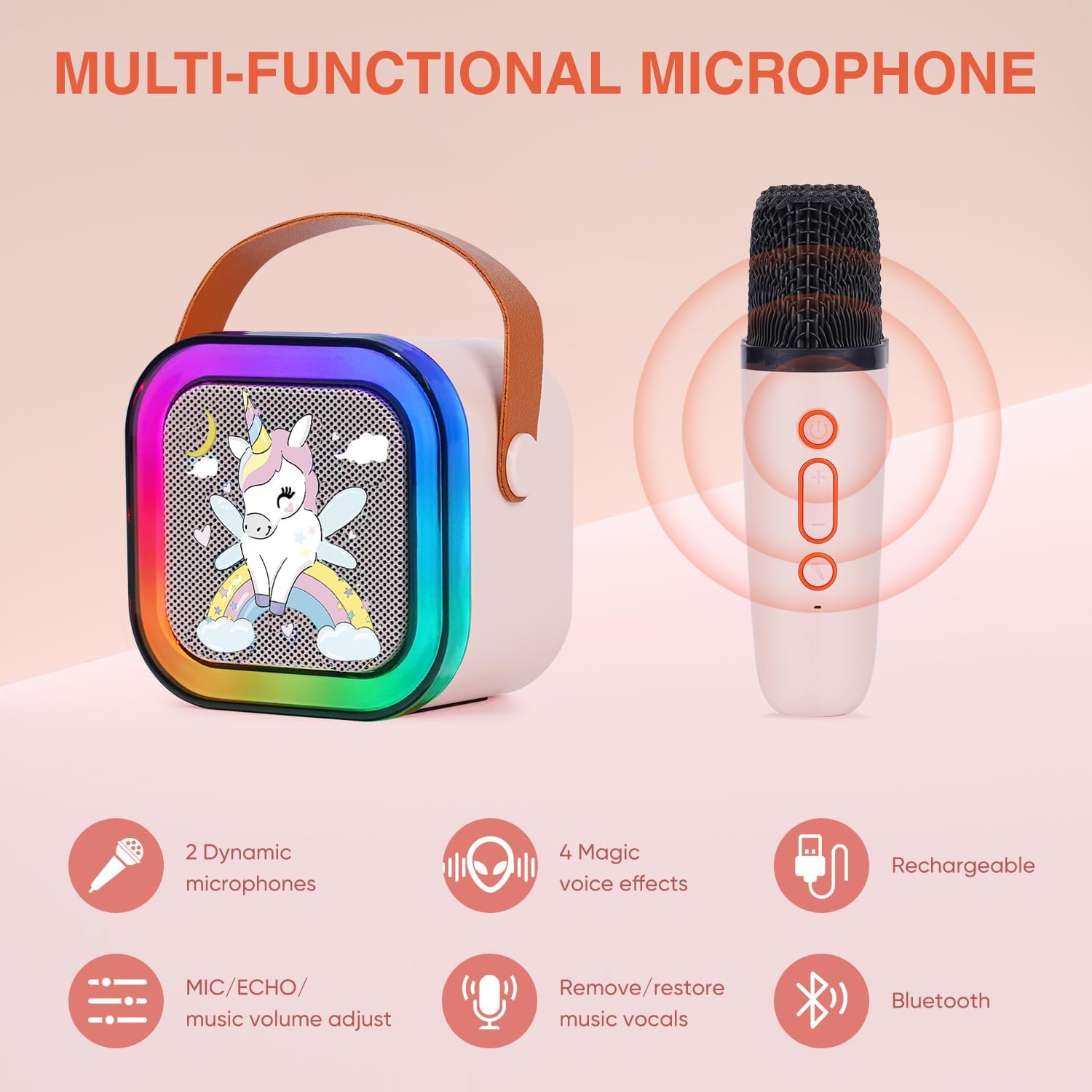
Image 3.1: Illustration of the multi-functional microphone capabilities, including voice effects and volume adjustment.

Image 3.2: Visual representation of the speaker's sound quality, highlighting 3D surround sound and powerful bass.

Image 3.3: The speaker's compatibility with various devices and connection methods, including Bluetooth, USB, and Aux cable.
4. Setup
4.1 Charging the Device
Before first use, fully charge the speaker and both microphones. Use the provided USB charging cable.
- Connect the USB cable to the charging port on the speaker and a compatible USB power adapter (not included).
- Connect the USB cable to the charging port on each microphone.
- The charging indicator light will show charging status (refer to device for specific light behavior, typically red for charging, off/blue for full).
4.2 Powering On/Off
- Speaker: Locate the power button (usually on the back or top panel). Press and hold for a few seconds to power on or off.
- Microphones: Each microphone has its own power button. Press and hold to power on or off.
4.3 Bluetooth Pairing
To connect your device (smartphone, tablet, etc.) to the speaker via Bluetooth:
- Ensure the speaker is powered on and in Bluetooth pairing mode (a voice prompt or flashing indicator light may confirm this).
- On your device, go to Bluetooth settings and turn Bluetooth on.
- Search for available devices. The speaker will appear as "DYNASONIC A29" or similar.
- Select the speaker to pair. A confirmation sound or voice prompt will indicate successful pairing.
4.4 Connecting via AUX/USB
- AUX: Insert a 3.5mm audio cable (not included) into the AUX-IN port on the speaker and the audio output port of your device. The speaker should automatically switch to AUX mode.
- USB: Insert a USB flash drive containing MP3 music files into the USB port on the speaker. The speaker will automatically detect and play the music.
5. Operating Instructions
5.1 Music Playback
- Bluetooth: Control music playback (play/pause, next/previous track, volume) directly from your connected device.
- AUX/USB: Use the controls on the speaker (if available) or your connected device for playback.
5.2 Microphone Usage
- Ensure microphones are powered on. They should automatically connect to the speaker.
- Microphone Volume: Use the dedicated volume buttons on the microphone or the MIC volume knob/buttons on the speaker to adjust microphone loudness.
- Echo Effect: Adjust the echo level using the ECHO knob/buttons on the speaker to add reverberation to your voice.
- Voice Effects: Press the designated button on the microphone to cycle through the 4 magic voice effects.
- Vocal Cut: Press the vocal cut button on the speaker to remove or restore the lead vocals from a song playing through the speaker.
6. Maintenance
- Cleaning: Use a soft, dry cloth to clean the speaker and microphones. Do not use abrasive cleaners or solvents.
- Storage: Store the device in a cool, dry place away from direct sunlight and extreme temperatures.
- Battery Care: To prolong battery life, avoid fully discharging the battery frequently. Charge the device regularly, even if not in use for extended periods.
- Water Exposure: This device is not waterproof. Keep it away from water and high humidity.
7. Troubleshooting
| Problem | Possible Cause | Solution |
|---|---|---|
| Speaker does not power on. | Low battery; Power button not pressed correctly. | Charge the speaker fully. Press and hold the power button for 3-5 seconds. |
| No sound from speaker. | Volume too low; Incorrect input mode; Device not paired. | Increase speaker volume. Ensure correct input mode (Bluetooth, AUX, USB). Re-pair Bluetooth device. |
| Microphones not working. | Microphone not powered on; Low microphone battery; Microphone volume too low. | Ensure microphones are powered on. Charge microphones. Increase microphone volume. |
| Bluetooth pairing failed. | Speaker not in pairing mode; Device too far; Interference. | Ensure speaker is in pairing mode. Move device closer to speaker. Turn off other Bluetooth devices. Try forgetting and re-pairing the device. |
| Sound distortion or static from microphones. | Microphone too close to speaker; High gain/volume setting; Environmental interference. | Move microphones further from the speaker. Reduce microphone volume or echo level. Check for other electronic devices causing interference. |
8. Specifications
| Attribute | Detail |
|---|---|
| Model Number | A29 |
| Brand | DYNASONIC |
| Color | Unicorn |
| Product Dimensions | 30 x 30 x 20 cm |
| Item Weight | 500 g |
| Battery Type | 1 Lithium Ion battery (included) |
| Connectivity | Bluetooth, Line-IN (AUX), USB |
| Included Components | Karaoke Speaker, 2 Microphones |
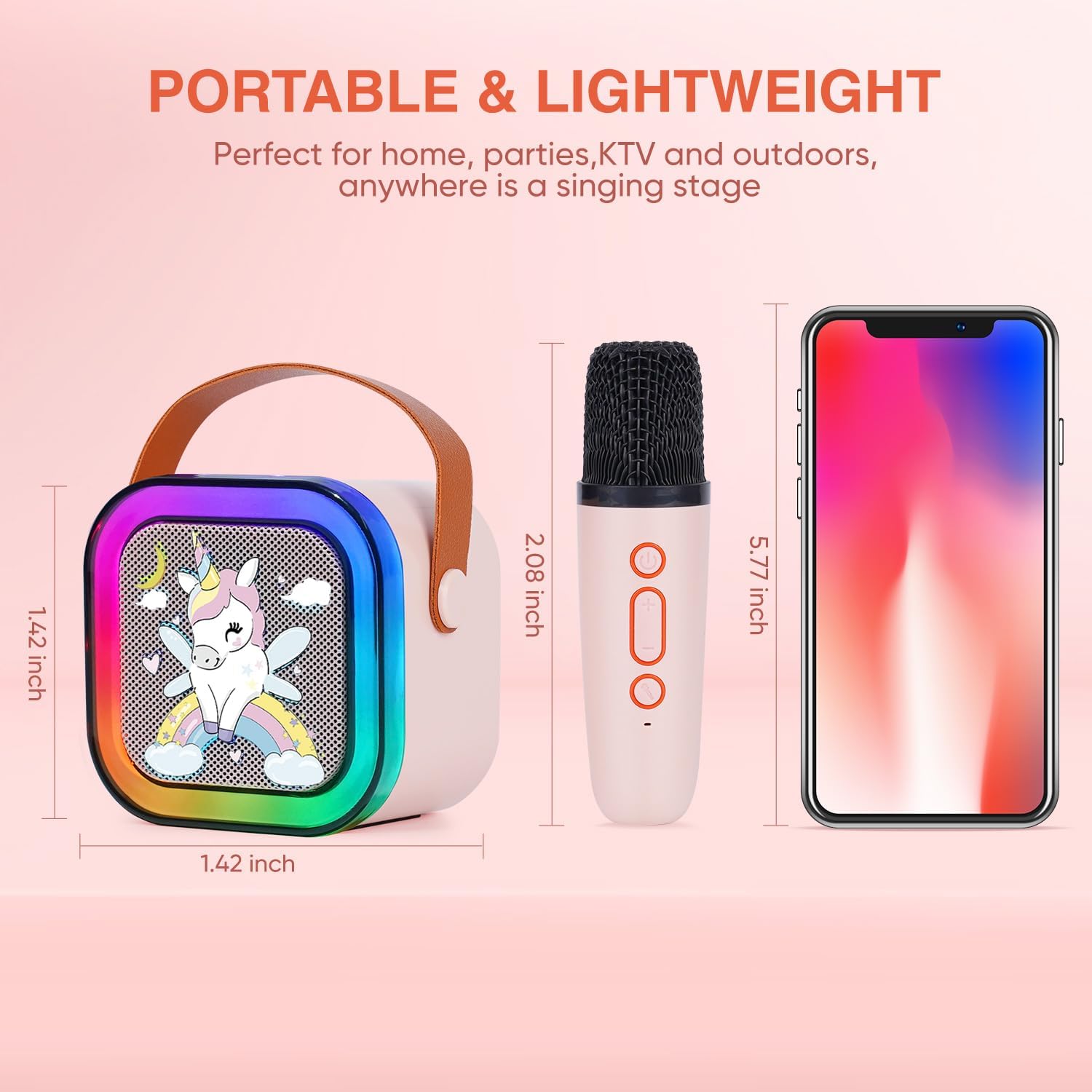
Image 8.1: Visual representation of the speaker and microphone dimensions, highlighting their portable and lightweight design.
9. Warranty and Support
DYNASONIC is committed to providing comprehensive support and assistance for your product. If you encounter any issues or have questions regarding your DYNASONIC A29 Karaoke Bluetooth Speaker, please do not hesitate to contact us.
For support, you can reach us via email:
Email: info@dynasonic.es
Please provide your product model (A29) and a detailed description of your inquiry when contacting support to ensure a prompt and efficient resolution.

Image 9.1: Back of the product packaging, displaying manufacturer information and the official support email address.