1. Product Overview
The VORGUT BK26 is a wireless, solar-powered outdoor security camera designed for home surveillance. It features 4MP Ultra HD resolution, color night vision, and PIR human motion detection. The camera operates on a built-in 9000mAh rechargeable battery, continuously charged by an efficient solar panel, ensuring 100% wire-free operation. Its IP66 weatherproof design allows for reliable performance in various outdoor conditions.
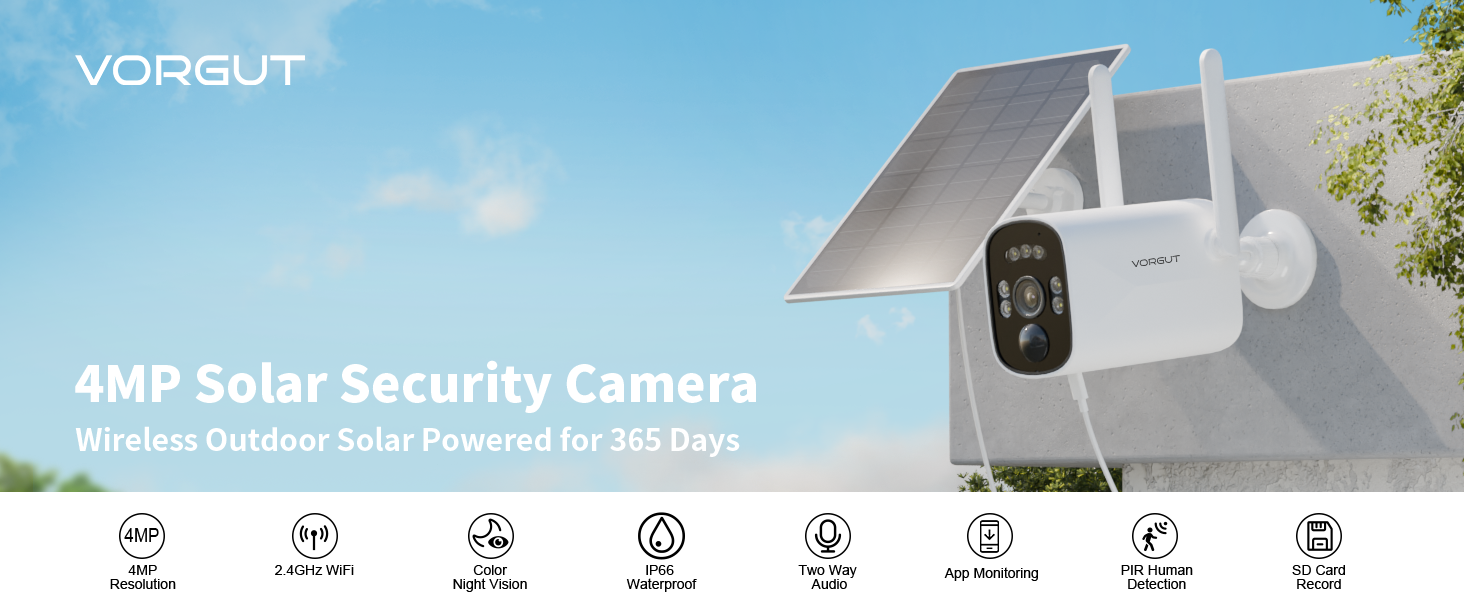
Image: VORGUT 4MP Solar Security Camera highlighting its key features including 4MP resolution, 2.4GHz WiFi, color night vision, IP66 waterproof rating, two-way audio, app monitoring, PIR human detection, and SD card recording.
2. What's in the Box
Verify that all components are present before proceeding with installation.
- 1 x VORGUT BK26 Security Camera
- 1 x Solar Panel
- 1 x User Manual
- Mounting Screws and Anchors
3. Setup & Installation
3.1 Initial Setup
- Charge the Camera: Before initial use, ensure the camera's built-in battery is fully charged. Connect the solar panel to the camera or use a standard USB charger. The camera has an On/Off button next to the charging port. Turn it On.
- Download the App: Search for the VORGUT security camera app on your smartphone's app store (compatible with Android and iOS). Download and install the app.
- Create an Account: Open the app and follow the on-screen instructions to create a new user account.
- Add Device: In the app, select "Add Device" or the '+' icon. The app will guide you through connecting the camera to your 2.4 GHz Wi-Fi network. Note: The camera is not compatible with 5 GHz Wi-Fi networks.
- Scan QR Code: The app will prompt you to scan a QR code. This QR code is typically located on the camera itself or within the user manual.
3.2 Mounting the Camera and Solar Panel
The VORGUT BK26 camera is designed for outdoor use and offers flexible, wire-free installation.

Image: The VORGUT BK26 camera and its solar panel mounted, illustrating its continuous power supply and wireless nature.
- Choose a Location: Select an outdoor location that provides a clear view of the area you wish to monitor. Ensure the solar panel receives direct sunlight for several hours each day for optimal charging.
- Mount the Camera: Use the provided screws and anchors to securely mount the camera to a wall or other stable surface. The camera's lightweight and compact design simplifies installation.
- Mount the Solar Panel: Mount the solar panel in a position where it can maximize sun exposure. The solar panel comes with a 3-meter cable, allowing for flexible placement away from the camera if needed. The panel is 360° adjustable to optimize sun angle.
- Connect Solar Panel: Connect the solar panel cable to the charging port on the camera.
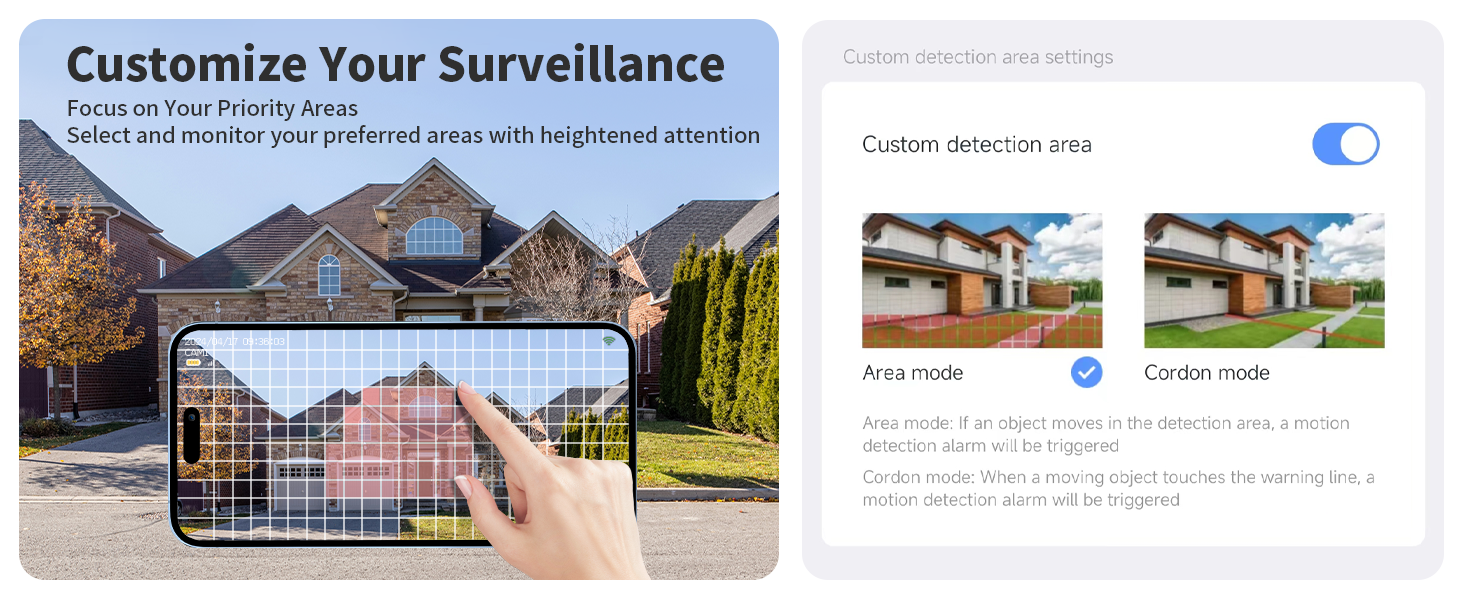
Image: Visual guide for connecting and installing the camera, showing app download, QR code scanning, and Wi-Fi connection.
4. Operation
4.1 Live View and Recording
Access the live feed from your camera anytime through the VORGUT app. The camera records in 2.5K 4MP Ultra HD resolution.

Image: Demonstrates the 4MP Ultra HD resolution and 8x digital zoom capability for clear monitoring.
- Micro SD Card Storage: The camera supports local storage via a Micro SD card (up to 128GB, not included). Insert the card into the designated slot on the camera.
- Cloud Storage: Optional cloud storage is available via subscription through the app for secure off-site recording.

Image: Illustrates the camera's recording options, including Micro SD card storage (up to 128GB) and cloud storage.
4.2 Night Vision Modes
The camera offers advanced night vision capabilities for clear monitoring in low-light conditions.
- IR Night Vision: Utilizes infrared LEDs for black and white vision up to 10 meters in complete darkness.
- Color Night Vision: When motion is detected at night (in dusk-to-dawn mode), the camera's spotlight will automatically activate, providing full-color video footage.
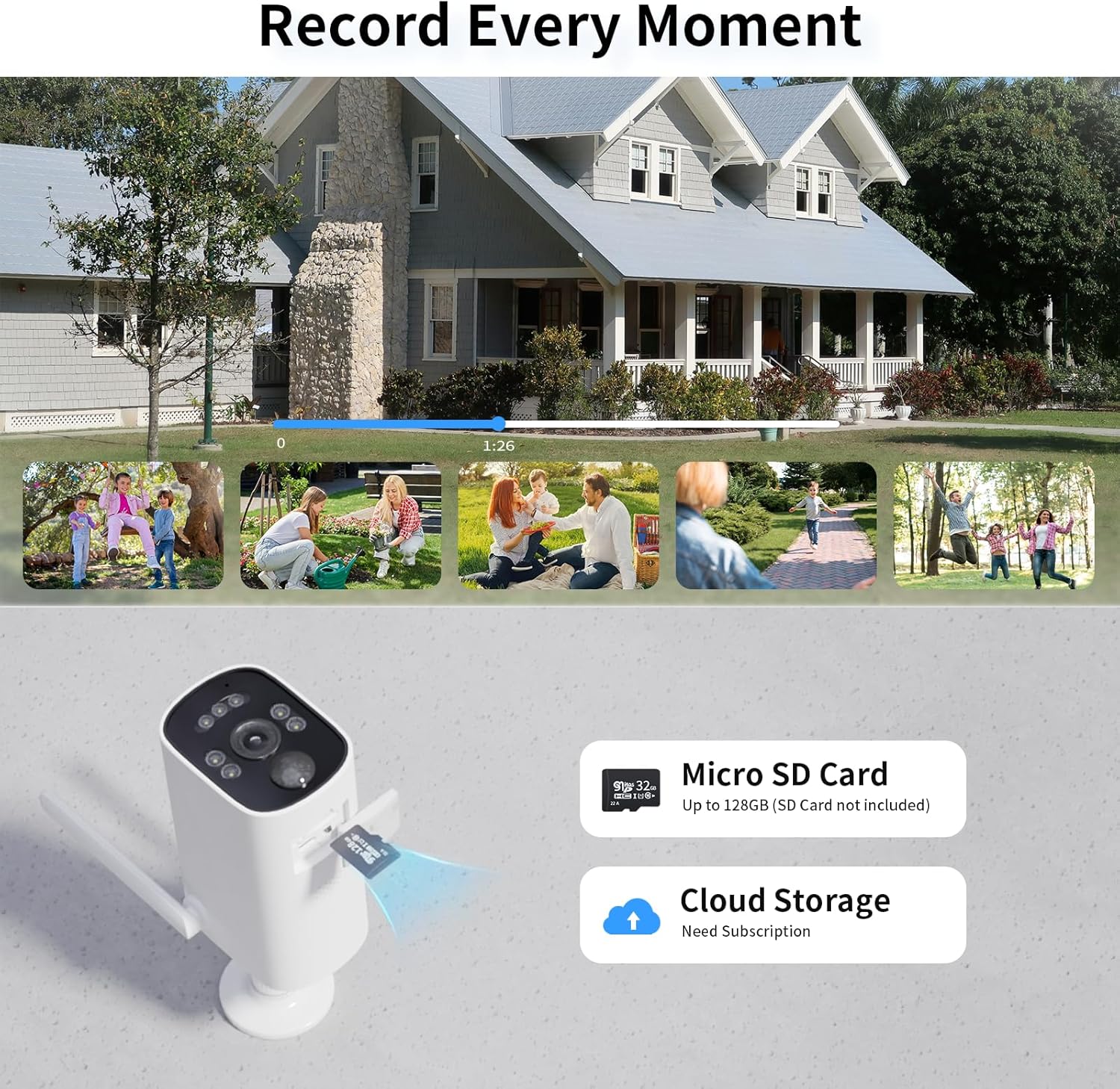
Image: Demonstrates the difference between full color night vision (with spotlight) and standard IR night vision.
4.3 Motion Detection and Alerts
The camera features a PIR (Passive Infrared) human motion detection sensor to minimize false alarms.
- Real-time Alerts: When motion is detected, a notification will be pushed to your phone via the app.
- Customizable Motion Areas: Define specific areas within the camera's view for motion detection to focus on priority zones.
- Adjustable Sensitivity: Three sensitivity levels (Low, Medium, High) can be adjusted in the app to fine-tune motion detection.

Image: A smartphone screen showing a real-time alert notification for human detection from the BK26 camera.
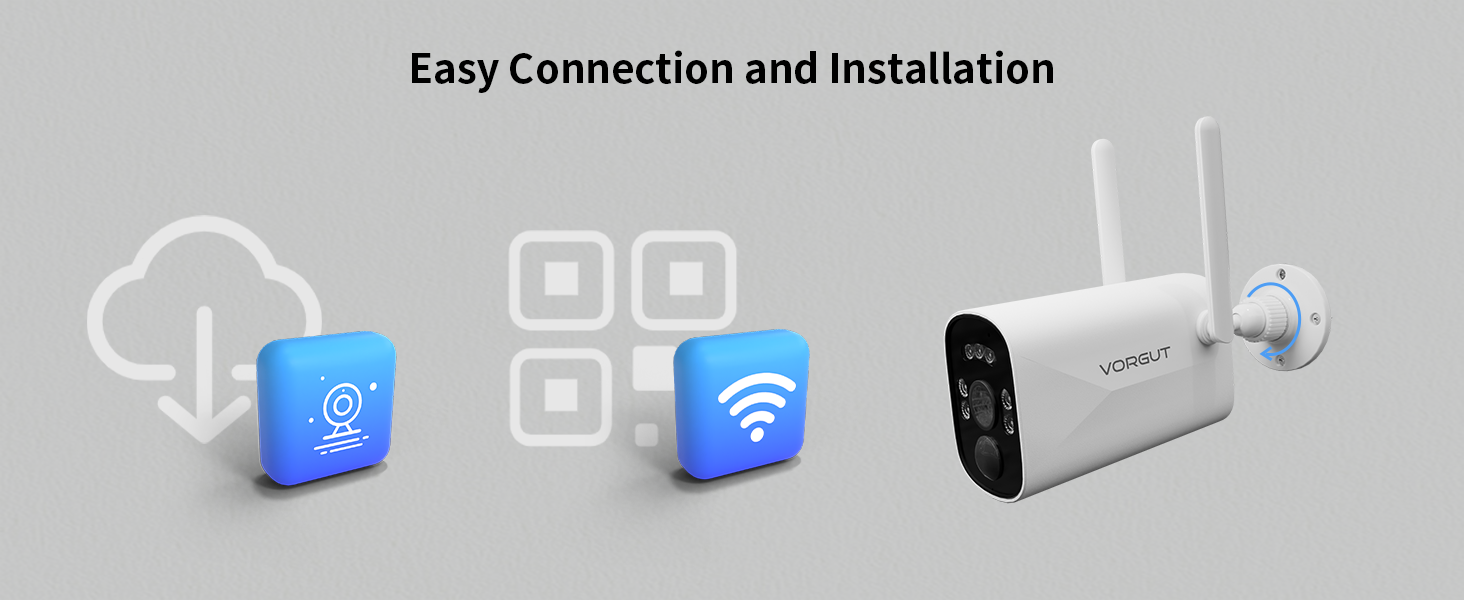
Image: App interface demonstrating how to customize detection areas using 'Area mode' and 'Cordon mode'.
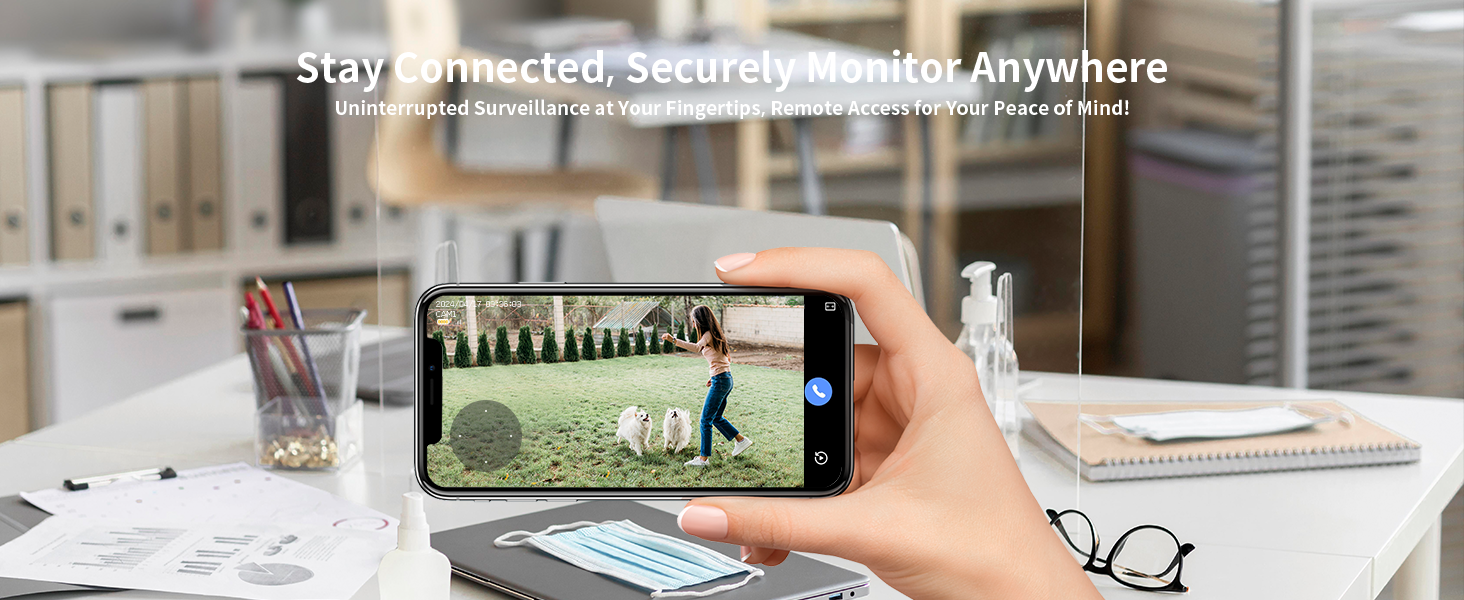
Image: Screenshot of the app showing options to adjust motion detection sensitivity to Low, Medium, or High.
4.4 Two-Way Talk
The camera features built-in two-way audio with anti-noise technology, allowing for clear communication.
- Use the microphone and speaker icons in the app to initiate two-way communication with visitors or deter intruders.

Image: A person interacting with a delivery driver via the camera's two-way talk feature.
4.5 Family Sharing and Remote Access
The VORGUT app allows multiple users to connect and share access to the camera, ensuring continuous monitoring by trusted individuals.
- Family members can scan a shared code within the app to gain access to the camera feed and settings.
- All images and data are encrypted to ensure privacy and security.

Image: Depicts various individuals accessing the camera feed on their smartphones, demonstrating the family sharing feature.
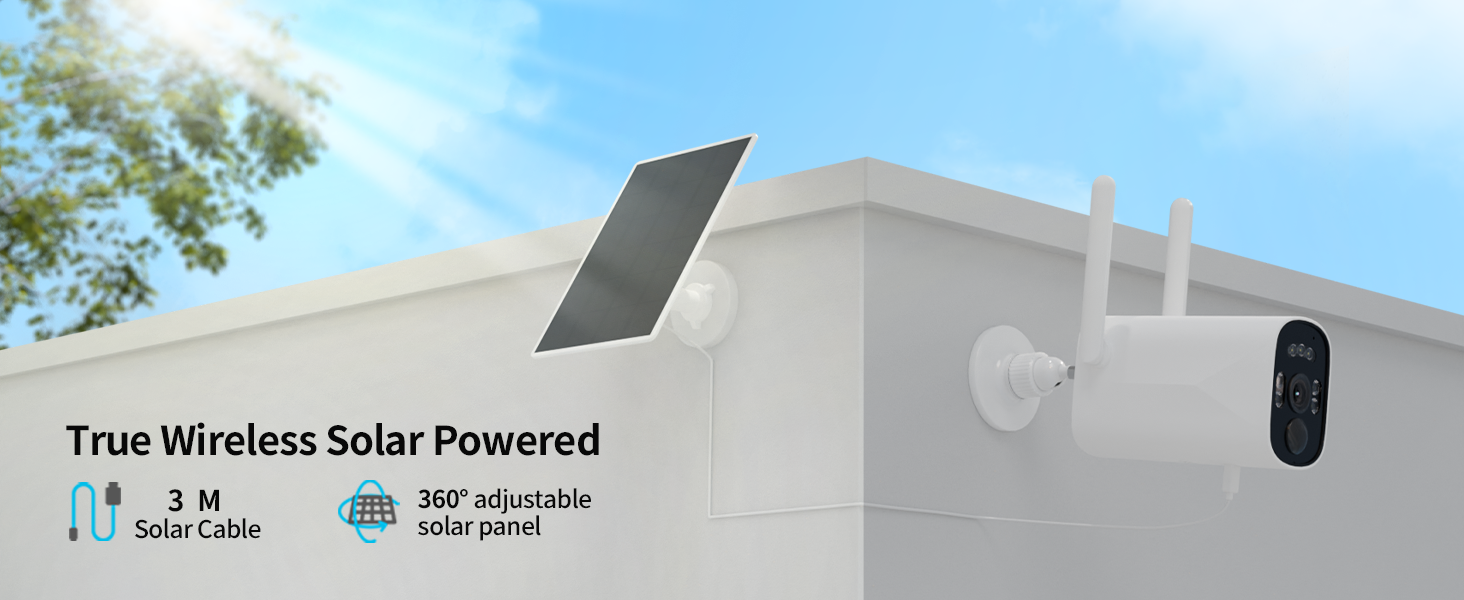
Image: A person viewing the camera feed on a smartphone, emphasizing remote monitoring capabilities.
4.6 NVR Integration
The VORGUT BK26 camera can be used independently or integrated with a VORGUT Monitor NVR (Network Video Recorder) for centralized management and recording.
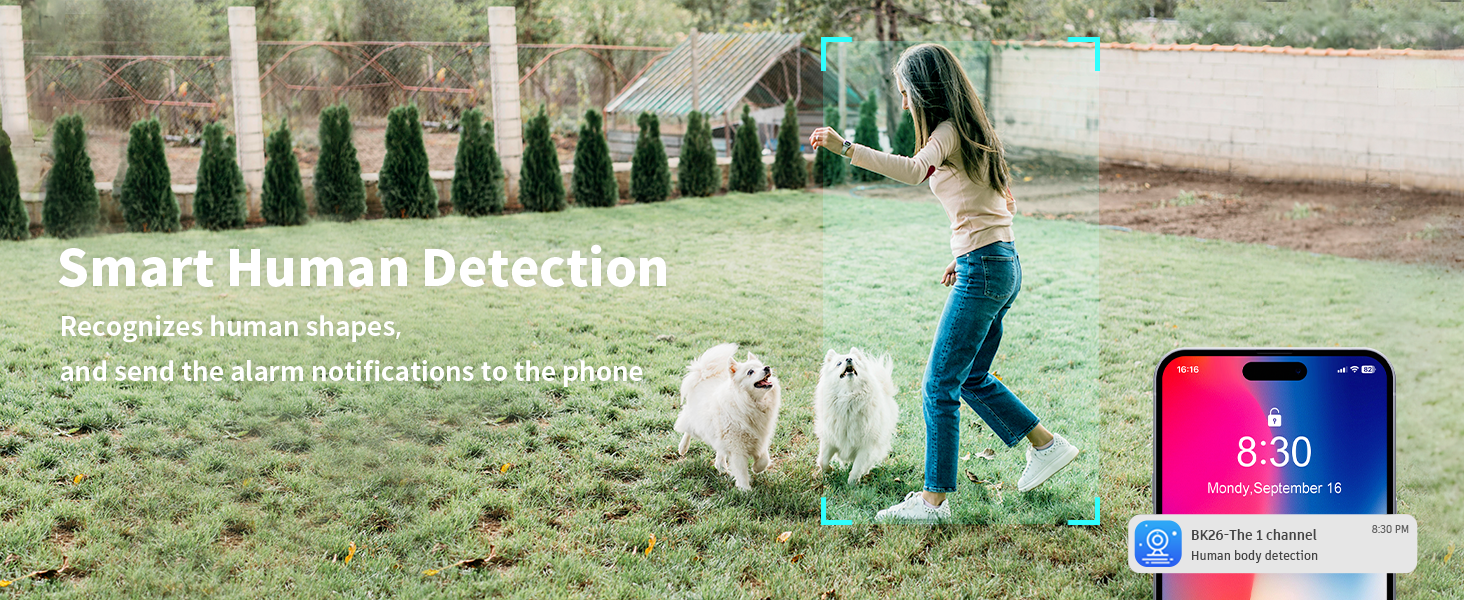
Image: The VORGUT camera displayed alongside a VORGUT Monitor NVR, indicating compatibility for integrated surveillance systems.
5. Maintenance
- Solar Panel Cleaning: Periodically clean the surface of the solar panel to ensure maximum sunlight absorption. Dust, dirt, or debris can reduce charging efficiency. Use a soft, damp cloth.
- Camera Lens Cleaning: Gently wipe the camera lens with a soft, lint-free cloth to maintain clear image quality. Avoid abrasive materials that could scratch the lens.
- Battery Health: While the solar panel provides continuous charging, extreme weather conditions or prolonged periods of low sunlight may affect battery levels. Monitor battery status via the app and ensure the solar panel is optimally positioned.
- Firmware Updates: Check the app regularly for available firmware updates. Keeping your camera's firmware up-to-date ensures optimal performance and security.
- Weather Protection: The camera is IP66 weatherproof, designed to withstand rain and dust. However, avoid submerging the camera in water or exposing it to extreme temperatures beyond its operating range.
6. Troubleshooting
| Problem | Possible Cause | Solution |
|---|---|---|
| Camera not connecting to Wi-Fi | Incorrect Wi-Fi band (5GHz), weak signal, incorrect password. |
|
| Battery not holding charge / Camera powers off | Insufficient sunlight for solar panel, faulty solar panel connection, low battery capacity. |
|
| No motion detection alerts | Motion detection disabled, incorrect sensitivity settings, app notification issues. |
|
| Delay in motion detection alerts | Network latency, app processing time. |
|
| Two-way talk volume is low | Speaker volume settings, environmental noise. |
|
| Cannot find QR code for setup | QR code location overlooked, missing. |
|
7. Specifications
| Feature | Detail |
|---|---|
| Brand | VORGUT |
| Model Number | BK26 |
| Connectivity Technology | Wireless (2.4 GHz Wi-Fi) |
| Video Capture Resolution | 1440p (4MP) |
| Special Features | Solar Powered, Bullet Outdoor Camera, Remote Control, IP66 Weatherproof |
| Number of Channels | 1 |
| Color | White |
| Power Source | Solar Powered (Built-in 9000mAh battery) |
| Dimensions (L x W x H) | 5 x 4.99 x 5 inches |
| Item Weight | 1.6 pounds |
| Operating System Compatibility | Android, iOS |
| Recommended Use | Outdoor |
| Low Light Technology | Night Vision (IR and Color) |
| Night Vision Range | Up to 32.81 Feet (10 meters) |
| Recording Mode | Motion Detection |
| Storage Options | Micro SD Card (up to 128GB, not included), Cloud Storage (subscription) |
| Lens Type | Wide Angle |
8. Warranty and Support
VORGUT is committed to providing excellent customer service and support for your security camera.

Image: VORGUT's commitment to customer support, including after-sale support, fast response, needs-based approach, and lifetime technical assistance.
- After-Sale Support: For any questions, issues, or technical assistance, please contact VORGUT customer support.
- Lifetime Technical Assistance: VORGUT offers lifetime technical assistance for its products.
- Warranty Information: For details regarding the product warranty period and terms, please refer to the warranty card included with your product or contact VORGUT customer service directly.
- Contact Information: Please visit the official VORGUT website or refer to the contact details provided in your product packaging for support.

