
Introduction
Thank you for choosing the Dpofirs Smart Health Tracker Ring. This device is designed to help you monitor key health metrics such as sleep quality and step count, providing insights to support a healthier lifestyle. Crafted from polished ceramic and 316 stainless steel, this ring combines elegance with advanced technology. It is compatible with both Android and iOS devices, allowing for convenient data access.
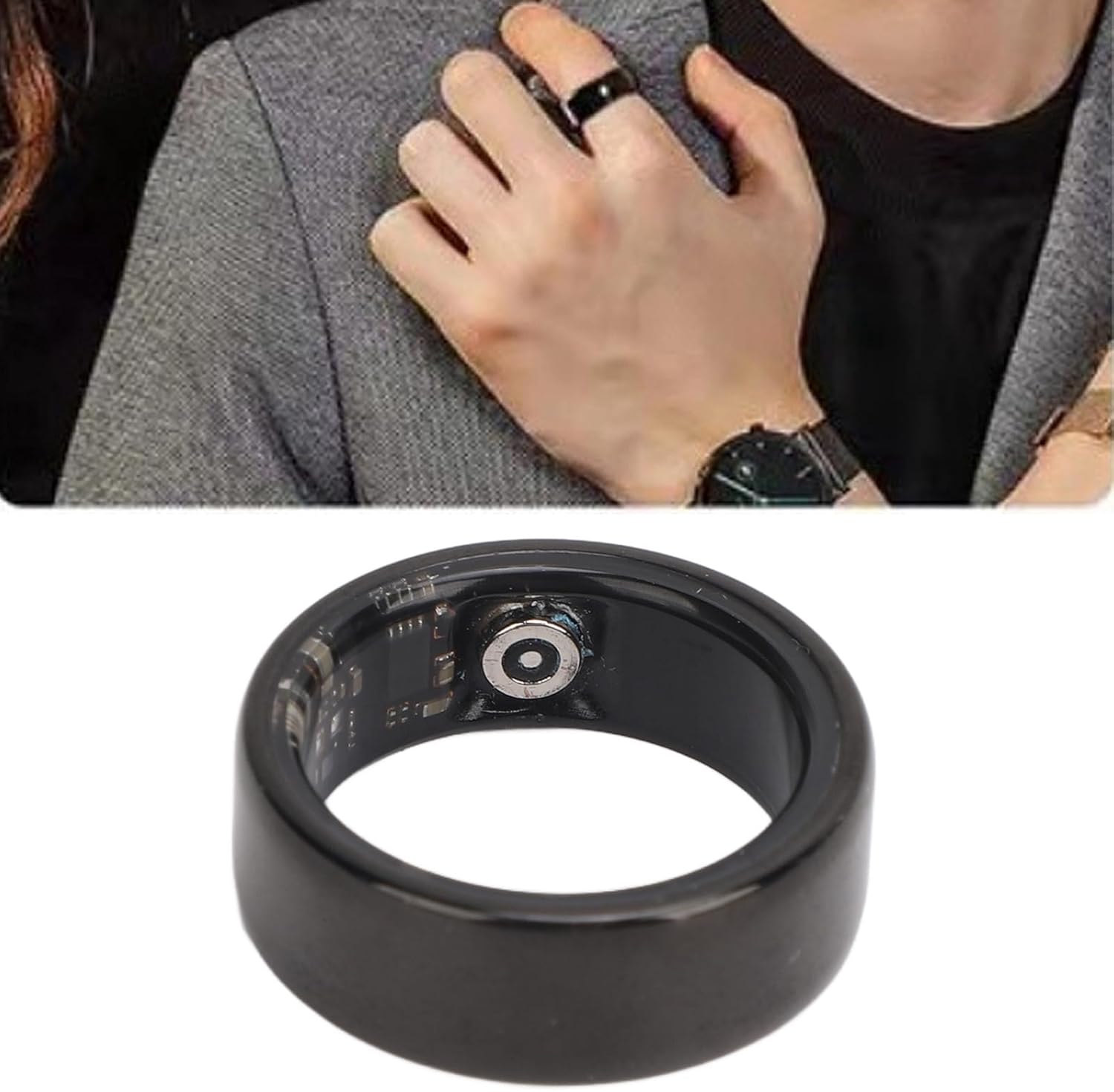
Image: The Dpofirs Smart Health Tracker Ring, a sleek black ring, is shown worn on a person's finger, highlighting its discreet design. A close-up of the ring's interior reveals the integrated sensors.
What's in the Box
Upon opening your Dpofirs Smart Health Tracker Ring package, you should find the following items:
- 1 x Smart Health Ring
- 1 x Charging Case
- 1 x User Manual (this document)
- 1 x Charging Cable
Setup Guide
1. Initial Charging
Before first use, fully charge both the Smart Health Ring and its charging case. The ring's battery capacity is 18mAh, offering approximately 7 days of battery life, with a charging time of 60 minutes. The charging case has a 400mAh battery capacity.
- Place the Smart Health Ring into the charging case.
- Connect the provided charging cable to the charging case and a suitable USB power source.
- Ensure the charging indicators (if present) on the case illuminate to confirm charging is active.

Image: The Dpofirs Smart Health Tracker Ring is shown nestled inside its white, circular charging case. The charging cable, with a magnetic connector, is visible next to the case, illustrating the charging setup.
2. App Installation and Pairing
The Smart Health Ring requires the JYouPro application for full functionality and data synchronization.
- Download the JYouPro app from your device's app store (available for Android and iOS).
- Open the app and follow the on-screen instructions to create an account or log in.
- Ensure your smartphone's Bluetooth is enabled.
- Within the JYouPro app, navigate to the device pairing section and select your Dpofirs Smart Health Tracker Ring from the list of available devices.
- Confirm the pairing request on both your phone and, if prompted, on the ring (though the ring has no display, confirmation is typically app-based).
Operating Instructions
Wearing the Ring
For accurate data collection, wear the Smart Health Ring on a finger that provides a comfortable yet snug fit. The ring should not be too loose or too tight. It can be worn on any finger, but consistency is recommended for better tracking.
Health Data Monitoring
The ring continuously monitors your health data. To view detailed information:
- Open the JYouPro app on your paired smartphone.
- The app will automatically synchronize data from your ring (ensure Bluetooth is active and the ring is within range).
- Navigate through the app's interface to view your sleep quality reports, daily step counts, and other available health metrics.
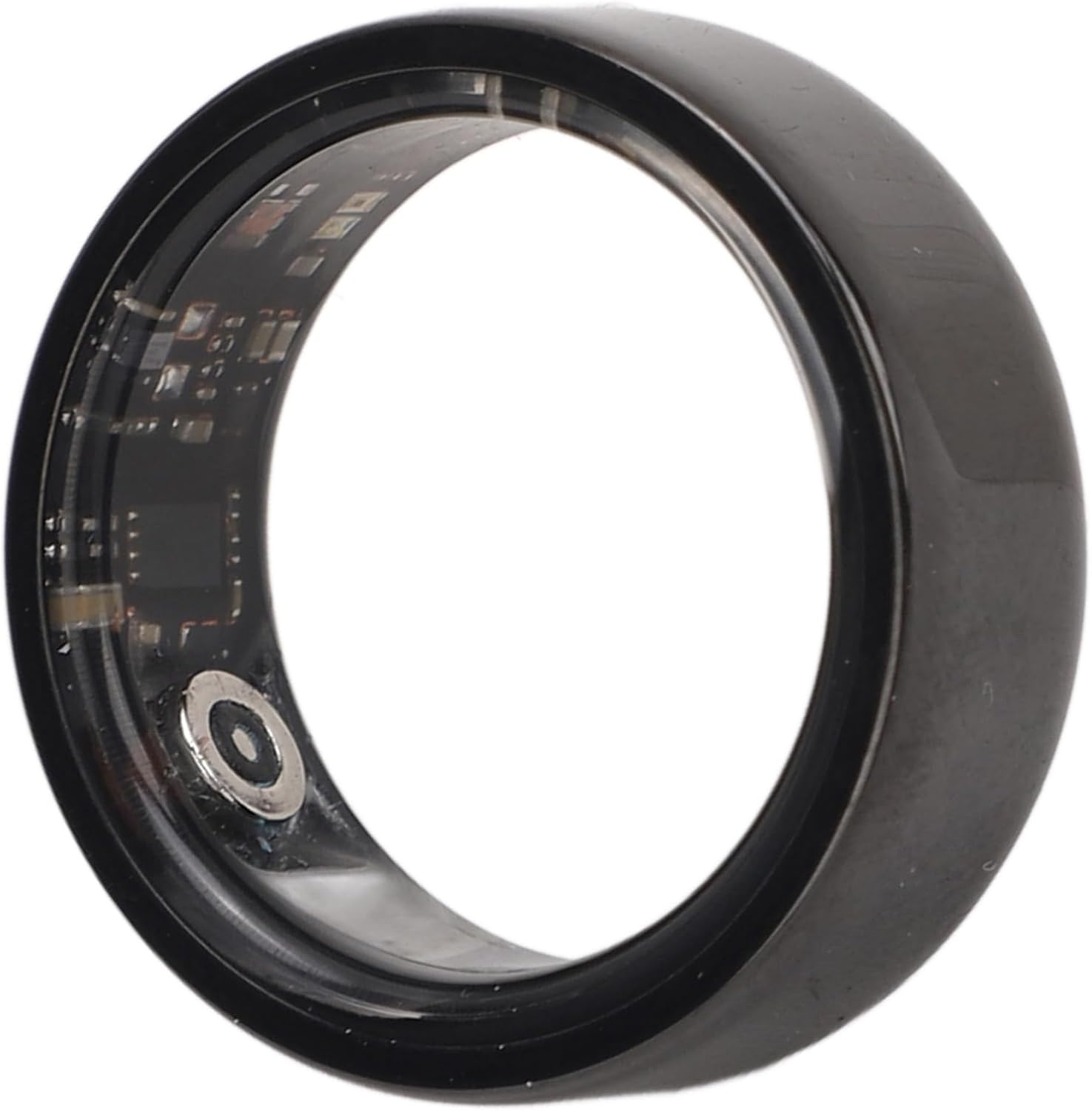
Image: A detailed close-up of the Dpofirs Smart Health Tracker Ring's interior, revealing the intricate sensor array responsible for collecting health data.
Water Resistance (IP68)
The Dpofirs Smart Health Ring features an IP68 waterproof rating. This means it is protected against continuous immersion in water up to 1.5 meters for 30 minutes. You can wear the ring during everyday water-related activities such as handwashing, showering, and swimming without affecting its functionality or data monitoring.
Maintenance
Cleaning
To maintain the ring's appearance and sensor accuracy:
- Wipe the ring regularly with a soft, damp cloth.
- Avoid using harsh chemicals or abrasive materials, as these can damage the ceramic and stainless steel finish or the sensors.
- Ensure the charging contacts on the ring and case are clean and dry before charging.
Charging Best Practices
- Always use the provided charging cable and case.
- Avoid exposing the charging case or ring to extreme temperatures.
- Do not attempt to charge the ring if it or the charging case is wet.
Troubleshooting
| Problem | Possible Cause | Solution |
|---|---|---|
| Ring not connecting to app | Bluetooth off, ring out of range, low battery, app issue | Ensure Bluetooth is on, bring ring closer to phone, charge ring, restart app/phone |
| Inaccurate data readings | Improper fit, dirty sensors, ring not worn during activity/sleep | Adjust fit for snugness, clean sensors, ensure ring is worn continuously |
| Ring not charging | Improper placement in case, faulty cable/adapter, dirty contacts | Reseat ring in case, try different USB port/adapter, clean charging contacts |
| App crashes or freezes | Software bug, outdated app version, phone memory issues | Restart app, update app to latest version, restart phone, clear app cache |
Specifications
- Item Type: Smart Health Ring
- Material: Ceramic Ring
- Ring Battery Type: Lithium Battery
- Ring Battery Capacity: 18mAh (Built-in)
- Ring Battery Life: Approximately 7 Days
- Ring Charging Time: 60 Minutes
- Charging Case Battery Type: Lithium Battery
- Charging Case Battery Capacity: 400mAh (Built-in)
- Compatible App: JYouPro
- Water Resistance: IP68
- Wireless Communication: Bluetooth
- Display Type: No Display
- Weight: Approximately 72 Grams (Item Weight)
- Model Name: Dpofirshwufiba9ec-11
- Style: No. 8
Warranty and Support
Specific warranty details are not provided within the product information. For warranty claims, technical support, or further assistance, please refer to the contact information provided by your retailer or visit the official Dpofirs website. Keep your purchase receipt as proof of purchase.