
Noaton AVC600
Noaton AVC600 Cordless Vacuum Cleaner User Manual
Model: AVC600 | Brand: Noaton
Product Overview
The Noaton AVC600 is a powerful and versatile cordless vacuum cleaner designed for efficient cleaning across various surfaces. It features an intelligent automatic mode, multiple power supply options, and an advanced HEPA filtration system for a cleaner home environment.
Key Features:
- Superior Suction Power: Experience the impressive power of the Noaton AVC600: With 46000Pa and 600W, this vacuum cleaner masters every challenge. Its battery life of up to 85 minutes makes it the ideal partner for households with children and pets, effortlessly removing all dirt and ensuring a consistently clean environment.
- Intelligent Automatic Mode: The advanced AVC600 perfectly adapts its suction power to different surfaces with a smart sensor. This innovative technology maximizes battery performance and significantly extends usage time compared to conventional cordless vacuum cleaners. Additionally, a clear display always provides information about the current operating status.
- Masterful on Every Surface: The Noaton AVC600 demonstrates its capabilities on all floor types: wood, laminate, tiles, and vinyl are cleaned with ease. This versatile vacuum cleaner also effortlessly handles pet hair and long hair, ensuring your floors and carpets remain spotless and hygienically clean.
- Triple Power Supply: With the Noaton AVC600, you enjoy unprecedented flexibility. You can choose between power supply via a removable battery, direct connection to a power outlet, or using a special attachment. These options ensure that your cleaning is never limited by power sources and offer seamless adaptation to any situation in your home.
- Designed for Allergy Sufferers: The Noaton AVC600 considers sensitive users: Thanks to the high-quality HEPA filter, even the finest particles and allergens are reliably captured. With a container volume of 0.7 liters and a whisper-quiet operating noise of only 62 dB, it ensures a clean and quiet environment that promotes the well-being of all household members.
Package Contents
Please ensure all items are present and in good condition upon unboxing.
- Main Vacuum Unit
- Extension Stick
- Floor Brush Head
- Wall-mounted Charging Station
- Crevice Tool
- Dusting Brush
- Flexible Hose
- Mini Motorized Brush (for upholstery/pet hair)
- Water Tank with Mop Pad (Wiping function attachment)
- Additional HEPA Filter
- Power Adapter
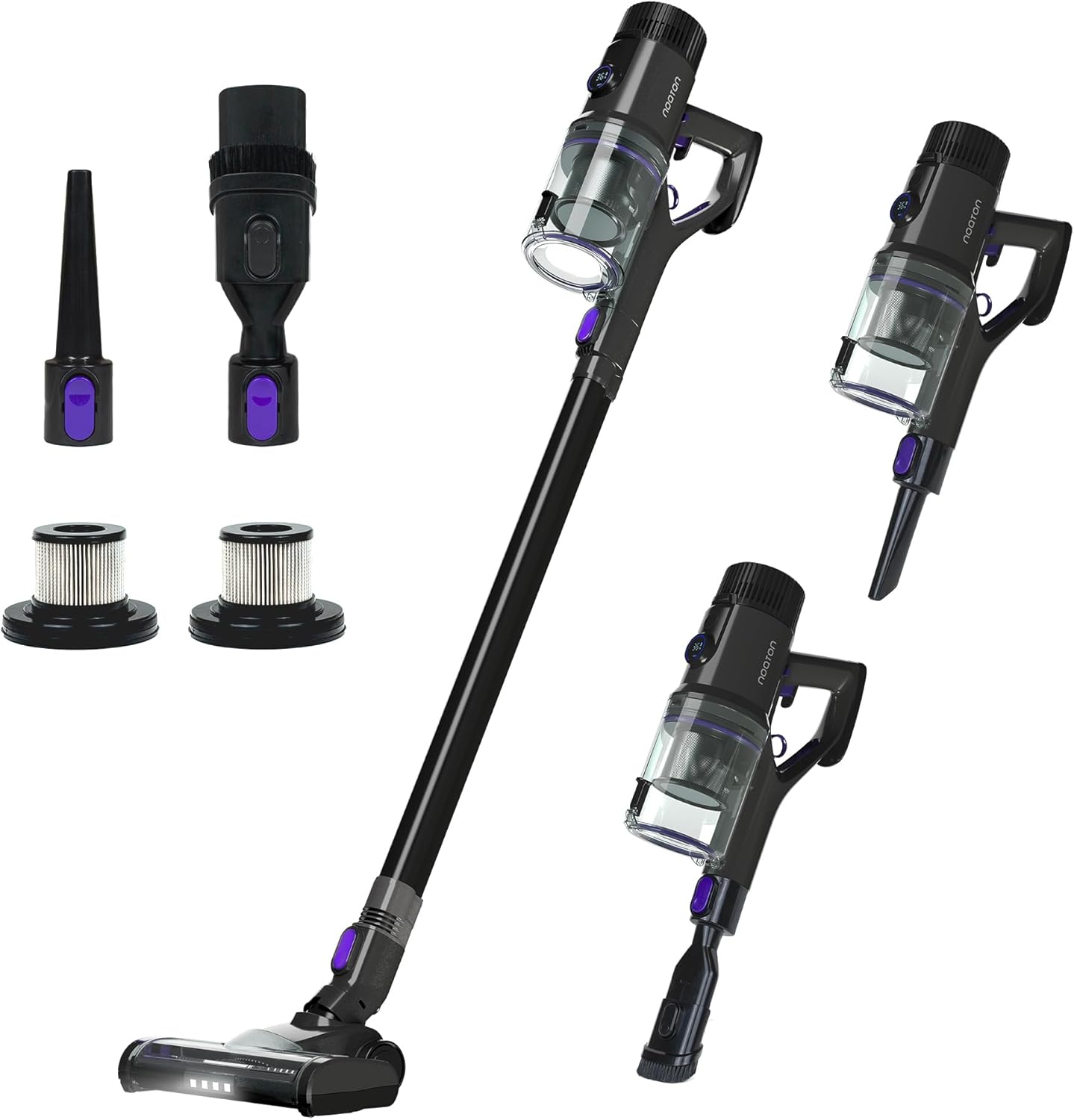
Image: The Noaton AVC600 cordless vacuum cleaner shown with its various attachments and two HEPA filters.
Setup Guide
1. Assembly
- Attach the Extension Stick: Align the extension stick with the main vacuum unit and push until it clicks into place.
- Attach the Floor Brush Head: Connect the floor brush head to the other end of the extension stick, ensuring it locks securely.
- Install Accessories: For handheld use, attach desired accessories (e.g., crevice tool, dusting brush) directly to the main unit.
2. Initial Charging
Before first use, fully charge the vacuum cleaner's battery. The Noaton AVC600 offers three charging methods:
- Direct Charging: Connect the power adapter directly to the charging port on the main unit.
- Wall-mounted Charging Station: Install the wall-mounted station in a convenient location. Hang the vacuum cleaner on the station, ensuring the charging contacts align. The vacuum will begin charging automatically.
- Removable Battery Charging: Detach the battery from the main unit and charge it separately using the power adapter.
A full charge typically takes 4-6 hours. The display will indicate charging status.

Image: The Noaton AVC600 vacuum cleaner mounted on its wall charging station, with insets showing the removable battery and direct charging options.
Operating Instructions
Power On/Off and Mode Selection
Press the power button to turn the vacuum on. The LED display will show the current mode and battery level. You can cycle through the cleaning modes by pressing the mode selection button.
- AUTO Mode: (45-55 Min runtime) Ideal for normal use. The vacuum automatically adjusts suction power based on floor type and dirt level.
- ECO Mode: (75-85 Min runtime) For light dust and extended cleaning time.
- MAX Mode: (12-14 Min runtime) Provides maximum suction for heavily soiled areas.

Image: Close-up of the Noaton AVC600's LED display, showing battery percentage and selectable cleaning modes (AUTO, ECO, MAX) with estimated runtimes.
Cleaning Different Surfaces
The AVC600 is designed to perform effectively on various floor types. The intelligent sensor in AUTO mode will optimize suction for:
- Hard Floors (Wood, Laminate, Tiles, Vinyl): The vacuum will maintain efficient suction for everyday dirt and debris.
- Carpets and Rugs: The suction power will automatically increase when transitioning to carpeted areas to ensure deep cleaning.
- Pet Hair: The powerful suction and specialized brush head are effective at picking up pet hair from all surfaces.
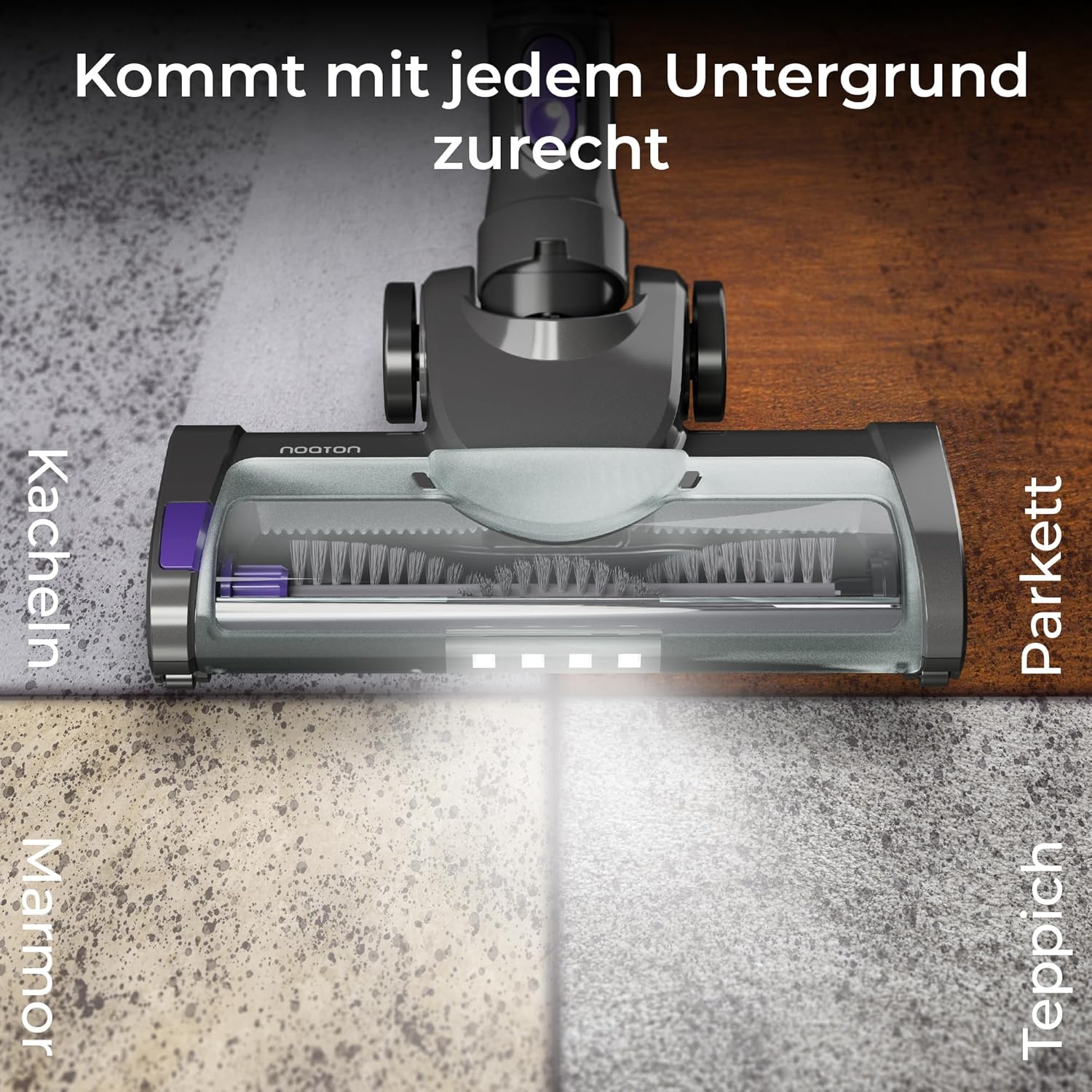
Image: The Noaton AVC600's floor brush head with LED lights, demonstrating its ability to clean various surfaces including tiles, marble, parquet, and carpet.
Multi-purpose Use
Detach the extension stick to transform the AVC600 into a powerful handheld vacuum for cleaning upholstery, stairs, car interiors, and hard-to-reach areas using the appropriate attachments.

Image: Four panels showing the Noaton AVC600 in handheld mode, cleaning a sofa, stairs, and a car interior, highlighting its versatility.
Maintenance
1. Emptying the Dustbin
The dustbin has a capacity of 0.7 liters. To empty, hold the vacuum over a trash can and press the release button on the dustbin. The bottom flap will open, allowing debris to fall out. Close the flap securely after emptying.
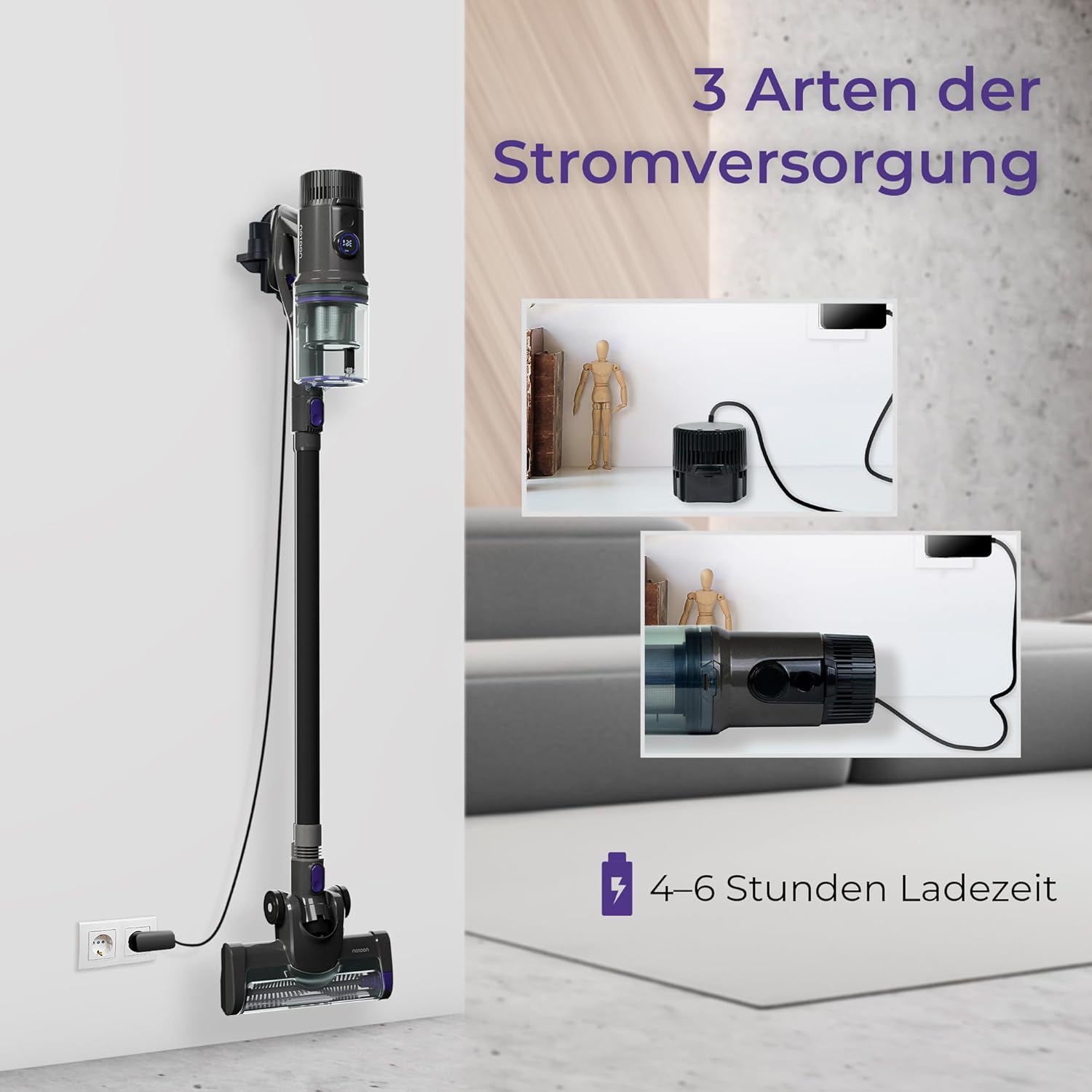
Image: Diagram showing how to empty the 0.7L dustbin of the Noaton AVC600 by pressing a button to release the bottom flap, and how to remove the HEPA filter for cleaning.
2. Cleaning the HEPA Filter
The high-quality HEPA filter captures fine particles and allergens. For optimal performance, regularly clean the filter. Twist and pull to remove the filter from the dustbin. Tap off loose dust, then rinse under running water. Ensure the filter is completely dry before reinserting it into the vacuum.
3. Cleaning the Brush Roll
Periodically check the brush roll in the floor head for tangled hair or debris. Remove the brush roll (usually by unlocking a latch) and clean it thoroughly. Reinsert it securely.
Troubleshooting
| Problem | Possible Cause | Solution |
|---|---|---|
| Vacuum not turning on | Battery is depleted; Power button not pressed correctly. | Charge the battery; Ensure the power button is pressed firmly. |
| Low suction power | Dustbin full; Filter clogged; Obstruction in nozzle/hose/brush roll. | Empty dustbin; Clean/replace filter; Remove any obstructions. |
| Brush roll not spinning | Tangled hair/debris; Brush roll not properly installed. | Clean brush roll; Reinstall brush roll correctly. |
| Short runtime | Battery not fully charged; Operating in MAX mode; Battery degradation. | Ensure full charge; Use ECO or AUTO mode for longer runtime; Contact support if battery life significantly reduced. |
| Loud noise during operation | Obstruction in air path; Damaged component. | Check for and remove obstructions; Contact support if noise persists. |
Specifications
| Feature | Detail |
|---|---|
| Brand | Noaton |
| Model | AVC600 |
| Suction Power | 46000 Pa |
| Motor Power | 600 W |
| Air Watts (AW) | 220 AW |
| Max Runtime | Up to 85 minutes (ECO mode) |
| Noise Level | 62 dB |
| Dustbin Capacity | 0.7 Liters |
| Filter Type | HEPA Filter |
| Charging Time | 4-6 hours |
| Power Supply Options | Removable Battery, Direct Plug-in, Wall-mounted Charging Station |
| Item Weight | 4.07 Kilograms |
Warranty and Support
Noaton products are manufactured to high-quality standards. For warranty information, technical support, or replacement parts, please refer to the warranty card included in your package or visit the official Noaton website. Keep your purchase receipt as proof of purchase.
For further assistance, you may also contact the seller directly via the Amazon platform.
Related documentsAVC600


Ask a question about this manual
Ask about setup, troubleshooting, compatibility, parts, safety, or missing instructions. Manuals+ will review the question and use this page’s manual context to help answer it.