
ZAFRO A8502W-8K
ZAFRO Window Air Conditioner User Manual
Model: A8502W-8K
1. Introduction
Thank you for choosing the ZAFRO Window Air Conditioner. This manual provides important information for the proper installation, operation, and maintenance of your new air conditioner. Please read this manual thoroughly before use and keep it for future reference.
The ZAFRO 8000BTU Window Air Conditioner is designed to provide efficient cooling for spaces up to 350 sq. ft. It features multiple operating modes, fan speeds, and a quiet operation for a comfortable environment.

Image: Front view of the ZAFRO 8000BTU Window Air Conditioner, showing the control panel and air vents.
2. Important Safety Information
Please read all safety warnings and instructions carefully before installing and using this appliance to avoid personal injury or property damage.
- Always plug the unit into a grounded 3-prong outlet. Do not remove the grounding prong.
- Do not use an adapter or extension cord.
- Do not operate the air conditioner with a damaged power cord or plug.
- Ensure the unit is installed securely in a window according to the installation instructions to prevent falling.
- Do not block the air intake or exhaust vents.
- Unplug the unit before cleaning or performing any maintenance.
- Keep children away from the air conditioner.
- This appliance uses R32 refrigerant, which is environmentally friendly. Ensure proper disposal and servicing by qualified personnel.
3. Package Contents
Before beginning installation, check the contents of your package against the list below. If any items are missing or damaged, contact customer support.
- Remote Control *1
- Top Rail (With sponge) *1
- Lock Frame *2
- Filler Panels *2
- Sash Lock (Two holes) *1
- Window Sash Seal (Sponge) *1
- Foam Top Window Gasket *1
- Insulation strip (Sponge) *2
- 3/8" Screws *4
- 1/2" Screws *3
- 3/4" Screws *4

Image: A visual representation of all parts included in the ZAFRO Window Air Conditioner package, such as the remote control, various rails, locks, panels, seals, gaskets, insulation strips, and screws.
4. Setup and Installation
This air conditioner is designed for installation in standard double-hung windows. Ensure your window meets the following dimensions:
- Window width: between 23 inches (584mm) and 36 inches (914mm).
- Minimum vertical clearance: at least 14.5 inches.
Installation Steps:
- Prepare the window: Open the window and clean the area where the air conditioner will be installed.
- Attach the top rail: Secure the top rail (with sponge) to the top of the air conditioner unit using the provided screws.
- Install filler panels: Slide the filler panels into the side channels of the air conditioner.
- Place the unit in the window: Carefully lift the air conditioner and place it into the window opening, ensuring the bottom rail rests on the window sill.
- Extend filler panels: Extend the filler panels to fill the window opening on both sides.
- Secure the unit: Use the lock frames and sash lock to securely fasten the air conditioner to the window frame. Apply window sash seal and foam top window gasket for insulation.
- Insulation: Apply the insulation strips to seal any gaps around the unit.

Image: Step-by-step visual guide for installing the ZAFRO Window Air Conditioner, showing window measurements and how to secure the unit.
5. Operating Instructions
Your ZAFRO Window Air Conditioner offers various modes and settings for optimal comfort. You can control the unit using the control panel on the unit or the included remote control.
Control Panel Overview:
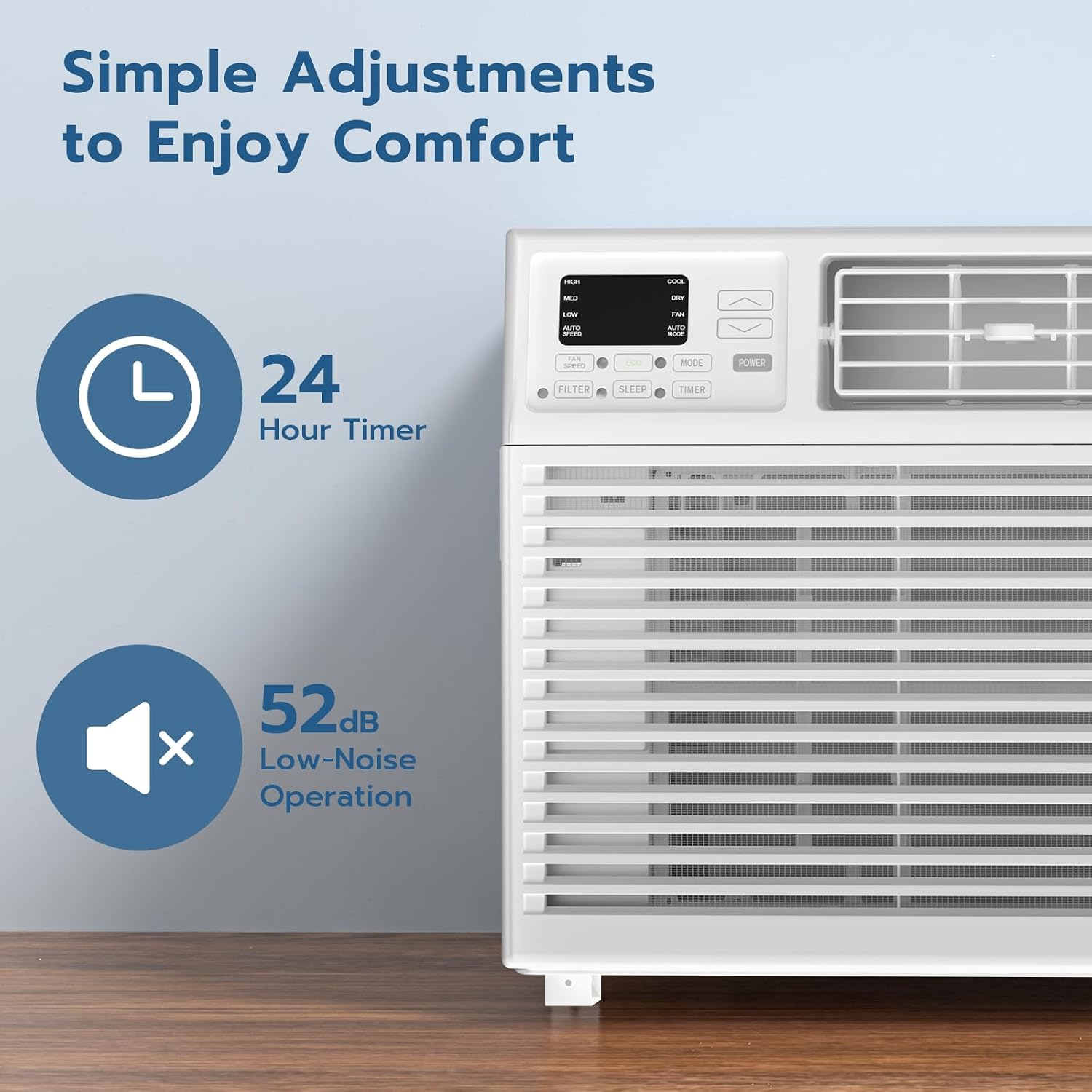
Image: Detailed view of the air conditioner's control panel, showing buttons for Filter, Sleep, Timer, Mode, Power, and fan/temperature adjustments.
- Power Button: Turns the unit ON or OFF.
- Mode Button: Cycles through available modes: Cool, Fan, Dry, Auto.
- Fan Speed Button: Adjusts fan speed: Low, Med, High, Auto.
- Temperature Up/Down Buttons: Adjusts the desired temperature setting.
- Timer Button: Sets the auto ON/OFF timer (up to 24 hours).
- Sleep Mode: Activates a quiet, energy-saving mode for nighttime operation.
- Filter Light: Illuminates to remind you to clean the air filter.
Operating Modes:
- Cool Mode: Provides powerful cooling. Adjust temperature and fan speed as desired.
- Fan Mode: Circulates air without cooling. Choose from various fan speeds.
- Dry Mode: Reduces humidity in the room.
- Auto Mode: Automatically selects the appropriate mode (Cool or Fan) and fan speed based on the room temperature.
The unit operates with a low noise level, reaching a minimum of 52 dB, ensuring a comfortable and quiet environment.

Image: A graphic demonstrating the 8000BTU cooling capacity of the ZAFRO air conditioner, showing it effectively cooling a room up to 350 sq. ft.
6. Maintenance
Regular maintenance ensures optimal performance and longevity of your air conditioner.
Cleaning the Air Filter:
The filter check light will remind you when it's time to clean the filter. A dirty filter can reduce cooling efficiency and airflow.
- Unplug the air conditioner from the power outlet.
- Open the front panel of the unit.
- Carefully remove the air filter.
- Wash the filter with warm, soapy water. Rinse thoroughly.
- Allow the filter to air dry completely before reinserting it. Do not use direct heat to dry.
- Replace the filter and close the front panel.
- Plug the unit back in.
Cleaning the Unit Exterior:
Wipe the exterior of the unit with a soft, damp cloth. Do not use harsh chemicals or abrasive cleaners.
7. Troubleshooting
If you experience issues with your air conditioner, refer to the following common problems and solutions:
| Problem | Possible Cause | Solution |
|---|---|---|
| Unit does not turn on. | No power, tripped circuit breaker, power cord not fully plugged in. | Check power supply, reset circuit breaker, ensure plug is secure. |
| Unit is not cooling effectively. | Dirty air filter, blocked air vents, room too large, windows/doors open. | Clean air filter, clear obstructions, ensure room size is within capacity, close windows/doors. |
| Unit is noisy. | Loose installation, foreign object in fan, normal operating sounds. | Check installation for stability, inspect for obstructions (unplug first!), some sounds (e.g., refrigerant flow) are normal. |
| Water dripping from unit. | Unit not level, drain plug blocked. | Ensure unit is slightly tilted outwards for proper drainage, check and clear drain plug if accessible. |
If the problem persists after trying these solutions, please contact customer support.
8. Specifications
| Feature | Detail |
|---|---|
| Product Dimensions | 15.59 x 18.58 x 13.3 inches (13.3"D x 18.58"W x 15.59"H) |
| Item Weight | 44.7 pounds |
| Manufacturer | ZAFRO |
| Item Model Number | A8502W-8K |
| Form Factor | Window |
| Capacity | 2 Liters (Water Tank) |
| Floor Area Coverage | 350 Square Feet |
| Voltage | 115 Volts |
| Noise Level | 52 dB (minimum) |
| Cooling Power | 8000 British Thermal Units (BTU) |
| Special Features | 4 Way Swing, Fast Cooling, Filter Light Reminder, Remote Controlled, Sleep Mode |
| Color | White |
| Refrigerant | R-32 |
| Power Source | Corded Electric |
9. Warranty and Customer Support
Warranty Description: This ZAFRO Window Air Conditioner comes with a 1-year warranty from the date of purchase. This warranty covers defects in materials and workmanship under normal use.
What is Not Covered: This warranty does not cover damage resulting from misuse, abuse, accident, unauthorized repairs or modifications, or failure to follow the operating instructions.
Customer Support: For technical assistance, warranty claims, or any questions regarding your ZAFRO product, please contact our customer support team. Refer to the contact information provided on the product packaging or the official ZAFRO website.
For more information, visit the ZAFRO Store.
Related documentsA8502W-8K


Ask a question about this manual
Ask about setup, troubleshooting, compatibility, parts, safety, or missing instructions. Manuals+ will review the question and use this page’s manual context to help answer it.