
Bestron ACM1000SAT
Bestron ACM1000SAT Filter Coffee Machine User Manual
Model: ACM1000SAT
1. Introduction
Thank you for choosing the Bestron ACM1000SAT Filter Coffee Machine. This appliance is designed to brew delicious filter coffee efficiently. Please read this manual carefully before first use to ensure safe operation, optimal performance, and to extend the lifespan of your coffee machine. Keep this manual for future reference.
2. Safety Instructions
Always observe the following safety precautions when using electrical appliances:
- Ensure the voltage indicated on the appliance matches your local mains voltage before connecting.
- Do not immerse the appliance, power cord, or plug in water or any other liquid.
- This appliance is not intended for use by persons (including children) with reduced physical, sensory, or mental capabilities, or lack of experience and knowledge, unless they have been given supervision or instruction concerning use of the appliance by a person responsible for their safety.
- Children should be supervised to ensure that they do not play with the appliance.
- Unplug the appliance from the outlet when not in use and before cleaning. Allow it to cool before putting on or taking off parts, and before cleaning the appliance.
- Do not operate any appliance with a damaged cord or plug, or after the appliance malfunctions or has been damaged in any manner. Contact customer service for examination, repair, or adjustment.
- Do not use outdoors.
- Do not let the cord hang over the edge of a table or counter, or touch hot surfaces.
- Do not place on or near a hot gas or electric burner, or in a heated oven.
- Always attach the plug to the appliance first, then plug the cord into the wall outlet. To disconnect, turn any control to 'off', then remove the plug from the wall outlet.
- Do not use the appliance for other than intended use.
- Exercise extreme caution when disposing of hot steam.
- The thermos is designed to keep coffee warm. Do not use it to heat other liquids or food.
3. Product Components
Familiarize yourself with the parts of your Bestron ACM1000SAT coffee machine:
- Water Tank with transparent level indicator (1000 ml capacity).
- Swiveling Filter Holder.
- Removable Permanent Filter (also compatible with 1x4 paper filters).
- Drip-Stop Mechanism.
- Double-Walled Thermos Jug with aroma-preserving lid.
- Start Button with indicator light.
- Power Cord with practical winding system.
- Non-slip Feet.
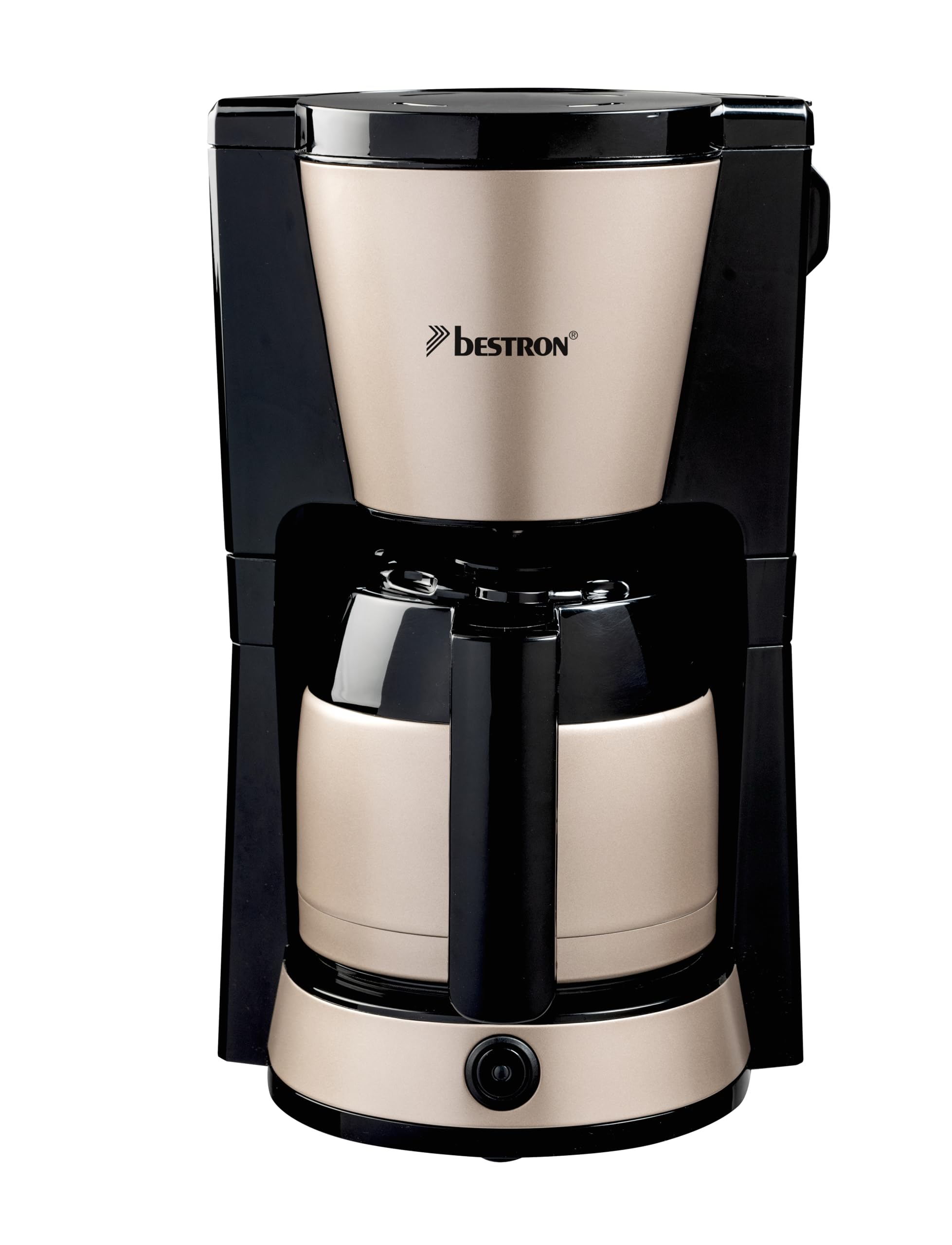
Image: Bestron ACM1000SAT Filter Coffee Machine. This image displays the main unit, including the water tank, filter holder, and thermos jug.
4. Setup and First Use
Before using your coffee machine for the first time, follow these steps:
- Unpack: Carefully remove the coffee machine and all accessories from its packaging. Retain packaging for future transport or storage.
- Clean: Wash the thermos jug, its lid, and the permanent filter in warm soapy water. Rinse thoroughly and dry. The permanent filter and thermos are dishwasher-safe.
- Position: Place the coffee machine on a stable, flat, heat-resistant surface, away from water sources and heat. Ensure adequate ventilation.
- First Rinse Cycle: Fill the water tank with cold water up to the 'MAX' mark (1000 ml). Place the empty permanent filter (or a paper filter) in the filter holder and close it. Place the empty thermos jug with its lid on the warming plate. Plug the appliance into a grounded wall outlet. Press the Start button to begin a brewing cycle without coffee. This cleans the internal components. Discard the water after the cycle. Repeat this process once or twice.

Image: Bestron ACM1000SAT Filter Coffee Machine positioned on a kitchen counter, ready for use.
5. Operating Instructions
Follow these steps to brew coffee:
- Fill Water Tank: Open the lid of the water tank and fill it with fresh, cold water up to the desired level, indicated by the transparent water level indicator. The maximum capacity is 1000 ml (approximately 8 cups).
- Add Coffee: Swivel out the filter holder. Place the permanent filter inside, or insert a 1x4 paper filter. Add the desired amount of ground coffee into the filter. A general guideline is one level tablespoon of coffee per cup, but adjust to your taste. Swivel the filter holder back into place until it clicks.
- Position Thermos: Ensure the thermos jug, with its lid securely in place, is correctly positioned on the warming plate. The lid helps preserve aroma and activates the drip-stop mechanism.
- Start Brewing: Plug the power cord into a grounded wall outlet. Press the Start button. The indicator light will illuminate, signifying that the brewing process has begun.
- Automatic Shut-off: The coffee machine will automatically shut off once the brewing cycle is complete and the water tank is empty. The indicator light will turn off.
- Serve: Carefully remove the thermos jug from the warming plate. Pour and enjoy your freshly brewed coffee. The double-walled thermos will keep your coffee warm for an extended period.
Important: Do not open the filter holder during the brewing process, as hot water and steam may escape and cause injury.
6. Cleaning and Maintenance
Regular cleaning ensures optimal performance and hygiene.
- Daily Cleaning: After each use, unplug the appliance and allow it to cool completely. Remove the thermos jug and permanent filter. Wash the thermos jug, its lid, and the permanent filter in warm soapy water or place them in the dishwasher. Wipe the exterior of the coffee machine with a damp cloth. Do not use abrasive cleaners or scourers.
- Descaling: Depending on water hardness and frequency of use, descaling is recommended every 2-4 months. Mineral deposits can affect performance and taste. To descale, mix a descaling solution (e.g., white vinegar or a commercial descaler) with water according to the product instructions. Fill the water tank with the solution and run a brewing cycle without coffee. After the cycle, run 2-3 cycles with fresh, clean water to rinse thoroughly.
- Storage: If the appliance will not be used for an extended period, clean it thoroughly, ensure all parts are dry, and store it in its original packaging in a dry, safe place.
7. Troubleshooting
If you encounter issues with your coffee machine, refer to the following table:
| Problem | Possible Cause | Solution |
|---|---|---|
| Coffee does not brew. | Appliance not plugged in; power outage; water tank empty; Start button not pressed. | Check power connection; ensure water tank is filled; press Start button. |
| Coffee tastes weak or too strong. | Incorrect coffee-to-water ratio; coffee grind too coarse/fine. | Adjust coffee amount; use appropriate grind for filter coffee. |
| Water leaks from the filter holder. | Filter holder not properly closed; filter clogged; thermos jug not correctly placed. | Ensure filter holder is securely closed; clean filter; ensure thermos jug is correctly positioned. |
| Brewing process is slow. | Mineral deposits (limescale) in the appliance. | Descale the coffee machine as per cleaning instructions. |
8. Specifications
- Model: ACM1000SAT
- Brand: Bestron
- Power: 900 Watts
- Voltage: 240 Volts
- Capacity: 1 Liter (approx. 8 cups)
- Material: Metal, Plastic
- Dimensions (L x W x H): 24 x 26 x 38.8 cm
- Weight: 2 Kilograms
- Features: Permanent filter, Thermos jug, Automatic shut-off, Drip-stop
9. Warranty and Support
Bestron products are manufactured to high quality standards. In the unlikely event of a defect, please contact your retailer or Bestron customer service for assistance. Keep your purchase receipt as proof of purchase for warranty claims. Information regarding specific warranty periods and conditions can typically be found on the manufacturer's website or provided with the product packaging.
Related documentsACM1000SAT


Ask a question about this manual
Ask about setup, troubleshooting, compatibility, parts, safety, or missing instructions. Manuals+ will review the question and use this page’s manual context to help answer it.