
JIUYEE BTE
Contents
JIUYEE Rechargeable Bluetooth Hearing Aids (BTE) User Manual
Model: BTE
Introduction
This manual provides comprehensive instructions for the JIUYEE Rechargeable Bluetooth Hearing Aids (BTE). Please read this manual carefully before using your device to ensure proper operation, optimal performance, and longevity.
The JIUYEE BTE hearing aids are designed for individuals with mild to moderate hearing loss, featuring advanced sound processing, Bluetooth 5.3 connectivity, and AI-powered noise reduction.
Package Contents
Verify that all components are present in your package:
- JIUYEE BTE Hearing Aids (Left and Right)
- Portable Charging Case
- Various Sizes of Ear Tips
- Type-C Charging Cable
- User Manual (this document)
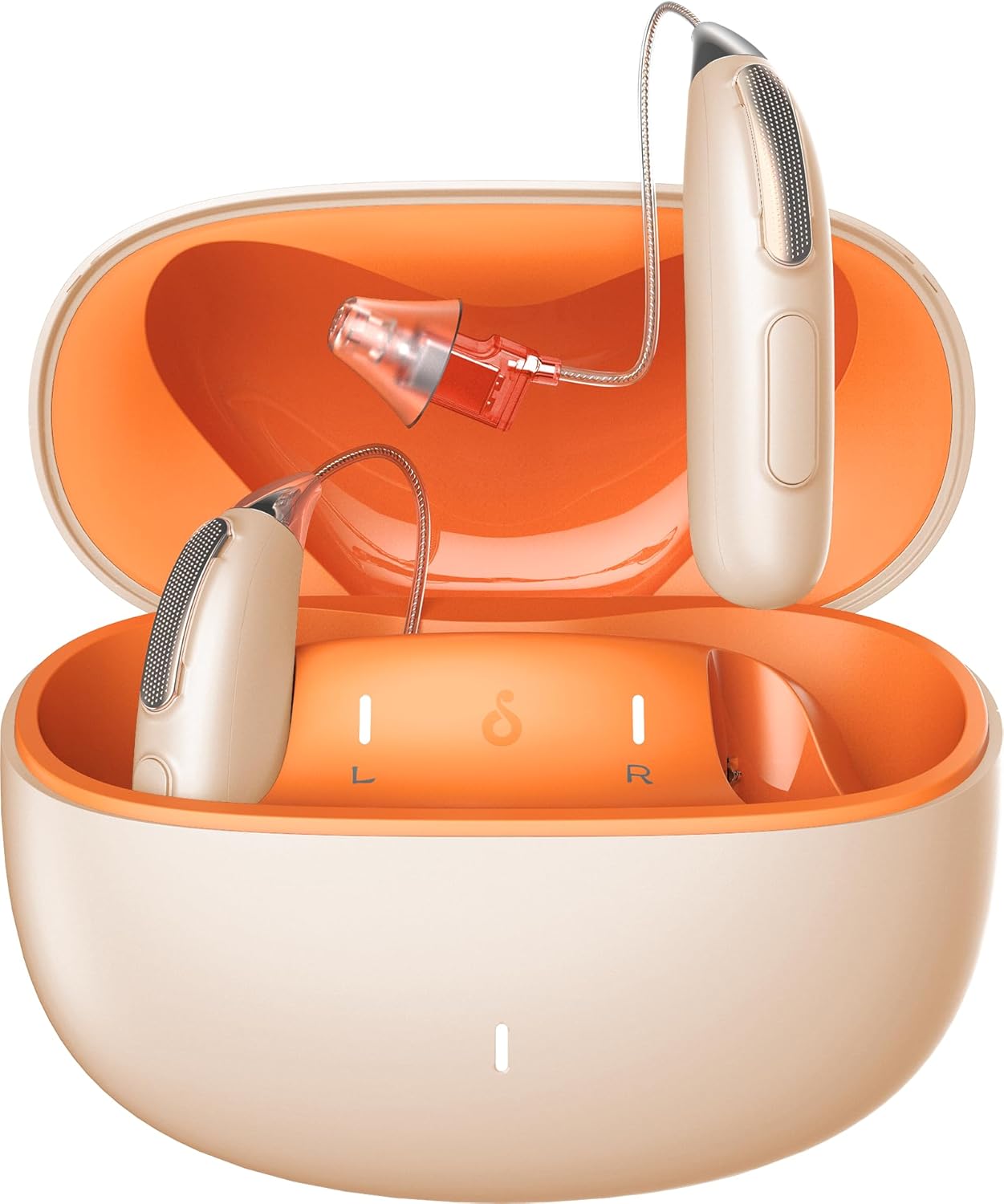
Image: JIUYEE BTE Hearing Aids shown with their charging case, illustrating the complete product package.
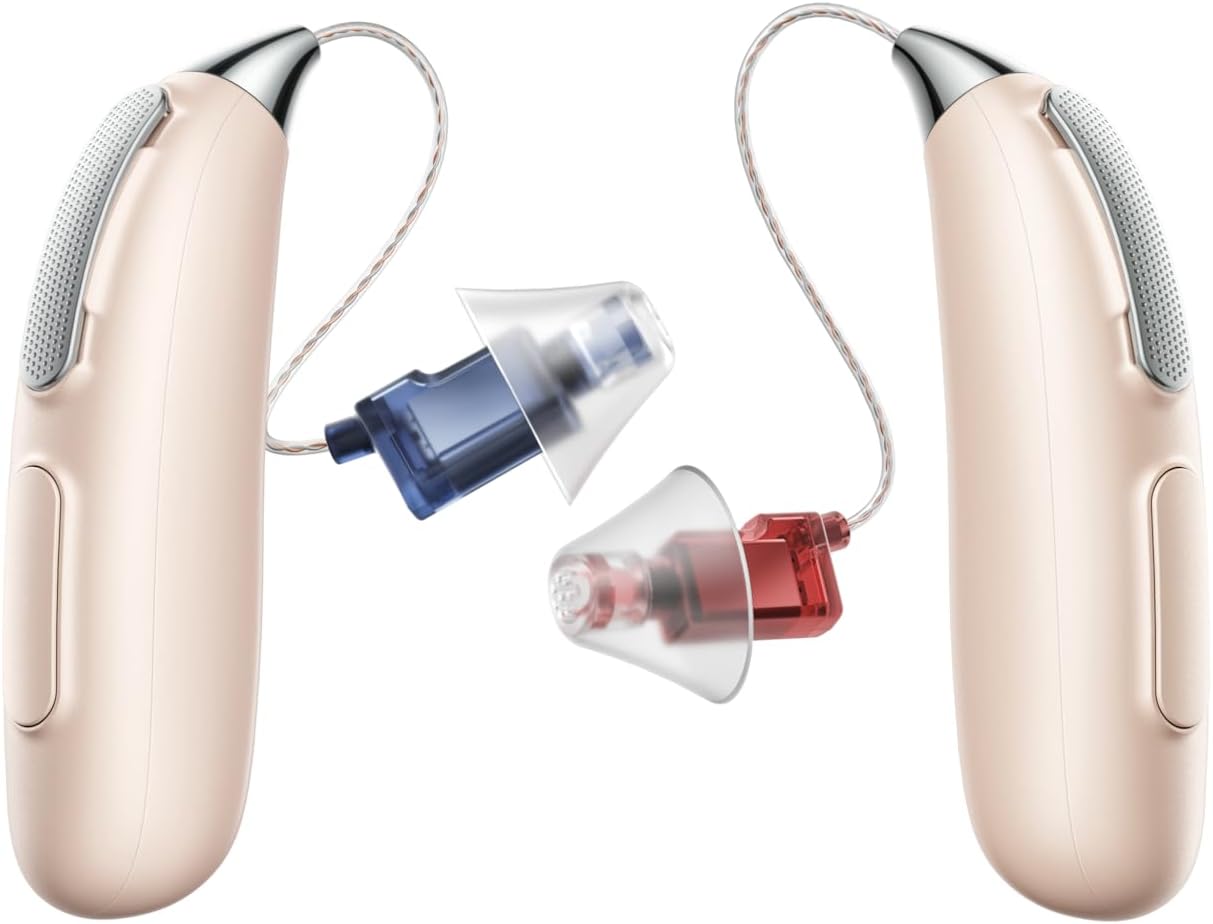
Image: Close-up view of the JIUYEE BTE hearing aids, highlighting the interchangeable ear tips in various sizes for a customized fit.
Setup and Initial Use
1. Charging the Device
Before first use, fully charge the hearing aids and the charging case.
- Connect the Type-C charging cable to the charging case and a power source.
- The LED indicators on the case will show the battery level.
- Place the hearing aids into the charging case. They will begin charging automatically.
- A full charge provides up to 40 hours of hearing aid use, with the charging case extending this to 80 hours.

Image: Infographic detailing battery life for single charge usage (40h pure hearing, 5h Bluetooth & Music, 4h Bluetooth & Calls) and combined usage with charging case (140h pure hearing, 17h Bluetooth & Music, 14h Bluetooth & Calls).
2. Installing the JIUYEE App and Smart Fitting
The JIUYEE app allows for personalized fitting and adjustments.
- Download the "JIUYEE" app from your smartphone's app store.
- Open the app and follow the on-screen instructions to create an account or log in.
- Perform the in-app hearing test. This process typically takes 5-8 minutes.
- The app will then apply personalized sound settings tailored to your unique hearing profile.
3. Bluetooth Pairing
To connect your hearing aids to a smartphone or other Bluetooth-enabled device:
- Ensure your hearing aids are charged and powered on.
- Enable Bluetooth on your smartphone.
- Open the JIUYEE app or go to your phone's Bluetooth settings.
- Select the JIUYEE hearing aids from the list of available devices to pair.
- Once paired, you can stream audio, make calls, and control settings via the app.
Operating Your Hearing Aids
Wearing the Hearing Aids
Gently place the hearing aid behind your ear, ensuring the ear tip is comfortably seated in your ear canal. Choose the ear tip size that provides the best seal and comfort to prevent feedback.
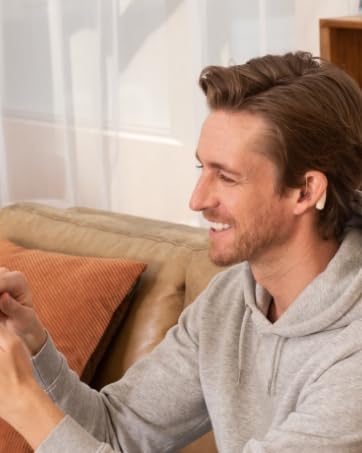
Image: A man wearing a JIUYEE BTE hearing aid, demonstrating proper placement behind the ear.
Sound Processing and Noise Reduction
The JIUYEE hearing aids feature 64-channel WDRC (Wide Dynamic Range Compression) for natural and clear sound. The AI Adaptive Noise Reduction and Automatic Scene Recognition technology work to minimize background noise and prevent feedback, providing comfortable listening in various environments.

Image: Visual representation of sound waveforms before and after noise reduction, illustrating the effectiveness of the AI Adaptive Noise Reduction feature.

Image: Diagram illustrating the multi-level anti-feedback system, showing how the hearing aid prevents whistling or squealing sounds.
Bluetooth Functions
Once paired, you can use your hearing aids for:
- Phone Calls: Answer and end calls directly through the hearing aids.
- Music Streaming: Listen to audio from your connected device.
- Video Watching: Enjoy clear audio from videos.
Maintenance and Care
Cleaning
- Regularly clean the ear tips and the body of the hearing aids with a soft, dry cloth.
- Do not use water or cleaning solvents directly on the hearing aids.
- Remove earwax buildup from the ear tips to maintain sound quality.
Storage
- When not in use, store the hearing aids in their charging case to protect them and keep them charged.
- Store in a cool, dry place away from direct sunlight and extreme temperatures.
Battery Care
- Charge the hearing aids and case regularly to maintain battery health.
- Avoid completely draining the battery frequently.
Troubleshooting
| Problem | Possible Cause | Solution |
|---|---|---|
| No Sound or Weak Sound |
|
|
| Feedback/Whistling Sound |
|
|
| Bluetooth Connectivity Issues |
|
|
| App Not Responding |
|
|
Specifications
- Model: BTE
- Brand: JIUYEE
- ASIN: B0CY1XP7ZH
- Bluetooth Version: 5.3
- Sound Processing Channels: 64 WDRC Channels
- Noise Reduction: AI Adaptive Noise Reduction, Multi-level Anti-Feedback System
- Battery Life (Hearing Aid Only): Up to 40 hours (pure hearing)
- Battery Life (with Charging Case): Up to 80 hours (extended)
- Charging Port: Type-C
- Package Dimensions: 8.5 x 7.24 x 2.05 inches
- Package Weight: 1.17 Pounds
- Manufacturer: JIUYEE

Image: Diagram showing the dimensions of the JIUYEE BTE hearing aid (47.09mm length, 24.52mm width) and its charging case (77.7mm length, 68mm width, 37mm height).

Image: Visual representation of key technologies including Bluetooth HD, 64 WDRC Channels, and Multi-level Anti-Feedback System.
Warranty and Support
For detailed warranty information, please refer to the documentation included with your purchase or contact JIUYEE customer support directly. Warranty terms may vary based on region and retailer.
For technical support, app-related queries, or further assistance, please refer to the JIUYEE app's help section or visit the official JIUYEE website.
Legal Disclaimer
Statements regarding dietary supplements have not been evaluated by the FDA and are not intended to diagnose, treat, cure, or prevent any disease or health condition.
Ask a question about this manual
Ask about setup, troubleshooting, compatibility, parts, safety, or missing instructions. Manuals+ will review the question and use this page’s manual context to help answer it.