
Introduction
Thank you for choosing JIUYEE Rechargeable Bluetooth Hearing Aids. These advanced RIC (Receiver-in-Canal) hearing aids are designed to provide unparalleled auditory excellence for individuals with mild to severe hearing loss. Featuring 64-channel WDRC (Wide Dynamic Range Compression) and AI adaptive noise reduction, they deliver natural, clear, and highly personalized sound quality. With seamless Bluetooth 5.3 integration, you can enjoy effortless calling, music streaming, and video watching. This manual provides essential information for setup, operation, maintenance, and troubleshooting to ensure optimal performance and comfort.

The JIUYEE Rechargeable Bluetooth Hearing Aids and their portable charging case.
Package Contents
Upon opening your JIUYEE hearing aids package, you should find the following items:
- Two (2) JIUYEE RIC Hearing Aids
- One (1) Portable Charging Case
- Assorted Silicone Ear Tips (various sizes and styles)
- Cleaning Brush
- Wax Guards
- USB-C Charging Cable
- User Manual and Quick Start Guide
- Carrying Pouch

The JIUYEE hearing aids securely placed within their charging case.
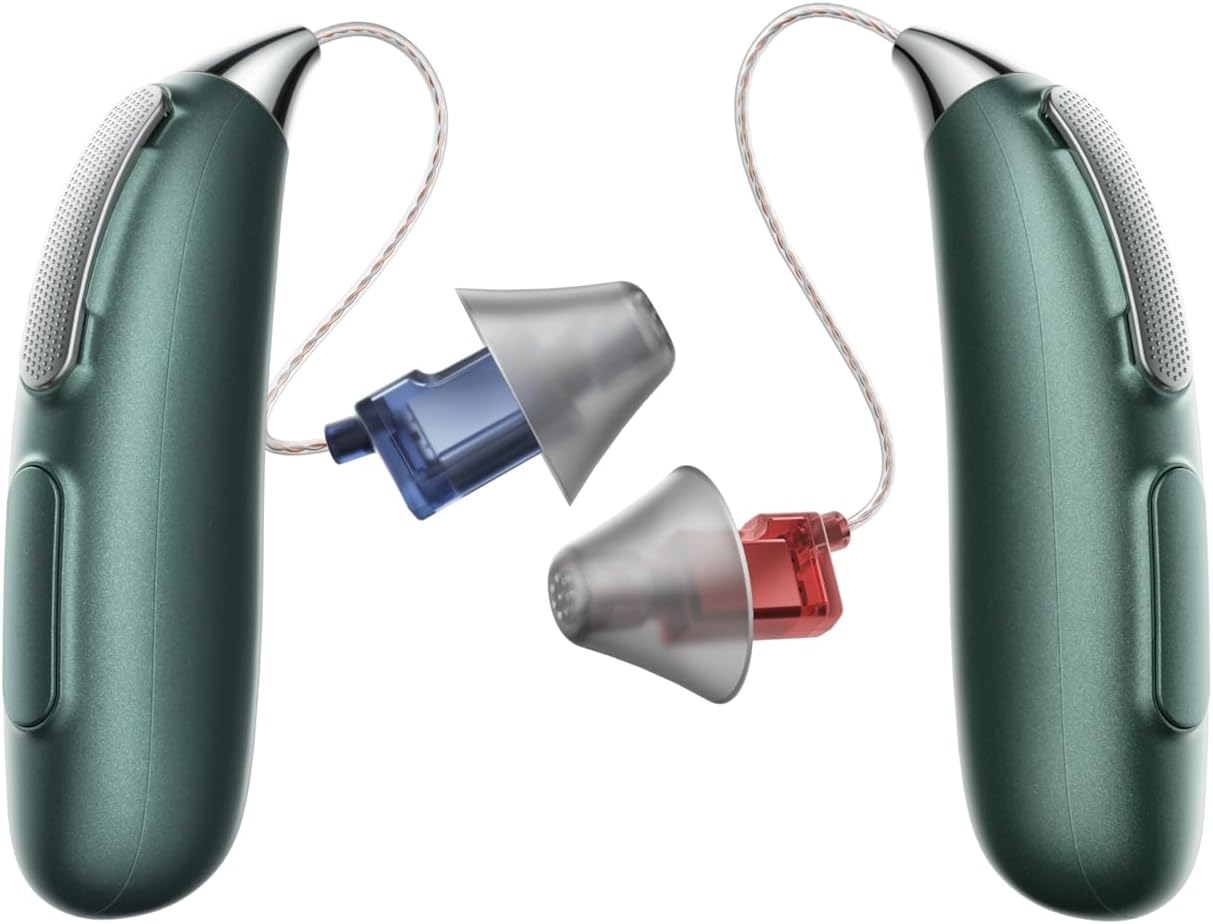
A selection of silicone ear tips to ensure a comfortable and effective fit.
Setup
1. Charging the Devices
Before first use, fully charge the hearing aids and the charging case. Connect the provided USB-C cable to the charging case and a power source. The indicator lights on the case will show charging status. A full charge provides up to 40 hours of pure hearing aid functionality, and the charging case holds an impressive 140 hours of battery life.
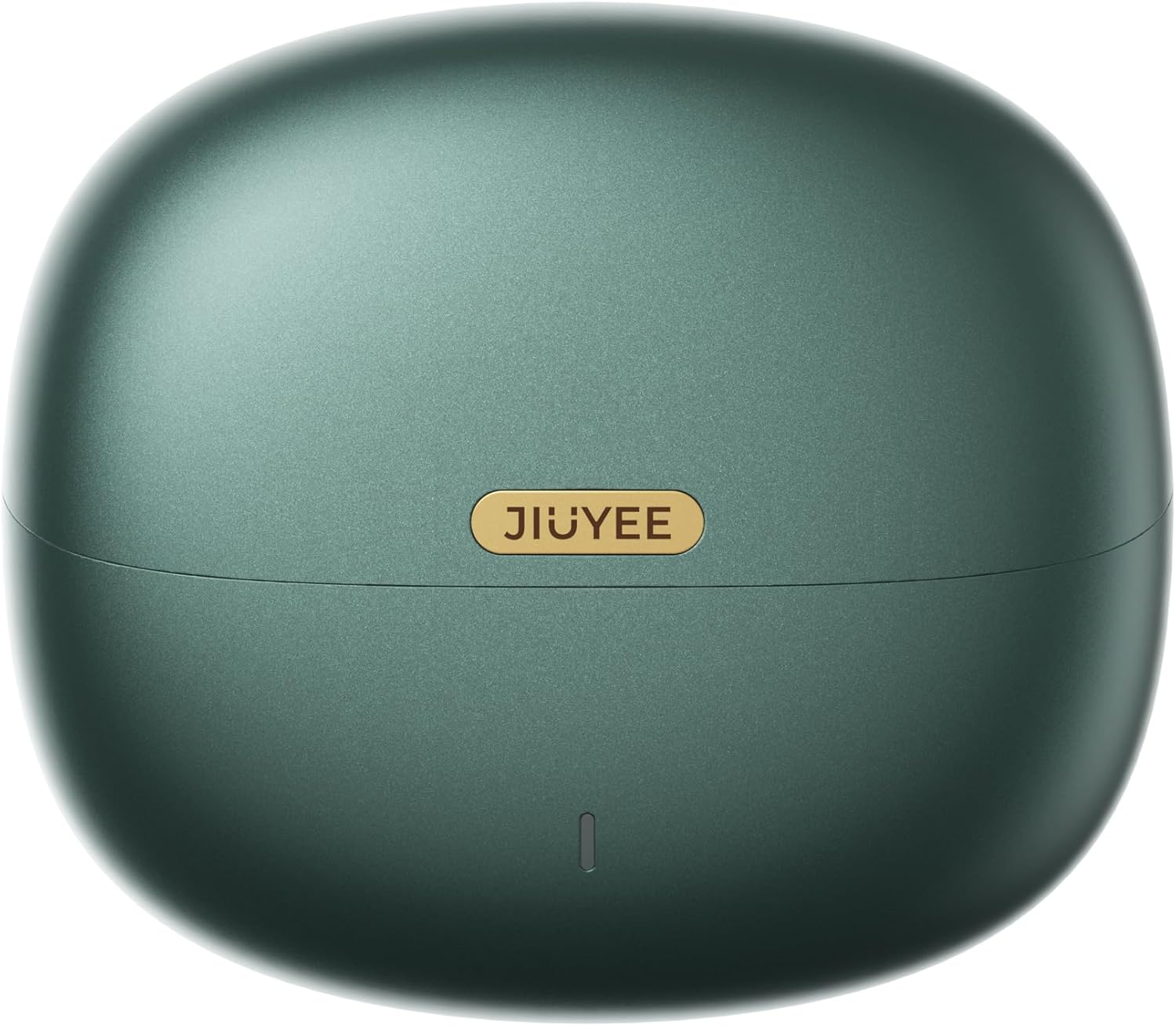
The compact and portable charging case for JIUYEE hearing aids.

Detailed battery life information for single charge and combined usage with the charging case.
2. Selecting and Attaching Ear Tips
Choose the ear tip size that provides a comfortable and secure fit in your ear canal. Experiment with different sizes to find the best seal for optimal sound quality and to prevent feedback. Gently attach the selected ear tip to the receiver of the hearing aid.
3. App Installation and Smart Fitting
Download the intuitive JIUYEE app from your device's app store. The app allows you to conduct a quick and convenient hearing test at home, completing the hearing aid fitting and adjustments in just 5-8 minutes. Personalized sound settings tailored to your unique hearing profile ensure optimal comfort and clarity.
Operating Instructions
1. Powering On/Off
The hearing aids automatically power on when removed from the charging case and power off when placed back in the case and the lid is closed.
2. Bluetooth Pairing
Once powered on, the hearing aids will automatically enter pairing mode. Open your device's Bluetooth settings and select "JIUYEE Hearing Aid" from the list of available devices. A confirmation tone will indicate successful pairing.
3. Using the JIUYEE App for Adjustments
The JIUYEE app is your primary control for fine-tuning your hearing experience. Through the app, you can:
- Perform a hearing test for personalized settings.
- Adjust volume for left and right hearing aids independently.
- Select from three noise suppression settings: Quiet, Noisy, and Auto.
- Enable multi-level feedback cancellation for distortion-free listening.
- Enhance your own voice and speech clarity.

Advanced technology including Bluetooth HD, DSP, and 64 WDRC Channels for superior sound processing.

AI-powered noise reduction effectively minimizes unwanted sounds for clearer listening.

Visual representation of sound clarity before and after noise reduction processing.

The multi-level anti-feedback system prevents whistling and distortion.
4. Hands-Free Communication and Entertainment
Leverage the True Bluetooth 5.3 integration for seamless connection with various devices. Enjoy hands-free calling, stream your favorite music, and watch videos with enhanced sound quality directly through your hearing aids. Note that using Bluetooth features (calls, music) will consume battery faster (over 4 hours of usage).

The discreet design of the JIUYEE hearing aid when worn.
Maintenance
1. Cleaning Your Hearing Aids
Regular cleaning is crucial for optimal performance and longevity. Use the provided cleaning brush to gently remove any earwax or debris from the ear tips and the hearing aid body. Do not use water or cleaning solutions directly on the hearing aids. Replace wax guards as needed to prevent blockages.
2. Storage
When not in use, store your hearing aids in their charging case to keep them protected and charged. Store the case in a cool, dry place away from direct sunlight and extreme temperatures.
Troubleshooting
- Low or No Volume: Ensure the ear tips are properly seated and not blocked by earwax. Check the volume settings in the JIUYEE app. If the issue persists, try recharging the devices.
- Battery Drains Quickly: Bluetooth usage (calls, music streaming) consumes more power. If you use these features frequently, you may need to recharge your hearing aids more often throughout the day. Ensure the charging case itself is adequately charged.
- App Connection Issues: If the app struggles to connect, try closing and reopening the app, or restarting your phone's Bluetooth. Some users have found success by returning to the app's home screen and re-initiating the 'Hearing Test' to prompt reconnection.
- Feedback/Whistling: Ensure the ear tip is properly inserted and creates a good seal in your ear canal. Try a different size or style of ear tip. Use the multi-level feedback cancellation feature in the JIUYEE app.
- Discomfort: Experiment with the various ear tip sizes and styles to find the most comfortable fit for your ear canal.
For further assistance, please refer to the contact information in the Warranty & Support section.
Specifications
| Feature | Detail |
|---|---|
| Product Name | Smart Bluetooth Hearing Aid (RIC) |
| Model | REAL P3 Pro |
| Sound Processing | 64-channel WDRC |
| Bluetooth Version | 5.3 |
| Battery Life (Hearing Aids) | Up to 40 hours (pure hearing) |
| Battery Life (Charging Case) | Up to 140 hours (additional charge) |
| Noise Reduction | AI Adaptive Noise Reduction |
| Feedback Cancellation | Multi-level Anti-Feedback System |
| Dimensions (Package) | 8.5 x 7.2 x 2.01 inches |
| Weight (Package) | 1.15 Pounds |
Warranty & Support
JIUYEE offers a 1-Year No-Repair Replacement policy for your hearing aids. In case of any product issues, a new device will be shipped promptly upon issue confirmation, minimizing wait times.
For any questions, concerns, or to initiate a warranty claim, please contact JIUYEE customer service via email at service@jiuyee.com. You may also visit the official JIUYEE website for additional support and resources.
Legal Disclaimer: Statements regarding dietary supplements have not been evaluated by the FDA and are not intended to diagnose, treat, cure, or prevent any disease or health condition.