
1. Introduction
Thank you for choosing the OREiN 6500LM Motion Sensor Outdoor Flood Light. This manual provides detailed instructions for the safe installation, operation, and maintenance of your new flood light. Please read this manual thoroughly before installation and keep it for future reference.
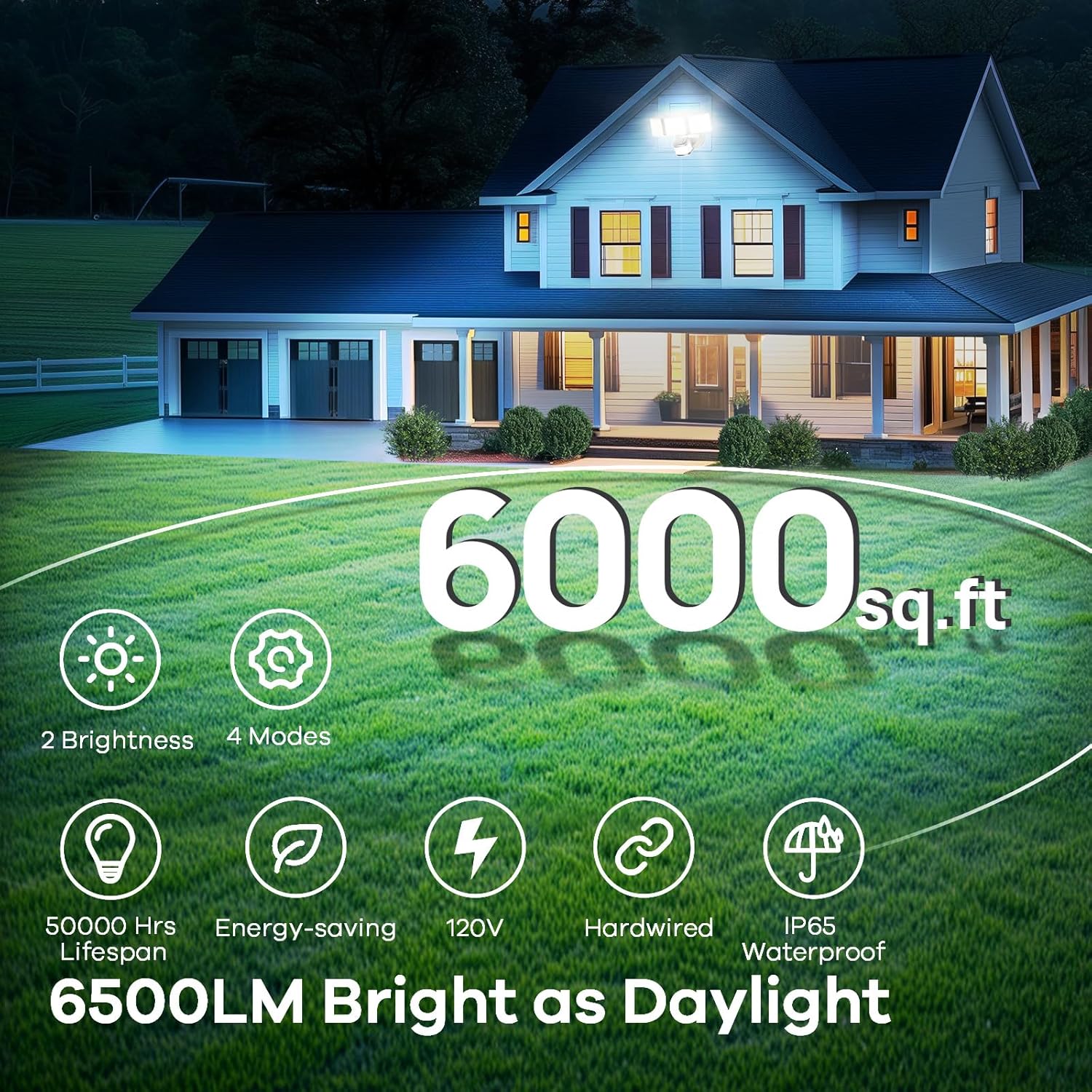
This high-performance outdoor flood light features 4 distinct operating modes, 2 dimmable brightness levels, and a wide 180-degree motion sensor with up to 75 feet of detection range. Designed for durability, it is IP65 waterproof and constructed from robust aluminum and polycarbonate materials, ensuring reliable illumination for areas up to 6000 square feet.

2. Package Contents
Please check the package contents to ensure all items are present and undamaged:
- 1 x OREiN 6500LM Motion Sensor Outdoor Flood Light
- 1 x Metal Mounting Plate
- 1 x Instruction Manual (this document)
3. Specifications
| Specification | Value |
|---|---|
| Model Name | 6500LM Motion Sensor Outdoor Light |
| Part Number | OL3600554 |
| Brightness | 6500 Lumen |
| Wattage | 42 watts |
| Efficiency | 155LM/W |
| Color Temperature | 5000 Kelvin |
| Motion Sensor Angle | 180° |
| Motion Sensor Distance | Up to 75FT (adjustable) |
| Power Source | Hardwired (AC 120V) |
| Water Resistance Level | IP65 Waterproof |
| Material | Aluminum, Polycarbonate |
| Product Dimensions | 3.23"L x 3.23"W x 1.89"H |
| Item Weight | 2.18 pounds |

4. Installation
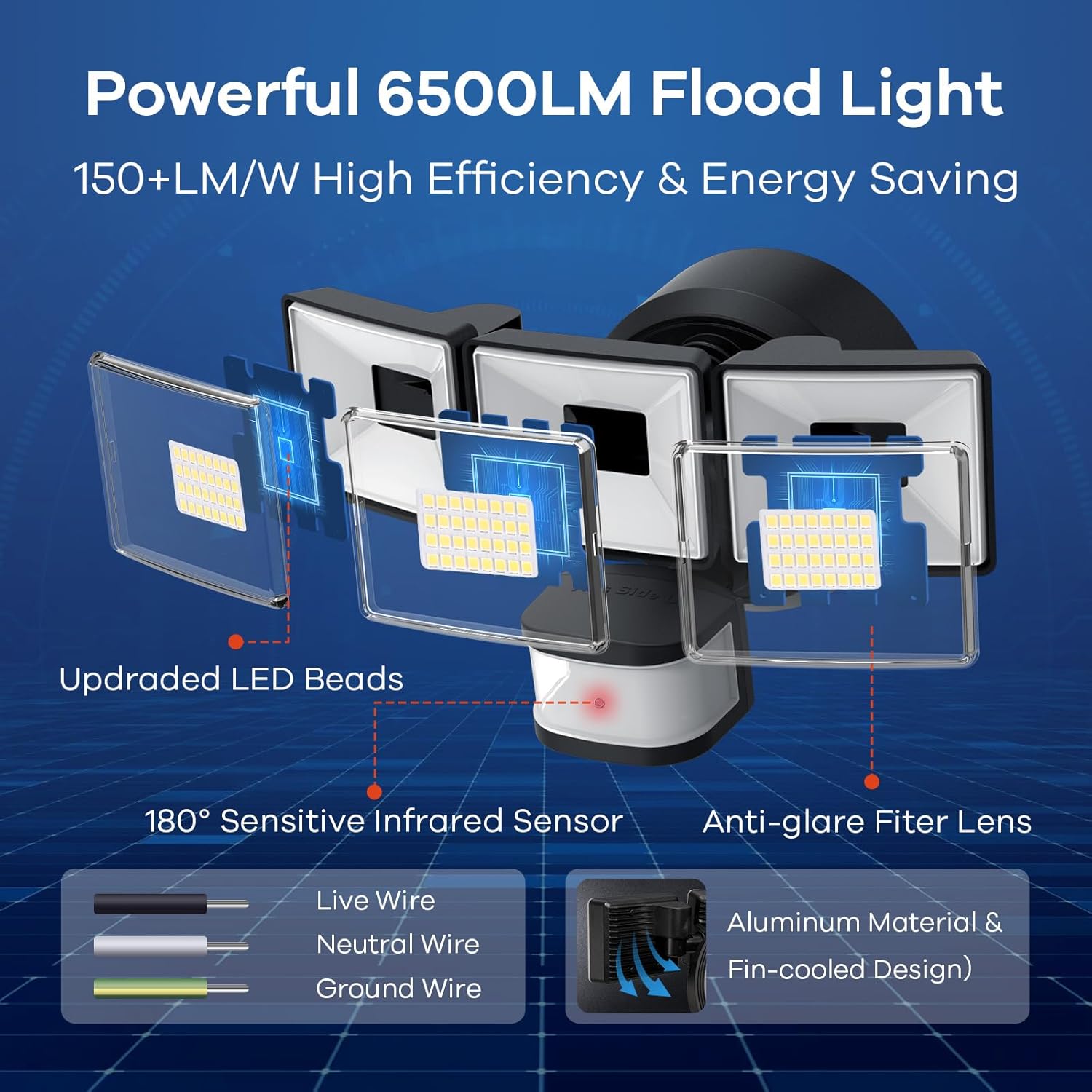
The OREiN Flood Light is designed for hardwired installation and requires connection to an AC 120V power source. It can be installed as either wall-mounted or soffit-mounted.
4.1 General Installation Steps
- Secure the mounting bracket: Attach the metal mounting plate to your desired installation surface (wall or soffit).
- Connect the wires: Connect the live, neutral, and ground wires from your electrical supply to the corresponding wires on the flood light. Ensure all connections are secure and follow local electrical codes.
- Secure the light: Mount the flood light fixture onto the secured mounting bracket.
- Insert the Waterproof Plug: Ensure the waterproof plug is properly inserted to maintain the IP65 rating.
Note: The light belongs to secondary luminaires. It complies with all safety rules and does not require connecting extra ground wires.

4.2 Mounting Options
The flood light offers flexible installation options to suit your needs:
- Wall Mounted: Ideal for illuminating driveways, patios, or building facades.
- Soffit Mounted: Suitable for lighting under eaves or overhangs, providing downward illumination.

5. Operating Modes and Brightness
Your OREiN flood light offers four distinct operating modes and two brightness settings for versatile lighting control.
5.1 Operating Modes
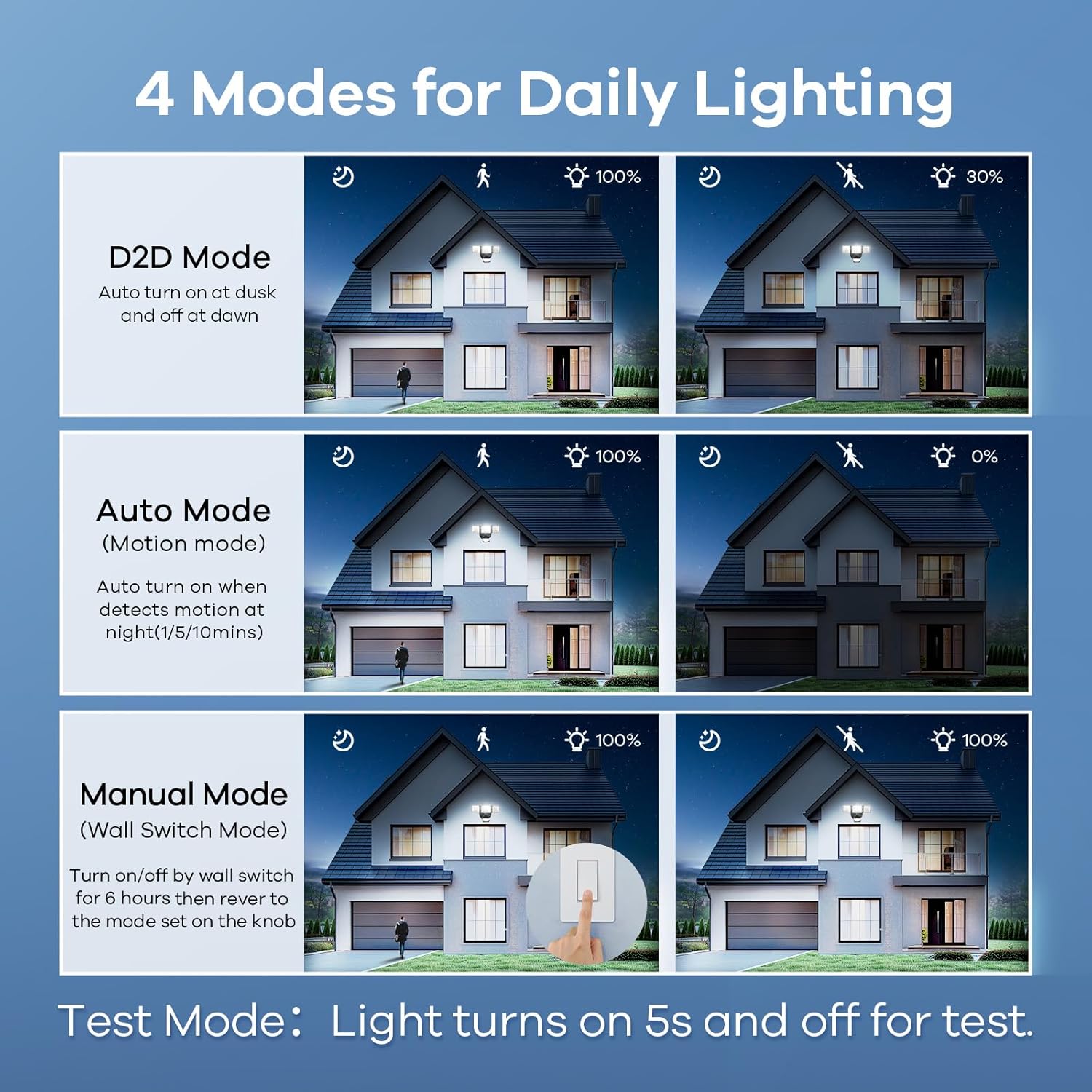
The modes can be selected using the control knobs on the motion sensor unit. Refer to Figure 7 for visual guidance.
- TEST Mode: The security light turns on for 5 seconds when motion is detected. This mode is used for testing the sensor's functionality and coverage area during installation.
- D2D (Dusk to Dawn) Mode: The light automatically turns on at dusk and turns off at dawn. In this mode, the light operates at a lower brightness (30%) when no motion is detected, and switches to full brightness (100% / 6500LM or 2400LM) when motion is detected.
- Motion Mode: The light turns on only when motion is detected at night. You can adjust the lighting duration (1 minute, 5 minutes, or 10 minutes) and the detecting distance (10ft, 30ft, 50ft, or 75ft).
- Manual Mode: This mode allows you to control the light manually via your wall switch. The light will remain on for 6 hours after activation and then revert to the previous setting on the knob. To activate Manual Mode, turn the wall switch ON/OFF 4 times within 2.5 seconds.
5.2 Dimmable Brightness
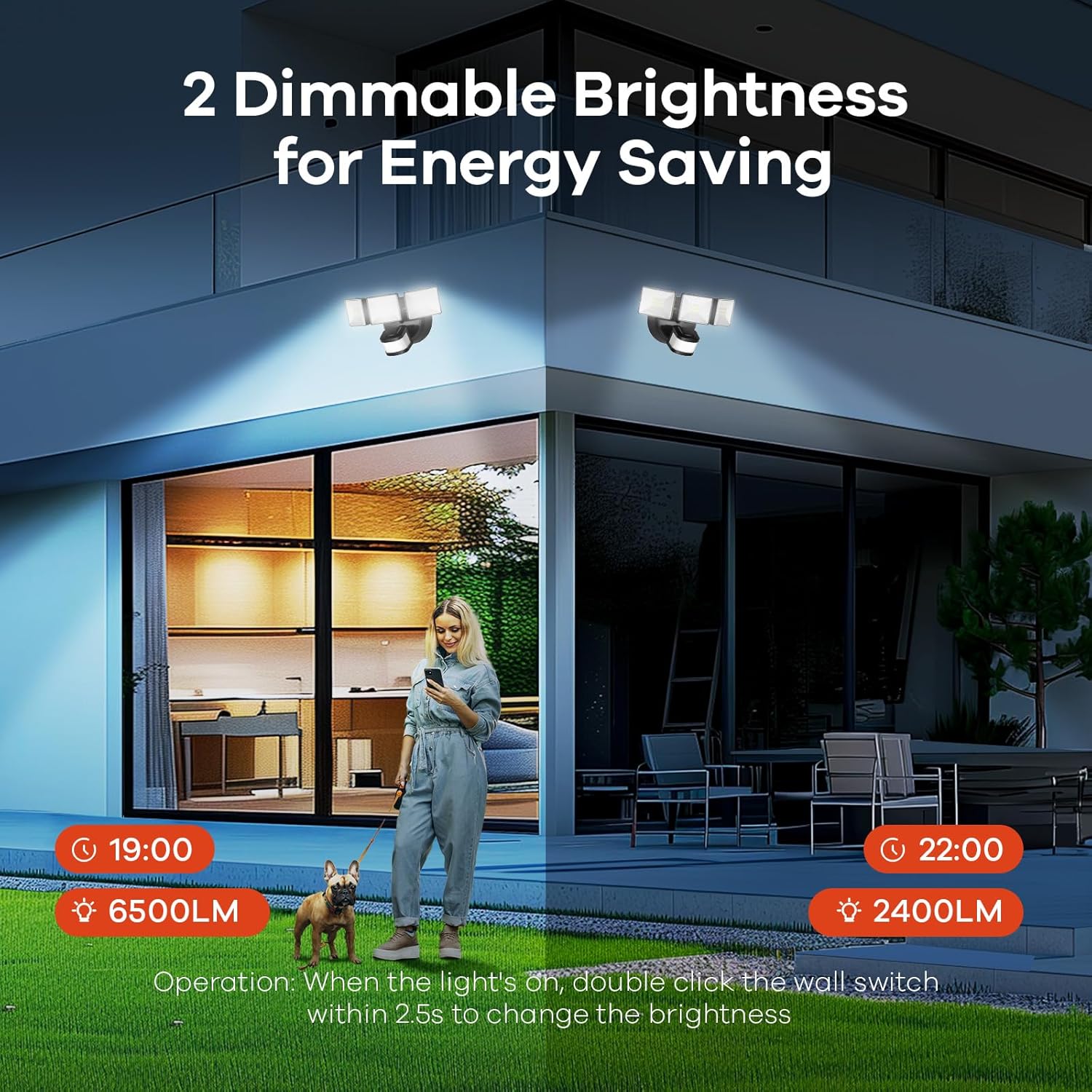
The flood light offers two brightness levels: 6500LM (full brightness) and 2400LM (lower brightness). To switch between these brightness levels, double-click your wall switch within 2.5 seconds while the light is on.
5.3 Video Demonstration of Modes and Sensor
For a visual guide on setting up and understanding the different modes and motion sensor capabilities, please watch the official product video below:
6. Motion Sensor Features
The integrated motion sensor is a key feature of your OREiN flood light, providing enhanced security and convenience.
- Wide Detecting Angle: The sensor is upgraded with a 180° wider detecting angle, ensuring comprehensive coverage of your desired area.
- Adjustable Detecting Distance: You can customize the detection range to 10ft, 30ft, 50ft, or 75ft, allowing you to fine-tune the sensor's sensitivity to your environment.
- Flexible Sensor Adjustment: The sensor can be adjusted horizontally by 330° and vertically by 120°, enabling precise aiming to accurately detect animals, people, and vehicles while minimizing false triggers.


7. Maintenance and Durability
The OREiN flood light is built to withstand various outdoor conditions and requires minimal maintenance.
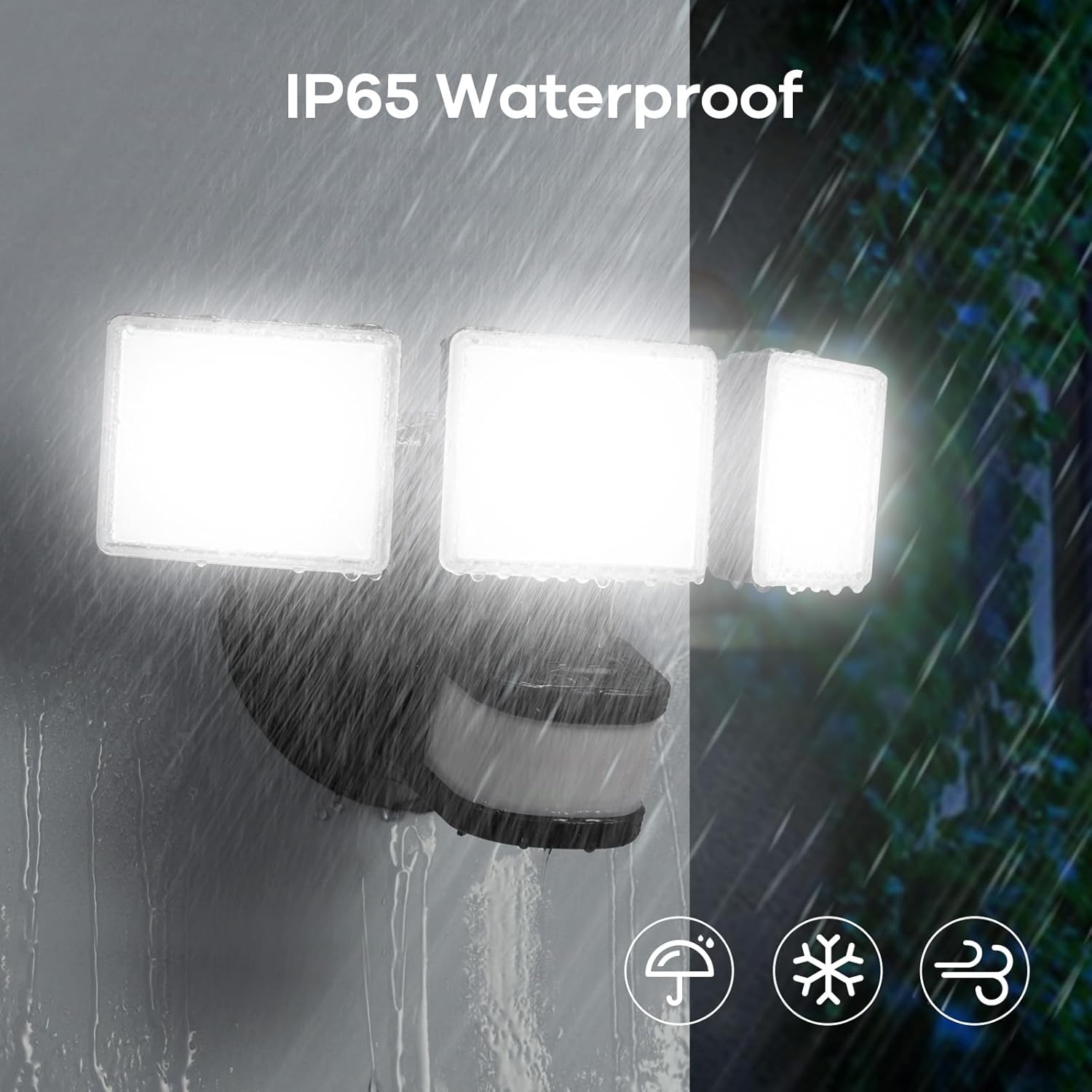
- IP65 Waterproof: The light has passed rigorous IP65 waterproof testing, making it resistant to rain, snow, and dust. This ensures reliable operation in diverse weather conditions.
- Durable Construction: Made from high-quality aluminum and polycarbonate materials, the security light offers excellent heat dissipation, high-temperature resistance, frost resistance, anti-UV properties, and anti-breakage durability.
- Cleaning: Periodically wipe the light fixture and sensor lens with a soft, damp cloth to remove any accumulated dirt or debris. Do not use abrasive cleaners or solvents.
8. Troubleshooting
If you encounter any issues with your OREiN flood light, please refer to the following common troubleshooting steps:
- Light not turning on: Check the power supply and ensure the wall switch is in the ON position. Verify the selected operating mode (e.g., if in Motion Mode, ensure there is actual motion and it's dark enough).
- Light stays on constantly: Check the selected operating mode. If in Motion Mode, adjust the sensitivity settings to prevent false triggers from environmental factors (e.g., swaying branches, distant traffic). Ensure the sensor is not obstructed.
- Motion sensor not detecting: Ensure the sensor lens is clean and unobstructed. Adjust the sensor's angle and sensitivity settings. Test in TEST Mode to confirm basic functionality.
- Light flickering: Check electrical connections for looseness. Ensure the voltage supply is stable (AC 120V).
If the problem persists after attempting these steps, please contact OREiN customer support.
9. Warranty and Support
OREiN provides a 24-month Warranty for your motion sensor flood light, covering manufacturing defects and malfunctions under normal use.
For any questions, technical assistance, or warranty claims, please contact OREiN customer support:
- Phone Support: 1-844-506-1530 (during working hours)
- Online Help: 7*24 hours online support is available. Please refer to the product listing or OREiN's official website for contact details.
We are committed to providing reliable products and excellent customer service. Welcome to contact us at any time if any issues arise!