
Introduction
Thank you for choosing the Mebus Radio-Controlled Wall Clock. This modern and functional timepiece is designed to provide accurate time, temperature, and humidity readings for your indoor environment. Its silent movement ensures a peaceful atmosphere, making it suitable for any room.
Product Features
- Radio-Controlled Movement (DCF77): Automatically sets and adjusts time, including daylight saving and standard time.
- Silent-Move Mechanism: Ensures no ticking noise, ideal for bedrooms and offices.
- Integrated Thermometer: Displays ambient temperature in °C.
- Integrated Hygrometer: Displays air humidity in percentage (%).
- Modern Design: White casing, white dial, and clear, modern digits for excellent readability.
- Dimensions: 30 cm diameter, 4.2 cm depth.
- Power Source: 1 x AA 1.5V battery (not included).
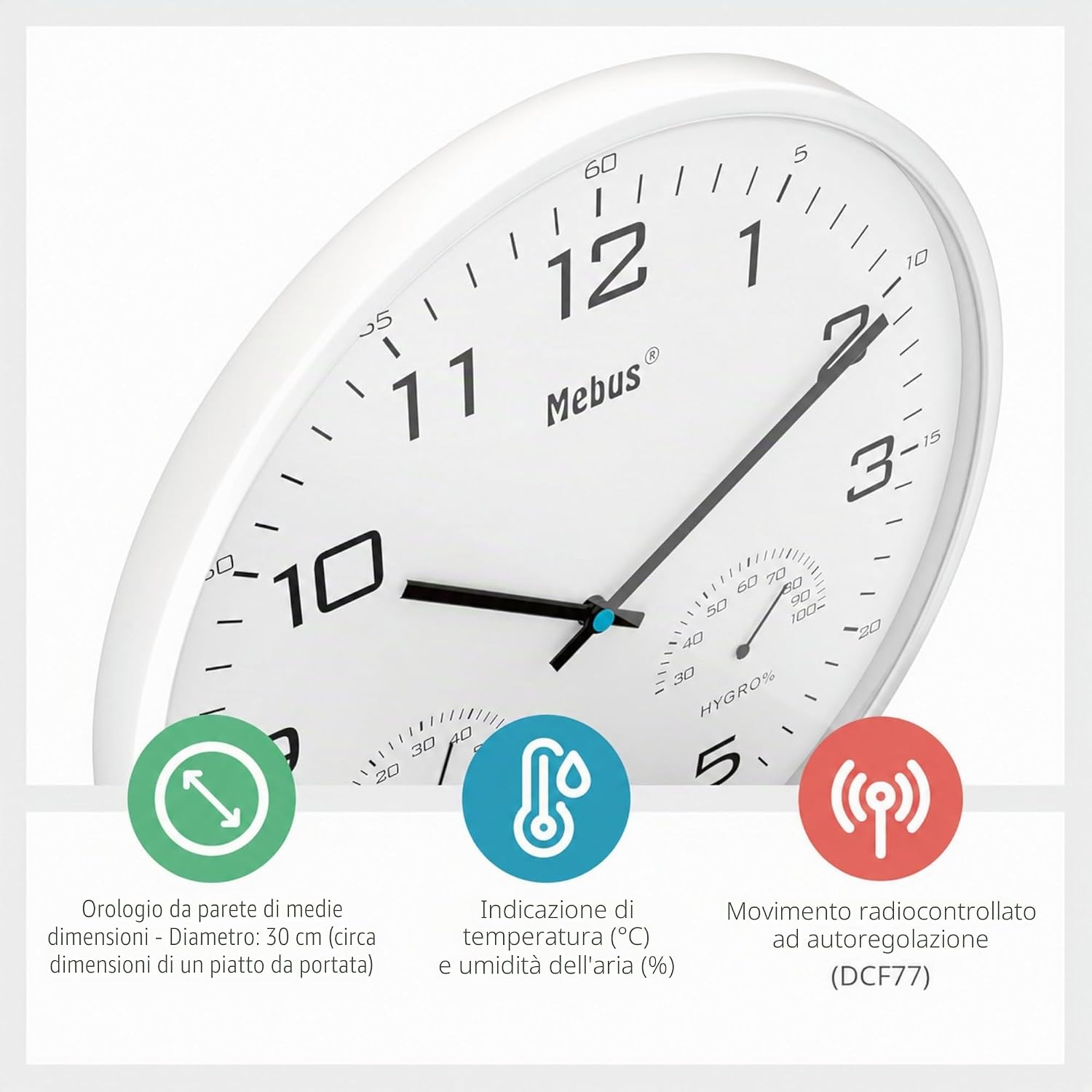
Image: Close-up view of the Mebus wall clock, highlighting its 30 cm diameter, temperature display in °C, humidity display in %, and the self-adjusting DCF77 radio-controlled movement.

Image: Detailed view of the integrated thermometer and hygrometer, which contribute to well-being, health, energy efficiency, and protection against mold.
Package Contents
- 1 x Mebus Radio-Controlled Wall Clock (Model 52841)
- Instruction Manual
Note: One AA 1.5V battery is required for operation and is not included in the package.
Setup
1. Battery Installation
- Locate the battery compartment on the back of the clock.
- Insert one new AA 1.5V battery, ensuring the correct polarity (+/-).
- Close the battery compartment cover securely.

Image: The Mebus wall clock, illustrating its 30 cm diameter, 530g weight, and the requirement for one AA battery (not included).
2. Initial Time Synchronization
After inserting the battery, the clock hands will automatically move to the 12:00 position. The clock will then begin searching for the DCF77 radio signal to set the correct time. This process can take several minutes to several hours, depending on your location and signal strength. It is recommended to place the clock near a window or in an open area during initial setup for optimal signal reception.

Image: Explanation of the DCF77 radio clock movement, showing how it automatically sets the correct time, including summer and winter time adjustments.
3. Mounting the Clock
The clock is designed for wall mounting. Use a suitable hook or screw (not included) to securely hang the clock on your desired wall location. Ensure the mounting point is stable and can support the clock's weight.
Operating Instructions
Automatic Time Setting
Once the clock has successfully synchronized with the DCF77 radio signal, it will continuously maintain accurate time. It automatically adjusts for daylight saving time (summer time) and standard time (winter time), eliminating the need for manual adjustments.
Temperature and Humidity Display
The integrated thermometer and hygrometer provide real-time readings of your indoor environment. The temperature is displayed in degrees Celsius (°C), and humidity is shown as a percentage (%). These indicators are for informational purposes to help you monitor your indoor climate.
Silent Movement
The clock features a silent-move mechanism, ensuring that the hands sweep smoothly without any audible ticking sound. This makes it ideal for environments where quiet is preferred, such as bedrooms, libraries, or offices.
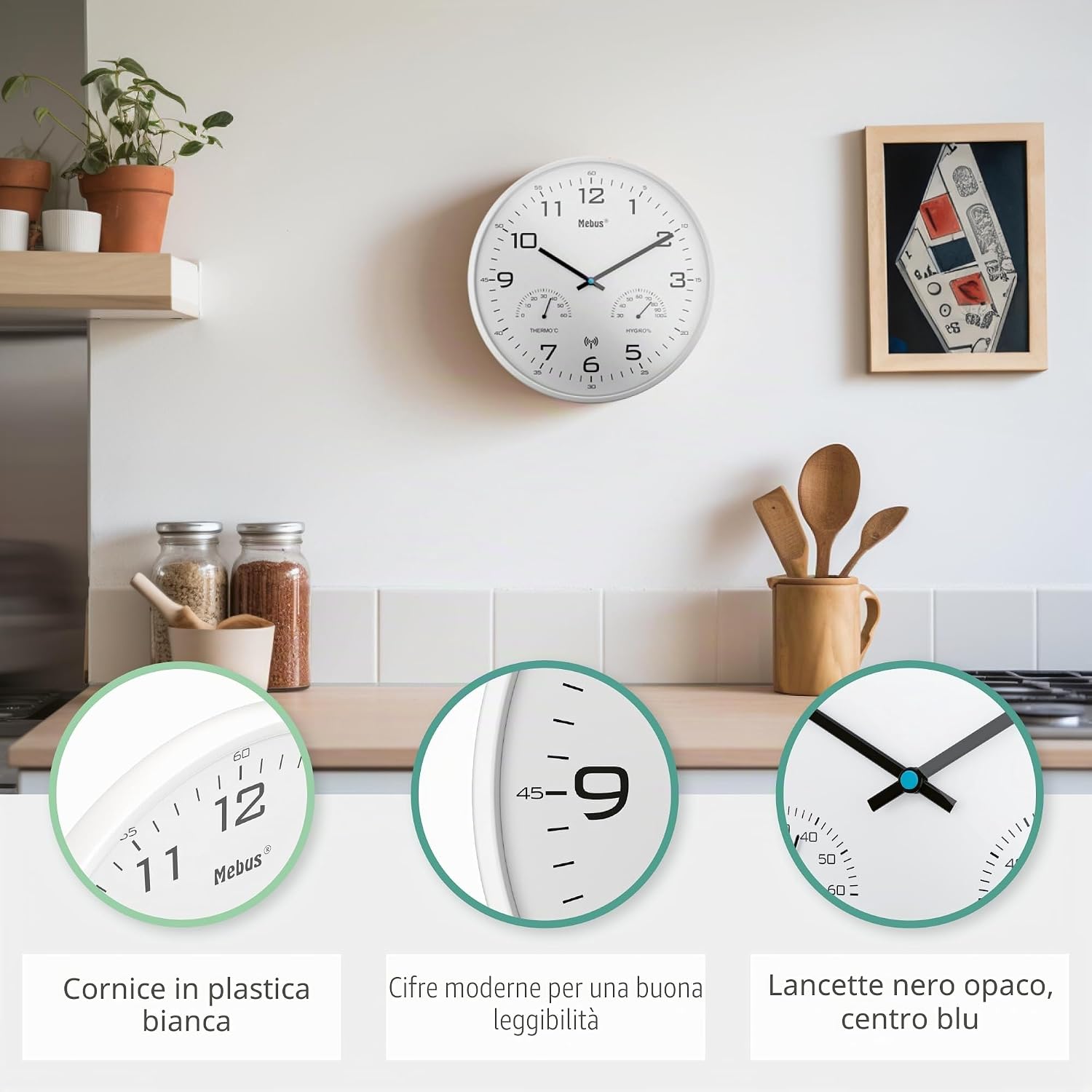
Image: The Mebus wall clock displayed in a kitchen, showcasing its white plastic frame, modern digits for readability, and matte black hands with a blue center.

Image: The Mebus wall clock seamlessly integrated into various indoor environments, including a living room, kitchen, kids' room, and office, demonstrating its versatility.
Maintenance
Battery Replacement
When the clock hands stop moving or the time becomes inaccurate, it is time to replace the battery. Follow the battery installation steps outlined in the Setup section.
Cleaning
To clean the clock, gently wipe the surface with a soft, dry cloth. Do not use abrasive cleaners, solvents, or chemical sprays, as these may damage the clock's finish or internal components.
Troubleshooting
- Clock not setting time or showing incorrect time:
- Ensure the battery is new and correctly inserted.
- Relocate the clock to an area with better radio signal reception, such as near a window, and allow sufficient time (up to 24 hours) for synchronization.
- Interference from electronic devices or metal structures can affect signal reception. Try moving the clock away from such sources.
- Note that DCF77 signal reception may be weaker in certain geographical regions (e.g., outside Central Europe).
- Clock hands are stuck or not moving:
- Replace the battery with a fresh AA 1.5V battery.
- Ensure there are no obstructions preventing the hands from moving freely.
- Temperature or humidity readings appear inaccurate:
- The integrated sensors provide approximate readings for general environmental monitoring. For precise measurements, specialized instruments may be required.
- Ensure the clock is not exposed to direct sunlight, drafts, or extreme temperature sources, which can affect sensor accuracy.
Specifications
| Brand | Mebus |
| Model Number | 52841 |
| Color | White |
| Display Type | Analog |
| Special Features | Silent Movement, Radio-Controlled, Humidity Display, Temperature Display |
| Product Dimensions | 30 cm (Diameter) x 4.2 cm (Depth) |
| Item Weight | 532 Grams |
| Power Source | Battery Powered (1 x AA required) |
| Material | Plastic |
| Movement Type | Quartz |
| Indoor/Outdoor Use | Indoor |
Warranty and Support
Mebus products are manufactured with quality and reliability in mind. For information regarding warranty coverage or technical support, please refer to the documentation provided with your purchase or contact your retailer. Keep your proof of purchase for any warranty claims.


