
1. Introduction
Thank you for choosing the Dpofirs Pocket Action Camera. This compact and versatile camera is designed to capture your adventures in stunning 4K HD, whether you're riding, diving, or simply exploring. With its 270° rotatable lens, anti-shake features, and waterproof capabilities, you can record every moment with clarity and stability. Please read this manual carefully before using the camera to ensure proper operation and to maximize its potential.
2. Product Overview
2.1 Key Features
- 4K HD Video & 16MP Photos: Capture high-resolution videos and still images.
- 1.3-inch HD LCD Screen: For clear viewing and playback.
- 270° Rotatable Lens: Offers flexible shooting angles.
- 30m Waterproof Casing: Ideal for underwater activities (with included waterproof case).
- Built-in WiFi: Seamless connection to mobile app for control and file transfer.
- External Microphone Support: Equipped with a 3-meter microphone cable for clear audio capture.
- Compact & Portable Design: Easy to carry and mount on various gear.
2.2 What's in the Box

Figure 2.2.1: Contents of the Dpofirs Pocket Action Camera package.
- 1 x Dpofirs Pocket Action Camera
- 1 x Waterproof Case
- 1 x External Microphone (with 3-meter cable)
- 1 x Clip Bracket
- 1 x Adapter
- 1 x Binding Tape
- 1 x Anti-drop Rope
- 1 x Charging Cable
- 1 x User Manual
Note: A Micro SD card (up to 64GB) is required for storage and is not included in the package.

Figure 2.2.2: Key features of the Dpofirs Pocket Action Camera.
3. Setup
3.1 Charging the Camera
Before first use, fully charge the camera's internal 1000mAh Li-ion battery using the provided charging cable. Connect the cable to the camera's charging port and a USB power source (e.g., computer, wall adapter).
3.2 Inserting a Micro SD Card
- Locate the Micro SD card slot on the side of the camera.
- Gently insert a compatible Micro SD card (up to 64GB, Class 10 or higher recommended) into the slot until it clicks into place.
- To remove, push the card in slightly until it springs out.
3.3 Connecting the External Microphone
The camera supports an external microphone for enhanced audio quality. Plug the 3.5mm jack of the external microphone into the designated audio input port on the camera.
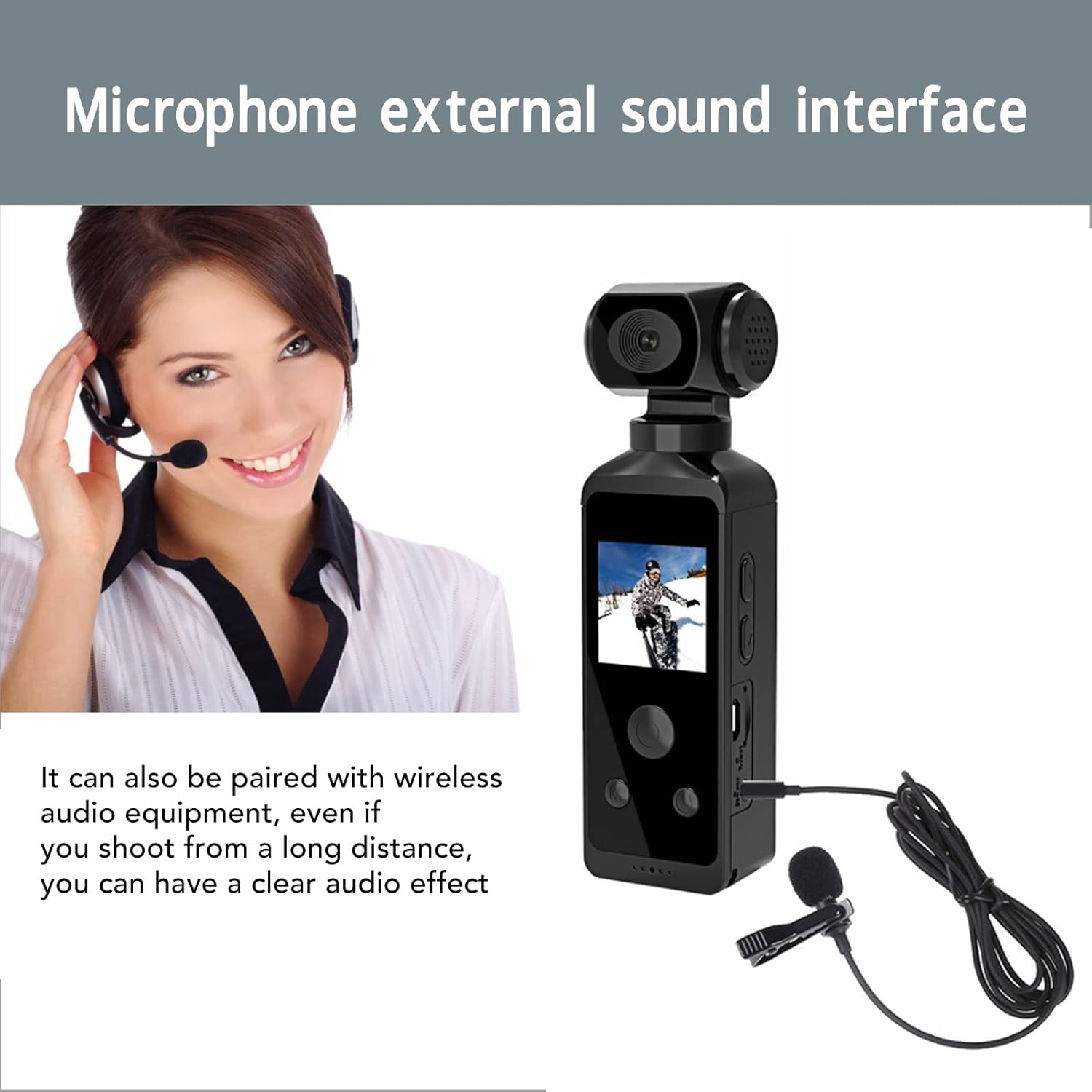
Figure 3.3.1: Connecting the external microphone.
3.4 Mobile App and WiFi Connection
- Download the XDV application from your mobile device's app store.
- On the camera, press the designated button (often marked with a WiFi icon or a specific menu option) to enable WiFi and display the SSID.
- On your mobile phone, go to WiFi settings, find the camera's WiFi network name (SSID), and connect to it.
- Open the XDV app to control the camera, view live footage, and download photos/videos wirelessly.

Figure 3.4.1: One-click WiFi connection to the mobile app.
4. Operating Instructions
4.1 Power On/Off
- To Power On: Press and hold the Power button until the screen lights up.
- To Power Off: Press and hold the Power button until the camera shuts down.
4.2 Basic Recording and Photo Capture
- Switch Modes: Use the Mode button to cycle between video recording, photo capture, and playback modes.
- Start/Stop Recording: In video mode, press the Shutter/Record button to start recording. Press again to stop.
- Take Photo: In photo mode, press the Shutter/Record button to take a picture.
4.3 Using the 270° Rotatable Lens
The camera's lens can be manually rotated up to 270 degrees. This allows you to adjust the shooting angle without repositioning the entire camera, making it ideal for various perspectives, including selfies or capturing action from different directions.
4.4 Waterproof Operation (with Case)

Figure 4.4.1: The camera in its waterproof case, suitable for diving up to 30 meters.
To use the camera underwater or in wet conditions, it must be enclosed in the provided waterproof case. Ensure the case is properly sealed according to its instructions before submersion. The case is designed to protect the camera up to a depth of 30 meters.
4.5 Mounting and Usage Scenarios

Figure 4.5.1: Easy to shoot even while riding.

Figure 4.5.2: Using the rotatable clip bracket for various activities.
The camera can be mounted on helmets, bicycles, selfie sticks, and other accessories using the included clip bracket and adapter. Its mini design also allows it to fit easily into pockets for convenient carrying.

Figure 4.5.3: Mini Design for easy portability.
5. Maintenance
5.1 Cleaning
- Use a soft, dry cloth to clean the camera body and lens.
- For the waterproof case, rinse with fresh water after saltwater use and allow it to air dry. Ensure the O-ring seal is clean and free of debris.
- Avoid using harsh chemicals or abrasive cleaners.
5.2 Battery Care
- Charge the battery regularly, even if the camera is not in use, to maintain battery health.
- Avoid exposing the camera to extreme temperatures.
5.3 Storage
Store the camera in a cool, dry place away from direct sunlight and humidity when not in use. Remove the Micro SD card if storing for extended periods.
6. Troubleshooting
6.1 Camera Not Turning On
- Ensure the battery is fully charged.
- Press and hold the Power button for a few seconds.
6.2 WiFi Connection Issues
- Make sure the camera's WiFi is enabled.
- Restart both the camera and your mobile device.
- Ensure you are within the camera's WiFi range.
- Verify that the correct WiFi network (SSID) is selected on your phone.
6.3 Poor Video/Photo Quality
- Ensure the lens is clean and free from smudges or debris.
- Check that the Micro SD card is Class 10 or higher for optimal recording performance.
- Verify that the camera settings (resolution, frame rate) are set to your desired quality.
6.4 Waterproof Case Leaking
- Before each use, inspect the waterproof case for any cracks, damage, or foreign objects on the O-ring seal.
- Ensure the case is securely latched and sealed before submersion.
- Perform a dry test of the case without the camera inside before using it in water.
7. Specifications
| Feature | Specification |
|---|---|
| Brand | Dpofirs |
| Model | Dpofirsue7qktz92p |
| Image Resolution | 2M, 5M, 8M, 12M, 16M (Effective 16 Megapixels) |
| Video Resolution | 4K (30 FPS), 2.7K (30 FPS), 1080p (60/30 FPS), 720p (120/60/30 FPS) |
| Video Format | MP4 |
| Audio Format | AAC |
| Screen Size | 1.3 inches LCD |
| Storage | Max 64GB Micro SD (not included) |
| Battery | 1000mAh Li-ion (internal) |
| Connectivity | Wi-Fi (802.11ABGNAC) |
| Waterproof Level | 30m (with waterproof case) |
| Lens Aperture | f/2 |
| Image Stabilization | No |
| Focus Type | Auto Focus |
| Dimensions (Package) | 17 x 12 x 6 cm |
| Weight (Package) | 328 Grams |
8. Warranty and Support
For warranty information and customer support, please refer to the product packaging or contact the seller directly. Keep your purchase receipt as proof of purchase. For technical assistance or troubleshooting beyond this manual, please reach out to Dpofirs customer service.