
1. Introduction
This manual provides essential information for the safe and efficient use of your E-LekTech 36V 100Ah Lithium Iron Phosphate (LiFePO4) battery. Please read this manual thoroughly before installation and operation to ensure proper functionality and longevity of the product.
The E-LekTech 36V 100Ah LiFePO4 battery is designed for various applications, including golf carts, street-legal carts, RVs, and marine systems, offering high energy density, long cycle life, and a built-in Battery Management System (BMS).

Image 1.1: E-LekTech 36V 100Ah Lithium Golf Cart Battery with included accessories.
2. Safety Information
Always adhere to the following safety guidelines to prevent injury or damage to the battery and connected equipment:
- Do not short-circuit the battery terminals.
- Do not expose the battery to fire or extreme heat.
- Do not immerse the battery in water.
- Use only the specified charger for this battery.
- Ensure proper ventilation during charging and operation.
- Wear appropriate personal protective equipment (PPE) when handling batteries.
- Keep out of reach of children.
3. What's in the Box
The package for your E-LekTech 36V 100Ah Lithium Golf Cart Battery includes the following components:
- 36V 100Ah Lithium Battery
- 36V Charger
- LCD Monitor
- Retention Strap
- Battery Manuals

Image 3.1: Package contents showing the battery, charger, LCD monitor, and retention straps.
4. Specifications
| Feature | Specification |
|---|---|
| Battery Type | Lithium Iron Phosphate (LiFePO4) |
| Voltage | 36V (Nominal 38.4V) |
| Capacity | 100Ah |
| Energy | 3840Wh |
| BMS | Built-in 200A Intelligent BMS |
| Max Continuous Discharge Current | 200A |
| Max Load Power | 7680W |
| Cycle Life | Up to 10,000 cycles |
| Dimensions (L x W x H) | 19.52 x 10.6 x 8.8 inches (approx. 49.58 x 26.92 x 22.35 cm) |
| Weight | 58.4 pounds (approx. 26.49 kg) |
| Terminal Type | M8 Terminal |
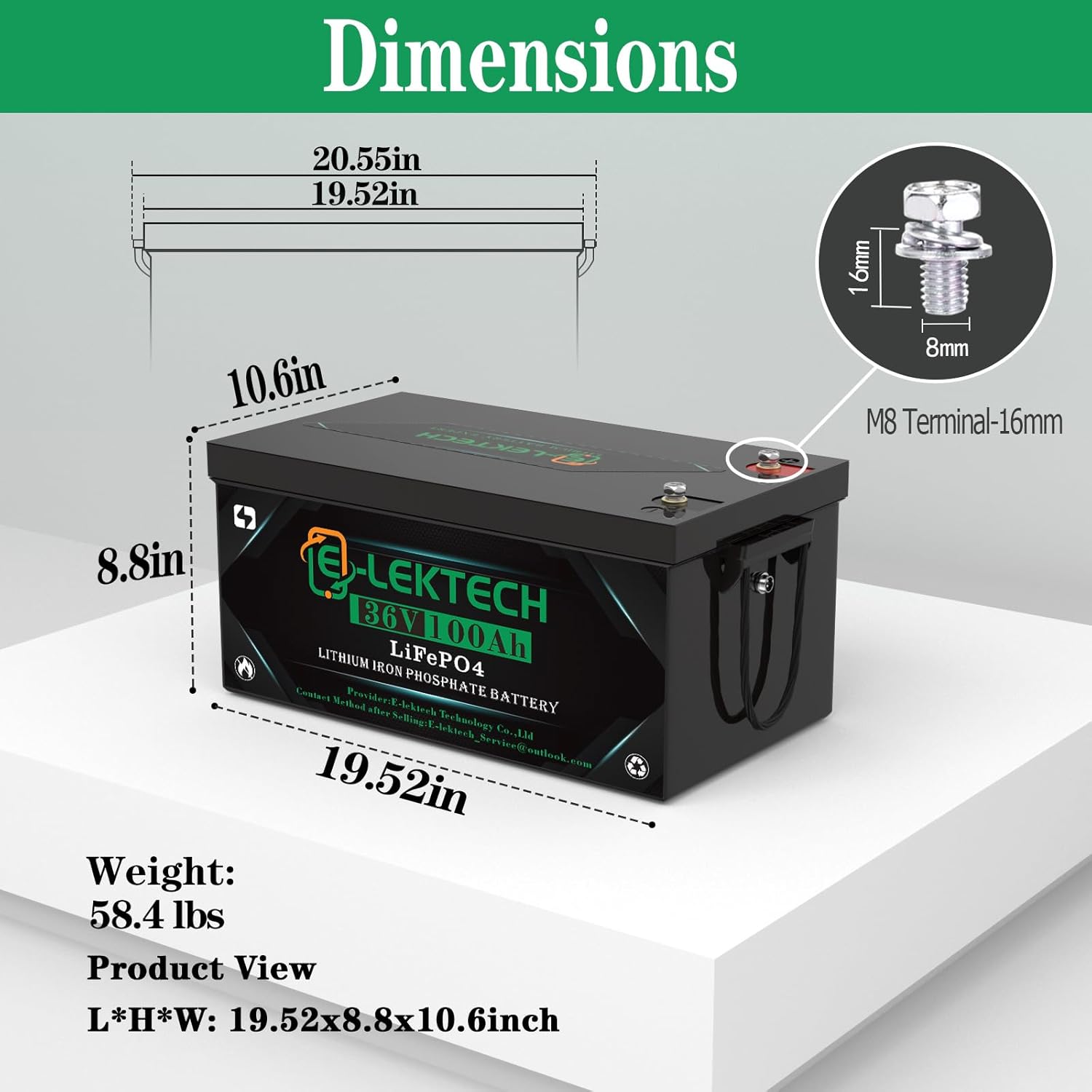
Image 4.1: Physical dimensions and weight of the battery.
Built-in 200A Intelligent BMS Protection Measures:
- Over Current Protection
- Over-discharge Protection
- Over Voltage Protection
- Short Current Protection
- Overcharge Protection
- Overheating Protection
- Low Temp Cutoff Protection
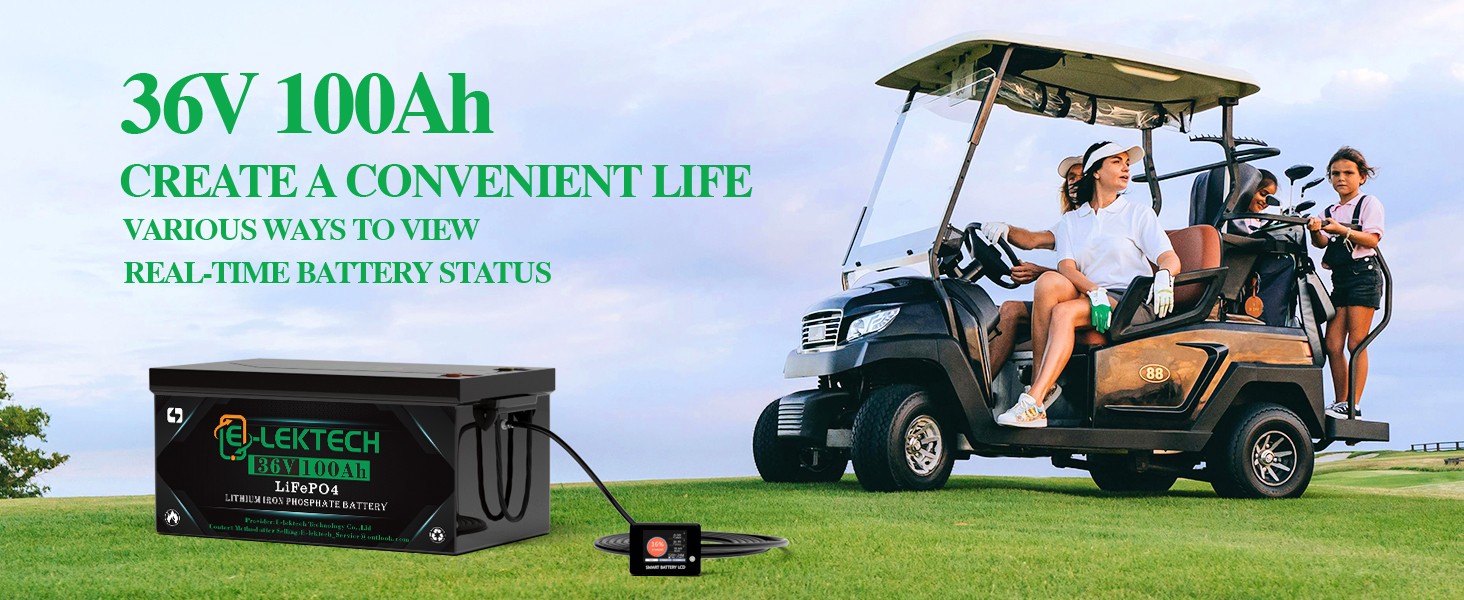
Image 4.2: Internal components and BMS protection features.
5. Setup and Installation
5.1 Unboxing and Initial Inspection
Carefully remove all components from the packaging. Inspect the battery and accessories for any signs of damage. If any damage is found, contact customer support immediately.
5.2 Battery Installation
- Placement: Position the battery in a secure, well-ventilated area within your golf cart or application. Ensure it is stable and not subject to excessive vibration. The compact size allows for space-saving installation.
- Securing: Use the provided retention strap to firmly secure the battery in place. This prevents movement during operation, which could lead to damage or disconnections.
- Terminal Connections: Connect the positive (+) terminal of the battery to the positive (+) terminal of your system, and the negative (-) terminal to the negative (-) terminal. Ensure all connections are tight and secure using appropriate tools. The battery features M8 terminals.

Image 5.2: Battery installed in a golf cart with connections and securing strap.
5.3 LCD Monitor Installation
The LCD monitor provides real-time battery information. It can be installed in a convenient location for easy viewing.
- Mounting: Attach the LCD monitor to a suitable surface using the included bracket.
- Connection: Connect the monitor cable to the designated port on the battery.
- Activation: Once connected, the monitor will display battery status.
6. Operating Instructions
6.1 Charging the Battery
The E-LekTech 36V 100Ah battery can be charged using the provided 36V charger, solar power, or a generator. Always use a charger compatible with LiFePO4 batteries.
- Connect the charger to the battery's charging port.
- Plug the charger into a power source.
- Monitor the charging status via the LCD display or mobile app.
- A full recharge typically takes approximately 6.7 hours with the dedicated 38.4V 15A charger.

Image 6.1: Various charging methods for the E-LekTech battery.
6.2 Monitoring Battery Status
The battery supports dual-mode monitoring via an LCD screen and a mobile application.
- LCD Touch Monitor: The smart screen displays real-time data such as battery percentage, voltage, current, and temperature. It also allows for battery switch control (on/off charge & discharge) and individual cell voltage monitoring.
- Mobile App (Bluetooth): Synchronize the battery with your smartphone via Bluetooth to access detailed battery information and management functions.

Image 6.2: LCD monitor displaying battery information in a golf cart.

Image 6.3: Overview of battery monitoring options via LCD and smartphone app.
6.3 Applications
This battery is suitable for a wide range of applications requiring reliable 36V power:
- Golf Carts
- Street-Legal Carts
- Recreational Vehicles (RVs)
- Marine Applications

Image 6.4: Examples of suitable applications for the E-LekTech battery.
7. Maintenance
Proper maintenance ensures the longevity and performance of your E-LekTech battery.
- Regular Inspection: Periodically check battery terminals for corrosion and ensure connections are tight.
- Cleaning: Keep the battery clean and free from dust and debris. Use a dry cloth for cleaning.
- Storage: If storing the battery for an extended period, ensure it is charged to approximately 50% and stored in a cool, dry place.
- Temperature Management: The battery's BMS includes automatic protection for cold temperatures. Charging will stop below 0°C (32°F), and discharging will stop below -30°C (-22°F) to prevent damage. Charging will recover once the temperature rises above 0°C (32°F).

Image 7.1: Battery protection mechanisms in cold temperatures.
8. Troubleshooting
If you encounter issues with your E-LekTech battery, consider the following common troubleshooting steps:
- Battery Not Charging: Ensure the charger is properly connected to both the battery and the power outlet. Verify that the power outlet is functional. Check the LCD monitor or app for any error codes or charging status.
- No Power Output: Confirm that all battery connections are secure and tight. Check the battery's state of charge via the LCD monitor or app. The BMS may have activated a protection mode (e.g., over-discharge, over-current); allow the battery to rest or charge if necessary.
- LCD Monitor Not Displaying: Ensure the monitor cable is securely connected to the battery. If the battery is completely discharged, the monitor may not power on. Charge the battery to activate the monitor.
- Reduced Performance: Check for any loose connections. Ensure the battery is fully charged. Extreme temperatures can affect performance; refer to the temperature management guidelines.
For persistent issues or problems not covered here, please contact E-LekTech customer support.
9. Warranty and Support
E-LekTech stands behind the quality of its products.
- Warranty: This battery comes with a 10-year warranty.
- Customer Support: If you encounter any problems during use, E-LekTech customer support is available to help analyze and resolve issues within 24 hours. They will also provide guidance on the best way to use the product.
- Returns and Exchanges: For any quality problems with the battery, E-LekTech offers free return and exchange services.
Please refer to your purchase documentation or the E-LekTech website for specific warranty terms and contact information.


