
WHYFONE WF6610-B
Contents
User Manual: Rolling TV Stand
Brand: WHYFONE | Model: WF6610-B
Introduction
This manual provides comprehensive instructions for the assembly, operation, and maintenance of your WHYFONE Rolling TV Stand, model WF6610-B. This mobile floor TV stand is designed to accommodate 23-65 inch LED, LCD, flat, and curved panel screen TVs, supporting weights up to 88 lbs. It features height adjustability and dual poles for enhanced stability and portability.
Please read this manual thoroughly before assembly and use to ensure safe and proper operation of the product.
Safety Information
- Weight Capacity: Do not exceed the maximum weight capacity of 88 lbs (40 kg). Overloading can cause instability and damage.
- TV Size Compatibility: Ensure your TV's screen size is within the recommended range of 23-65 inches and its VESA mounting pattern is compatible (100x100mm to 400x400mm).
- Stability: Always ensure the TV stand is on a flat, stable surface. Engage the foot brakes on the wheels when the stand is in a stationary position to prevent accidental movement.
- Assembly: Follow all assembly instructions carefully. Do not skip steps or use unauthorized parts. If any parts are missing or damaged, contact customer support.
- Children and Pets: Keep children and pets away from the TV stand during assembly and ensure the TV is securely mounted to prevent tipping.
- Movement: When moving the TV stand, ensure the TV is securely attached and move slowly and carefully, especially over uneven surfaces.
Package Contents
Please verify that all components are present before beginning assembly. Refer to the parts list included in your product packaging for a detailed inventory. Typical components include:
- Base frame with wheels
- Dual support poles
- TV mounting bracket
- Hardware kit (screws, washers, nuts, spacers)
- Assembly tools (e.g., Allen wrench, spanner)
Specifications
| Feature | Detail |
|---|---|
| Brand | WHYFONE |
| Model Number | WF6610-B |
| Compatible TV Sizes | 23 - 65 inches |
| Maximum Load Capacity | 88 lbs (40 kg) |
| VESA Compatibility | 100x100mm to 400x400mm |
| Height Adjustment Levels | 4 levels (39.37'', 43.3'', 47.24'', 51.18'' from floor to center of TV) |
| Wheel Type | 4 universal wheels (360° rotation), 2 front wheels with foot brakes |
| Material | Iron |
| Item Weight | 15.2 pounds |
| Color | Black |
Note: The panel mount is fixed and does not tilt.
Setup and Assembly
Assembly of the WHYFONE Rolling TV Stand is designed to be straightforward. All necessary tools and screws are included. Please follow the detailed instruction manual provided in the product packaging step-by-step.
Key Assembly Features:
- Dual-Pole Construction: The stand features a robust dual-pole design, which significantly enhances stability and durability compared to single-pole alternatives. This reinforced structure ensures secure support for your television.
- VESA Compatibility: The TV mounting bracket is compatible with VESA patterns ranging from 100x100mm to 400x400mm, accommodating a wide range of TV models.
- Height Adjustment: The support poles have multiple pre-drilled holes, allowing for 4 distinct height adjustable levels. This enables customization of the viewing height to suit your preferences.

Figure 1: Product dimensions, showing height, width, and depth measurements of the assembled stand.

Figure 2: VESA mounting patterns supported by the stand and its maximum load capacity of 88 lbs.
Operating Instructions
Height Adjustment:
The TV stand offers 4 height adjustable levels to optimize your viewing experience. These levels are achieved by selecting one of the 5 holes on each pole during assembly. The available heights from the floor to the center of the TV are approximately 39.37'', 43.3'', 47.24'', and 51.18''. To adjust the height, you will need to detach the TV and re-secure the mounting bracket at the desired height level on the poles.

Figure 3: Illustration of the height adjustment mechanism, detailing the 5 holes that provide 4 distinct height levels.
Mobility and Braking:
The stand is equipped with 4 high-quality universal wheels that allow for 360-degree rotation, enabling easy movement of the TV cart in any direction. For stability when stationary, the two front wheels are fitted with foot brakes. To lock the stand in place, press down on the brake pads directly with your foot. To unlock and move, lift the brake pads.

Figure 4: Detail of the universal wheels, highlighting their 360-degree rotation capability and the foot brake mechanism for locking the stand.
This mobility allows for versatile placement, from a living room to a bedroom, or from a conference room to another office area, without the need for drilling holes like with wall mounts.

Figure 5: Illustrates the convenience of a mobile TV cart for relocation compared to a fixed wall mount.
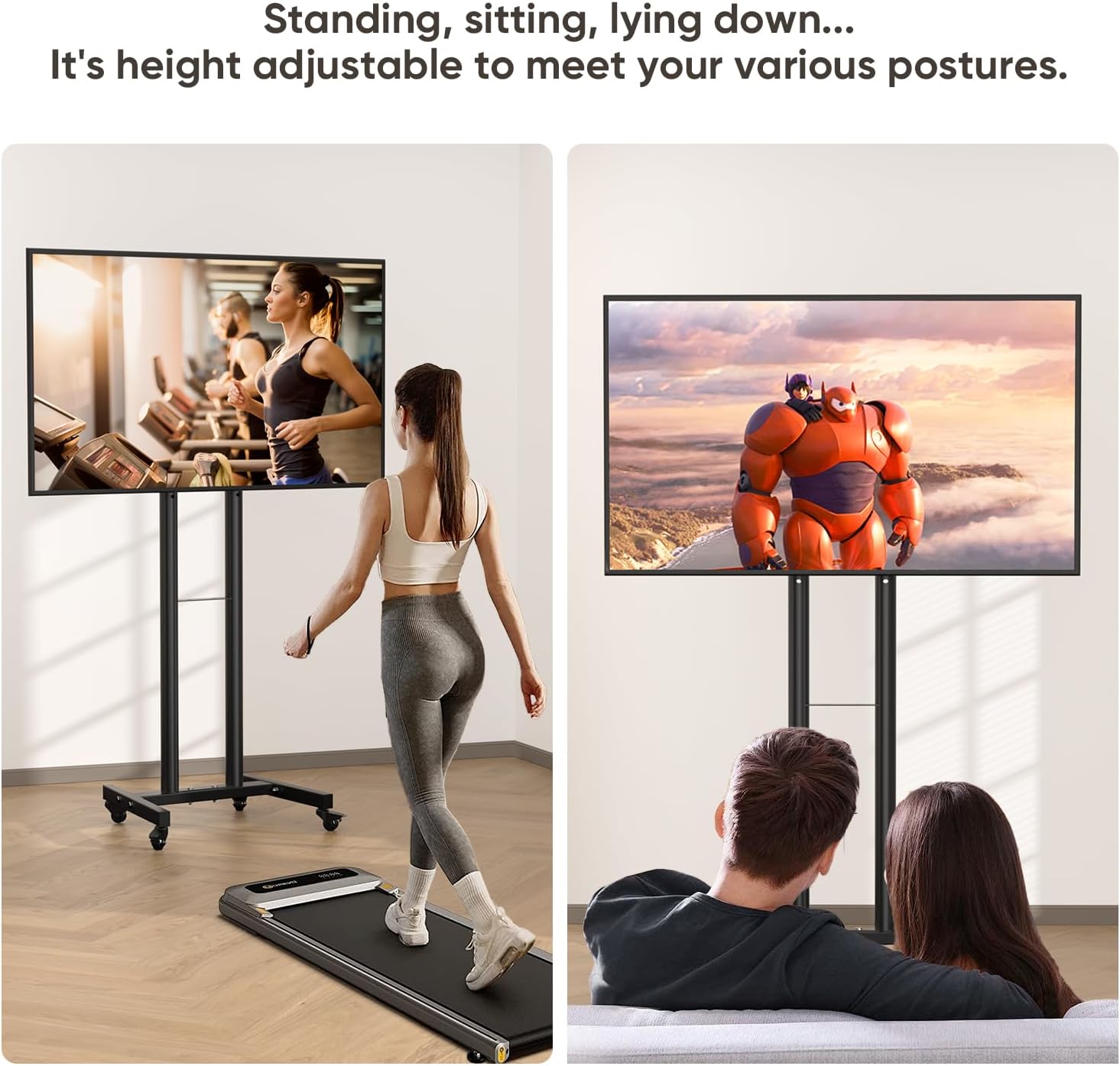
Figure 6: The stand's height adjustability accommodates different viewing postures, whether standing, sitting, or lying down.

Figure 7: The portability of the TV stand allows for easy movement between rooms, eliminating the need for multiple TV mounts.
Maintenance
To ensure the longevity and optimal performance of your WHYFONE Rolling TV Stand, follow these simple maintenance guidelines:
- Cleaning: Wipe down the metal surfaces with a soft, damp cloth. Avoid using abrasive cleaners or solvents that could damage the finish.
- Hardware Check: Periodically check all screws and bolts to ensure they are tight and secure. Loose connections can affect stability.
- Wheel Inspection: Keep the wheels free of debris (hair, dust, etc.) that could impede their rotation. Lubricate the wheel axles if necessary to maintain smooth movement.
- Weight Distribution: Always ensure the TV is centered on the mounting bracket to maintain balanced weight distribution and prevent strain on the stand.
Troubleshooting
If you encounter any issues with your WHYFONE Rolling TV Stand, please refer to the following common troubleshooting tips:
- Stand is Unstable/Wobbly:
- Ensure all assembly bolts and screws are fully tightened.
- Verify that the stand is placed on a flat, level surface.
- Confirm that the TV's weight does not exceed the 88 lbs (40 kg) maximum capacity.
- Check that the TV is securely mounted to the VESA bracket and centered.
- Wheels Not Rolling Smoothly or Locking:
- Check for any debris (e.g., hair, lint) wrapped around the wheel axles and remove it.
- Ensure the foot brakes are fully disengaged when attempting to roll the stand.
- For locking, ensure the foot brakes are fully pressed down.
- Difficulty Adjusting Height:
- Height adjustment requires detaching the TV from the mounting bracket and repositioning the bracket on the poles. This is not a quick-release mechanism.
- Ensure the bolts are properly aligned with the desired height holes.
- Missing or Damaged Parts:
- Review the package contents list. If any parts are missing or damaged upon arrival, do not proceed with assembly. Contact WHYFONE customer support immediately.
If the issue persists after attempting these solutions, please contact WHYFONE customer support for further assistance.
Warranty and Support
WHYFONE is committed to providing high-quality products and customer satisfaction. For any installation problems, operational queries, or support needs, please do not hesitate to contact us. Detailed contact information can typically be found on the product packaging or on the official WHYFONE website.
For more information about WHYFONE products and support, please visit the official WHYFONE Store on Amazon.
Please retain your purchase receipt for warranty purposes.
Documents and downloads
Ask a question about this manual
Ask about setup, troubleshooting, compatibility, parts, safety, or missing instructions. Manuals+ will review the question and use this page’s manual context to help answer it.