
Introduction
This manual provides essential information for the safe and efficient use of your Signature Design by Ashley Wolfridge Power Reclining Sofa. Please read these instructions thoroughly before setup and operation, and retain this manual for future reference.
The Wolfridge Power Reclining Sofa is designed for comfort and functionality, featuring dual electric recline, adjustable headrests, a drop-down table with integrated charging options, and convenient armrest storage.

Image: Front view of the Wolfridge Power Reclining Sofa in Brindle Brown.
Safety Information
- Ensure all power cords are properly connected and routed to prevent tripping hazards.
- Keep children and pets away from moving parts during reclining operation.
- Do not place heavy objects on the footrest when extended.
- Avoid spilling liquids on electrical components, especially the charging ports and power controls.
- Always unplug the sofa from the power outlet before cleaning or performing any maintenance.
Setup
Unpacking and Placement
The Wolfridge Power Reclining Sofa requires minimal assembly. It is recommended that two people handle the sofa during unpacking and placement due to its weight (322 pounds). Ensure your doorway is at least 32 inches wide for easy entry.

Image: Diagram showing the dimensions of the sofa (Width: 86", Depth: 42", Height: 42").
Assembly
Component connector assembly is not required. The main task involves attaching the backrests to the base. A screwdriver may be useful for any minor adjustments or securing connections.
For detailed assembly instructions, please refer to the manufacturer's guide available at: Ashley Furniture Assembly Instructions.
Power Connection
Locate all power cords. There are typically three cords: one for each reclining seat and one for the center console features. Connect them securely to the sofa's power inputs and then plug into a standard electrical outlet. Ensure cords are not pinched or damaged.
Operating Instructions
Power Recline and Adjustable Headrests
The two outer seats feature independent power recline and Easy View adjustable headrests. Use the control panel located on the side of each armrest to operate these functions. The buttons allow for infinite reclining positions and headrest adjustments.

Image: The sofa with the footrest extended, demonstrating the power recline feature.

Image: Close-up of the adjustable headrest, showing its range of motion.
Drop-Down Table and Charging Station
The middle seat's backrest can be folded down to reveal a convenient table. This table includes LED reading lights, dual cup holders, an electrical outlet, a wireless charging docking station, and two USB charging ports.

Image: The middle seat's backrest folded down, revealing the integrated table with lights and charging options.
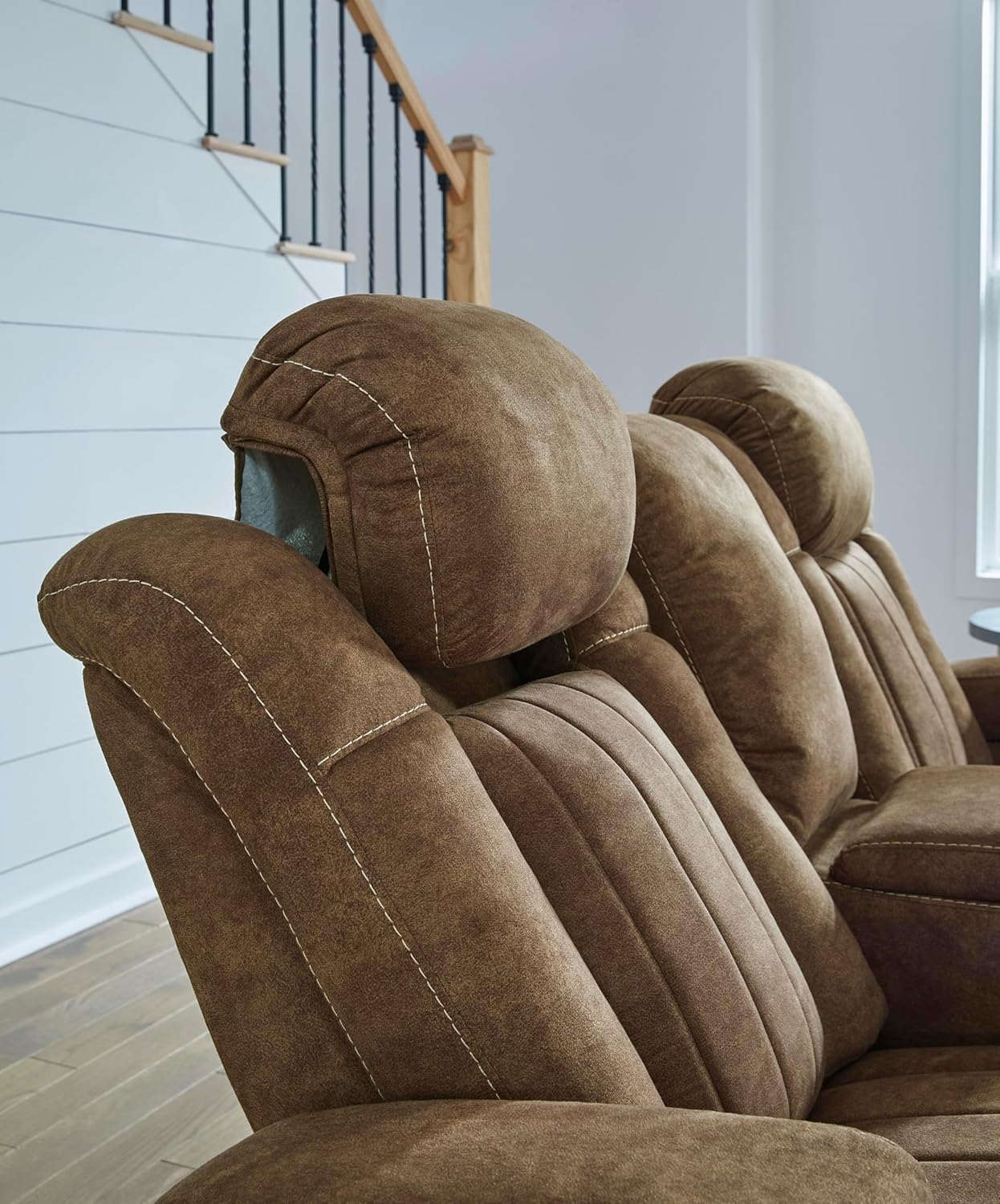
Image: Detailed view of the drop-down table's electrical outlet, wireless charging pad, and USB ports.
Armrest Storage and Cup Holders
Each outer armrest features a flip-open storage compartment and a built-in cup holder. Lift the top of the armrest to access the storage space.

Image: An armrest with the storage compartment open, showing space for items like remotes or books.
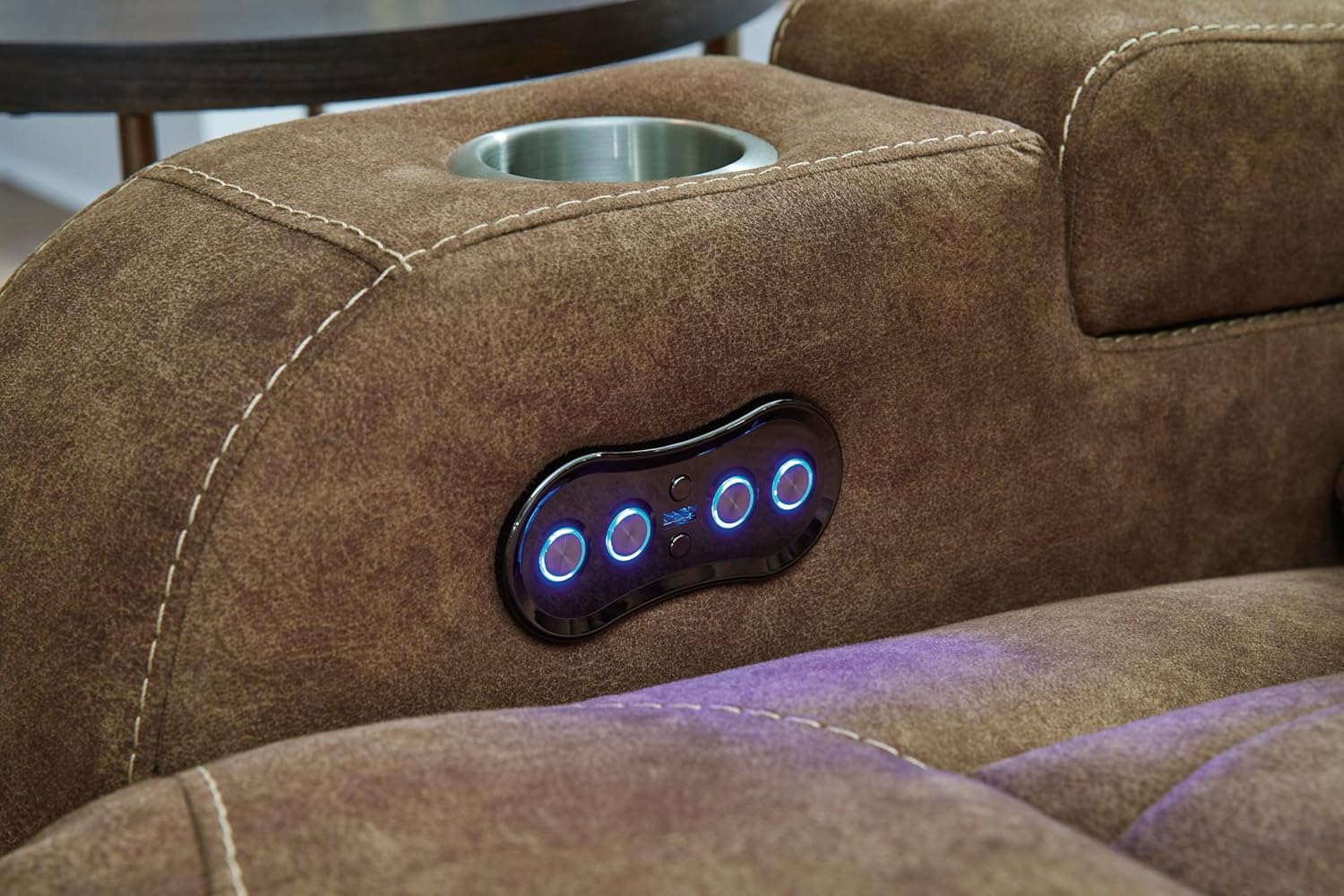
Image: A close-up of the built-in cup holder, designed to securely hold beverages.
Maintenance
Cleaning the Upholstery
The sofa is upholstered in durable faux leather (98% Polyester, 2% PU). For cleaning, spot clean with a damp cloth. Avoid using harsh chemicals or abrasive cleaners, as these can damage the fabric. The upholstery cleaning code is 'S', indicating solvent-based cleaning products may be used for tougher stains, but always test in an inconspicuous area first.

Image: A close-up view of the brindle faux leather upholstery, highlighting its texture.
General Care
- Regularly dust the sofa with a soft, dry cloth.
- Avoid direct sunlight to prevent fading.
- Keep sharp objects away from the upholstery to prevent tears or punctures.
- Check power cords periodically for any signs of wear or damage.
Troubleshooting
Power Issues
- Sofa not reclining/headrest not adjusting: Ensure all power cords are securely plugged into the sofa and the wall outlet. Check if the wall outlet is functional by plugging in another device.
- Charging ports not working: Verify the main power connection to the sofa. Ensure devices are properly connected to the USB ports or placed correctly on the wireless charging pad.
Recline Mechanism Issues
- Footrest stuck: Check for any obstructions under or around the footrest. Do not force the mechanism.
- Unusual noises during operation: This may indicate a need for lubrication or a loose component. Contact customer support if noises persist.
General Issues
- If the sofa is not functioning as expected after checking these points, please refer to the product's online support resources or contact Signature Design by Ashley customer service.
Specifications
| Feature | Detail |
|---|---|
| Brand | Signature Design by Ashley |
| Model Number | 6070315 |
| Product Dimensions (D x W x H) | 42"D x 86"W x 42"H |
| Item Weight | 322 pounds |
| Seating Capacity | 3 |
| Upholstery Fabric Type | Faux Leather (98% Polyester, 2% PU) |
| Color | Brindle Brown |
| Reclining Seat Count | 2 (outer seats) |
| Reclining Position Count | Infinite Position |
| Additional Features | Adjustable Headrest, Cup Holder, Recliner, Storage, USB Charging Ports, Wireless Charging |
| Frame Material Type | Engineered Wood |
| Suspension Type | Sinuous Spring |
| Minimum Required Door Width | 32 inches |
Warranty Information
The Signature Design by Ashley Wolfridge Power Reclining Sofa comes with a Limited Warranty. For specific details regarding coverage, duration, and terms, please refer to the product page on the retailer's website or contact Signature Design by Ashley customer service directly.
Customer Support
If you have any questions, require assistance with setup, operation, or encounter any issues not covered in this manual, please contact Signature Design by Ashley customer support. You can typically find contact information on the manufacturer's official website or through your retailer.
For more information about Signature Design by Ashley products, visit their official website: www.ashleyfurniture.com