1. Introduction
The KINGBOLEN BM550 Plus is an advanced battery tester designed for comprehensive analysis of 6V, 12V, and 24V automotive batteries. This device accurately measures battery health, charge status, internal resistance, and voltage waveforms, providing essential data for vehicle maintenance. It is suitable for various battery types including Regular Flooded, AGM Flat Plate, AGM Spiral, GEL, and EFB batteries. This manual provides detailed instructions for the proper use and maintenance of your BM550 Plus battery tester.

Image 1.1: The KINGBOLEN BM550 Plus battery tester displaying a 'Good' battery health status.
2. Product Features
The KINGBOLEN BM550 Plus battery tester offers a range of functionalities to assess the condition of your vehicle's battery:
- Wide Compatibility: Supports 6V, 12V, and 24V batteries with a Cold Cranking Amps (CCA) range of 100-2000. Compatible with Regular Flooded, AGM Flat Plate, AGM Spiral, GEL, and EFB battery types.
- Multi-functional Testing: Performs State of Health (SOH), State of Charge (SOC), Voltage, and Internal Resistance tests.
- Real-time Voltage Waveform Monitoring: Displays real-time changes in vehicle voltage waveforms, including maximum, minimum, and current voltage values.
- High-Definition Color Screen: Features a 1.8-inch HD color screen for clear display in various lighting conditions.
- Plug and Play Operation: No internal batteries required; powered directly by the vehicle battery. Simple connection for immediate testing.
- Reverse Connection Protection: Incorporates a safety design that prevents damage to the device and battery if cables are connected incorrectly.
- Broad Application: Suitable for cars, trucks, SUVs, ATVs, boats, and motorcycles.

Image 2.1: Overview of the BM550 Plus's multifunctional design and testing capabilities.

Image 2.2: The BM550 Plus is compatible with 6V, 12V, and 24V systems in cars, trucks, SUVs, ATVs, boats, and motorcycles.
3. Safety Information
Please read and understand all safety instructions before using the KINGBOLEN BM550 Plus battery tester. Failure to follow these instructions may result in injury or damage to the device or vehicle.
- Always wear eye protection and protective clothing when working near batteries.
- Ensure adequate ventilation when testing batteries to prevent the accumulation of explosive gases.
- Avoid creating sparks or flames near the battery.
- Keep the tester and cables away from moving engine parts and hot surfaces.
- Reverse Connection Protection: The BM550 Plus is equipped with reverse polarity protection. If the clamps are connected incorrectly (positive to negative, negative to positive), the device will not operate and the screen may flicker, indicating an error. Correct the connection immediately. This feature protects both the tester and the battery from damage.
- Ensure the battery clamps are securely attached to the battery terminals for accurate readings and to prevent accidental disconnection.
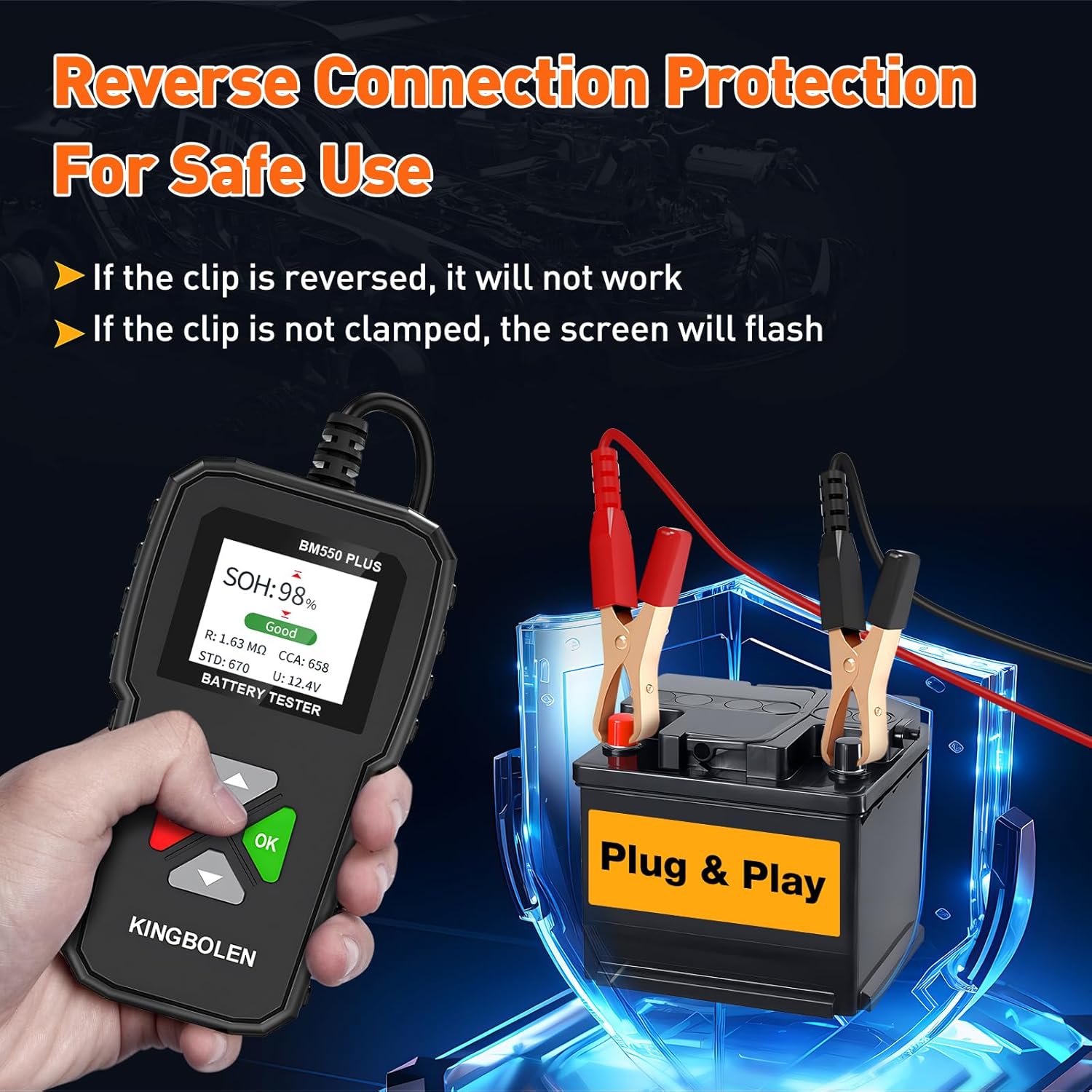
Image 3.1: The BM550 Plus features reverse connection protection for safe operation.
4. Package Contents
Upon opening your KINGBOLEN BM550 Plus package, you should find the following item:
- 1 x KINGBOLEN BM550 Plus Battery Tester
5. Setup
The KINGBOLEN BM550 Plus is designed for simple plug-and-play operation. No complex setup or internal batteries are required.
- Prepare the Battery: Ensure the vehicle's ignition is off and all accessories are turned off. Clean the battery terminals if they are corroded to ensure a good connection.
- Connect the Tester: Attach the red clamp of the BM550 Plus to the positive (+) terminal of the battery. Then, attach the black clamp to the negative (-) terminal of the battery.
- Power On: The tester will automatically power on once correctly connected to the battery. If the screen flickers or the device does not power on, check for reverse connection or loose clamps.
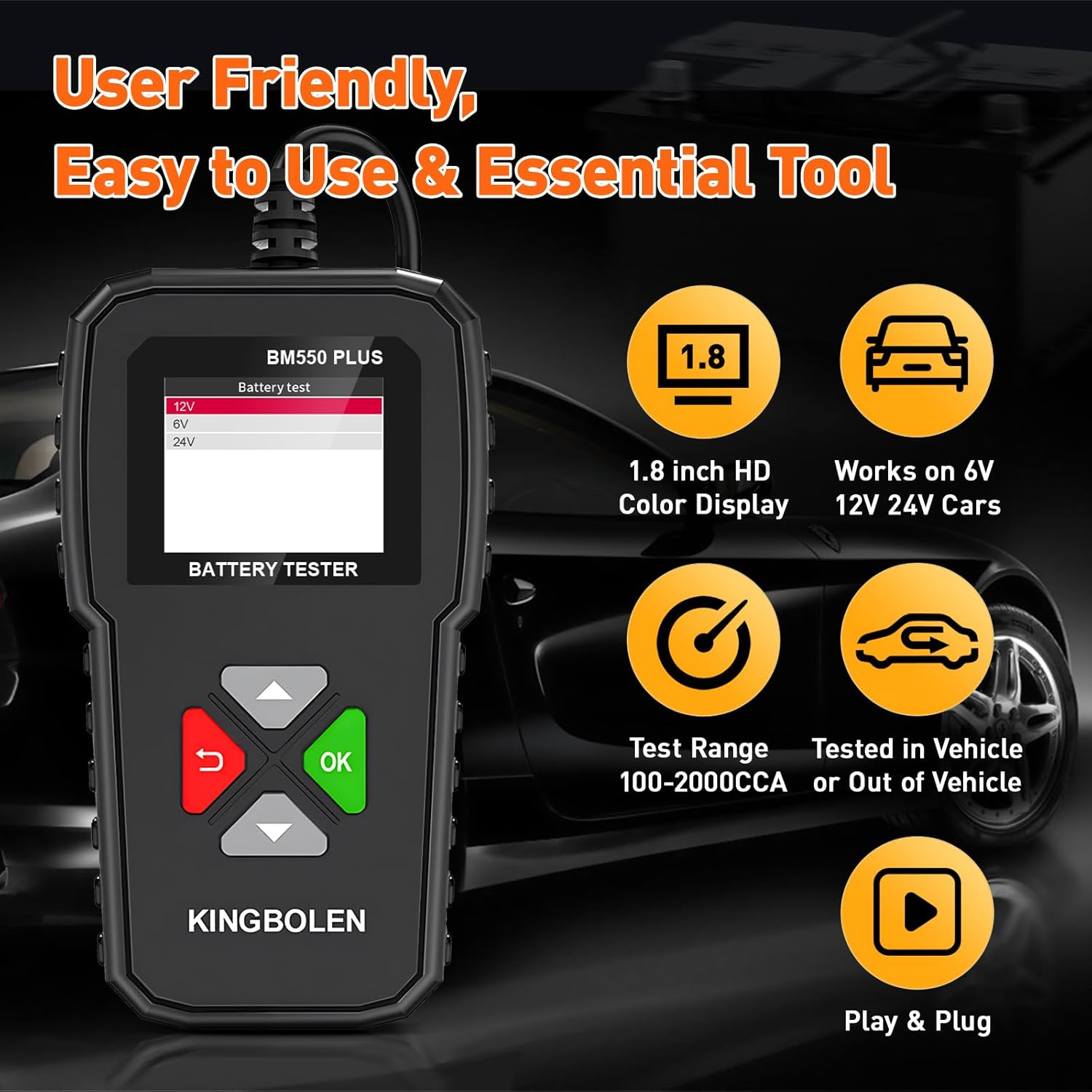
Image 5.1: The BM550 Plus features a user-friendly interface and is ready to use upon connection.
6. Operation
Follow these steps to perform a battery test and interpret the results:
6.1 Performing a Battery Test
- Connect the Tester: As described in Section 5, connect the red clamp to the positive terminal and the black clamp to the negative terminal of the battery. The device will power on.
- Select Battery Type: On the main menu, navigate to 'BAT Test' and press 'OK'. The tester will prompt you to select the battery voltage (e.g., 6V, 12V, 24V). Use the arrow buttons to select the correct voltage for your battery and press 'OK'.
- Enter CCA/AH Value: The tester will then ask for the battery's Cold Cranking Amps (CCA) or Ampere-hour (AH) value. This information is usually printed on the battery label. Use the arrow buttons to adjust the value to match your battery's specifications and press 'OK'. The tester supports a CCA range of 100-2000.
- View Results: The tester will perform the analysis and display the results on the screen.

Image 6.1: The BM550 Plus menu for selecting battery type and initiating a test.
6.2 Interpreting Test Results
The test results will typically include:
- SOH (State of Health): Indicates the overall health of the battery as a percentage.
- SOC (State of Charge): Shows the current charge level of the battery as a percentage.
- Voltage (U): The current voltage reading of the battery.
- Internal Resistance (R): A measure of the battery's internal resistance, which can indicate its ability to deliver current.
- CCA (Cold Cranking Amps): The measured CCA value compared to the standard (STD) input.
The tester will also provide a general status:
- Good: The battery is in good condition and ready for use.
- Normal: The battery is still usable but its performance may be reduced. Consider monitoring or replacement.
- Poor: The battery is in poor condition and requires replacement.

Image 6.2: Examples of battery status indications: Good, Normal, and Poor.
6.3 Voltage Waveform Monitoring
The BM550 Plus can monitor the real-time voltage waveform of your vehicle's electrical system.
- Access Waveform: From the main menu, navigate to 'Waveform' and press 'OK'.
- Monitor Display: The screen will display a graph showing the voltage fluctuations over time. It will also show the minimum, maximum, and current voltage values. This feature is useful for diagnosing issues with the alternator or starter.

Image 6.3: The BM550 Plus monitoring real-time voltage waveforms.
7. Maintenance
Proper maintenance ensures the longevity and accuracy of your KINGBOLEN BM550 Plus battery tester.
- Cleaning: Wipe the device with a soft, dry cloth. Do not use abrasive cleaners or solvents.
- Storage: Store the tester in a dry, cool place, away from direct sunlight and extreme temperatures. Keep it in its original packaging or a protective case when not in use.
- Cable Inspection: Regularly inspect the cables and clamps for any signs of damage, fraying, or corrosion. Replace if necessary.
8. Troubleshooting
If you encounter issues with your BM550 Plus, refer to the following common problems and solutions:
| Problem | Possible Cause | Solution |
|---|---|---|
| Tester does not power on. | Incorrect connection (reverse polarity); Loose clamps; Battery completely dead. | Ensure red clamp is on positive (+) and black on negative (-). Securely attach clamps. If battery is completely dead, it may not provide enough power to the tester. |
| Screen flickers. | Loose clamps; Poor contact with battery terminals. | Ensure clamps are tightly secured to clean battery terminals. |
| Inaccurate readings. | Incorrect CCA/AH input; Poor connection; Corroded terminals. | Verify the CCA/AH value entered matches the battery. Clean battery terminals. Ensure clamps are making solid contact. |
| Tester displays an error message. | Specific error condition. | Refer to the on-screen error code (if any) and consult the manufacturer's support for specific guidance. |
9. Specifications
Detailed technical specifications for the KINGBOLEN BM550 Plus battery tester:
- Model Number: KBL551
- Product Dimensions: 4.88 x 2.74 x 0.89 inches
- Item Weight: 0.55 Pounds (8.8 ounces)
- Brand: KINGBOLEN
- Power Source: Battery Powered (from tested battery)
- Color: Black
- Voltage Range: 6V, 12V, 24V
- CCA Test Range: 100-2000 CCA
- Display: 1.8-inch HD Color Screen
- Supported Battery Types: Regular Flooded, AGM Flat Plate, AGM Spiral, GEL, EFB
10. Warranty and Support
For warranty information, technical support, or service inquiries regarding your KINGBOLEN BM550 Plus battery tester, please refer to the warranty card included with your purchase or visit the official KINGBOLEN website. You may also contact KINGBOLEN customer service directly for assistance.
KINGBOLEN Official Website: Visit the KINGBOLEN Store on Amazon


