
1. Introduction
The BoxWave Wall Charger Direct (15W) is a compact and efficient power adapter designed to provide rapid charging for compatible devices. It features a built-in 3-foot Micro USB cable for convenient and reliable power delivery. This manual provides essential information for the safe and effective use of your charger.
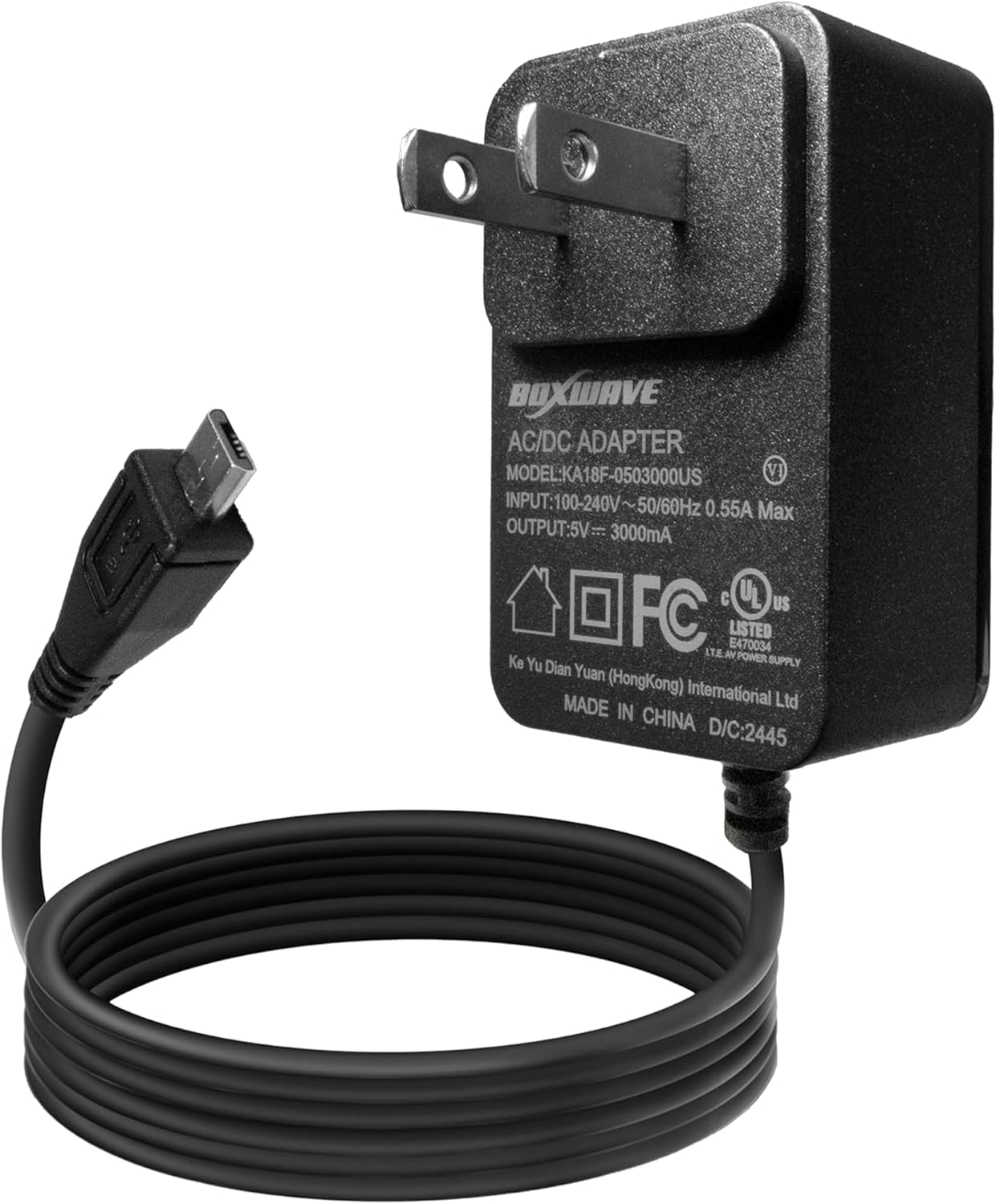
Image 1.1: The BoxWave Wall Charger Direct (15W) with its integrated Micro USB cable.
2. Safety Information
- Do not expose the charger to liquids or extreme temperatures.
- Do not disassemble or attempt to repair the charger.
- Ensure the wall outlet voltage is compatible with the charger's input specifications (100-240V).
- Keep out of reach of children.
- Unplug the charger from the wall outlet when not in use.
3. Setup
Setting up your BoxWave Wall Charger Direct is a simple plug-and-play process.
- Identify the Micro USB Port: Locate the Micro USB charging port on your device. The charger's cable has a Micro USB connector.
- Connect to Device: Carefully insert the Micro USB connector of the charger's cable into your device's Micro USB port. Ensure a secure connection.
- Plug into Wall Outlet: Insert the charger's AC prongs into a standard wall power outlet.

Image 3.1: The charger connected to a device and plugged into a wall outlet, demonstrating simple plug-and-play functionality.
4. Operating Instructions
Once connected, the charger will automatically begin charging your device. Most devices will display a charging indicator (e.g., a battery icon with a lightning bolt or a percentage increase).
- The charger delivers up to 15W of power for rapid charging.
- Charging time may vary depending on your device's battery capacity and current charge level.
- Disconnect the charger from your device once it is fully charged to conserve energy.

Image 4.1: A device screen indicating 95% charge and fast charging status.
5. Maintenance
To ensure the longevity and optimal performance of your BoxWave Wall Charger Direct, follow these maintenance guidelines:
- Cleaning: Use a soft, dry cloth to clean the charger. Do not use liquid cleaners or aerosols.
- Storage: Store the charger in a cool, dry place when not in use. Avoid wrapping the cable too tightly to prevent damage.
- Cable Care: The built-in cable features reinforced strain relief. Avoid sharp bends or excessive pulling on the cable, especially near the connectors, to prevent wear and tear.

Image 5.1: Detail of the reinforced strain relief on the charger's Micro USB connector, designed for durability.
6. Troubleshooting
If you encounter issues with your charger, refer to the following common problems and solutions:
| Problem | Possible Cause | Solution |
|---|---|---|
| Device not charging. | Loose connection, faulty outlet, incompatible device. |
|
| Slow charging. | Device drawing less power, background apps, cable issue. |
|
| Charger feels warm. | Normal operation during charging. | A slight warmth is normal during operation. If it becomes excessively hot or emits smoke/odor, unplug immediately and discontinue use. |
7. Specifications
- Model: KA18F-0503000US
- Input: 100-240V ~ 50/60Hz 0.55A Max
- Output: 5V === 3000mA (15W)
- Cable Length: 3 feet (built-in)
- Connector Type: Micro USB
- Item Weight: 2.3 ounces
- Manufacturer: BoxWave
Image 7.1: The charger's label displaying detailed electrical specifications.
8. Warranty and Support
For warranty information or technical support, please refer to the official BoxWave website or contact their customer service directly. Keep your purchase receipt for warranty claims.
BoxWave Official Website: www.boxwave.com