
1. Introduction
Thank you for choosing the MFUZOP 1500W Pure Sine Wave Power Inverter. This device is designed to convert 12V DC battery power into stable 120V AC household power, making it ideal for a wide range of applications including cars, RVs, trucks, and off-grid solar systems. Its pure sine wave output ensures compatibility with sensitive electronics, providing reliable and clean power wherever you need it.

Image: The MFUZOP 1500W Pure Sine Wave Power Inverter, showcasing its compact design and included accessories like battery cables and remote control.
2. Safety Information
Please read all safety warnings and instructions carefully before installing or operating the inverter. Failure to follow these instructions may result in electric shock, fire, or serious injury.
- Ventilation: Ensure adequate ventilation around the inverter. Do not block cooling vents.
- Environment: Install the inverter in a dry, well-ventilated area, away from direct sunlight, heat sources, and flammable materials. Avoid dusty or humid environments.
- Connections: Always connect the inverter to a 12V DC battery system. Ensure all connections are tight and correct polarity is observed (positive to positive, negative to negative). Loose connections can cause overheating and damage.
- Grounding: The inverter must be properly grounded. Connect the grounding terminal to a suitable earth ground.
- Overload Protection: Do not exceed the inverter's rated continuous power output (1500W). The inverter has built-in overload protection, but continuous overloading can cause damage.
- Sensitive Devices: While this is a pure sine wave inverter, always verify the power requirements of your devices before connecting them.
- Maintenance: Disconnect power before performing any maintenance or cleaning.
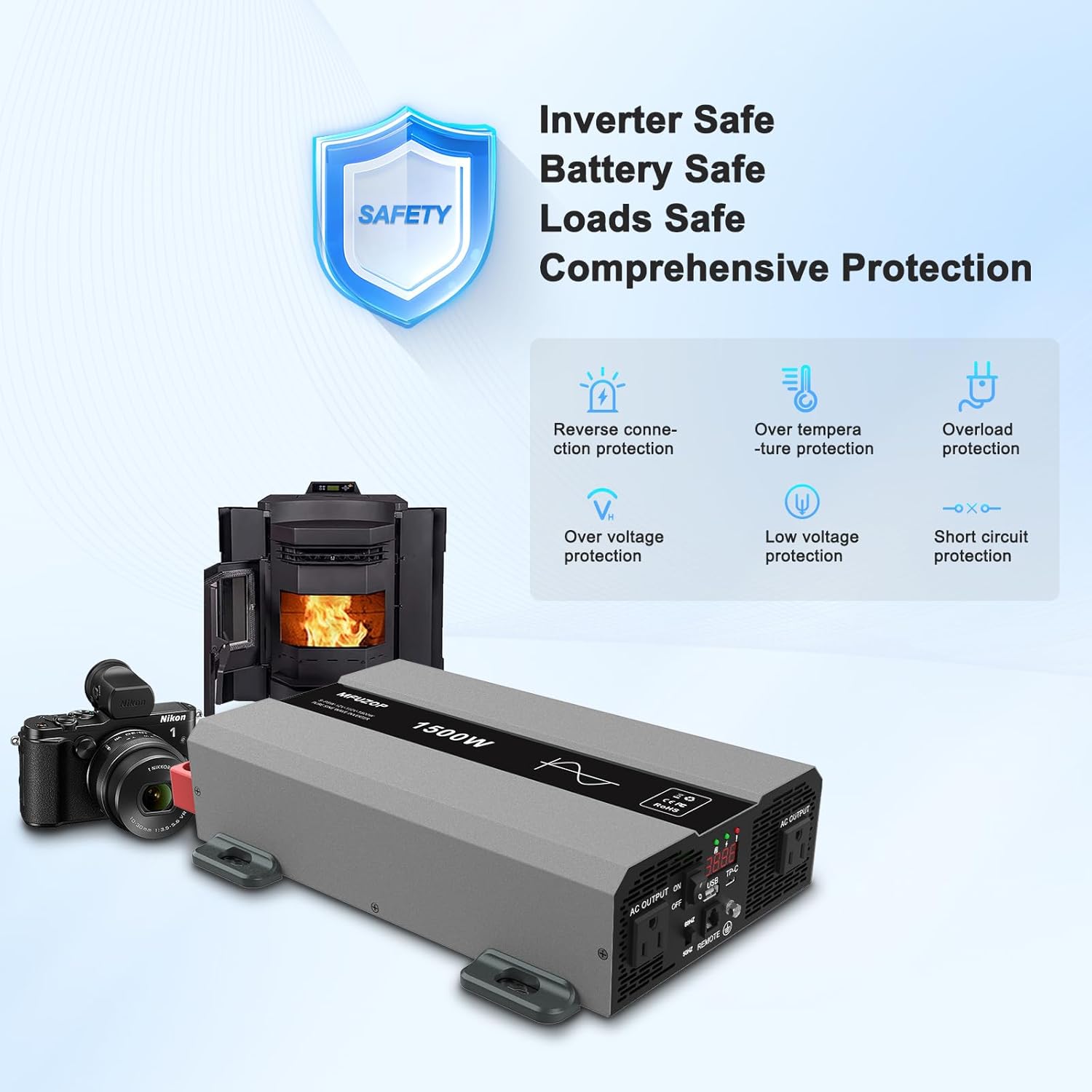
Image: Visual representation of the inverter's comprehensive safety protections, including reverse connection, over-temperature, overload, over-voltage, low voltage, and short circuit protection.
3. Package Contents
Verify that all items are present in the package:
- 1x MFUZOP 1500W Pure Sine Wave Power Inverter
- 1x Instruction Manual
- 2x 20-inch Battery Cables (Red for Positive, Black for Negative)
- 1x 20 FT Wired Remote Control

Image: An illustration detailing the contents of the package, including the inverter, remote control, user guide, and battery cables, along with the inverter's physical dimensions.
4. Product Features & Components
The MFUZOP 1500W Pure Sine Wave Power Inverter is equipped with advanced features for reliable and efficient power conversion:
- Pure Sine Wave Output: Delivers smooth, stable power identical to utility-grade electricity, safe for sensitive electronics like TVs, laptops, and CPAP machines.
- High Efficiency: Offers conversion efficiency greater than 93% with low idle consumption, ensuring optimal energy use.
- Multiple Output Ports: Features dual AC outlets, a 5V USB port, and a hardwire terminal for versatile connectivity.
- Smart LCD Display: Provides real-time monitoring of input/output voltage, battery status, and load levels.
- Independent Voltage Adjustment: Allows fine-tuning of output voltage within a small range for precise energy control.
- Comprehensive Protection: Built-in safeguards against overload, overheat, low voltage, short circuit, and reverse polarity.
- Durable Construction: Housed in robust aluminum for excellent heat dissipation and long-term use.
Component Overview

Image: A detailed diagram illustrating the various ports and features on the inverter's side panel, including AC outlets, USB, Type-C, remote switch connection, and cooling fans.
- Negative Terminal: Connects to the negative (-) terminal of the 12V battery.
- Positive Terminal: Connects to the positive (+) terminal of the 12V battery.
- Cooling Fans: Automatically activate to dissipate heat and maintain optimal operating temperature.
- AC Output Outlets (x2): Standard 120V AC outlets for connecting appliances.
- USB Interface: 5V USB port for charging mobile devices.
- Type-C Port: For additional device charging.
- Ground Terminal: For connecting to an earth ground.
- Remote Switch Connection: Port for the wired remote control.
- ON/OFF Switch: Main power switch for the inverter.
- Frequency Adjustment: Allows selection between 50Hz and 60Hz output frequencies.
- LCD Display: Shows output power, voltage, and fault codes.
5. Setup & Installation
Proper installation is crucial for the safe and efficient operation of your inverter.
- Choose a Location: Select a cool, dry, and well-ventilated area for installation. Ensure it is away from direct sunlight, heat, and moisture. The inverter can be mounted horizontally or vertically, but ensure adequate airflow around the cooling fins.
- Prepare Battery: Ensure your 12V DC battery is fully charged and in good condition. Turn off any loads connected to the battery.
- Connect Ground Wire: Connect a suitable ground wire (not included) from the inverter's ground terminal to a reliable earth ground point (e.g., vehicle chassis, ground rod).
- Connect Battery Cables:
- Connect the red (positive) battery cable to the positive (+) terminal of the inverter.
- Connect the other end of the red cable to the positive (+) terminal of your 12V battery.
- Connect the black (negative) battery cable to the negative (-) terminal of the inverter.
- Connect the other end of the black cable to the negative (-) terminal of your 12V battery.
Important: Ensure correct polarity. Reversing polarity will damage the inverter and void the warranty. Expect a small spark when making the final connection; this is normal as the inverter's internal capacitors charge.
- Connect Remote Control (Optional): If using the wired remote control, plug its RJ11 connector into the 'REMOTE' port on the inverter.
- Initial Power On: Once all connections are secure, switch the inverter's main ON/OFF switch to the 'ON' position. The LCD display should illuminate, indicating the inverter is ready.

Image: An outdoor setup demonstrating the inverter connected to a solar panel and powering a laptop, highlighting its use in off-grid scenarios.
6. Operating Instructions
Operating your MFUZOP inverter is straightforward:
- Power On: Flip the ON/OFF switch on the inverter (or the remote control) to the 'ON' position. The LCD display will show the input voltage (battery voltage) and output voltage.
- Connect Appliances: Plug your AC appliances into the 120V AC outlets on the inverter. For USB charging, use the USB or Type-C ports.
- Monitor Display: The LCD display provides critical information:
- Input Voltage: Shows the current DC voltage from your battery.
- Output Voltage: Displays the AC output voltage (typically 120V).
- Load Level: Indicates the power consumption of connected devices.
- Battery Status: Provides an indication of battery charge.
- Fault Codes: If an error occurs, a specific code will be displayed (refer to Troubleshooting section).
- Frequency Adjustment: Use the 50Hz/60Hz switch to select the appropriate frequency for your region or devices.
- Power Off: When finished, first disconnect all appliances from the inverter, then switch the inverter's ON/OFF switch to the 'OFF' position.

Image: The inverter in use, powering common household items like a laptop, smartphone, and an electric kettle, demonstrating its versatility.

Image: The inverter positioned on an outdoor table in a camping environment, illustrating its portability and utility for outdoor activities.
7. Maintenance
Regular maintenance ensures the longevity and optimal performance of your inverter.
- Cleaning: Periodically clean the exterior of the inverter with a soft, dry cloth. Do not use liquid cleaners or solvents. Ensure cooling vents are free from dust and debris.
- Check Connections: Regularly inspect battery cable connections to ensure they are tight and free from corrosion. Loose connections can lead to voltage drops and overheating.
- Storage: If storing the inverter for an extended period, disconnect it from the battery and store it in a cool, dry place. Ensure the battery is fully charged before storage and recharged periodically.
8. Troubleshooting
This section addresses common issues you might encounter with your inverter.
| Problem | Possible Cause | Solution |
|---|---|---|
| No output power / Inverter not turning on | Loose battery connections; Low battery voltage; Inverter switch off; Blown fuse (internal) | Check and tighten all battery connections; Recharge or replace battery; Turn inverter switch ON; Contact support if fuse is suspected. |
| Inverter shuts down (Overload Protection) | Connected load exceeds inverter's continuous power rating (1500W) or surge rating (3000W) | Reduce the total load by disconnecting some appliances; Restart the inverter. |
| Inverter shuts down (Overheat Protection) | Poor ventilation; High ambient temperature; Blocked cooling fans | Ensure adequate airflow around the inverter; Move to a cooler location; Clear any obstructions from cooling vents. Allow inverter to cool down before restarting. |
| Inverter shuts down (Low Voltage Protection) | Battery voltage too low | Recharge the battery immediately. |
| Inverter shuts down (Short Circuit Protection) | Short circuit in connected appliance or wiring | Disconnect all appliances; Check appliance wiring for shorts; Restart inverter. |
| Fans are loud | Normal operation under load; High ambient temperature | Fans will run faster when the inverter is under heavy load or in a warm environment to maintain optimal temperature. This is normal. |
9. Specifications
Detailed technical specifications for the MFUZOP 1500W Pure Sine Wave Power Inverter:
| Feature | Specification |
|---|---|
| Model Name | Pure Sine Wave Inverter |
| Rated Continuous Power | 1500 watts |
| Peak Power (Surge) | 3000 watts |
| Input Voltage | 12V DC |
| Output Voltage | 120V AC |
| Output Waveform | Pure Sine Wave |
| Conversion Efficiency | >93% |
| Product Dimensions | 12.4 x 9.45 x 3.15 inches |
| Item Weight | 9.33 pounds |
| Manufacturer | MFUZOP |
| Recommended Uses | Battery, Boat, Car, Home, Office, Outdoors, Power Outage, RV, Trip, Truck, Vehicle |

Image: A graphic highlighting the inverter's 3000W peak power capability and high conversion efficiency, along with various protection icons.
10. Warranty & Support
MFUZOP stands behind the quality of its products.
Warranty Information
This product comes with a comprehensive 1-year warranty covering quality issues. Please retain your proof of purchase for warranty claims.
Customer Support
For any questions, technical assistance, or warranty inquiries, please contact MFUZOP customer service. We offer professional after-sales service with 24-hour online support.

Image: Customer service representatives ready to provide professional after-sales support.
For more information, visit the official MFUZOP store: MFUZOP Store on Amazon


