
1. Introduction
Thank you for choosing the kurdene P3+ Wireless Bluetooth Earbuds. These earbuds are designed to provide a high-quality audio experience with advanced features such as Bluetooth 5.3 connectivity, HiFi stereo sound, and a noise-cancelling microphone. This manual will guide you through the setup, operation, and maintenance of your new earbuds.
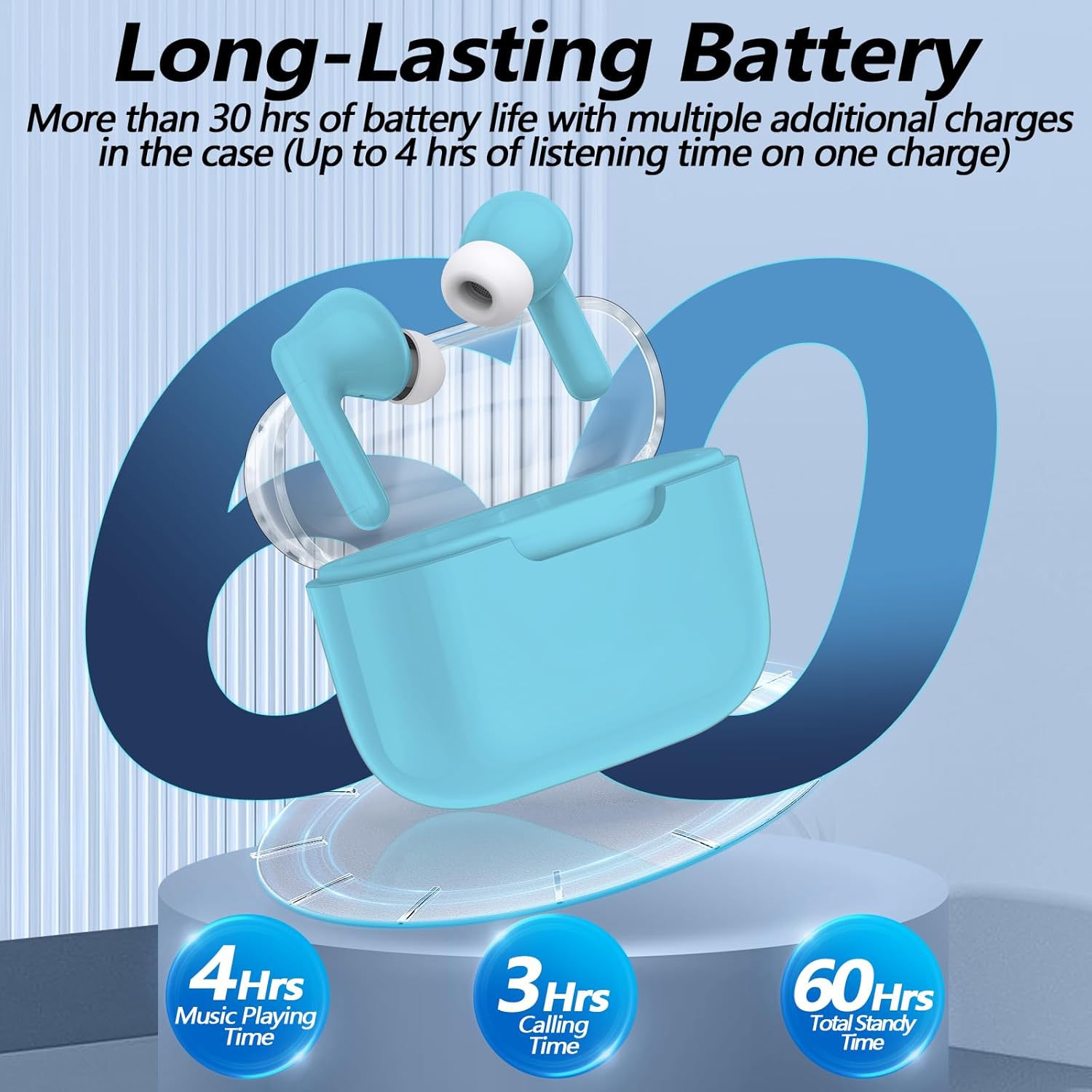
Image: kurdene P3+ Wireless Bluetooth Earbuds and their charging case.
2. Package Contents
Please check the package contents to ensure all items are present:
- kurdene P3+ Wireless Earbuds (Left and Right)
- P3+ Charging Case
- USB-C Charging Cable
- User Manual
- Ear Caps (Small, Medium, Large sizes)

Image: A visual representation of the items included in the kurdene P3+ earbud package.
3. Setup
3.1 Charging the Earbuds and Case
Before first use, fully charge the earbuds and the charging case.
- Place the earbuds into the charging case. Ensure they are correctly seated.
- Connect the USB-C charging cable to the charging port on the case and plug the other end into a USB power source.
- The indicator lights on the case will show the charging status. A full charge typically takes approximately 1 hour for the earbuds and 1 hour for the charging case.

Image: The earbuds in their charging case, illustrating the battery life and charging process.
The earbuds provide up to 4 hours of music playing time on a single charge, with the charging case extending total usage to 30 hours.
3.2 Pairing with Your Device
The kurdene P3+ earbuds feature one-step auto-pairing for convenience.
- Ensure Bluetooth is enabled on your smartphone or other audio device.
- Open the charging case. The earbuds will automatically enter pairing mode.
- On your device, search for Bluetooth devices and select "P3+" from the list.
- Once connected, you will hear an audible confirmation, and the earbuds will be ready for use.
- After the initial pairing, the earbuds will automatically connect to your device when the case is opened, provided Bluetooth is active on your device.

Image: A smartphone screen showing "P3+" available for Bluetooth connection, next to the open earbud charging case.

Image: The earbuds and charging case with a visual representation of a 10-meter barrier-free transmission range.
3.3 Fitting the Earbuds
For optimal sound quality and comfort, choose the correct size ear caps.
- The earbuds come with liquid silicone ear caps in Small (S), Medium (M), and Large (L) sizes.
- Try each size to find the one that provides a secure and comfortable fit, creating a good seal in your ear canal.
- Gently insert the earbuds into your ears and twist slightly to ensure a snug fit.

Image: The kurdene P3+ earbuds displayed with various sizes of ear tips (S, M, L) to illustrate fit options.
4. Operating Instructions
4.1 Smart Touch Controls
The kurdene P3+ earbuds feature intuitive touch controls for managing music and calls.
| Action | Function |
|---|---|
| Single Tap (Left/Right Earbud) | Play/Pause music, Answer Call |
| Double Tap (Left Earbud) | Previous Song |
| Double Tap (Right Earbud) | Next Song |
| Triple Tap (Left Earbud) | Volume Down |
| Triple Tap (Right Earbud) | Volume Up |
| Long Press (2 seconds) | Reject Call, Activate Voice Assistant (Siri/Google Assistant) |

Image: A visual guide to the touch control functions on the earbuds, including play/pause, call management, and volume adjustment.
4.2 Making and Receiving Calls
The built-in noise-cancelling microphone ensures clear communication.
- Answering a Call: Single tap either earbud.
- Ending a Call: Single tap either earbud during a call.
- Rejecting a Call: Long press either earbud for 2 seconds.

Image: A user making a call with the earbuds, demonstrating the noise reduction feature for clear conversations.
4.3 Audio Playback
Enjoy high-quality stereo sound with deep bass and clear mid-range frequencies.
- Playing Music: Once connected, start playing audio from your device.
- Pausing Music: Single tap either earbud.
- Skipping Tracks: Double tap the right earbud for the next song, double tap the left earbud for the previous song.
- Adjusting Volume: Triple tap the right earbud for volume up, triple tap the left earbud for volume down.

Image: An exploded view diagram of a 10mm speaker driver, highlighting the components responsible for HiFi stereo sound quality.
Video: An official product video demonstrating the features and usage of the Kurdene P3 Wireless Bluetooth Earbuds, including pairing, sound quality, and design aspects.
5. Maintenance
Proper maintenance ensures the longevity and performance of your earbuds.
- Cleaning: Regularly clean the earbuds and charging case with a soft, dry, lint-free cloth. Do not use harsh chemicals or abrasive materials.
- Ear Caps: Remove and clean the silicone ear caps periodically with water and mild soap. Ensure they are completely dry before reattaching.
- Storage: When not in use, store the earbuds in their charging case to protect them from dust and damage.
- Water Resistance: The earbuds are water-resistant, but not waterproof. Avoid submerging them in water or exposing them to heavy rain. Dry them thoroughly if they get wet.
6. Troubleshooting
If you encounter issues with your kurdene P3+ earbuds, try the following solutions:
- Earbuds not pairing:
- Ensure both earbuds are charged.
- Turn off and on Bluetooth on your device.
- Forget "P3+" from your device's Bluetooth list and try pairing again.
- Place earbuds back in the case, close, then open to reset pairing mode.
- No sound or low volume:
- Check the volume level on both your device and the earbuds.
- Ensure earbuds are properly connected to your device.
- Clean any debris from the earbud speakers.
- Charging issues:
- Verify the charging cable and adapter are working correctly.
- Ensure the charging port on the case is clean and free of debris.
- Make sure the earbuds are correctly seated in the charging case.
- One earbud not working:
- Place both earbuds back in the charging case, close the lid, wait a few seconds, then open it again.
- Try resetting the earbuds (refer to specific reset instructions if available in a full manual, otherwise, the above step is a common soft reset).
7. Specifications
| Feature | Detail |
|---|---|
| Model Name | P3+ |
| Connectivity Technology | Wireless (Bluetooth 5.3) |
| Audio Driver Type | Dynamic Driver |
| Audio Driver Size | 12 Millimeters |
| Battery Life (Earbuds) | Up to 4 Hours |
| Total Battery Life (with Case) | Up to 30 Hours |
| Charging Port | USB-C |
| Water Resistance Level | Water Resistant |
| Control Method | Touch |
| Item Weight | 0.03 Kilograms (1.13 ounces) |
| Compatible Devices | Bluetooth-enabled devices (iPhone, Android, etc.) |
| Material | Rubber, Silicone |
8. Warranty and Support
kurdene products are designed for reliability and performance. For warranty information, technical support, or customer service inquiries, please refer to the contact details provided on the product packaging or visit the official kurdene website.
Please retain your proof of purchase for warranty claims.


