
Introduction
This manual provides comprehensive instructions for the assembly, operation, and maintenance of your AODK 48-Inch Carbon Fiber Black Computer Gaming Desk. Designed for both gaming and office use, this desk integrates several features to enhance your experience, including LED lighting, a built-in power outlet, and versatile storage options. Please read all instructions carefully before assembly and use.
Key Features:
- Integrated LED Lights: Features an LED light strip under the monitor shelf with 10 static colors and 10 dynamic modes for customizable ambiance.
- Built-in Power Outlet: Equipped with a power strip including 3 AC outlets and 2 USB ports for convenient device charging.
- Durable Carbon Fiber Surface: The desktop boasts a carbon fiber texture, offering scratch-resistant, anti-collision, and waterproof properties.
- Reversible & Adjustable Storage Shelf: A versatile storage shelf can be installed on either the left or right side and adjusted to two different heights.
- Full Desktop Monitor Shelf: Provides ample space for monitors and small items, promoting an ergonomic viewing angle.
- Headphone Hook: Conveniently located for easy access and storage of headphones.
Setup and Assembly
For ease and safety, it is recommended that two people assemble this desk. Before beginning, ensure all product parts are included in the package. Please exercise caution during assembly.
Assembly Video Guide:
Video Description: This video provides a step-by-step guide for assembling the AODK Computer Desk, including instructions for installing the frame, side shelf, and main desktop components.
Step-by-Step Assembly:
- Install Foot Pads: Attach the foot pads (part 6) to the bottom of the frame components (parts J, F, E).
- Assemble Side Frame: Connect two parts L to parts J and F using 4 screws (part 1). Ensure correct orientation of screw holes.
- Attach Shelf to Frame: Install part L to the bottom of part E using 2 screws (part 1).
- Secure Boards to Frame: Use 8 screws (part 4) to connect two boards D to parts J and F, forming the side shelf unit. This shelf can be assembled in two ways based on your preference.
- Connect Top Frame: Connect part G to parts F and E using 2 screws (part 1). Pay attention to the position and orientation of the holes.
- Install Shelf Support: Connect part K to part J using 2 screws (part 1). Distinguish the top (through hole) and bottom (rivet hole) of part K before assembly.
- Prepare Monitor Shelf: Fix part I on part B using 2 screws (part 3). Then, fix parts N and H on part B and part C using 2 screws (part 3) and 2 screws (part 2) respectively.
- Attach LED Light Strip: Use the adhesive paper to stick the light strip (part 7) onto the monitor shelf. You can choose the direction of the connection line according to your needs.
- Organize USB Wire: Stick the cord organizer (part 8) on the monitor shelf and put the USB wire into it.
- Install Desktop and Monitor Shelf: Use 5 screws (part 2) to install the monitor shelf (part A) onto the desktop.
- Fix Desktop to Frame: Fix the desktop and the monitor shelf onto the desk frame using 5 screws (part 1) and 2 screws (part 2).
- Install X-Cross Bar: Use 4 screws (part 3) to install the X-Cross Bar (part M) on the desk frame. Ensure correct screw holes are used.
- Fix Power Outlet: Use 2 screws (part 5) to fix the power outlet (part 9) on the monitor shelf using a screwdriver (part 11).
- Install Headphone Hook: Use a screw (part 3) to install the headphone hook (part O) on the side of the desk.

Image Description: Detailed product dimensions of the AODK 48-inch Carbon Fiber Black Computer Gaming Desk, highlighting its length, width, and height, along with shelf capacities.
Operating Instructions
LED Lights Operation:
- The LED light strip offers 10 static colors and 10 dynamic modes.
- Use the integrated controller to cycle through colors, modes, and adjust brightness levels.
- The light strip has a power-off memory function, restoring the last color, brightness, and mode upon next power-on.
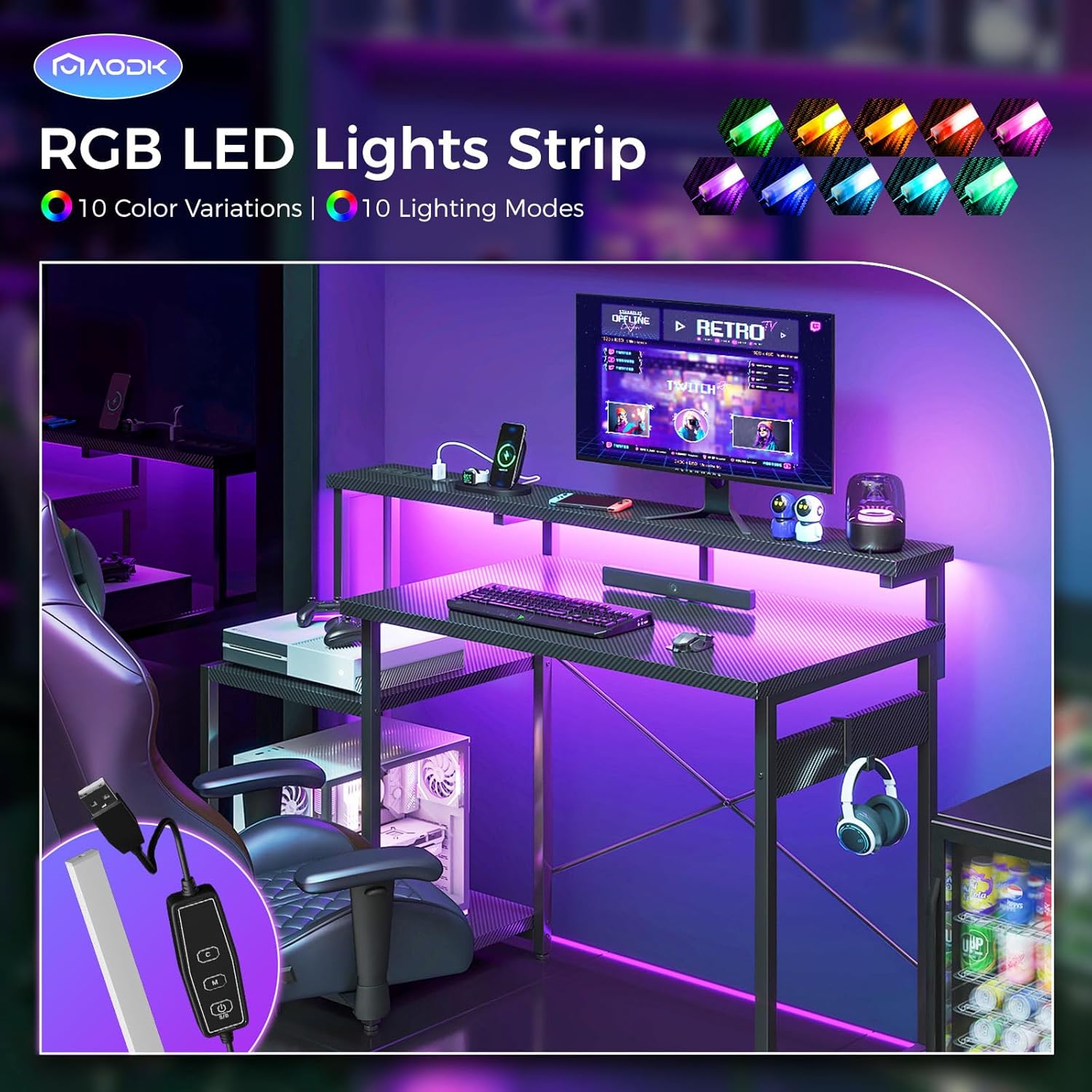
Image Description: The RGB LED light strip feature of the AODK Computer Gaming Desk, illustrating various color variations and lighting modes to customize the ambiance.
Built-in Power Outlet:
- The desk includes a power strip with 3 AC outlets and 2 USB ports.
- Plug in your computer, monitor, gaming gear, smartphone, or other Bluetooth devices for convenient power access.
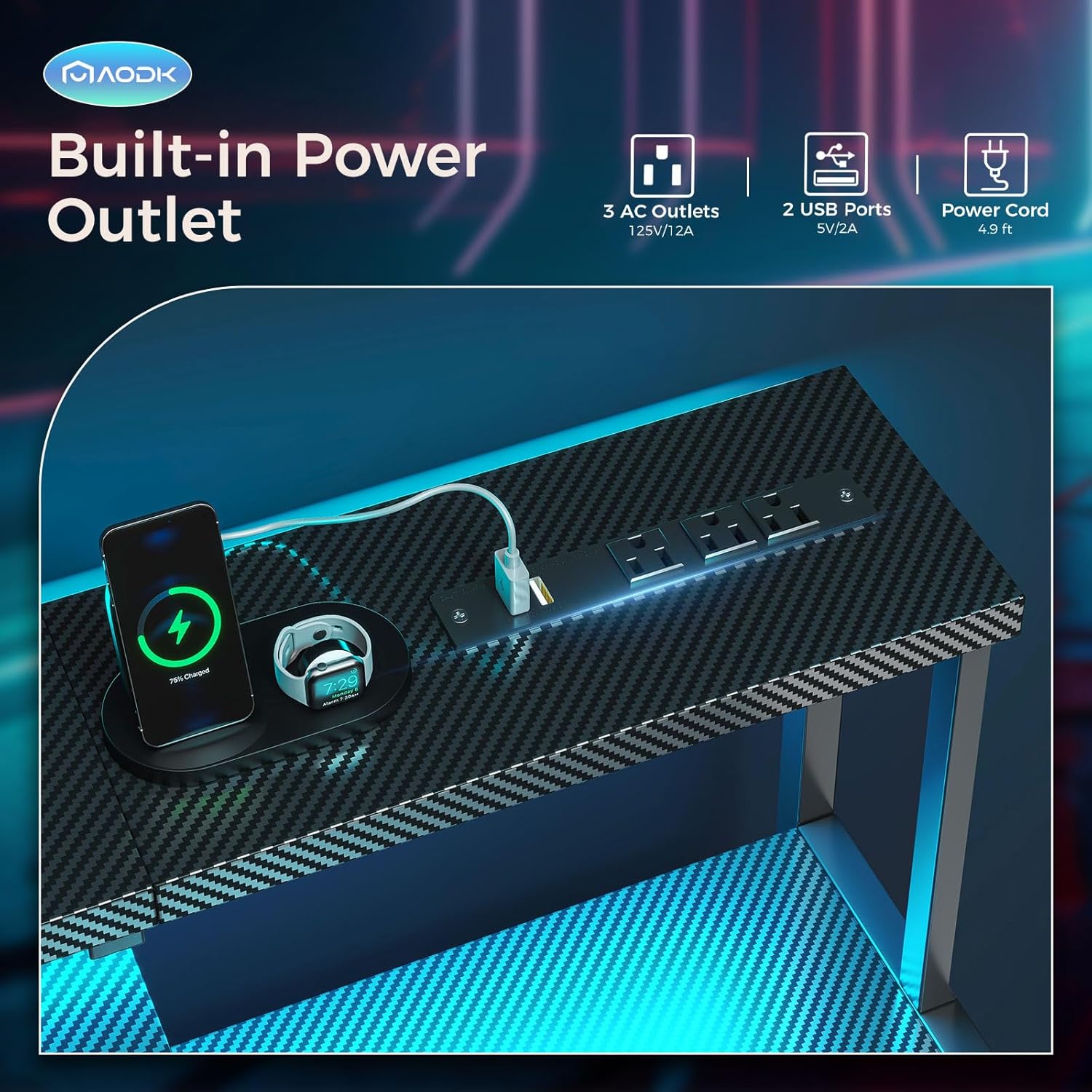
Image Description: Close-up view of the built-in power outlet on the AODK Computer Gaming Desk, showing 3 AC outlets and 2 USB ports, with a smartphone charging.
Adjustable Storage Shelf:
- The side storage shelf can be reversed to either the left or right side of the desk during assembly to suit your layout.
- The upper shelf of the storage unit can be adjusted to two different heights to accommodate items like a printer, scanner, or CPU tower.

Image Description: Illustration of the adjustable large storage shelf on the AODK Computer Gaming Desk, showing how it can be configured for different heights to accommodate various equipment.
Headphone Hook:
- Utilize the integrated headphone hook on the side of the desk to keep your headphones organized and easily accessible.
Gaming Desk Usage Video:
Video Description: This video demonstrates the features and functionality of the AODK Computer Desk in a gaming setup, including the LED lights, power outlet, and headphone hook.
Maintenance
To ensure the longevity and appearance of your AODK Computer Gaming Desk, follow these maintenance guidelines:
- Cleaning: Wipe the carbon fiber textured desktop with a soft, damp cloth. Avoid abrasive cleaners that may damage the surface.
- Spills: The desktop is waterproof; however, promptly wipe up any spills to prevent potential damage to electronic components.
- Protection: While the surface is scratch-resistant and anti-collision, using mouse pads and coasters can further protect the desktop from wear and tear.
- Stability: Periodically check all screws and connections to ensure they remain tight. Retighten if necessary to maintain desk stability.
Troubleshooting
If you encounter any issues with your AODK Computer Gaming Desk, consider the following common troubleshooting steps:
- Stability Issues: Ensure all assembly screws are securely tightened. Verify the desk is placed on a flat, even surface.
- LED Lights Not Working: Check that the LED light strip is properly connected to the power source and the controller. Ensure the power outlet is receiving power.
- Power Outlet Not Functioning: Confirm the desk's main power cord is securely plugged into a working wall outlet. Check for any tripped circuit breakers.
- Missing or Damaged Parts: If you find any product problems regarding assembly or damaged parts, please refer to the warranty and support section for contact information.
Specifications
| Brand | AODK |
| Product Dimensions | 18.9"D x 48"W x 34.2"H |
| Color | Carbon Fiber Black |
| Style | Modern |
| Base Material | Metal |
| Top Material Type | Carbon Fiber |
| Finish Type | Laminated |
| Special Feature | Built-In USB Outlet, Monitor Stand, Reversible |
| Room Type | Bedroom, Living Room, Office |
| Recommended Uses For Product | Gaming, Working |
| Included Components | Built-in Outlet, Built-in USB Port, Headphone Hook |
| Required Assembly | Yes |
| Recommended Number of People for Assembly | 1 |
| Maximum Weight Recommendation | 110 Pounds (Desktop), 33 Pounds (Monitor Shelf), 44 Pounds (Side Shelf) |
| Item Weight | 27 Pounds |
| Number Of Shelves | 2 |
| Is Electric | Yes |
Warranty and Support
Your AODK Computer Gaming Desk comes with a Limited Warranty.
For any product problems regarding assembly, damaged parts, or other concerns, please feel free to contact AODK customer service. Contact details are typically provided with your purchase documentation or on the manufacturer's official website.


