
Introduction
This manual provides essential information for the proper setup, operation, maintenance, and troubleshooting of your LG 21HQ613D-B 21-inch 5MP LCD Monitor. Designed for medical diagnostic imaging, this monitor offers high resolution and specialized features for accurate image display.
Please read this manual thoroughly before using the product to ensure safe and efficient operation.
Important Safety Information
Always follow basic safety precautions when using this product to reduce the risk of fire, electric shock, and injury to persons. Keep this manual for future reference.
- Do not expose the monitor to rain or moisture.
- Do not open the monitor casing; refer all servicing to qualified personnel.
- Ensure proper ventilation around the monitor.
- Use only the power cord and adapter supplied with the unit.
- Disconnect the power plug during lightning storms or when unused for long periods.
Setup
1. Unpacking and Contents
Carefully remove all components from the packaging. Verify that all items are present.
- LG 21HQ613D-B Monitor
- Power Cord
- USB Cable
- CD (Built-In Media)
- User Manual (this document)
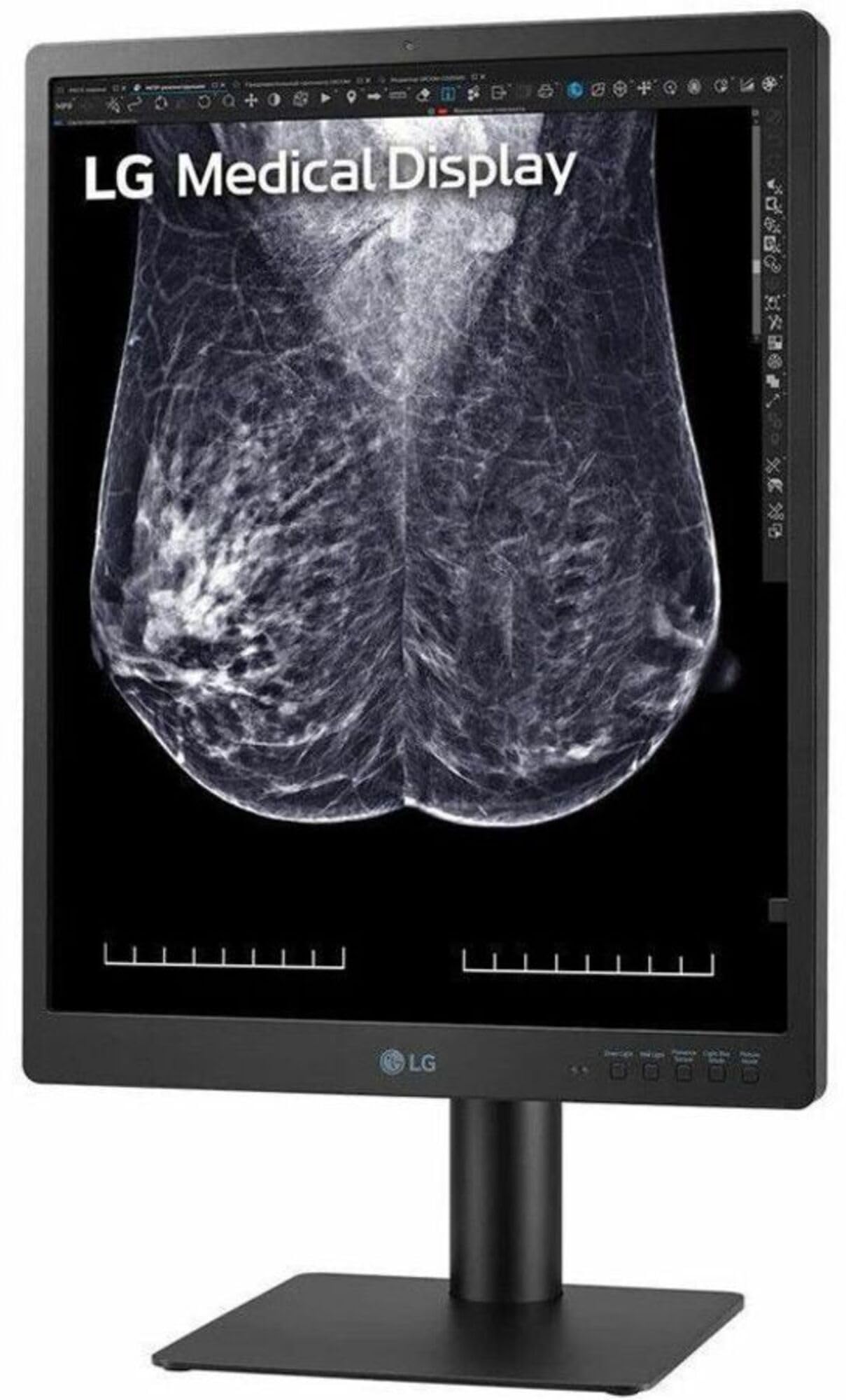
Image: The LG 21HQ613D-B monitor, showcasing its sleek design and connectivity ports. This image illustrates the monitor's physical appearance and typical setup components.
2. Connecting the Monitor
- Power Connection: Connect the power cord to the monitor's power input and then to a grounded electrical outlet.
- USB Connection: Connect the USB cable from your computer to the monitor's USB port. This enables features like the front calibration sensor and hot keys.
- Video Connection: Connect the appropriate video cable (not specified in input, assuming standard display port/HDMI/DVI for a medical monitor) from your computer's graphics card to the monitor's video input.
3. Mounting the Monitor
The LG 21HQ613D-B supports wall mounting. Ensure you use a VESA-compatible wall mount kit (sold separately) that is appropriate for the monitor's weight and size. Follow the instructions provided with your wall mount kit for safe installation.
Operating Instructions
1. Powering On/Off
Press the power button located on the monitor to turn it on or off. The monitor will display the LG logo upon startup.
2. Key Features and Modes
- 5MP (2048x2560) IPS Display: This high-resolution display is specifically designed for breast imaging, providing clear and detailed radiological images.
- Calibration with Front Sensor: The integrated front sensor, combined with calibration software, ensures consistent and stable image quality without the need for external measuring equipment.
- Multi-resolution Mode: Customize your display resolution to suit specific needs with available modes including 5MP, 3MP, and 2MP. Access these settings via the OnScreen menu or hot keys.
- Focus View Mode: Highlight specific areas of interest on the medical image by increasing brightness in the selected region while dimming the surrounding areas. This feature aids in detailed examination.
- Pathology Mode: This mode enhances image clarity and accuracy, simulating the experience of viewing through a microscope, ideal for pathology examinations.
- 5 Hot Keys: For intuitive control, the five hot keys allow quick switching between screen modes and adjustment of lighting settings, streamlining your workflow.
- Presence Sensor: The monitor features a presence sensor that automatically turns off the display if no motion is detected for 5 minutes, contributing to power efficiency.
3. Displaying Medical Images
The 21HQ613D-B is optimized for displaying various medical imaging modalities, including full field digital mammography, digital breast tomosynthesis, breast MRI, CT scans, and ultrasound. Ensure your connected system is configured to output at the monitor's native resolution for optimal image quality.
Maintenance
1. Cleaning the Monitor
To clean the monitor screen, gently wipe it with a soft, lint-free cloth. For stubborn marks, dampen the cloth with a small amount of water or a non-abrasive, monitor-safe cleaning solution. Avoid using harsh chemicals or abrasive materials.
For the monitor casing, use a soft, dry cloth. Ensure the monitor is powered off and unplugged before cleaning.
2. Calibration
The monitor's internal front calibration sensor helps maintain consistent image quality over time. Refer to the included CD or LG's official website for the specific calibration software and instructions. Regular calibration is recommended to ensure accurate diagnostic image display.
Troubleshooting
If you encounter issues with your monitor, refer to the following common problems and solutions:
- No Power:
- Check if the power cord is securely connected to both the monitor and the electrical outlet.
- Verify the power outlet is functional.
- No Image on Screen:
- Ensure the video cable is properly connected to both the monitor and the computer.
- Confirm the computer is powered on and not in sleep mode.
- Check the input source selection on the monitor (if applicable).
- Poor Image Quality:
- Ensure the monitor is set to its native resolution (2048x2560).
- Perform a calibration using the front sensor and software.
- Check for any physical damage to the screen or cables.
- Hot Keys Not Responding:
- Ensure the USB cable is properly connected between the monitor and the computer.
- Restart the monitor and computer.
If the problem persists after attempting these solutions, please contact LG customer support for further assistance.
Specifications
| Feature | Detail |
|---|---|
| Brand | LG |
| Model Number | 21HQ613D-B |
| Screen Size | 21 Inches |
| Display Technology | LCD |
| Native Resolution | 2048x2560 (5MP) |
| Screen Surface Description | Glossy |
| Connectivity Technology | USB |
| Mounting Type | Wall Mount |
| GTIN (UPC) | 195174080238 |
| Built-In Media | CD |
Warranty and Support
Warranty: According to product information, this product comes with No Warranty. Please verify warranty terms with your point of purchase or LG's official channels if you have specific concerns.
Customer Support: For technical assistance, service inquiries, or further information, please visit the official LG Electronics website or contact their customer support line. Keep your model number (21HQ613D-B) and serial number ready when contacting support.
You can find more information and support resources on the LG Store on Amazon.