
Aivica XSY340
Aivica 10000mAh Emergency Hand Crank Radio
Model: XSY340
Brand: Aivica
Introduction
The Aivica XSY340 Emergency Hand Crank Radio is a versatile device designed for emergency preparedness and outdoor activities. It integrates multiple essential functions including AM/FM/WB radio reception, a powerful 10000mAh power bank for charging mobile devices, a multi-mode LED flashlight, a reading lamp, and an SOS alarm. With three distinct charging methods—Type-C USB, solar power, and hand crank—it ensures reliable operation in various situations.
This manual provides detailed instructions for the setup, operation, maintenance, and troubleshooting of your Aivica XSY340 radio to ensure optimal performance and longevity.

Figure 1: Aivica XSY340 Emergency Hand Crank Radio
Product Overview
Familiarize yourself with the components of your Aivica XSY340 radio:

Figure 2: Labeled Components of the Aivica XSY340 Radio
- Handle: For carrying the radio.
- Reading Light: Integrated LED panel for illumination.
- Flashlight Key/SOS Button: Activates flashlight and SOS alarm.
- Headphone Jack: 3.5mm output for private listening.
- USB 5V Input/Output: Type-C port for charging the radio and USB-A port for charging external devices.
- Hand Crank: For manual power generation.
- Antenna: Telescopic antenna for improved radio reception.
- Solar Panel: For solar charging.
- Flashlight: Front-facing LED light.
- Display Interface: LCD screen showing time, frequency, battery level, etc.
- Control Buttons: Including Time, Clock, Volume, Tune, Scan, Alert, Band, and Power.
Setup
- Initial Charge: Before first use, fully charge the radio using the provided Type-C USB cable. Connect the cable to the radio's USB 5V Input/Output port and a standard USB power adapter (not included). The battery indicator on the display will show charging progress.
- Antenna Extension: For optimal radio reception, extend the telescopic antenna fully.
- Time Setting: Press the TIME button to enter time setting mode. Use the TUNE+ and TUNE- buttons to adjust hours and minutes. Press TIME again to confirm.
- Alarm Clock Setting: Press the CLOCK button to set the alarm. Use TUNE+ and TUNE- to set the alarm time. Press CLOCK again to confirm.
Operating Instructions
Power On/Off
Press the POWER button to turn the radio on or off.
Radio Operation (AM/FM/WB)
- Band Selection: Press the BAND button to cycle through AM, FM, and WB (Weather Band) modes.
- Manual Tuning: Use the TUNE+ and TUNE- buttons to manually adjust the frequency.
- Automatic Scanning: Press the SCAN button to automatically scan for available stations. The radio will stop at the next strong signal.
- Volume Adjustment: Use the VOL+ and VOL- buttons to increase or decrease the volume.
- Headphone Use: Insert 3.5mm headphones into the headphone jack for private listening.
Flashlight and Reading Lamp
- Flashlight: Press the Flashlight Key (located on the side) once to turn on the front flashlight. Press again to cycle through brightness modes (if applicable) or turn off.
- Reading Lamp: Flip up the solar panel to activate the reading lamp. Flip it back down to turn it off.

Figure 3: Using the Reading Lamp Function
SOS Alarm Function
In an emergency, long press and hold the Flashlight Key/SOS Button to activate the SOS alarm. This will trigger a loud siren and flash the flashlight to attract attention. Long press again to deactivate.

Figure 4: Automatic Warning and SOS Function
Automatic Alert Radio (NOAA Weather Alerts)
The radio features an automatic alert function for emergency and weather broadcasts. When the power is on, long press the BAND button to activate the alarm function. The radio will automatically search for NOAA emergency signals. Upon receiving a signal, the radio's flashlight and SOS function will automatically activate to alert you.
Power Bank Function
The Aivica XSY340 can be used as a power bank to charge your mobile devices.
- Connect your device's USB charging cable to the USB-A output port on the radio.
- The radio will begin charging your device.
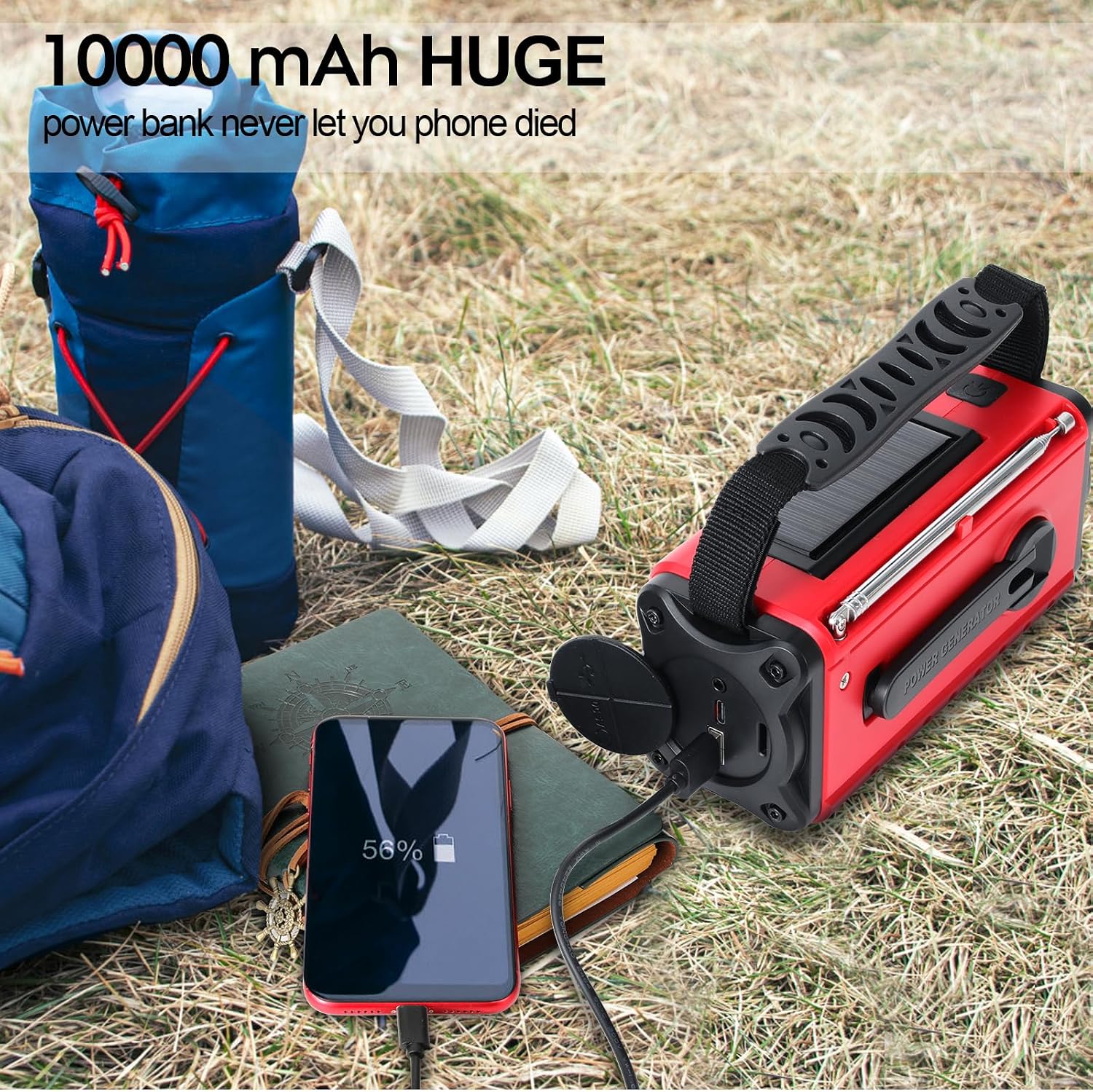
Figure 5: Charging a Mobile Device with the Radio's Power Bank
Charging the Radio
The radio offers three methods for recharging its internal battery:
- Type-C USB Charging: Connect the provided Type-C USB cable to the radio's input port and a USB power source (e.g., wall adapter, computer USB port). This is the fastest charging method.
- Solar Charging: Place the radio in direct sunlight with the solar panel facing upwards. The solar panel will convert sunlight into energy to charge the internal battery. This method is primarily for maintaining charge or slow charging in emergencies.
- Hand Crank Charging: Extend the hand crank handle and rotate it clockwise or counter-clockwise at a steady pace (approximately 130-150 RPM). One minute of cranking can provide several minutes of radio operation or emergency light.
Maintenance
- Cleaning: Wipe the radio with a soft, damp cloth. Do not use abrasive cleaners or solvents.
- Storage: Store the radio in a cool, dry place away from direct sunlight and extreme temperatures.
- Battery Care: To prolong battery life, fully charge the radio at least once every three months, even if not in use. Avoid fully discharging the battery frequently.
- Water Resistance: The radio is designed to be splash-proof, but it is not submersible. Do not expose it to heavy rain or immerse it in water.
Troubleshooting
| Problem | Possible Cause | Solution |
|---|---|---|
| Radio does not turn on. | Battery is depleted. | Charge the radio using Type-C USB, solar, or hand crank. |
| Poor radio reception. | Antenna not extended; weak signal area. | Fully extend the telescopic antenna. Try repositioning the radio. |
| Cannot charge external devices. | Radio battery too low; incorrect cable/port. | Ensure radio has sufficient charge. Use the correct USB-A output port and a compatible charging cable for your device. |
| Hand crank is stiff or not charging. | Improper cranking speed/direction; internal issue. | Ensure consistent rotation at recommended speed. If issue persists, contact support. |
| SOS alarm not activating. | Button not held long enough. | Long press and hold the Flashlight Key/SOS Button for several seconds. |
Specifications
| Brand | Aivica |
| Model | XSY340 |
| Power Source | Hand Crank, Solar Powered, Lithium Polymer Battery |
| Battery Capacity | 10000mAh (Internal Power Bank) |
| Tuner Technology | AM, FM, WB (Weather Band) |
| Connectivity | USB Type-C (Input), USB-A (Output) |
| Display Type | LCD |
| Special Features | Portable, Type-C Rechargeable, Hand Crank Charger, Flashlight, Reading Lamp, SOS Alarm, Automatic Weather Alert |
| Product Dimensions | 15.75 x 5.59 x 7.62 cm |
| Weight | 689 g |
| Material | Plastic |
Warranty and Support
Aivica products are manufactured to high quality standards. For warranty information or technical support, please refer to the contact details provided with your purchase documentation or visit the official Aivica website. Please retain your proof of purchase for warranty claims.
Ask a question about this manual
Ask about setup, troubleshooting, compatibility, parts, safety, or missing instructions. Manuals+ will review the question and use this page’s manual context to help answer it.