
1. Introduction
This manual provides essential information for the proper installation, operation, and maintenance of your Gerrit Air Purifier Filter, Model 9300. This filter is designed for compatibility with the Xiaomi Mijia Circulating Air Fan AC-MD2-SC, ensuring optimal air quality in your living space. Please read these instructions carefully before use to ensure safe and effective performance.
2. Safety Information
- Always turn off and unplug the air purifier before attempting to replace the filter.
- Do not wash or reuse the filter. It is designed for single use and replacement.
- Keep the filter out of reach of children and pets.
- Dispose of used filters according to local regulations.
- Ensure the filter is installed correctly to prevent damage to the air purifier and maintain filtration efficiency.
3. Product Features
The Gerrit Air Purifier Filter is engineered to provide superior air purification:
- Enhanced Air Quality: Designed to effectively remove airborne particles, contributing to cleaner air and easier breathing.
- High-Performance Filtration: Features a high-performance filter screen for efficient isolation of pollutants.
- Multi-Layer Design: Utilizes composite melt-blown filter paper, providing multi-layer filtration for enhanced particle capture.
- Odor and Formaldehyde Adsorption: Continuously adsorbs formaldehyde, filters unpleasant odors, and rapidly removes dust particles.
- RFID Enabled: Includes RFID for compatibility and tracking with your air purifier system.

Image 1: Top-side view of the Gerrit Air Purifier Filter, highlighting its pleated structure and robust casing.
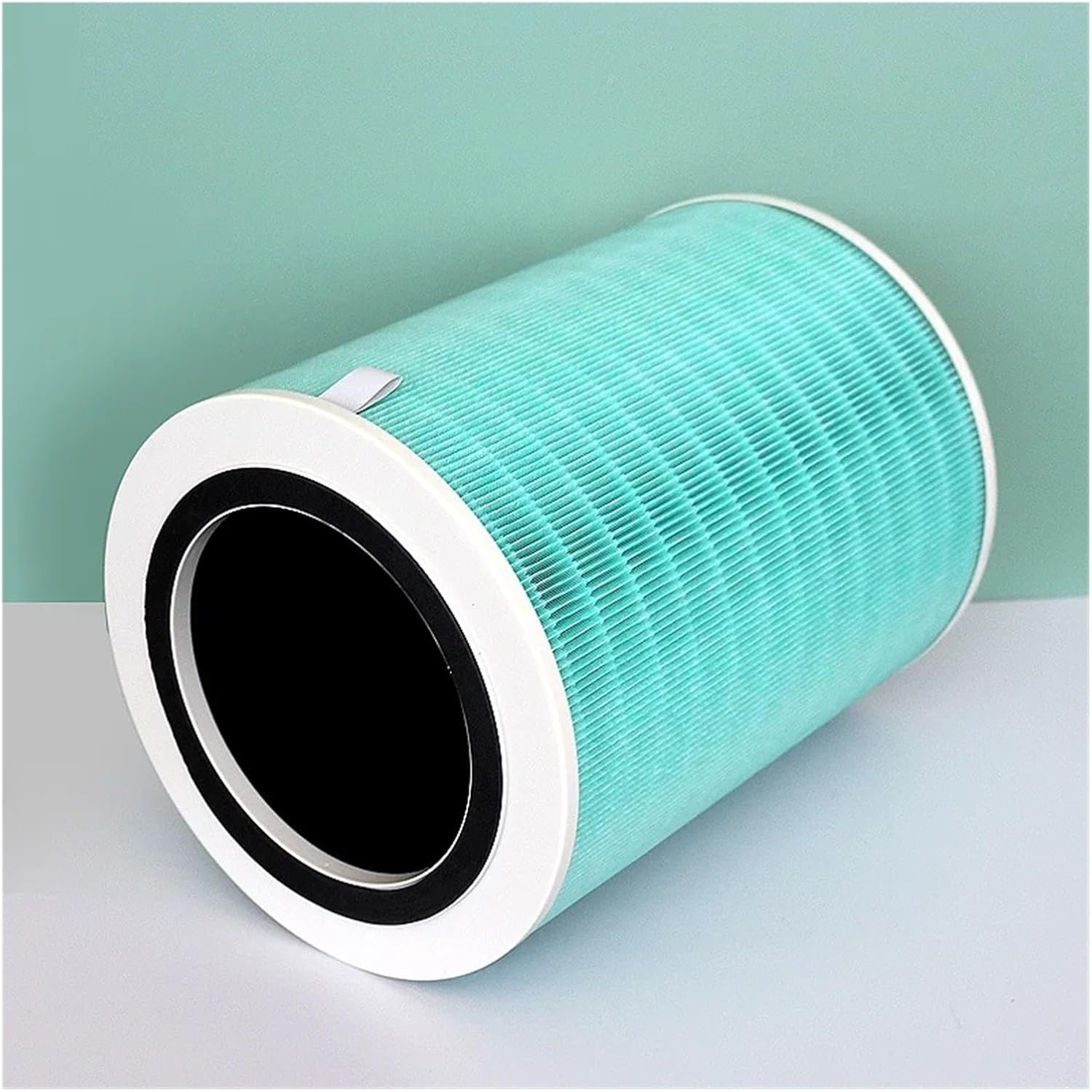
Image 2: Bottom-side view of the Gerrit Air Purifier Filter, illustrating the RFID tag for system recognition and the filter's internal design.
4. Specifications
| Attribute | Detail |
|---|---|
| Brand | Gerrit |
| Model Number | 9300 |
| Compatible Device | Xiaomi Mijia Circulating Air Fan AC-MD2-SC |
| Material | Composite Melt-Blown Filter Paper |
| Dimensions (H x W x D) | 265 x 170 x 336 mm |
| Product Weight | 50 g |
| Color | One Color (typically light blue/green filter with white casing) |
| Special Feature | RFID included |
5. Setup and Installation
Follow these steps to correctly install your new Gerrit Air Purifier Filter:
- Power Off: Ensure your Xiaomi Mijia air purifier is turned off and unplugged from the power outlet.
- Access Filter Compartment: Locate and open the filter compartment cover on your air purifier. Refer to your air purifier's manual for specific instructions on accessing the filter.
- Remove Old Filter: Carefully remove the used filter. It may contain accumulated dust and debris.
- Insert New Filter: Unpack the new Gerrit filter. Align the filter with the guides in the compartment and gently push it into place until it is securely seated. Ensure the RFID tag on the filter is correctly positioned to be read by the air purifier.
- Close Compartment: Close the filter compartment cover securely.
- Power On and Reset: Plug the air purifier back in and turn it on. Most air purifiers require a filter reset after replacement. Follow your air purifier's instructions to reset the filter life indicator.
6. Operating Instructions
Once the filter is correctly installed and the air purifier is powered on, the filter will begin its function automatically. The air purifier's performance depends on the proper installation of the filter. Ensure the filter reset procedure has been completed to accurately track filter life.
7. Maintenance
The Gerrit Air Purifier Filter is a consumable item and cannot be cleaned or reused. For optimal performance and air quality, it is recommended to replace the filter every 3-6 months, or as indicated by your air purifier's filter life indicator. Filter replacement frequency may vary depending on air quality, usage duration, and environmental factors.
8. Troubleshooting
- Air Purifier Not Turning On After Filter Replacement: Ensure the filter compartment cover is fully closed and the filter is correctly seated. Check if the air purifier is properly plugged into a working power outlet.
- Poor Air Quality After Filter Replacement: Verify that the new filter is installed correctly and that the filter reset procedure has been performed. If the issue persists, ensure the filter is compatible with your specific air purifier model.
- Filter Life Indicator Not Resetting: Refer to your air purifier's user manual for the specific steps to reset the filter life indicator. Ensure the RFID tag on the new filter is clean and properly aligned.
9. Warranty and Support
This filter is a replacement part and typically does not come with an extended warranty beyond initial manufacturing defects. For any issues related to product defects or compatibility, please contact the retailer or manufacturer's customer support with your purchase details. Keep your purchase receipt for reference.