
1. Introduction
The Fairland Warrior X30 is an advanced wireless robotic pool cleaner designed for efficient and autonomous pool maintenance. It features an AI timer for scheduled cleaning up to two weeks and infrared sensors for intelligent navigation, reducing cleaning time by up to 60% compared to robots without this technology. This manual provides essential information for the safe and effective use of your Warrior X30.

Figure 1: The Fairland Warrior X30, a wireless robotic pool cleaner, ready for operation.
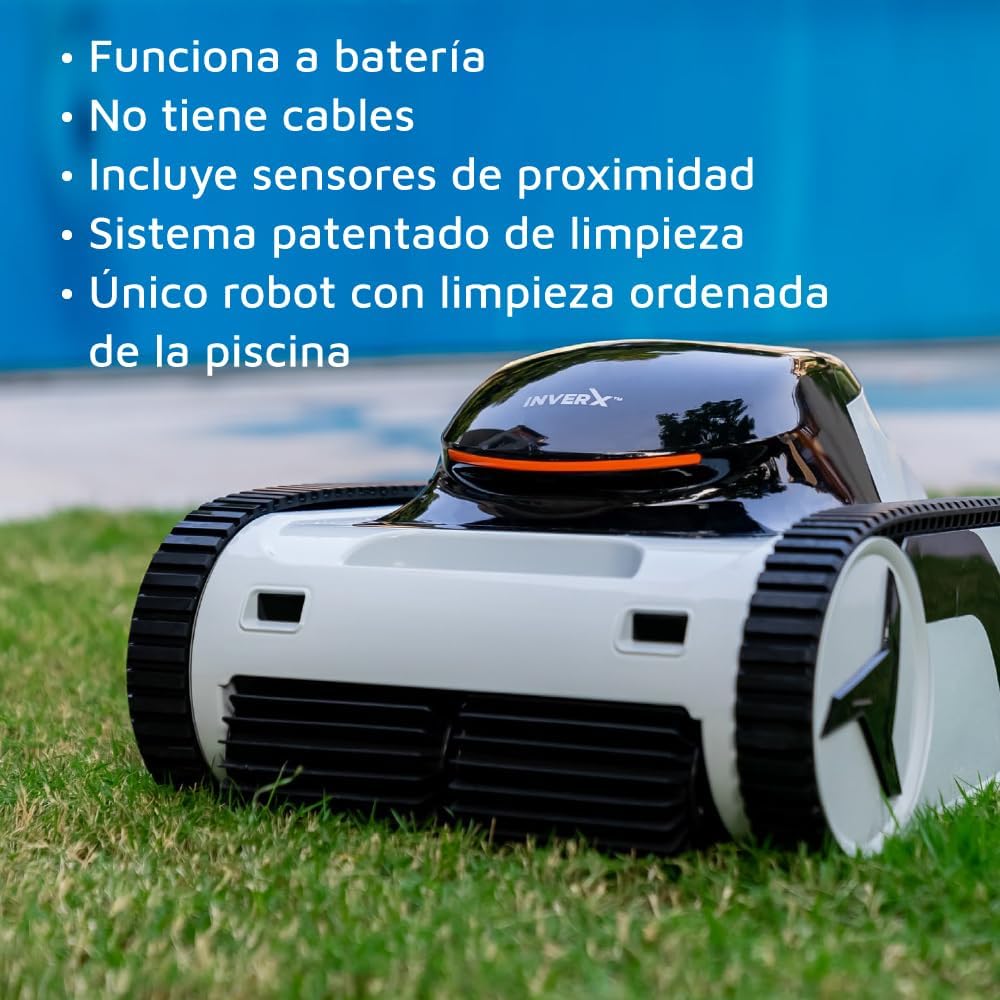
Figure 2: This battery-operated, cable-free robot features proximity sensors and a patented cleaning system for organized and efficient pool cleaning.
2. Safety Information
Please read and understand all safety instructions before operating the Fairland Warrior X30 to prevent injury or damage to the product or property.
- Always read the entire user manual before initial use.
- Do not operate the robot when people or animals are in the pool.
- Ensure the charging port is completely dry before connecting the charger.
- Use only the original charging adapter provided by Fairland.
- Keep the robot and its charging equipment out of reach of children.
- Do not attempt to repair the robot yourself. Contact qualified service personnel.
- Store the robot in a cool, dry place when not in use.
3. Package Contents
Verify that all items are present in the package:
- Fairland Warrior X30 Robotic Pool Cleaner
- Charging Adapter
- User Manual
4. Setup
Follow these steps for initial setup of your Warrior X30:
- Initial Charging: Before first use, fully charge the robot. Connect the charging adapter to the robot's charging port and then plug it into a power outlet. The charging indicator will show the charging status. Charging time is approximately 2 hours.
- Placement in Pool: Gently lower the robot into the pool. Ensure it sinks to the bottom and no air bubbles are trapped underneath.
- App Connection (Optional): Download the Fairland AI Mode app from your smartphone's app store. Follow the in-app instructions to pair your Warrior X30 for advanced control and scheduling.
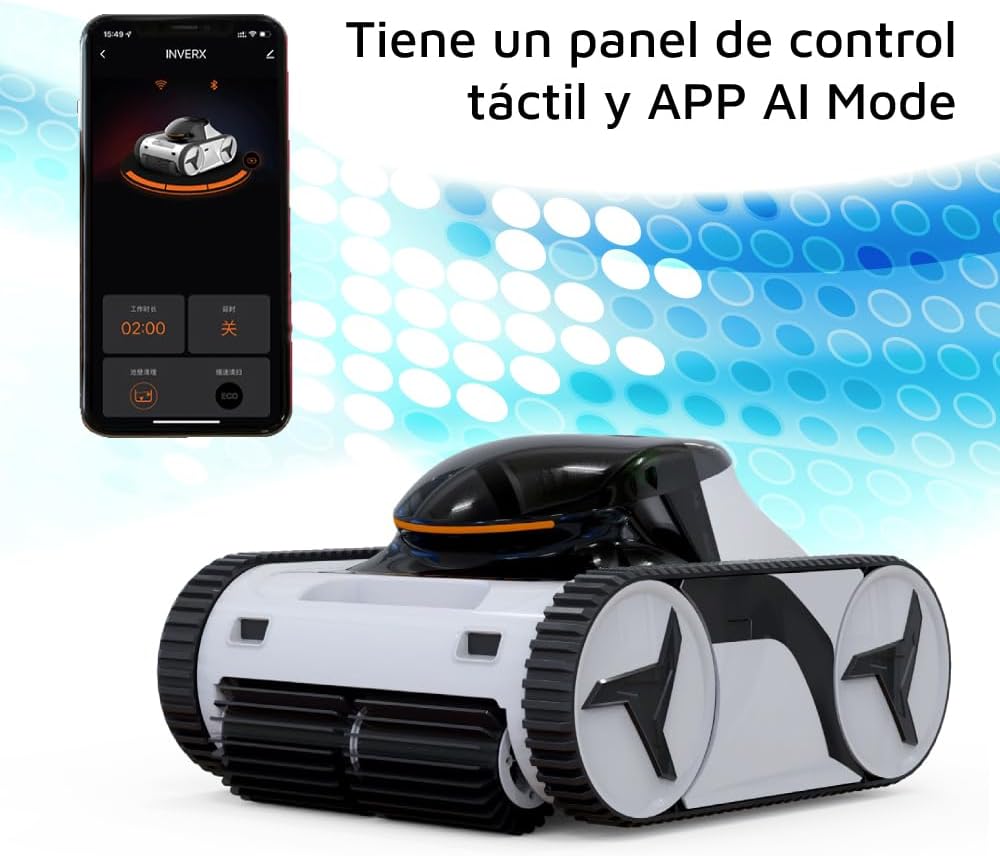
Figure 3: Control the Warrior X30 using its touch control panel or the dedicated AI Mode mobile application for smart operation.
5. Operating Instructions
The Warrior X30 offers intelligent cleaning modes for optimal pool maintenance.
- Starting a Cleaning Cycle: Press the power button on the robot or use the mobile app to start a cleaning cycle. The robot will begin its intelligent navigation.
- AI Timer Function: Utilize the AI timer function via the mobile app to schedule automatic cleaning cycles for up to two weeks. This allows the robot to maintain your pool autonomously.
- Intelligent Navigation: Equipped with infrared sensors, the Warrior X30 maps your pool for an efficient cleaning route, covering the pool floor, walls, and waterline. This intelligent routing can reduce cleaning time significantly.
- Cleaning Modes: The robot is designed to clean the pool floor, walls, and waterline. Specific modes can be selected via the app if available.

Figure 4: The Warrior X30 automatically cleans the pool floor, walls, and waterline, ensuring comprehensive pool hygiene.

Figure 5: The Fairland Warrior X30 is suitable for all types of pools, up to 20x6 meters in size.
6. Maintenance
Regular maintenance ensures the longevity and optimal performance of your Warrior X30.
- Filter Cleaning: After each cleaning cycle, remove and clean the filter basket. Rinse it thoroughly with a hose to remove debris. The filter has a fineness of 180µ and a size of 3.2 liters.
- Robot Cleaning: Periodically wipe down the exterior of the robot with a soft, damp cloth. Do not use harsh chemicals.
- Battery Care: For optimal battery life, avoid fully discharging the battery frequently. Charge the robot fully before storing it for extended periods.
- Storage: When not in use, store the robot in a dry, shaded area away from direct sunlight and extreme temperatures.
7. Troubleshooting
If you encounter issues with your Warrior X30, refer to the following common problems and solutions:
- Robot Not Moving: Ensure the battery is charged. Check for any obstructions in the brushes or wheels.
- Poor Cleaning Performance: Clean the filter basket. Ensure the pool water chemistry is balanced.
- Robot Not Charging: Verify the charging adapter is properly connected to both the robot and the power outlet. Ensure the charging port is dry.
- App Connectivity Issues: Ensure Bluetooth is enabled on your device and the robot is within range. Restart both the app and the robot.
If problems persist, contact Fairland customer support for further assistance.
8. Specifications
Technical specifications for the Fairland Warrior X30:
| Feature | Specification |
|---|---|
| Weight | 11.5 kg |
| Suction Power | 20 m³/h |
| Charging Time | 2 hours |
| Filter Size | 3.2 liters |
| Speed | 12 m/min |
| Power | 30-110 W |
| Maximum Runtime | 3 hours |
| Filter Fineness | 180µ |
9. Warranty and Support
For warranty information, please refer to the documentation provided at the time of purchase. This typically includes details on coverage, duration, and terms.
If you require technical assistance, have questions about operation, or need to report a fault, please contact Fairland customer support. Contact details can usually be found on the manufacturer's website or in your purchase documentation.