
nania S7197004
Contents
Nania Hydra Car Seat Instruction Manual
Model: S7197004
Introduction
This manual provides essential information for the correct installation, use, and maintenance of your Nania Hydra multi-group car seat. This car seat is designed to provide safety and comfort for children across multiple weight groups: Group 0+ (0-13 kg), Group I (9-18 kg), Group II (15-25 kg), and Group III (22-36 kg). Please read these instructions carefully before using the car seat and keep them for future reference.
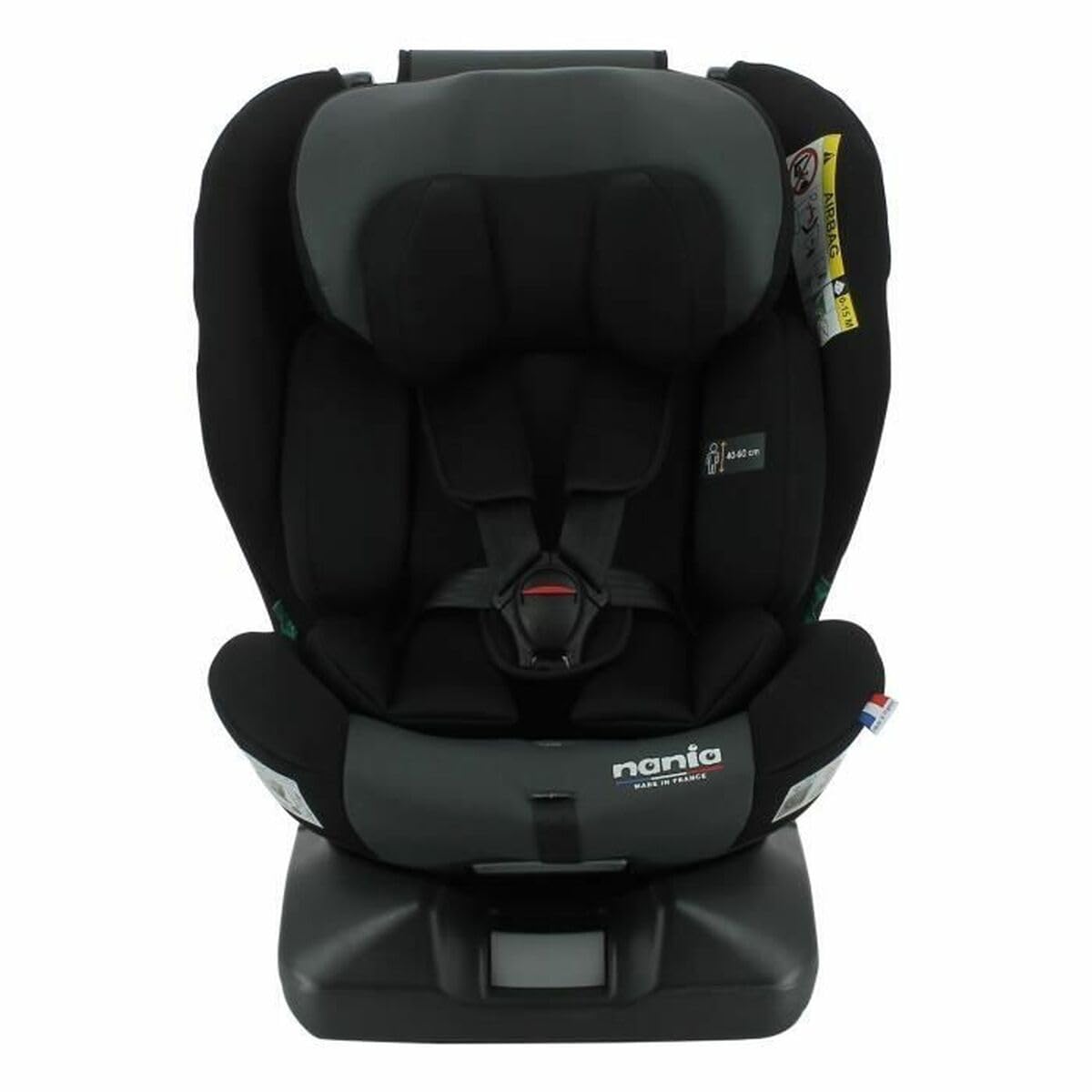
Image of the Nania Hydra multi-group car seat, showing its overall design and structure.
Safety Information and Warnings
- Always ensure the car seat is correctly installed and secured according to the instructions for your child's weight group.
- Never leave a child unattended in the car seat.
- Ensure the harness is properly adjusted and snug against the child's body, without twisting.
- Do not use the car seat if it has been involved in an accident, even if there is no visible damage. Internal damage may compromise its safety.
- Only use accessories and replacement parts approved by Nania.
- Refer to your vehicle's owner's manual for specific instructions regarding child restraint systems.
Setup and Installation
General Installation Guidelines
- The Nania Hydra car seat features an ISOFIX adjustment system for secure installation.
- Always ensure the car seat is installed on a suitable vehicle seat, typically in the rear.
- Follow the specific instructions for your child's weight group below.
Group 0+ (0-13 kg) Installation
For infants from birth up to 13 kg, the car seat must be installed in a rear-facing position. Use the vehicle's 3-point seat belt or the ISOFIX system (if applicable for this group configuration) to secure the car seat. Ensure the infant's head is adequately supported and the harness straps are at or below shoulder level.
Group I (9-18 kg) Installation
For children weighing 9-18 kg, the car seat can be installed in a forward-facing position. Utilize the ISOFIX system and/or the vehicle's 3-point seat belt. The child should be secured within the car seat using its integrated 5-point harness. Ensure the harness straps are at or slightly above shoulder level.
Group II (15-25 kg) Installation
For children weighing 15-25 kg, the integrated harness of the car seat is typically removed, and the child is secured directly by the vehicle's 3-point seat belt. The car seat acts as a booster with a backrest. Ensure the vehicle's seat belt passes correctly through the designated guides on the car seat and across the child's shoulder and lap.
Group III (22-36 kg) Installation
For children weighing 22-36 kg, the car seat functions as a high-back booster. The child is secured by the vehicle's 3-point seat belt. Ensure the vehicle's seat belt is positioned correctly over the child's shoulder (not on the neck) and low across the hips, passing through the car seat's guides.
Operating Instructions
Securing Your Child
- Harness Adjustment (Groups 0+ and I): Place the child in the seat. Bring the harness straps over the child's shoulders and buckle them. Pull the adjustment strap to tighten the harness until it is snug against the child's body. Ensure you can only fit one finger between the harness and the child's collarbone.
- Vehicle Seat Belt Usage (Groups II and III): Position the child in the car seat. Guide the vehicle's 3-point seat belt through the red guides on the car seat. Ensure the lap belt is low across the child's hips and the shoulder belt rests across the center of the child's shoulder and chest, not on the neck.
Recline Positions
The Nania Hydra car seat offers multiple recline positions for comfort. To adjust the recline, locate the recline lever (usually at the front or base of the seat). Press the lever and adjust the seat to the desired position. Ensure the seat clicks securely into place before driving. Always check that the recline position is appropriate for the child's weight group and vehicle seat angle.
Maintenance
Cleaning Instructions
- Fabric Covers: The fabric covers are removable and can be hand-washed with mild soap and cold water. Do not machine wash, bleach, iron, or tumble dry, as this may damage the fabric and compromise safety. Allow to air dry completely before reattaching.
- Plastic Parts: Wipe plastic parts with a damp cloth and mild soap. Do not use abrasive cleaners or solvents.
- Harness Straps: Wipe harness straps with a damp cloth. Do not immerse in water or use harsh chemicals, as this can weaken the webbing.
Inspection
Regularly inspect the car seat for any signs of wear, damage, or loose parts. Check the harness, buckles, and ISOFIX connectors for proper function. If any part is damaged or missing, contact customer support for assistance. Do not use a damaged car seat.
Troubleshooting
- Car seat feels loose after installation: Recheck all installation steps. Ensure ISOFIX connectors are fully engaged (if applicable) and the vehicle's seat belt is tightened correctly. Apply pressure to the car seat while tightening the belt.
- Harness is difficult to adjust: Check for any twists in the harness straps. Ensure the adjustment mechanism is free of obstructions. If the harness is still stiff, contact customer support.
- Buckle is difficult to open/close: Ensure no debris is lodged in the buckle. If the issue persists, contact customer support.
Specifications
| Model Number | S7197004 |
| Weight Capacity | 0 - 36 Kilograms |
| Product Dimensions (L x W x H) | 54 x 49.5 x 63.5 cm |
| Item Weight | 11.9 Kilograms |
| Color | Multicolore |
| Installation System | ISOFIX (for applicable groups) |
| Groups Supported | 0+ (0-13 kg), I (9-18 kg), II (15-25 kg), III (22-36 kg) |
Warranty Information
Nania products are manufactured to high-quality standards. This product is covered by a manufacturer's warranty against defects in materials and workmanship. The specific terms and duration of the warranty may vary by region. Please retain your proof of purchase. For detailed warranty information, refer to the documentation provided with your purchase or contact Nania customer support.
Customer Support
If you have any questions, require assistance with installation, or need to report a defect, please contact Nania customer support. Contact details can typically be found on the Nania official website or on the product packaging. When contacting support, please have your product model number (S7197004) and proof of purchase readily available.
Ask a question about this manual
Ask about setup, troubleshooting, compatibility, parts, safety, or missing instructions. Manuals+ will review the question and use this page’s manual context to help answer it.