
MOOKA TL2867
MOOKA H13 HEPA Filter Air Purifier TL2867 User Manual
Model: TL2867 | Brand: MOOKA
1. Introduction
This manual provides comprehensive instructions for the safe and efficient operation, maintenance, and troubleshooting of your MOOKA TL2867 H13 HEPA Filter Air Purifier. This device is designed to improve indoor air quality by filtering various airborne particles and odors in large rooms up to 1650 sq.ft.

Figure 1: MOOKA TL2867 Air Purifier
2. Important Safety Instructions
- Read all instructions before using the appliance.
- Do not operate any appliance with a damaged cord or plug.
- Do not run cord under carpeting. Do not cover cord with throw rugs, runners, or similar coverings. Arrange cord away from traffic area and where it will not be tripped over.
- Do not use outdoors or on wet surfaces.
- Unplug from outlet when not in use and before cleaning.
- Do not allow children to play with the air purifier.
- Statements regarding dietary supplements have not been evaluated by the FDA and are not intended to diagnose, treat, cure, or prevent any disease or health condition.
3. Product Overview
3.1 Components
- Main Air Purifier Unit
- 3-Stage Filtration Filter (Pre-Filter, H13 HEPA Filter, Activated Carbon Filter)
- Power Adapter
- User Manual
3.2 Control Panel and Indicators
The control panel is located on the top of the unit and features several buttons and indicator lights:
- Power Button (⏻): Turns the unit On/Off. Also cycles through fan speeds when pressed repeatedly.
- AUTO Mode Indicator: Lights up when Auto Mode is active.
- Fan Speed Indicators: Displays current fan speed (Low, High).
- Sleep Mode Button (☽): Activates quiet sleep mode and dims indicator lights.
- Filter Reset Indicator: Lights up red when filter replacement is needed.
- PM2.5 Air Quality Sensor Indicator: Changes color based on real-time air quality:
- Blue: Good Air Quality (85-100% Clean Air)
- Yellow: Moderate Air Quality (70-85% Clean Air)
- Red: Poor Air Quality (0-69% Clean Air)

Figure 2: Control Panel with PM2.5 Air Quality Sensor Indicator
4. Setup
4.1 Unboxing and Initial Inspection
Carefully remove the air purifier from its packaging. Inspect the unit for any signs of damage. Ensure all components listed in Section 3.1 are present.
Video 1: Unboxing and initial setup of the MOOKA Air Purifier, demonstrating how to remove the unit from its packaging and prepare it for use.
4.2 Filter Installation
- Unplug the power adapter from the unit.
- Turn the unit upside down. Locate the two knobs on the base.
- Turn the two knobs to the left and right respectively to unlock the filter cover.
- Pull out the old filter (if replacing) or remove the new filter from its plastic packaging.
- Insert the filter into the unit, ensuring the "FRONT" label faces outwards.
- Replace the filter cover and turn the two knobs back into place to secure it.

Figure 3: Easy steps to replace the air filter.
4.3 Power Connection
Connect the power adapter to the DC IN port on the unit and then plug it into a standard electrical outlet.
5. Operating Instructions
5.1 Power On/Off
Press the Power Button (⏻) once to turn the air purifier on. Press it again to turn the unit off.
5.2 Fan Speed Adjustment
When the unit is on, repeatedly press the Power Button (⏻) to cycle through the available fan speeds: Low, High, and Auto Mode.
- Low Speed: Suitable for continuous, quiet operation.
- High Speed: Provides maximum air purification for quick cleaning.
- Auto Mode: The air purifier automatically adjusts the fan speed based on the real-time air quality detected by the PM2.5 sensor.

Figure 4: Air Purifier in Auto Mode, adjusting fan speed based on air quality.
5.3 Sleep Mode
Press the Sleep Mode Button (☽) to activate Sleep Mode. In this mode, the fan operates at its lowest speed (15dB) for quiet operation, and all indicator lights are dimmed to ensure an undisturbed environment.
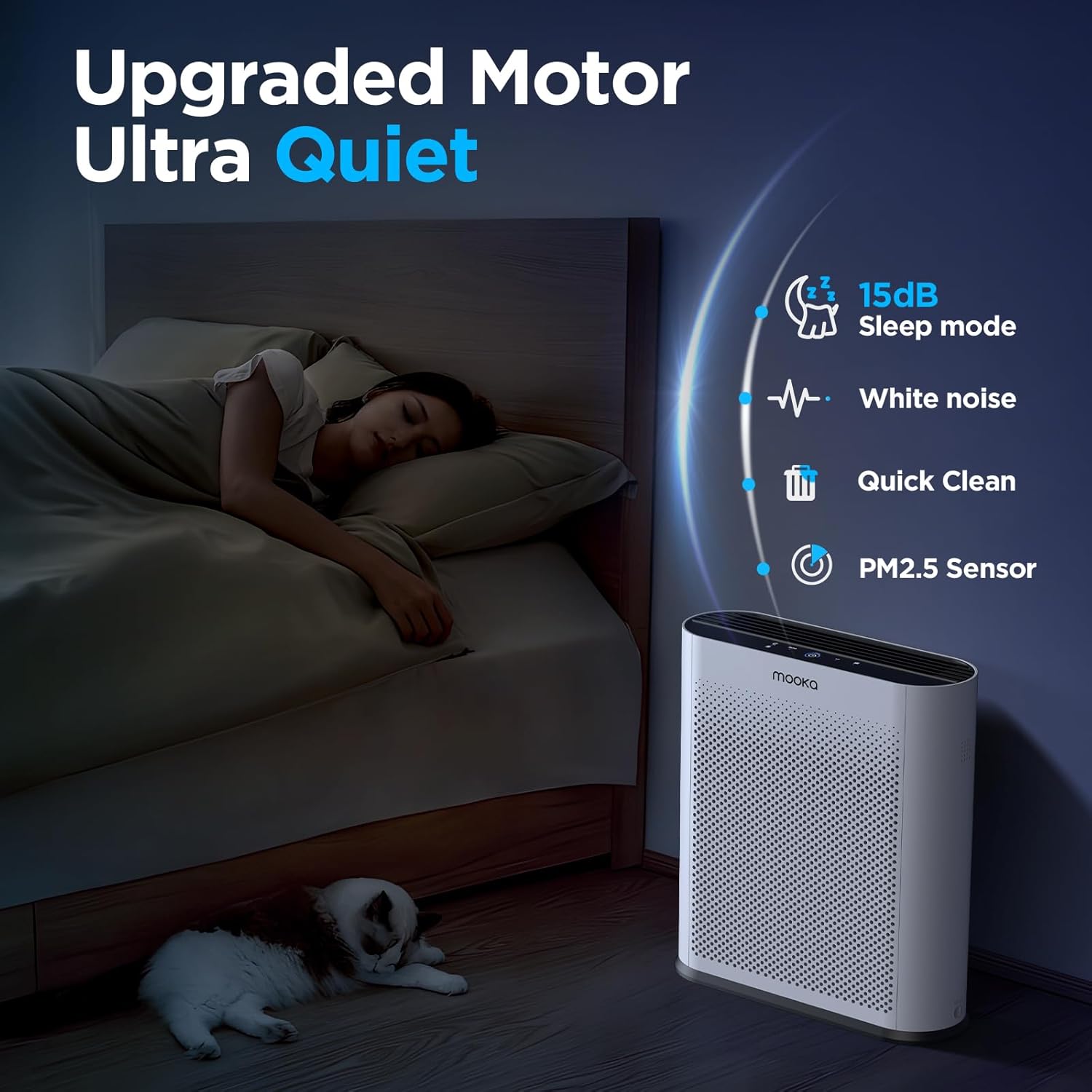
Figure 5: Quiet Sleep Mode for undisturbed rest.
5.4 PM2.5 Air Quality Sensor
The built-in PM2.5 sensor continuously monitors the surrounding air quality. The Power Button's LED ring changes color to indicate the current air quality:
- Blue: Good Air Quality
- Yellow: Moderate Air Quality
- Red: Poor Air Quality
Video 2: Demonstration of the air quality sensor changing colors based on detected air quality levels.
Video 3: Smoke purification test of the MOOKA TL2867 Smart Air Purifier, showing its effectiveness in clearing smoke from an enclosed space and the air quality indicator changing from red to blue.
6. Maintenance
6.1 Filter Replacement Reminder
The air purifier is equipped with a filter change reminder. When the filter life has expired (approximately every 3-6 months, or 1500 hours of use), the Filter Reset Indicator will light up red.

Figure 6: Filter Change Indicator.
6.2 Replacing the Filter
- Unplug the power adapter from the unit.
- Turn the unit upside down. Turn the two knobs on the base to unlock the filter cover.
- Remove the used filter.
- Insert a new official MOOKA filter (Search for B0D3D4V1NY on Amazon), ensuring the "FRONT" label faces outwards.
- Replace the filter cover and turn the two knobs back into place to secure it.
- Plug the power adapter back in.
- Long press the Filter Reset Indicator button for 3-5 seconds to reset the filter timer. The red light will turn off.

Figure 7: The 3-Stage Filtration System.
6.3 General Cleaning
Wipe the exterior of the air purifier with a soft, dry cloth. Do not use abrasive cleaners or solvents. Ensure the unit is unplugged before cleaning.
7. Troubleshooting
| Problem | Possible Cause | Solution |
|---|---|---|
| Unit does not turn on. | No power, power adapter not connected properly. | Ensure the power adapter is securely plugged into the unit and a working outlet. |
| Filter Reset Indicator remains red after filter replacement. | Filter timer not reset. | Long press the Filter Reset Indicator button for 3-5 seconds until the light turns off. |
| Air quality indicator is always red/yellow despite clean air. | PM2.5 sensor may be dirty or obstructed. | Gently clean the PM2.5 sensor area with a soft, dry cloth. Ensure no obstructions. |
| Unusual noise during operation. | Filter not installed correctly, foreign object inside. | Check filter installation. Unplug and inspect for any foreign objects. |
8. Specifications
- Brand: MOOKA
- Model Number: TL2867
- Product Dimensions: 13.6"D x 5.3"W x 16.3"H (34.5 cm x 13.5 cm x 41.4 cm)
- Weight: 6.77 Pounds (3.07 kg)
- Noise Level: 15 Decibels (in Sleep Mode)
- Coverage Area: Up to 1650 sq.ft. (purifies 3x per hour in 550 sq.ft.)
- Filter Type: H13 HEPA Filter with 3-Stage Filtration (Pre-Filter, H13 HEPA, Activated Carbon)
- Special Features: PM2.5 Air Quality Sensor, Auto Mode, Sleep Mode, Filter Replacement Reminder
- Certifications: CARB Certified, DOE Certified, ETL Certified
9. Warranty and Support
For warranty information or customer support, please refer to the official MOOKA website or contact your retailer. Ensure to use official MOOKA replacement filters for optimal performance and to maintain warranty validity.
Protection plans may be available for purchase separately. Please check with your retailer for details on 3-Year or 4-Year Protection Plans.
Related documentsTL2867


Ask a question about this manual
Ask about setup, troubleshooting, compatibility, parts, safety, or missing instructions. Manuals+ will review the question and use this page’s manual context to help answer it.