
1. Introduction
This user manual provides comprehensive instructions for the installation and operation of your LIGHTAILING LED Lighting Kit, designed specifically for the LEGO 75375 Millennium Falcon model. This kit enhances your LEGO model with dynamic lighting effects, bringing it to life. Please note that the LEGO model set is not included with this lighting kit.
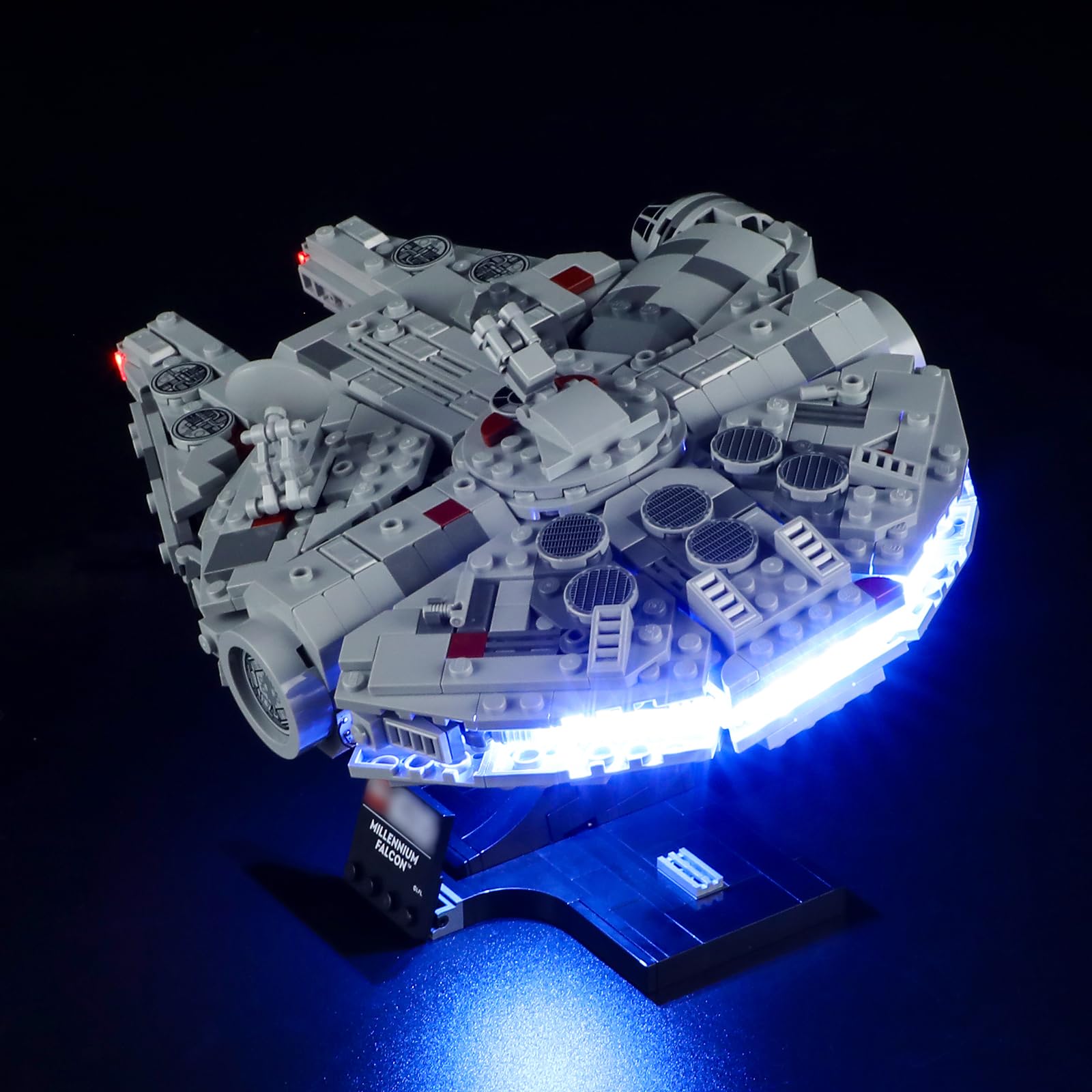
Image 1.1: The LEGO 75375 Millennium Falcon model illuminated by the LIGHTAILING LED Lighting Kit.
2. Package Contents
Before beginning installation, please verify that all components listed below are present in your package:
- 1 x USB Light Kit (various LED lights and connecting wires)
- 1 x Instruction Guide (paper manual)
- 1 x Battery Box (requires 3 AA batteries, not included)

Image 2.1: Overview of the LIGHTAILING LED Lighting Kit components.
3. Safety Information
Please observe the following safety guidelines to ensure proper and safe use of your lighting kit:
- Battery Requirements: The battery box requires three (3) AA batteries. Batteries are not included.
- Power Source: Use either three AA batteries or a USB charger. Ensure the voltage from the USB charger is less than 5V to prevent damage to the lights.
- Installation Care: Install the LED light set carefully. Avoid hard pulling, bending, or shaking the wires and components, as this may cause damage.
- Age Recommendation: This product is recommended for ages 6 years and up.
4. Installation Instructions
Follow these steps to install the LIGHTAILING LED Lighting Kit onto your LEGO 75375 Millennium Falcon model. It is recommended to install the lights as you build the LEGO model, or carefully disassemble sections as needed.
4.1. Prepare the LEGO Model
Carefully remove the necessary sections of your LEGO Millennium Falcon to access the areas where lights will be installed. Refer to the included paper instruction guide for specific disassembly steps.

Image 4.1: The rear engine section of the Millennium Falcon, showing the blue light effect.
4.2. Wire Routing and Placement
Route the thin wires of the LED lights through the LEGO bricks and gaps. Ensure wires are not pinched or excessively bent. The wires are designed to fit between studs and plates.

Image 4.2: Detail of the front sections with red LED lights.
4.3. Connecting the Lights
Connect the individual LED light components to the main USB light kit. Follow the diagrams in the included instruction guide for correct connections. The kit is designed for a specific layout to achieve optimal lighting effects.

Image 4.3: Side view of the illuminated Millennium Falcon.
4.4. Power Connection
Once all lights are in place and connected, attach the USB plug from the light kit to the battery box or a compatible USB power source (less than 5V). Ensure a secure connection.

Image 4.4: The Millennium Falcon with full lighting activated.
4.5. Installation Video Guide
For a visual step-by-step guide, please refer to the official installation video:
Video 4.5: Official LIGHTAILING Installation Video for LEGO 75375 Millennium Falcon. This video demonstrates the complete process of installing the LED lighting kit onto the LEGO model.
5. Operating Instructions
To operate your LIGHTAILING LED Lighting Kit:
- Ensure the battery box has three (3) AA batteries installed correctly, or that the USB cable is connected to a power source (less than 5V).
- Connect the USB plug from the light kit to the battery box or USB power source.
- The lights should illuminate automatically. There are no additional controls for brightness or patterns on this specific model.
5.1. Display Video
Observe the lighting effects in action:
Video 5.1: Official LIGHTAILING Display Video for LEGO 75375 Millennium Falcon. This video showcases the various lighting effects of the installed kit.
6. Troubleshooting
If you encounter issues with your lighting kit, please refer to the following common problems and solutions:
- Lights not turning on:
- Check battery installation in the battery box. Ensure batteries are fresh and correctly oriented.
- Verify the USB connection to the battery box or power source is secure.
- Ensure the power source (USB charger) provides less than 5V.
- Inspect all wire connections for looseness or damage.
- Some lights not working:
- Check the specific wire connections for the non-working lights.
- Ensure wires are not pinched or cut between LEGO bricks.
- Gently adjust the placement of the affected LED lights to ensure proper contact.
- Lights are dim or flickering:
- Replace old batteries with new ones.
- Ensure the USB power source is stable and providing adequate power.
- Check for any loose connections in the wiring.
7. Specifications
| Brand | LIGHTAILING |
| Model Number | 75375 (for LEGO Millennium Falcon) |
| Light Source Type | LED |
| Power Source | Battery (3x AA, not included), USB (less than 5V) |
| Material | Plastic |
| Item Weight | 145 Grams (approx. 5.1 ounces) |
| Product Dimensions | 6.5 x 4.72 x 1.57 inches (packaging) |
| Recommended Age | 6 years and up |
8. Warranty and Support
LIGHTAILING is committed to providing quality products and services. If you encounter any problems or have questions regarding your LED lighting kit, please do not hesitate to contact us. Our customer support team is available to assist you.
Contact Information:
- Email: info@lightailing.com
- For further assistance, please visit the official LIGHTAILING store on Amazon: LIGHTAILING Store