Introduction
This manual provides detailed instructions for the operation and maintenance of your TIDRADIO TD-H8 GMRS Radio. The TD-H8 is a 2nd generation GMRS handheld transceiver featuring 199 channels, wireless programming capabilities, a 5-watt power output, and NOAA weather reception. A GMRS license is required for operation.
Package Contents
Verify that all items listed below are included in your package:
- 2 x TIDRADIO TD-H8 GMRS Radio
- 2 x 2500mAh Battery
- 2 x Standard Antenna
- 2 x GMRS Antenna
- 2 x Short Antenna
- 2 x Charger and USB-C Charging Cable
- 2 x Earpiece
- 1 x CH430 USB Programming Cable
- 2 x Wrist Strap
- 2 x Belt Clip
- 2 x User Manual

Image: All components included in the TIDRADIO TD-H8 GMRS Radio package.
Product Overview
The TD-H8 GMRS radio features a 1.77-inch color LCD display for clear readability and intuitive navigation. Key controls include a VFO/MR button, A/B channel switch, MENU, EXIT, and a numeric keypad for direct input and function access.

Image: Close-up of the TD-H8 display, highlighting frequency, channel name, and channel number.
Key Features:
- GMRS Channels: 30 channels, including 22 GMRS two-way channels (CH 1-22) and 8 GMRS Repeater Channels (CH 23-30).
- Private Codes: 155 private codes (50 CTCSS/105 DCS) for enhanced privacy.
- NOAA Weather Channels: 11 NOAA Weather Radio & Scan Channels (CH 189-199) for receiving weather alerts.
- FM Radio: Built-in FM radio function.
- Flashlight: Integrated flashlight for convenience in low-light conditions.
- Power Output: 5 Watts maximum power.
- Dual-band Receiver: UHF/VHF dual-band receiver and scanner.
- Hands-Free Operation: VOX function for hands-free communication.
- Scan Function: Channel scanning capability.
- Squelch Function: Adjustable squelch to filter out weak signals.

Image: Visual representation of the TD-H8's key features.
Setup
1. Battery Installation
Align the 2500mAh Lithium Polymer battery with the battery compartment on the back of the radio. Slide the battery into place until it clicks securely. Ensure the battery latch is engaged.
2. Charging the Battery
The TD-H8 radio features a USB-C charging port for convenient recharging. You can charge the battery using the included USB-C cable and charger, a power bank, a car charger, or a laptop.

Image: Illustration of multiple USB-C charging options for the TD-H8 radio.
3. Antenna Attachment
Screw the desired antenna (standard, GMRS, or short) clockwise onto the antenna connector at the top of the radio until it is finger-tight. Do not overtighten.
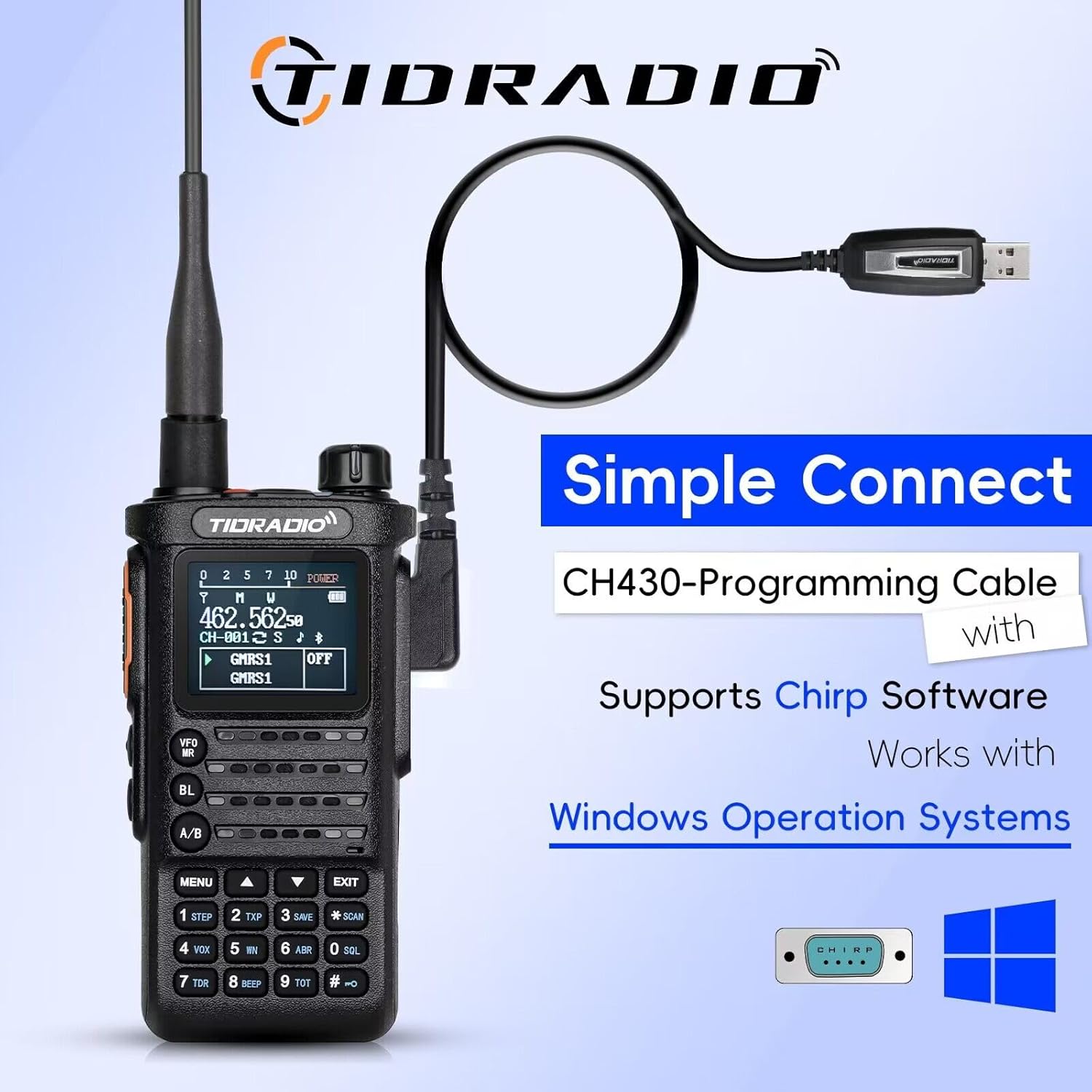
Image: The TD-H8 radio with a long antenna, demonstrating its flexible design and potential for extended range.
Operating Instructions
Power On/Off and Volume
Rotate the power/volume knob clockwise to turn on the radio and adjust the volume. Rotate counter-clockwise until a click is heard to turn off the radio.
Channel Selection
The TD-H8 has 199 channels. Use the up/down arrow keys or the numeric keypad to select channels. Channels 1-22 are GMRS two-way channels, 23-30 are GMRS Repeater Channels, 31-54 are programmable scanner channels (RX & TX), 55-188 are RX-only channels, and 189-199 are NOAA Weather Radio & Scan Channels (RX-only).
NOAA Weather Radio
Access channels 189-199 to receive NOAA weather broadcasts and alerts. This feature provides critical weather information for safety.
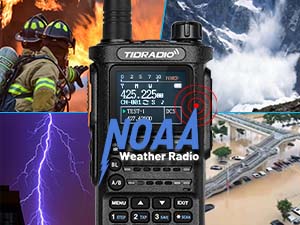
Image: The TD-H8 radio highlighting its NOAA Weather Radio capability, useful in diverse environmental conditions.
VOX Function
The Voice Operated Exchange (VOX) function allows for hands-free transmission. When enabled, the radio will transmit automatically when it detects your voice. Adjust VOX sensitivity in the menu.
Flashlight
The built-in flashlight can be activated for illumination in dark environments.
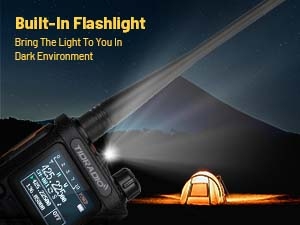
Image: The TD-H8 radio's built-in flashlight providing light in a dark outdoor setting.
Programming
The TD-H8 GMRS radio offers multiple programming methods for flexibility and customization.
1. Wireless Programming (Odmaster App)
The Odmaster app allows for wireless programming of your radio via Bluetooth. This method provides easy customization, offline programming, and the ability to import local repeater lists with a single click.
- Download the 'Odmaster' app from the Google Play Store or Apple App Store.
- Connect your radio to your smartphone via Bluetooth.
- Use the app interface to customize channels, frequencies, and other settings.
- The app supports saving, caching, and sharing programming profiles.

Image: The TD-H8 radio being programmed wirelessly using the Odmaster mobile application.

Image: Wireless programming capability of the TD-H8, simplifying the setup process.

Image: The Odmaster app's repeater list feature, allowing users to search and import nearby repeaters.

Image: Offline programming feature, enabling configuration saving in advance without cellular data.
2. CHIRP Software Programming
The TD-H8 is compatible with CHIRP software for computer-based programming. Use the included CH430 USB programming cable to connect the radio to your computer.
- Connect the CH430 USB programming cable to your radio and computer.
- Open CHIRP software and select "TIDRADIO → TD-H8-GMRS" from the radio menu.
- Follow the software instructions to read from and write to the radio.

Image: The TD-H8 radio connected via the CH430 USB programming cable, indicating compatibility with Windows operating systems for CHIRP software.
3. Manufacturer Software
For firmware upgrades and specific manufacturer programming, visit walkietalkiesoftware.com.
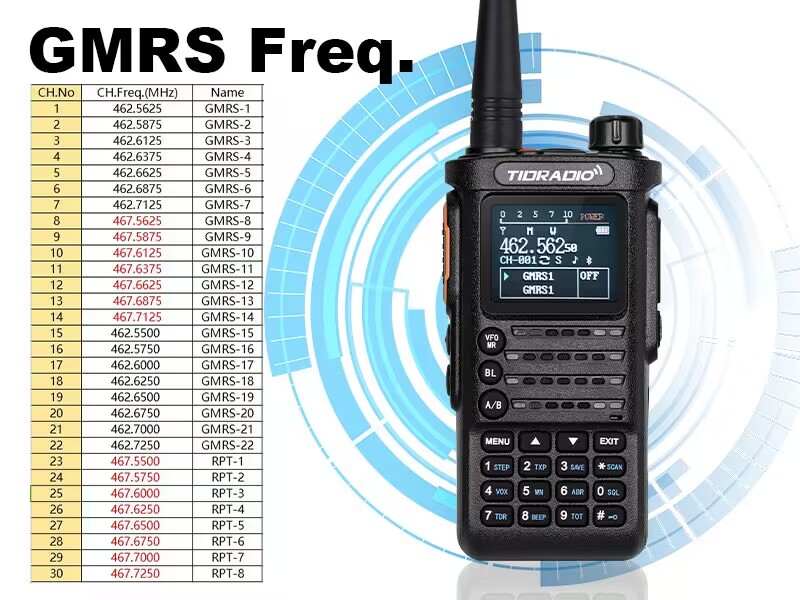
Image: Overview of the multiple programming methods available for the TD-H8 radio.
Maintenance
To ensure the longevity and optimal performance of your TIDRADIO TD-H8 GMRS Radio, follow these maintenance guidelines:
- Cleaning: Use a soft, damp cloth to clean the radio's exterior. Avoid harsh chemicals or abrasive cleaners.
- Battery Care: Fully charge the battery before initial use. Avoid overcharging or completely draining the battery for extended periods. Store the radio and battery in a cool, dry place.
- Antenna Care: Ensure the antenna is securely attached. Avoid bending or stressing the antenna, as this can damage the connector or affect performance.
- Storage: When not in use for long periods, remove the battery and store the radio in a protective case to prevent dust and damage.
Troubleshooting
If you encounter issues with your TD-H8 radio, refer to the following common problems and solutions:
- Radio not powering on: Ensure the battery is fully charged and correctly installed. Check the power/volume knob position.
- No transmission/reception: Verify the antenna is securely attached. Check the selected channel and ensure it is a GMRS two-way channel (1-22) or repeater channel (23-30) for transmission. Confirm that the volume is adjusted appropriately.
- Poor audio quality: Adjust the squelch level. Ensure you are within range of the other radio or repeater. Check for obstructions.
- Programming issues: For wireless programming, ensure Bluetooth is enabled on your device and the radio. For wired programming, verify the CH430 cable is properly connected and drivers are installed if necessary. Ensure the correct radio model is selected in CHIRP or Odmaster.
For further technical assistance, please contact TIDRADIO customer support.
Specifications
| Feature | Specification |
|---|---|
| Model Number | TD-H8 GMRS Radio |
| Brand | TIDRADIO |
| Number of Channels | 199 |
| Frequency Range | GMRS 462.5500 ~ 467.7250 MHz (Rx & Tx) / UHF & VHF (Scanning & Receiver) |
| Talking Range Maximum | 10 Kilometer (approx. 6.2 miles) |
| Battery Type | Lithium Polymer |
| Battery Capacity | 2500mAh |
| Voltage | 7.4 Volts |
| Item Weight | 2.61 pounds (per radio with battery) |
| Water Resistance Level | Not Water Resistant |
| Special Features | Dual Band Receiver & Scan, Long Range GMRS Two-way Radio, One-click to Import Local Repeater, Support CHIRP, CPS and Odmaster (APP & Web Programmable) |

Image: Rear view of the TD-H8 radio, displaying regulatory information including FCC ID: 2AWL3-TDH8GMRS and Serial Number: 2207UV00007.
For more detailed frequency information, refer to the GMRS frequency chart:

Image: GMRS Frequency Chart detailing channel numbers, frequencies, and names.
Warranty and Support
The TIDRADIO TD-H8 GMRS Radio comes with a 30-day warranty from the date of purchase.
For any technical issues or support inquiries, please contact our dedicated technical team. We are committed to providing professional support and resolving any problems you may encounter.
Contact information can typically be found on the TIDRADIO official website or through your purchase platform.


