1. Introduction
The Ehaho 6-in-1 DJ Party Light (Model L2700-A-2) is a versatile lighting unit designed to create dynamic visual effects for various events. It integrates multiple lighting technologies, including RGB rotating magic ball effects, RGBW water ripple effects, RGBW LED par lights, RGBW strobe and all-light strobe, red and green laser beams, and red and green pattern lasers. This manual provides instructions for safe and effective operation of the device.
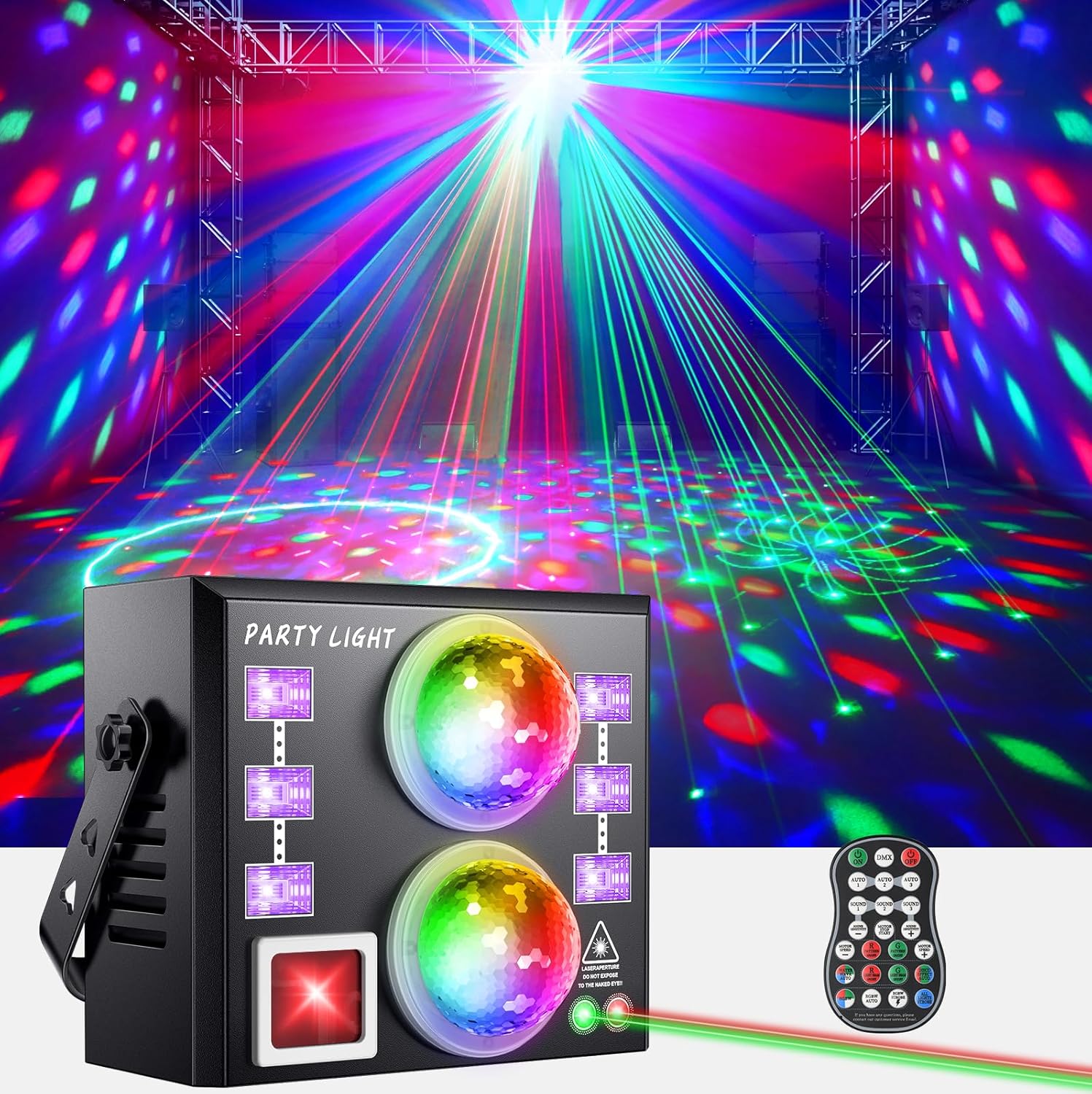
Image: The Ehaho 6-in-1 DJ Party Light projecting various colorful patterns and laser beams across a room.
2. Safety Information
- Laser Safety: Avoid direct eye exposure to laser beams. Do not look directly into the laser aperture.
- Ventilation: Ensure adequate ventilation around the device to prevent overheating. Do not block ventilation openings.
- Power Supply: Use only the specified power adapter. Disconnect power before cleaning or servicing.
- Environment: Do not expose the device to rain, moisture, or extreme temperatures. Operate in a dry environment.
- Children: Keep out of reach of children.
3. Package Contents
Verify that all items are present in the package:
- Ehaho 6-in-1 DJ Party Light (Model L2700-A-2)
- Remote Control
- Power Cable (40 inches)
- User Manual
- Cleaning Kit
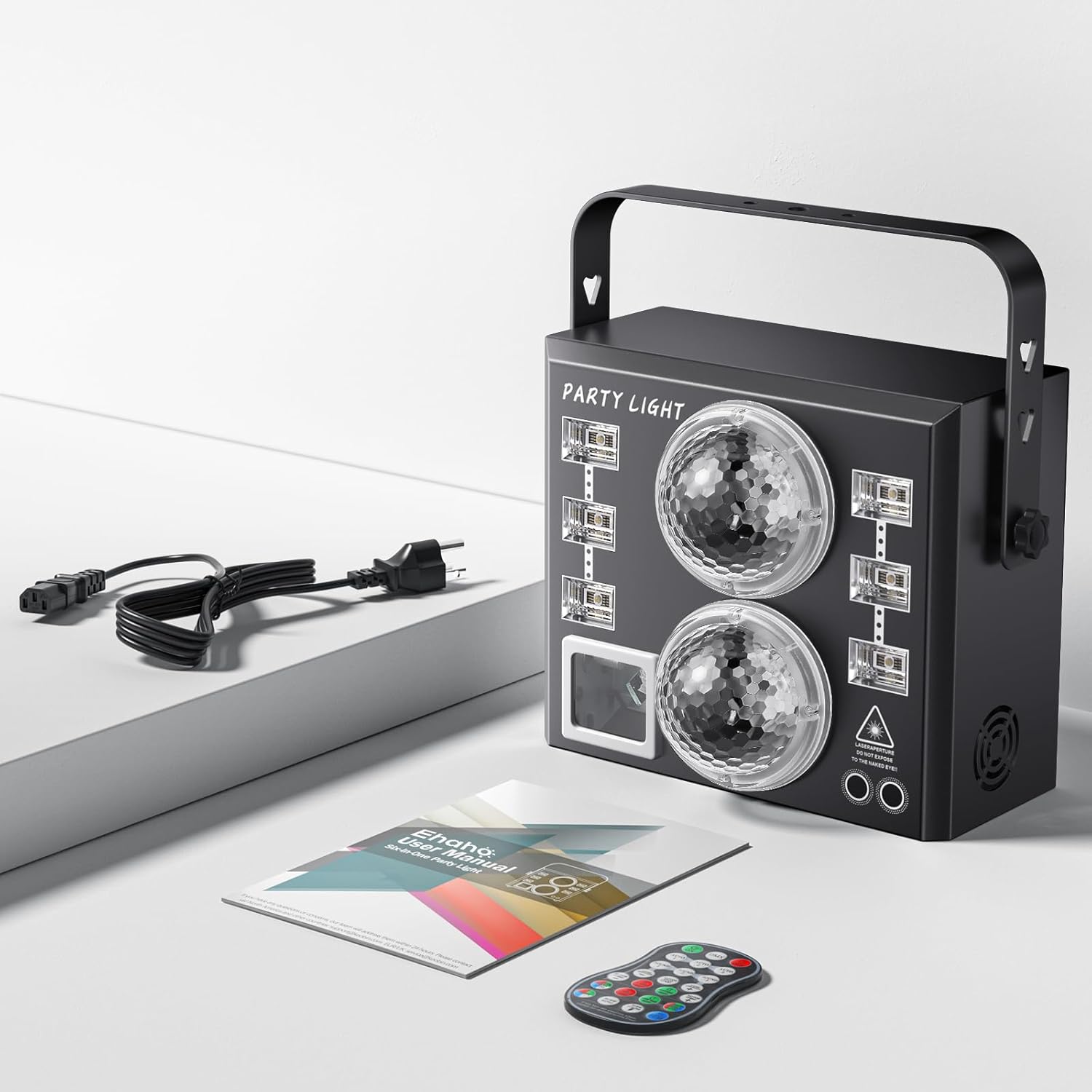
Image: The Ehaho 6-in-1 DJ Party Light, remote control, power cable, and user manual laid out on a surface.
4. Product Overview
The Ehaho 6-in-1 DJ Party Light combines six distinct lighting effects:
- RGB Rotating Magic Ball Effect: Projects dynamic, multi-colored patterns.
- RGBW Water Ripple Effect: Creates a flowing water-like light display.
- RGBW LED Par Light: Provides broad washes of red, green, blue, and white light.
- RGBW Strobe & All Light Strobe: Offers adjustable flashing and strobing effects.
- Red & Green Laser Beams: Projects sharp, vibrant red and green laser lines.
- Red & Green Pattern Laser: Displays various red and green laser patterns.
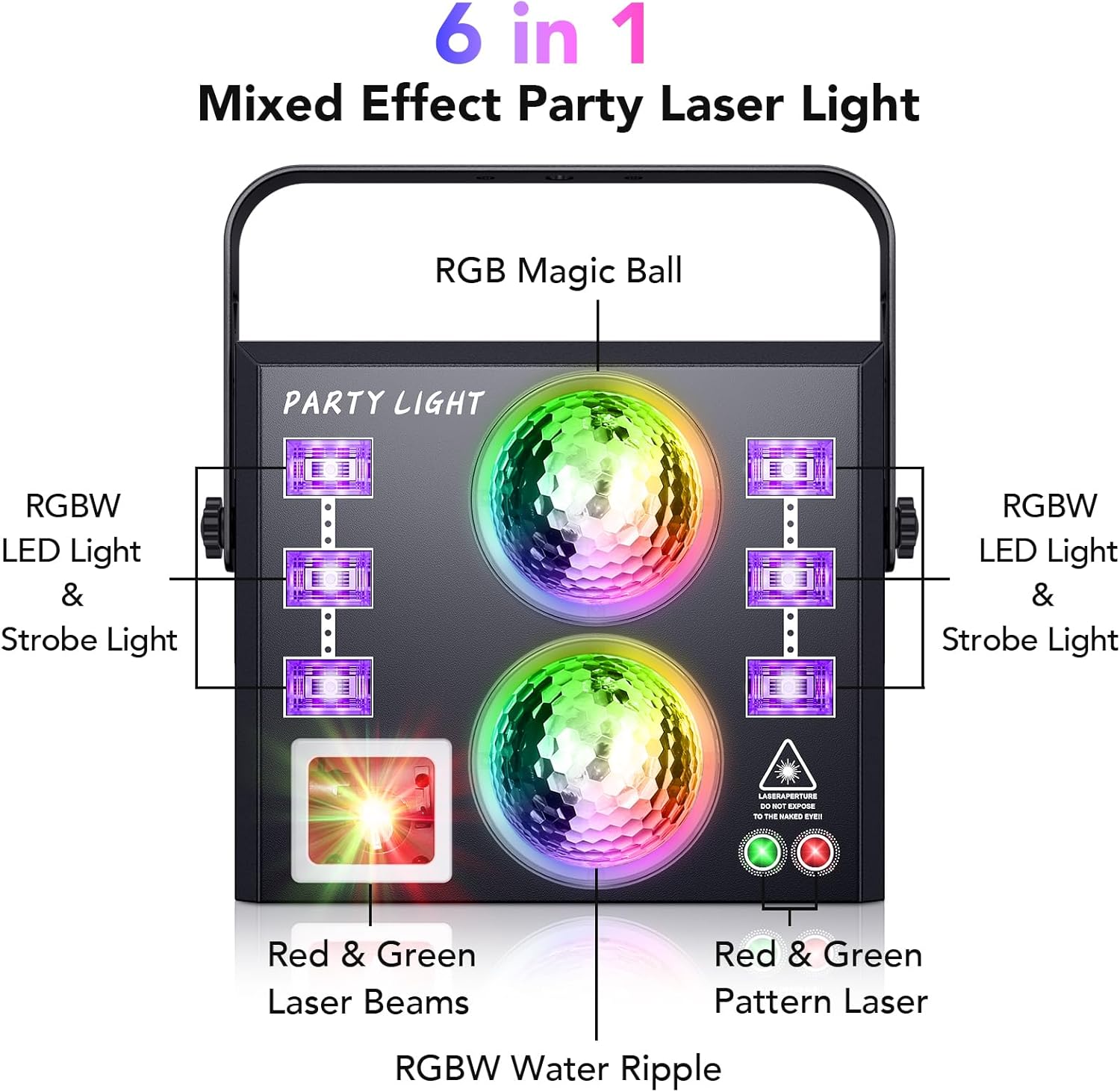
Image: A diagram highlighting the components responsible for the RGB Magic Ball, RGBW LED Light & Strobe Light, Red & Green Laser Beams, RGBW Water Ripple, and Red & Green Pattern Laser effects.

Image: Visual representations of the RGB Magic Ball, RGBW Water Ripple, RGBW LED Strobe, and RGBW LED Light effects.
5. Setup
- Unpacking: Carefully remove the device and all accessories from the packaging.
- Positioning: Place the party light on a stable surface or mount it using the integrated bracket. Ensure the projection area is clear. The device can cover an area up to 600 square feet.
- Power Connection: Connect the provided 40-inch power cable to the device's power input (AC100-240V, 50/60Hz) and then to a suitable power outlet.
- Initial Power On: Flip the ON/OFF switch to the 'ON' position. The device will typically start in automatic mode.

Image: Detailed view of the product's rear panel, including power input, DMX IN/OUT ports, control panel, and dimensions.
6. Operating Modes
The Ehaho 6-in-1 DJ Party Light offers multiple operating modes:
- Automatic Mode (AUTO): The device cycles through various pre-programmed light effects automatically.
- Sound-Activated Mode (SOUND): The light effects synchronize with the beat of music or ambient sound. This mode is most effective in environments with strong bass and clear music.
- DMX512 Mode: For professional control, connect the device to a DMX console to customize lighting effects.
- Master/Slave Mode: Link multiple units together for synchronized operation. One unit acts as the master, controlling the others.
- Remote Control: Use the included remote to switch between modes, change colors, patterns, and adjust settings.

Image: A group of people enjoying a party with the lights reacting to music, demonstrating the sound activation feature.
7. Remote Control Functions
The remote control allows for convenient operation of the party light. Refer to the diagram below for button functions:

Image: Close-up of the remote control with labels for various functions including ON/OFF, AUTO modes, SOUND modes, PATTERN selection (RG, R, G), LED AUTO, RGB color combinations, MOTOR SPEED, and TIMER settings.
- ON/OFF: Power on/off the device.
- AUTO 1/2/3: Select different automatic program sequences.
- SOUND 1/2/3: Activate sound-activated modes with varying sensitivities.
- MOTOR STOP: Stops the motor movement for static patterns.
- PATTERN RG/R/G: Select specific red and green laser patterns.
- LED AUTO: Cycles through LED colors automatically.
- R/G/B: Select individual red, green, or blue LED colors.
- RB/RG/GB/RG: Select combinations of red-blue, red-green, green-blue, or red-green-blue LED colors.
- MOTOR SPEED (+/-): Adjust the rotation speed of the effects.
- TIMER (1H/2H/4H/6H): Set the device to operate for a specific duration.
8. Light Effects Showcase
Experience the diverse visual capabilities of your Ehaho 6-in-1 DJ Party Light:

Image: Examples of Red & Green Laser Beams and Pattern Lasers.
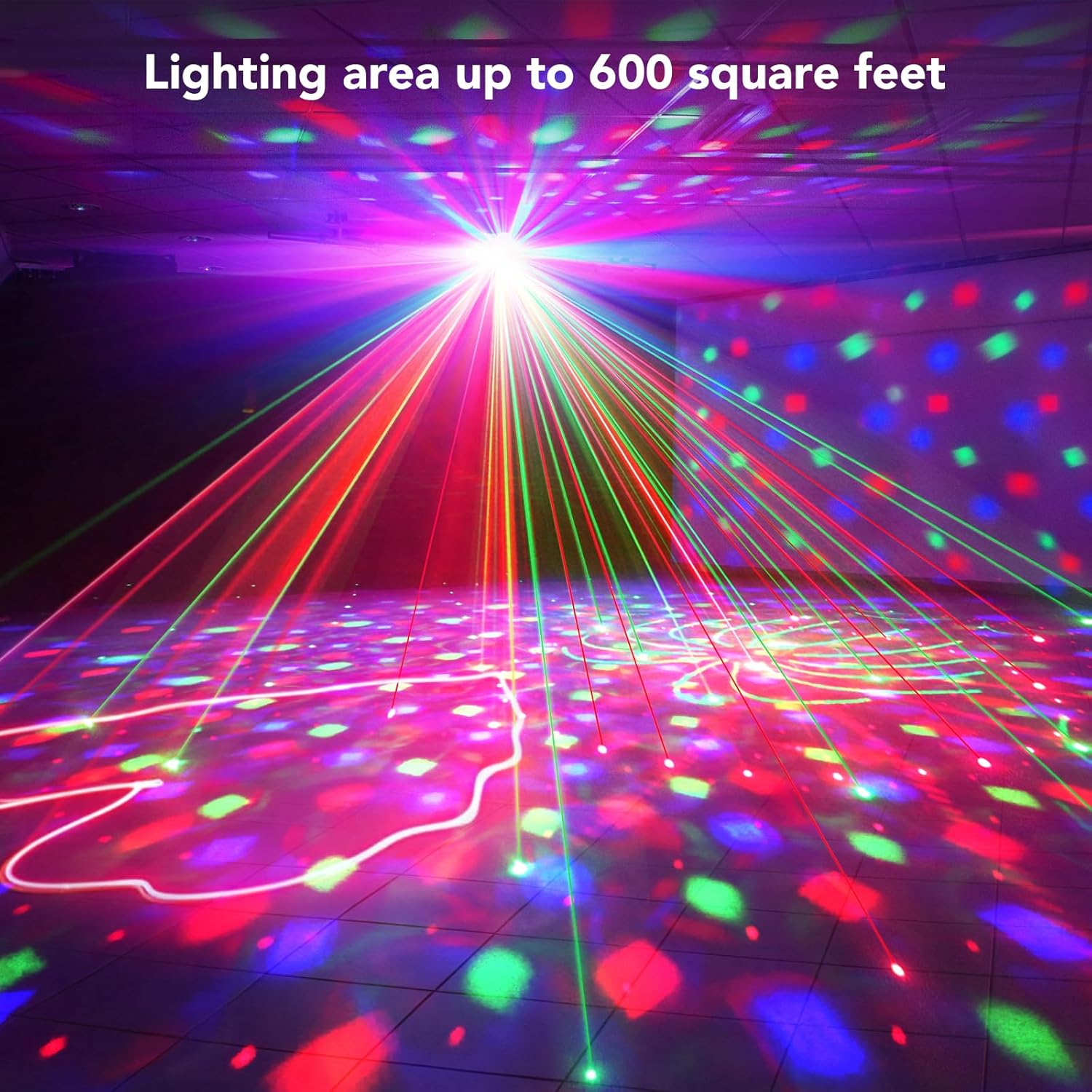
Image: The party light illuminating a large area, demonstrating its wide coverage.

Image: The party light in various settings, showcasing its adaptability.
Official Product Videos
Video: A demonstration of the 6-in-1 Party Lights, showcasing various effects and modes.
Video: A demonstration of various DJ disco stage party light patterns and effects.
9. Maintenance
- Cleaning: Use the provided cleaning kit or a soft, dry cloth to gently wipe the lenses and exterior of the device. Do not use harsh chemicals or abrasive materials.
- Storage: When not in use, store the device in a cool, dry place away from direct sunlight and extreme temperatures.
- Inspection: Regularly check the power cable for any signs of damage. If damaged, discontinue use and contact customer support.
10. Troubleshooting
- No Power: Ensure the power cable is securely connected to both the device and the power outlet. Check if the power switch is in the 'ON' position.
- No Light Output: Verify the device is powered on and not in a 'blackout' mode. Check remote control battery.
- Remote Not Responding: Ensure there are no obstructions between the remote and the device's IR receiver. Replace the remote control battery if necessary.
- Sound-Activated Mode Not Working: Ensure the music source has sufficient volume and bass. Adjust the sound sensitivity settings on the remote.
- Noise During Operation: The built-in motor rotates quickly and may produce some noise during operation, which is normal.
11. Specifications
| Feature | Detail |
|---|---|
| Model Number | L2700-A-2 |
| Product Dimensions | 7 x 6 x 6 cm; 2.92 kg |
| Color | Black |
| Material | Aluminum |
| Finish Type | Powder Coated |
| Light Source Type | Light Emitting Diode (LED) |
| Power Source | Battery Powered (Note: Product description mentions AC100-240V, 50/60Hz, implying AC power. "Battery Powered" might be a generic specification entry. Refer to product labeling for exact power source.) |
| Mounting Type | Surface Mount |
| Manufacturer | SHENZHEN SHI YANIU INDUSTRIAL CO., LTD. |
12. Warranty and Support
For warranty information and customer support, please refer to the documentation included with your product or contact the manufacturer directly. Keep your purchase receipt as proof of purchase.


