1. Introduction
Thank you for choosing the AKASO Seemor-200 Night Vision Goggles. These advanced binoculars are designed to provide exceptional visibility in low-light and complete darkness, utilizing revolutionary AI-ISP technology for stunning full-color images. Ideal for camping, hiking, wildlife observation, and security, the Seemor-200 offers a clear viewing experience up to 3280ft with 16x digital zoom. Its robust, waterproof design ensures reliable performance in various outdoor conditions.
2. What's in the Box
- 1x AKASO Seemor-200 Night Vision Goggles
- 2x Rechargeable Lithium Polymer Batteries
- 1x Battery Charger
- 1x Carrying Case
- 1x Neck Strap
- 1x Type-C Charging Cable
- 1x User Manual
3. Product Overview
Familiarize yourself with the components and controls of your AKASO Seemor-200 Night Vision Goggles.

Figure 3.1: AKASO Seemor-200 Night Vision Goggles and included accessories.
Key Features & Components
- AI-ISP Technology: Enhances image quality for stunning full-color visuals in ultra-low light.
- 4K Ultra HD Resolution: Provides clear and detailed night observation.
- 16x Digital Zoom: Allows for detailed viewing from various distances up to 3280ft.
- 7 Infrared Modes: Adjustable IR levels for optimal visibility in different dark environments.
- Dual Power System: Two rechargeable 3250mAh batteries provide extended use.
- Durable Design: IPX5 waterproof rating for all-weather use.
- Integrated Sensors: Built-in 6-axis gyroscope and compass for stability and navigation.
- Compact & Portable: Weighs less than 500g, easy to carry and handle.
- Mounting Options: Features 1/4-inch nuts on top and bottom for tripod or helmet mounting.

Figure 3.2: Overview of AKASO Seemor-200's core technologies and capabilities.
4. Setup
4.1 Battery Installation
- Locate the battery compartment cover on the underside of the goggles.
- Slide the cover open.
- Insert one of the provided rechargeable batteries, ensuring correct polarity.
- Close the battery compartment cover securely.
4.2 Charging the Batteries
Use the included Type-C charging cable and battery charger to fully charge both batteries before first use. A full charge provides up to 8 hours of continuous use in color mode.
4.3 Inserting the TF Card
The AKASO Seemor-200 supports TF cards up to 512GB (not included). A TF card is required to save photos and videos.
- Locate the TF card slot next to the USB-C port.
- Gently insert the TF card into the slot until it clicks into place.
- To remove, push the card in slightly until it springs out.

Figure 4.1: TF Card insertion and battery compartment location.
5. Operating Instructions
5.1 Power On/Off
- Power On: Press and hold the Power button (usually located on top) until the screen illuminates.
- Power Off: Press and hold the Power button until the screen turns off.
5.2 Adjusting Focus and Zoom
- Focus: Rotate the objective lens barrels to achieve a sharp image.
- Digital Zoom: Use the zoom buttons (often marked with '+' and '-') to adjust the digital magnification up to 16x.
5.3 Mode Selection (Full Color / Infrared)
The Seemor-200 offers both full-color and infrared (IR) modes for different lighting conditions.
- Press the 'Mode' button to switch between Full-Color mode and various Infrared-IR modes.
- Full-Color mode is ideal for ultra-low light conditions where some ambient light is present.
- Infrared-IR modes provide clear black-and-white vision in complete darkness. There are 7 adjustable IR levels.

Figure 5.1: AKASO Seemor-200's superior color reproduction in low light.
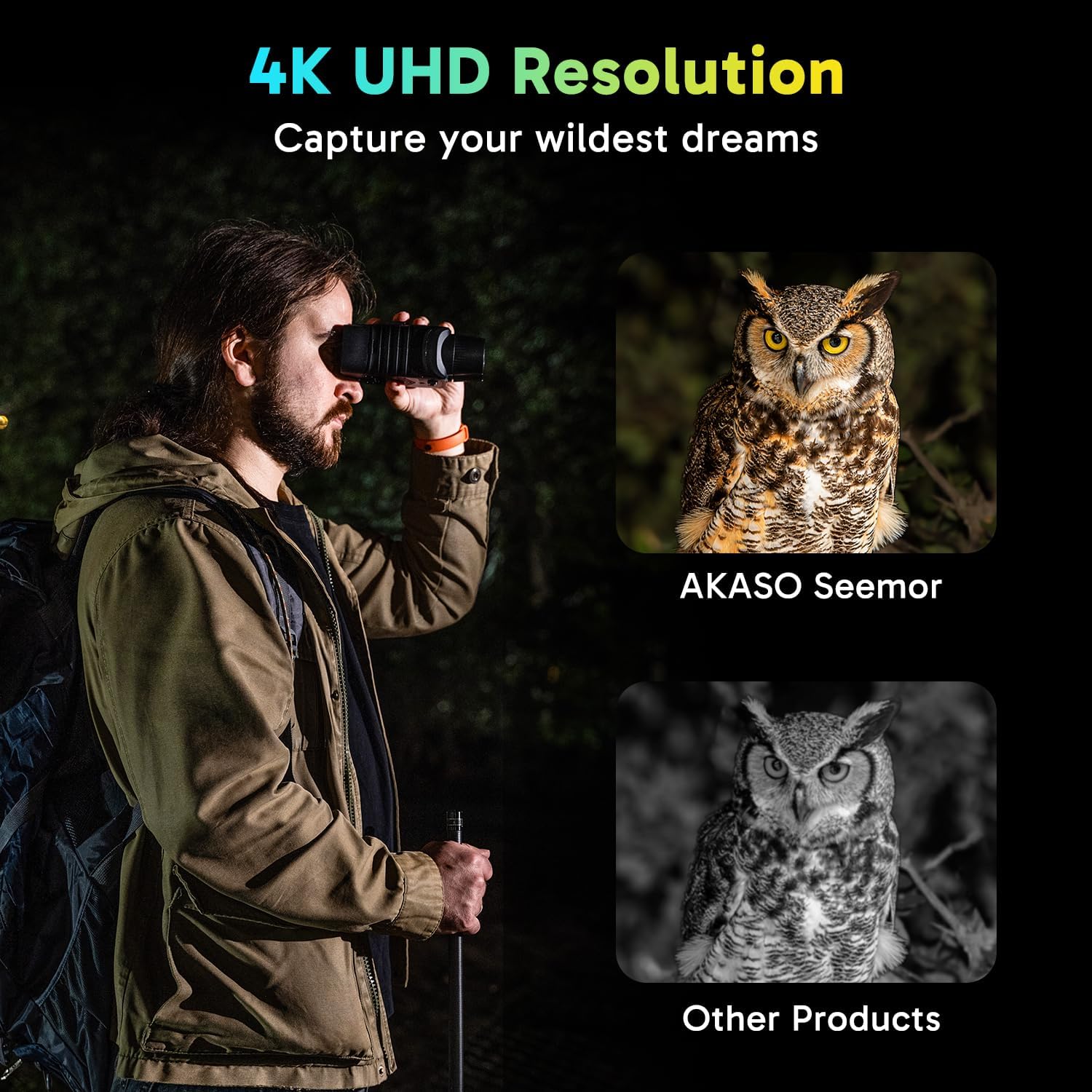
Figure 5.2: Enhanced clarity with 4K UHD resolution.
5.4 Capturing Photos and Videos
- Press the 'Shot' button to capture a photo.
- Press and hold the 'Shot' button to start video recording; press again to stop.
- Ensure a TF card is inserted to save your media.
Video 5.1: Official AKASO Seemor-200 Night Vision Goggles with AI-ISP Tech. This video demonstrates the advanced AI-ISP technology and overall performance of the goggles in various low-light scenarios, showcasing its full-color night vision capabilities.
Video 5.2: Compact, light, and effective with clear night quality. This short preview video highlights the ease of use and clear image quality of the goggles in a dark environment, demonstrating its effectiveness for quick observations.
5.5 App Connectivity
The AKASO Seemor-200 can connect to a smartphone app for enhanced functionality, including photo and video saving and sharing. Refer to the user manual for detailed instructions on app pairing and features.
6. Maintenance
- Cleaning: Use the provided microfiber cloth to gently clean the lenses and screen. Do not use abrasive materials or harsh chemicals.
- Storage: Store the goggles in their carrying case in a cool, dry place when not in use. Remove batteries if storing for extended periods.
- Water Resistance: While IPX5 waterproof, avoid submerging the device in water. Ensure all port covers are securely closed during use in wet conditions.
7. Troubleshooting
- No Power: Ensure batteries are fully charged and correctly inserted.
- Blurry Image: Adjust the focus ring on the objective lens. Ensure the screen is clean.
- Poor Night Vision: Check the selected IR mode and adjust the IR level. Ensure there are no obstructions to the IR illuminator.
- Cannot Save Media: Verify that a TF card is inserted and has sufficient free space. Check if the card is properly formatted.
8. Specifications
| Feature | Detail |
|---|---|
| Brand | AKASO |
| Model Name | Seemor-200 |
| Color | Black |
| Product Dimensions | 4.7"L x 2.7"W x 6.4"H |
| Item Weight | 2.59 pounds |
| Magnification Maximum | 16 x |
| Objective Lens Diameter | 50 Millimeters |
| Viewing Range | Up to 3280ft |
| Battery Life | Up to 8 hours (Color Mode) |
| Waterproof Rating | IPX5 |
| Storage Support | Up to 512GB TF Card |
| Mounting Type | Tripod Mount, Helmet/Harness Mount |
9. Warranty and Support
AKASO products come with a standard manufacturer's warranty. For detailed warranty information, technical support, or service inquiries, please refer to the official AKASO website or contact their customer service directly. Keep your proof of purchase for warranty claims.


