Product Overview
The MRCM MR-13A Drill Bit Sharpener is a high-precision tool designed to restore the sharpness of drill bits ranging from 3mm to 15mm in diameter. Its robust all-metal housing ensures durability and consistent performance, preventing deformation over time. This sharpener excels at precisely adjusting both the point angle and lip relief angle of drill bits, ensuring drilling accuracy within 0.1mm.
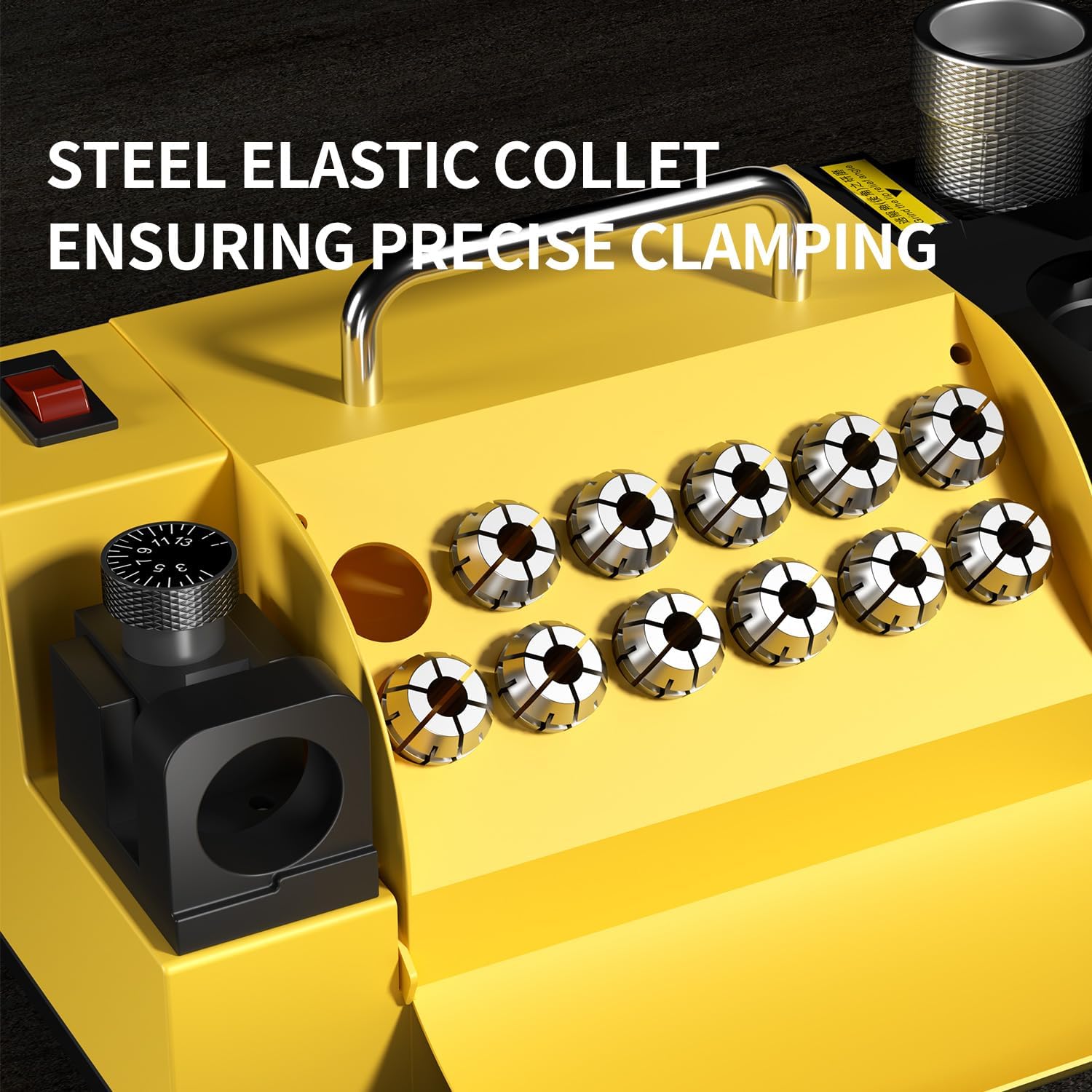
- High-precision Sharpening: Excels at sharpening point angle and lip relief angle. Features 13 elastic collets (3,4,5,6,7,8,9,10,11,12,13, 14,15) suitable for φ3-φ15 diameter drill bits. All-iron structure prevents deformation.
- Adjustable Point Angle: Provides 95° to 135° point angle adjustment for precise coordination with drill hole material and rotation speed, ensuring drilling accuracy within 0.1mm.
- Robust Grinding Wheel: Equipped with a cubic boron nitride grinding wheel, which provides a drill surface finish that rivals new bits. Includes a professional drill bits collet chuck for safe operation.
- Powerful DC Motor: Operates with strong horsepower and torque at 4400PRM high speed while maintaining low noise levels.
- Easy Maintenance: Open-type protective cover design allows for easy opening to clean dust.

Safety Information
Always read and understand all instructions before operating the sharpener. Wear appropriate personal protective equipment, including safety glasses, to prevent eye injury from grinding debris. Ensure the sharpener is placed on a stable, level surface. Do not open the protective cover while the machine is in operation. Disconnect power before performing any maintenance or cleaning.
Components and Parts
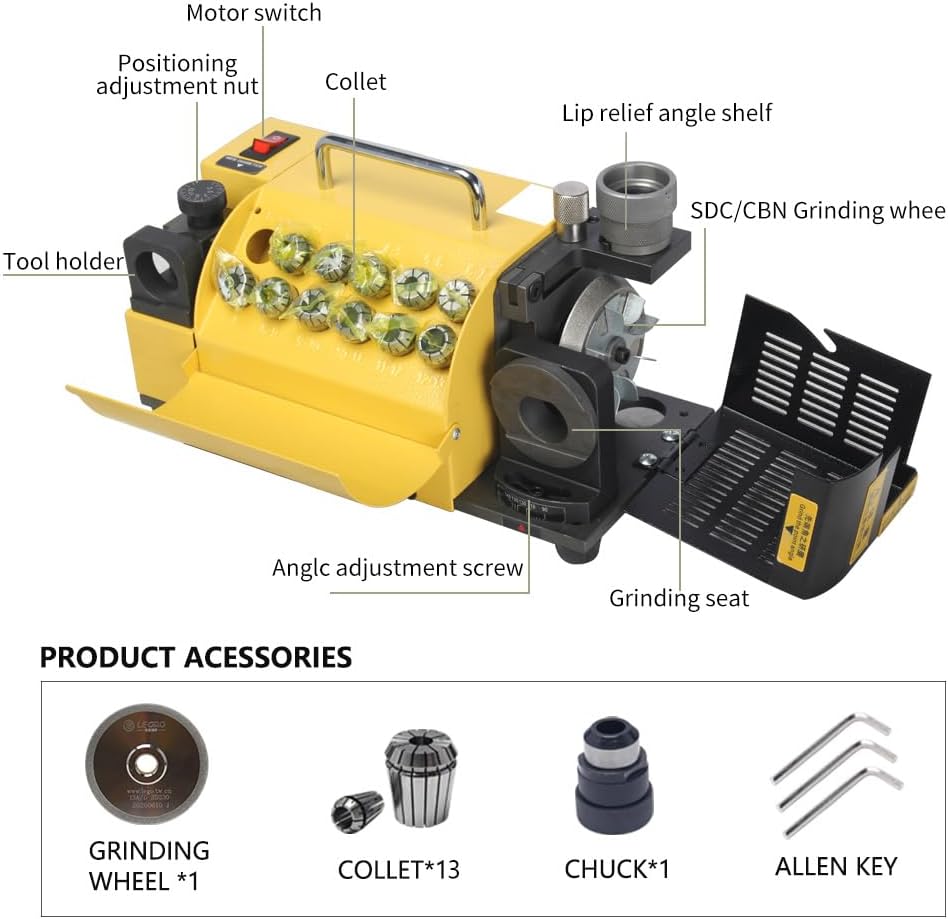
The MRCM MR-13A Drill Bit Sharpener comes with the main unit and several essential accessories:
- Main Sharpener Unit
- 13 Elastic Collets (3mm-15mm)
- Collet Chuck
- Cubic Boron Nitride (CBN) Grinding Wheel (pre-installed)
- Allen Key


Setup and Assembly
Before sharpening, ensure the correct collet for your drill bit's diameter is selected and assembled with the chuck.
- Select Collet: Choose the appropriate collet (3mm-15mm) that snugly fits your drill bit. The collets are designed to provide precise clamping.
- Assemble Chuck: Insert the selected collet into the chuck. The chuck is designed to hold the collet and drill bit securely during sharpening.
- Insert Drill Bit: Place the dull drill bit into the assembled collet and chuck. Ensure the drill bit is inserted far enough to be stable but allows the cutting edge to be exposed for sharpening.
Visual Guide: Chuck Assembly
This video demonstrates the assembly of the collet and chuck, and the insertion of a drill bit into the chuck for sharpening.
Operating Instructions
Follow these steps to sharpen your drill bits effectively:
- Adjust Web Diameter: Use the 'Web Diameter' dial to set the appropriate position for your drill bit size. This ensures the bit is correctly aligned for sharpening.

- Grind Point Angle: Insert the collet chuck with the drill bit into the 'Grind Point Angle' port. The machine will automatically grind the primary cutting edge.

- Grind Lip Relief Angle: Rotate the collet chuck 180 degrees and insert it into the 'Grind Lip Relief Angle' port. This step sharpens the secondary cutting edge and provides the necessary relief.

Visual Guide: Sharpening Process
This short video demonstrates the quick sharpening process of a drill bit using the MRCM MR-13A.

Maintenance
- Dust Cleaning: Regularly open the protective cover and clean any accumulated dust or grinding debris from the internal components, especially around the grinding wheel. Use a brush or compressed air.
- Grinding Wheel Inspection/Replacement: Periodically inspect the CBN grinding wheel for wear. While durable, it may eventually require replacement to maintain optimal sharpening performance. Refer to the manufacturer for replacement parts.
Specifications
| Specification | Value |
|---|---|
| Brand | MRCM |
| Model Number | MR-13A |
| Cutting Diameter Range | 3mm - 15mm |
| Point Angle Adjustment | 95° to 135° |
| Shank Type | Straight |
| Grinding Wheel Material | Cubic Boron Nitride (CBN) |
| Motor Speed | 4400 RPM |
| Power Source | AC |
| Item Weight | 19.1 pounds |
| Product Dimensions (L x W x H) | 12 x 6 x 7 inches |
| Country of Origin | China |
Troubleshooting
While the MRCM MR-13A is designed for ease of use, some common issues or questions may arise:
- Drill Bit Not Sharpening Evenly: Ensure the drill bit is securely seated in the collet and chuck. Verify that the 'Web Diameter' dial is correctly set for the bit's size, allowing proper contact with the grinding wheel. Make sure to rotate the chuck 180 degrees for the second side to ensure both cutting edges are sharpened.
- Collets Not Clearly Marked: Some collets may not have clear size markings. It is recommended to test fit the drill bit into the collets to find the best fit before assembly. Consider labeling the collet storage slots for future convenience.
- Difficulty Adjusting Web Dial: The dial for adjusting the web may require firm but gentle rotation. If a label is missing or misaligned, refer to the visual guides in the operating instructions to understand the correct positioning for different bit sizes.
- Machine Not Turning On: Check that the power cord is securely plugged into a functional outlet and the sharpener. Ensure the power switch is in the 'ON' position.
Warranty and Support
Specific warranty details and direct support contact information are not provided in the available product data. For warranty claims, technical support, or replacement parts, please refer to the product packaging or contact the seller/manufacturer directly through their official channels. Keep your purchase receipt as proof of purchase.