
Introduction
This manual provides essential information for setting up, operating, and maintaining your TCL 55V6B 55-inch 4K Ultra HD HDR Smart Google TV. Please read these instructions carefully before using your television and retain them for future reference. Your new television features a 55-inch 4K Ultra HD display, High Dynamic Range (HDR) support, Google TV operating system, Dolby Audio, Motion Clarity technology, voice control, Google Assistant compatibility, and built-in Chromecast.
Safety Information
Always observe the following safety precautions to prevent fire, electric shock, or injury:
- Power Source: Connect the TV only to an AC power supply as indicated on the rating label.
- Ventilation: Ensure adequate ventilation. Do not block ventilation openings or install near heat sources.
- Water and Moisture: Do not expose the TV to rain or moisture. Do not place objects filled with liquids on the TV.
- Cleaning: Unplug the TV before cleaning. Use a soft, dry cloth. Avoid liquid cleaners.
- Children: Supervise children to prevent them from climbing on the TV or stand.
- Wall Mounting: If wall-mounting, use a VESA-compliant bracket and ensure professional installation to prevent injury.
Package Contents
Verify that all items are present in the package:
- TCL 55V6B 55-inch 4K HDR Smart Google TV
- Remote Control
- AAA Batteries (x2)
- TV Stand Components (legs, screws)
- Power Cable
- Quick Start Guide and Safety Sheet

Image: Front view of the TCL 55V6B 55-inch 4K HDR Smart Google TV, illustrating the main unit.
Setup
1. Unpacking
Carefully remove the TV from its packaging. It is recommended to have two people for this process due to the size and weight of the television. Place the TV face down on a soft, flat surface (like a blanket or foam) to prevent screen damage during stand installation.
2. Stand Installation
To attach the TV stand:
- Align the stand legs with the corresponding slots on the bottom of the TV.
- Secure each leg with the provided screws. Ensure they are tightened firmly.
- Carefully lift the TV to an upright position and place it on a stable, level surface.
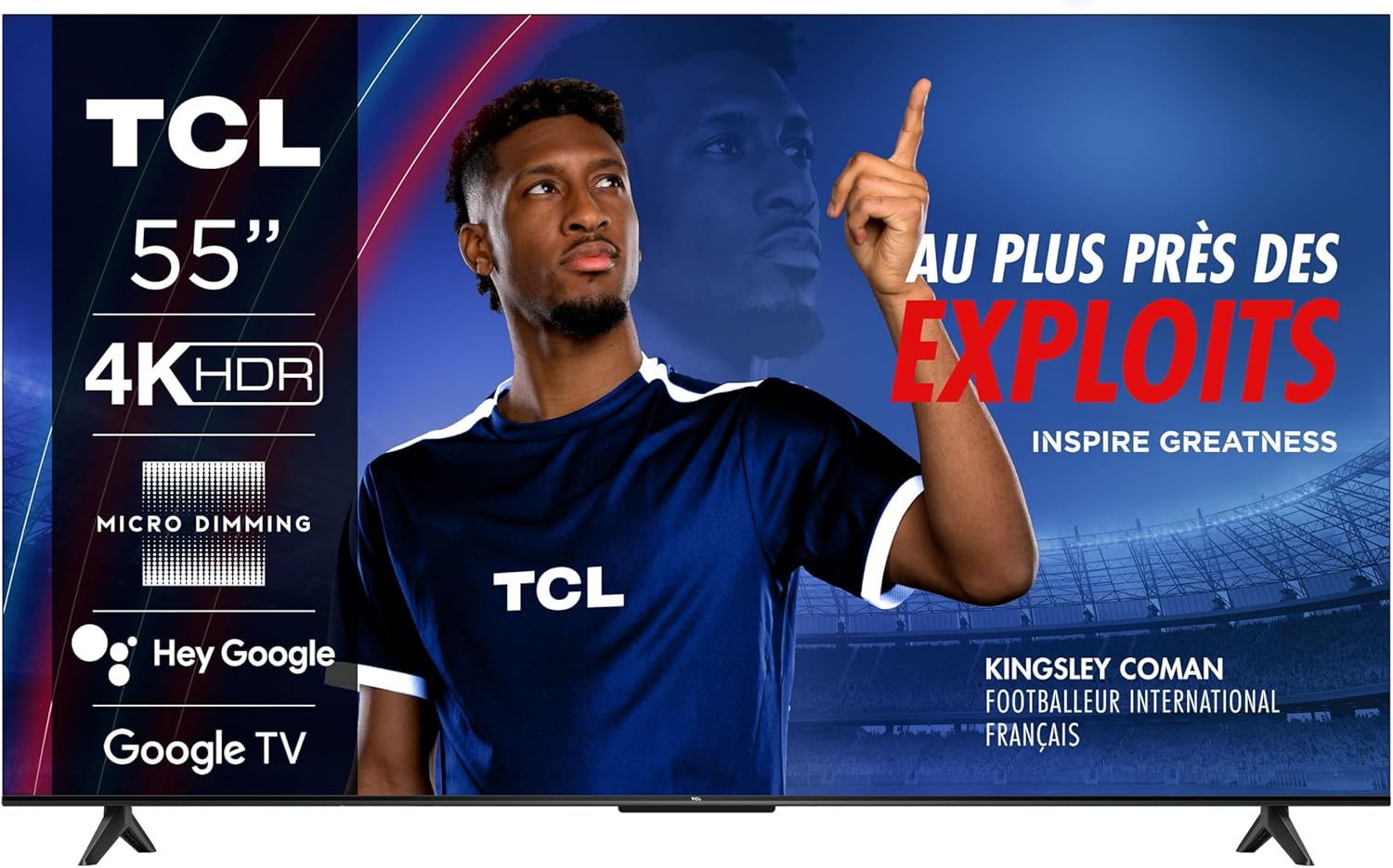
Image: The TCL 55V6B 55-inch TV with its stand correctly installed, ready for use.
3. Wall Mounting (Optional)
If you choose to wall-mount your TV, you will need a VESA-compatible wall mount (200 x 200 mm). Remove the stand legs before mounting. It is highly recommended to seek professional assistance for wall mounting to ensure safety and proper installation.

Image: Rear view of the TCL 55V6B TV, showing the VESA mounting points and port locations.
4. Connecting Peripherals
Connect your external devices (e.g., cable box, Blu-ray player, gaming console) to the TV's ports:
- HDMI Ports: For high-definition audio and video. Your TV has 3 HDMI ports.
- USB Port: For connecting USB storage devices. Your TV has 1 USB port.
- Ethernet Port: For a wired internet connection.
- Antenna/Cable Input: For connecting an antenna or cable TV feed.

Image: Side view of the TCL 55V6B TV, detailing the accessible connectivity ports.
5. Initial Power On and First-Time Setup
After connecting all devices and the power cable:
- Plug the power cable into an electrical outlet.
- Press the power button on the remote control or on the TV.
- Follow the on-screen instructions to complete the initial setup, including language selection, network connection (Wi-Fi or Ethernet), and Google TV account login.
Operating the TV
1. Remote Control Overview
The remote control allows you to navigate the TV's features. Insert the two AAA batteries into the remote control, ensuring correct polarity.

Image: The remote control for the TCL 55V6B TV, showing button layout.
2. Basic Functions
- Power: Press the power button to turn the TV on or off.
- Volume: Use the volume up/down buttons to adjust the sound level.
- Channel: Use the channel up/down buttons to change channels (for antenna/cable input).
- Input: Press the input button to select different input sources (HDMI 1, HDMI 2, USB, etc.).
3. Smart TV Features (Google TV)
Your TCL 55V6B TV runs on Google TV, offering a personalized entertainment experience:
- Home Screen: Access your favorite apps, movies, and shows from a centralized home screen.
- Voice Control: Use the built-in Google Assistant by pressing the microphone button on your remote and speaking commands.
- Chromecast Built-in: Cast content from your compatible mobile devices directly to your TV.
- App Store: Download additional apps from the Google Play Store.
4. Picture and Sound Settings
Access the TV's settings menu to customize picture and sound:
- Picture Modes: Choose from various preset picture modes (e.g., Standard, Vivid, Movie, Game) or customize brightness, contrast, color, and sharpness.
- Sound Modes: Select sound modes (e.g., Standard, Music, Movie, Speech) or adjust equalizer settings. The TV features Dolby Audio for enhanced sound quality.
Maintenance
1. Cleaning
- Screen: Gently wipe the screen with a soft, lint-free cloth. For stubborn marks, lightly dampen the cloth with water or a specialized screen cleaner (never spray directly onto the screen).
- Cabinet: Wipe the TV cabinet with a soft, dry cloth. Avoid abrasive cleaners or solvents.
2. Software Updates
Your TV may receive software updates to improve performance and add new features. To check for updates:
- Go to the Settings menu on your TV.
- Navigate to 'System' or 'About'.
- Select 'Software Update' or 'System Update' and follow the prompts.
Troubleshooting
If you encounter issues with your TV, refer to the following common problems and solutions:
| Problem | Possible Solution |
|---|---|
| No Power | Check if the power cable is securely plugged into the TV and the outlet. Try a different outlet. |
| No Picture, but Sound is Present | Ensure the correct input source is selected. Check cable connections to external devices. |
| No Sound, but Picture is Present | Check volume level and mute status. Verify audio output settings. |
| Remote Control Not Working | Replace batteries. Ensure no obstructions between the remote and the TV's IR sensor. |
| Network Connection Issues | Restart your router. Reconnect to Wi-Fi or check Ethernet cable. |
Specifications
Key technical specifications for the TCL 55V6B TV:
Image: Detailed dimensions of the TCL 55V6B 55-inch TV.
| Feature | Detail |
|---|---|
| Model Number | 55V6B |
| Screen Size | 55 Inches |
| Display Technology | LED |
| Resolution | 4K Ultra HD (3840 x 2160) |
| Refresh Rate | 60 Hz |
| HDR Support | HDR10 |
| Operating System | Google TV |
| Audio Output Mode | Stereo, Dolby Audio |
| Connectivity | Wi-Fi, Ethernet, 3x HDMI, 1x USB |
| VESA Mounting Standard | 200 x 200 mm |
| Product Dimensions (D x W x H) | 25.5 x 122.6 x 75 cm (with stand) |
| Item Weight | 8.9 Kilograms |
| Remote Control Batteries | 2 AAA batteries (included) |
Warranty and Support
Your TCL 55V6B TV comes with a Limited Warranty. Please refer to the warranty card included in your package for specific terms and conditions, including coverage duration and service procedures.
For technical support, troubleshooting assistance beyond this manual, or warranty claims, please contact TCL customer service. Contact information can typically be found on the TCL official website or in the documentation provided with your TV.


