
1. Introduction
The VDIAGTOOL VD70 Bidirectional Scan Tool is a professional-grade diagnostic device designed for automotive technicians, workshops, and DIY enthusiasts. It offers a comprehensive suite of features to diagnose, maintain, and repair a wide range of vehicles.
Key capabilities include OE All Systems Diagnostics, over 36 Reset Functions, Bi-Directional Control, and advanced ECU Coding. The device operates on Android 10.0, features 2GB RAM and 64GB storage, and is powered by an 18.25Wh battery, ensuring efficient and reliable performance.

2. Setup
2.1 What's in the Box
Upon unboxing, ensure all components are present:
- 1 x VDIAGTOOL VD70 Diagnostic Tool
- 1 x Type C to Type-C Charge Cable
- 1 x Type C to Type-A Adapter (for PC connection)
- 1 x DB15 Main Cable
- 1 x US/UK/EU Plug Adapter
- 1 x Quick Start Guide

2.2 Initial Power-On & Charging
The VD70 tool is equipped with an 18.25Wh Lithium Ion battery. For optimal performance, ensure the device is sufficiently charged before first use. Connect the provided Type-C charge cable to the tool and a suitable power adapter.
2.3 Connecting to Vehicle
Locate your vehicle's OBD2 port, typically found under the dashboard on the driver's side. Connect the DB15 Main Cable to the VD70 tool and then to the vehicle's OBD2 port. The tool will draw power from the vehicle's OBD2 port, but it is recommended to keep the internal battery charged for uninterrupted operation.
2.4 Software Updates
The VD70 comes with 3 years of free software updates. Connect the device to a Wi-Fi network (2.4G & 5GHz Dual-Band supported) and navigate to the 'Updates' section on the main menu to download and install the latest software versions. Regular updates ensure access to new features, vehicle compatibility, and performance optimizations.
2.5 Language Selection
The VD70 supports 23 language options. To change the menu language, go to 'Settings' and select your preferred language. If your desired language is not immediately available, contact VDIAGTOOL support with your tool's serial number for assistance.
2.6 FCA AutoAuth Setup
For Chrysler (2018+) and other compatible FCA models, the VD70 supports FCA SGW module access via AutoAuth. Follow the on-screen prompts within the tool to register and set up your account for secure gateway access. No additional adapters are required for this functionality.
3. Operating Instructions
The VD70 offers a user-friendly interface with various diagnostic and service functions. Below are the primary operating modes:
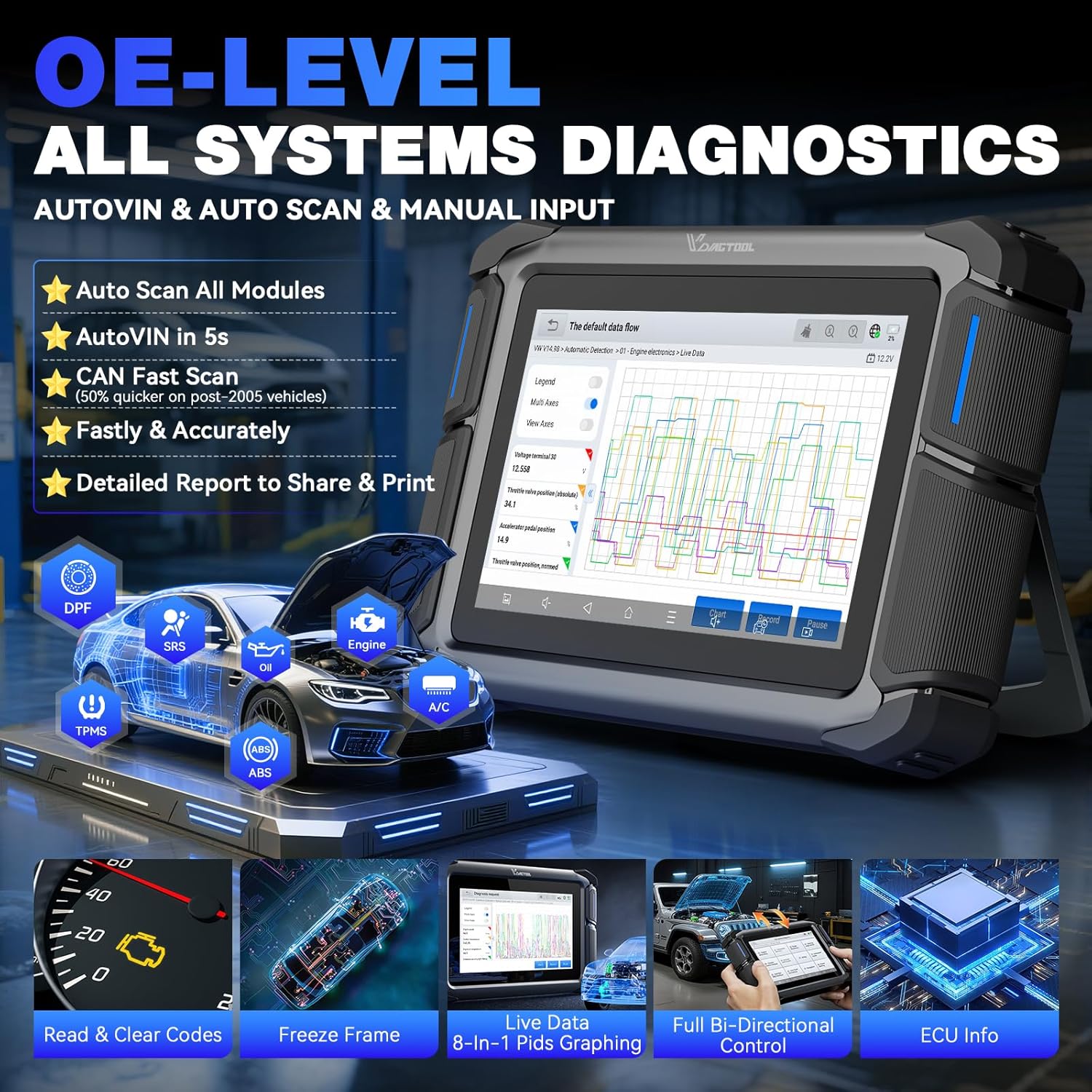
3.1 OE All Systems Diagnostics
This function allows you to perform a comprehensive scan of all available electronic control units (ECUs) in the vehicle. It covers essential systems such as Engine, Transmission, ABS, Airbags, Brake, and Chassis.
- Read/Clear Codes: Retrieve and erase Diagnostic Trouble Codes (DTCs) from all systems.
- ECU Information: View detailed information about the control modules.
- Live Data Streams: Display real-time sensor data. The tool supports 8-in-One Data Graphing for detailed analysis.
- Freeze-Frame Data: View a snapshot of sensor values at the moment a DTC was set.
- Active Tests: Perform specific component tests to verify functionality.
3.2 Bi-Directional Control (Active Tests)
This powerful feature allows the diagnostic tool to send commands to vehicle ECUs to perform specific tests and functions. This helps in quickly pinpointing faulty components without manual intervention.
- Perform over 4000+ active tests.
- Command components such as EVAP, ABS pumps, windows, fuel injectors, radiator fans, doors, brakes, throttle modulation, and more.

3.3 Special Functions & Resets (36+)
The VD70 provides access to over 36 common maintenance and service functions, simplifying complex tasks.
- Oil Reset: Reset the oil life system after an oil change.
- EPB (Electronic Parking Brake): Deactivate and activate the brake control system, assist with brake fluid control, open and close brake pads, and set brakes after disc or pad replacement.
- BMS (Battery Management System): Register the new battery after replacement.
- Throttle Adaptation: Initialize the throttle actuators to the default state.
- Injector Coding: Write new injector codes into the ECU.
- ABS Bleed: Perform bleeding procedures for the Anti-lock Braking System.
- Crank Sensor Relearn: Perform crankshaft position sensor relearn.
- TPMS Reset: Reset tire pressure monitoring system.
- Other functions include SRS, EGR Relearn, Language Change, Clutch Adaptation, Stop/Start Reset, Windows Initialization, Suspension Calibration, DPF/GPF Regeneration, and more.
Note: The availability of specific functions may vary by vehicle make, model, and year. Always verify compatibility by contacting VDIAGTOOL support with your VIN before performing advanced operations.

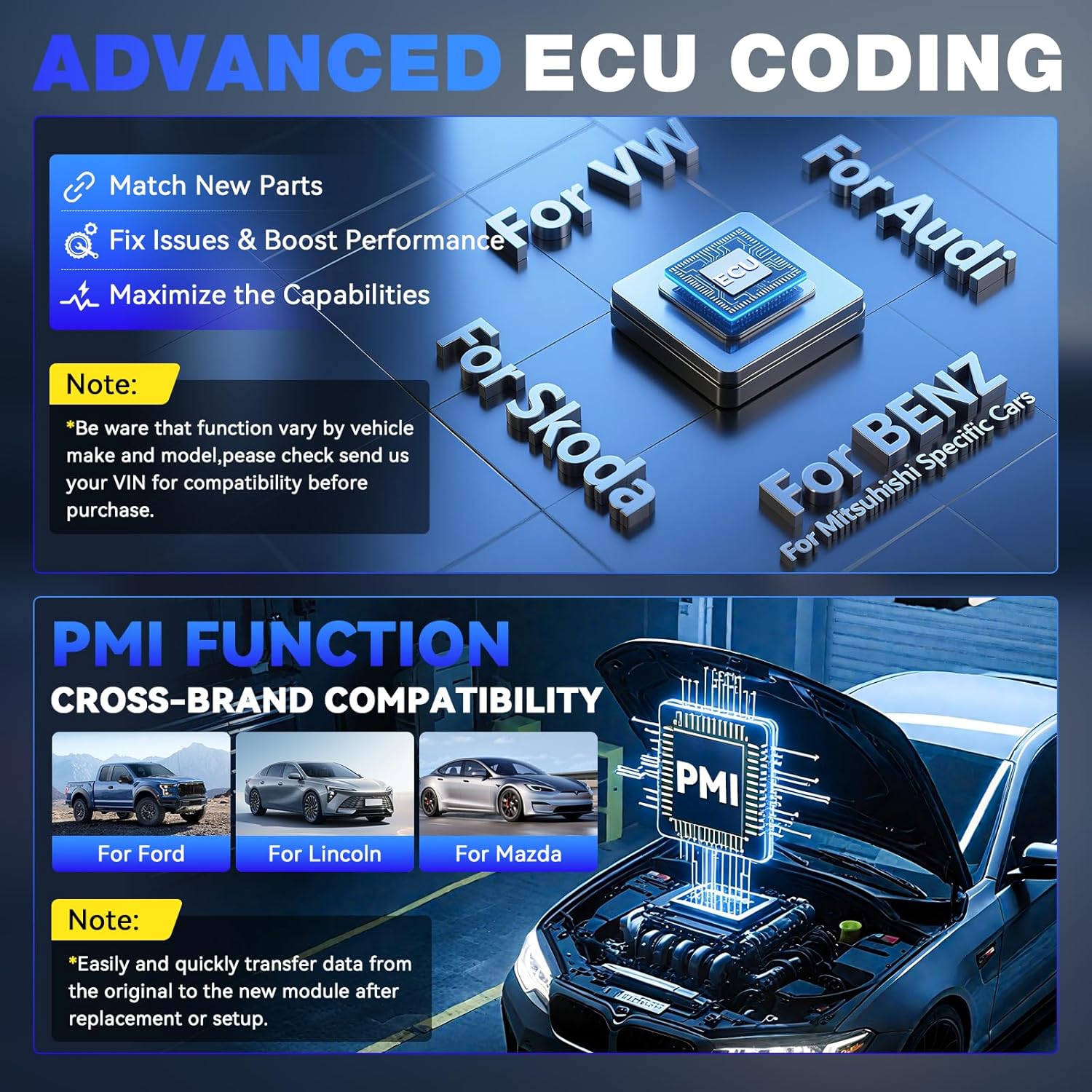
3.4 Advanced ECU Coding & PMI
This function allows for advanced vehicle customization and component matching.
- ECU Coding: Supports specific European vehicles including VW, Audi, Skoda, Mercedes-Benz, Mitsubishi, BMW, Volkswagen, Jaguar, and Land Rover. This enables matching new components, fixing issues, and boosting performance.
- PMI (Programmable Module Installation): For Ford, Lincoln, and Mazda vehicles, this function allows for easy and quick transfer of data from the original module to a new module after replacement or setup.
Note: ECU coding functionality varies by vehicle and module. Always check compatibility before order.
3.5 CAN FD & DoIP Support
The VD70 is equipped with advanced communication protocols for modern vehicles:
- CAN FD: Supported for GM MY2020+ vehicles, providing faster communication speeds.
- DoIP: Supported for BMW E/F/G Chassis, Jaguar, and Land Rover, offering up to three times faster communication.
- These protocols eliminate the need for special adapters, saving on additional equipment costs.
3.6 Data Logging & Reporting
The VD70 allows for comprehensive data management:
- Data Recording: Record live data streams during vehicle operation for later analysis.
- Data Playback: Review recorded data to identify intermittent issues or performance trends.
- Data Export: Export live data as CSV files for external analysis.
- Report Generation: Create detailed diagnostic reports that can be shared via email or printed. Reports include customer details, vehicle images, notes, and insights into potential issues.
4. Maintenance
To ensure the longevity and optimal performance of your VDIAGTOOL VD70, follow these maintenance guidelines:
- Regular Software Updates: As mentioned in the Setup section, regularly update the tool's software to ensure compatibility with the latest vehicle models and access to new features.
- Keep Clean: Wipe the device with a soft, dry cloth. Avoid using harsh chemicals or abrasive cleaners.
- Proper Storage: Store the tool in its original hard case when not in use to protect it from dust, moisture, and physical damage.
- Battery Care: Avoid fully discharging the battery frequently. Charge the device regularly, especially if it will be stored for an extended period.
5. Troubleshooting
If you encounter issues with your VDIAGTOOL VD70, consider the following common scenarios:
- Compatibility Issues: Most global OBD2 scanners support basic diagnostics on vehicles made in 1996 or later. However, Special Functions (such as crankshaft relearn, etc.) depend on your car's make, model, year, and system compatibility. For compatibility checking, please contact VDIAGTOOL support with your VIN.
- Missing Accessories: If any accessories are lost, contact VDIAGTOOL support. They will send new accessories within 24 hours.
- Received Used Product: VDIAGTOOL sells only Brand-New products. If you believe you received a used product, contact VDIAGTOOL support with your device SN for a new replacement.
- General Product Features Questions: For any other questions regarding product features or operation, contact VDIAGTOOL support.
6. Specifications
| Feature | Description |
|---|---|
| Brand | VDIAGTOOL |
| Model | VD70 |
| Operating System | Android 10.0 |
| Memory | 2GB RAM, 64GB ROM |
| Battery | 1 Lithium Ion battery (18.25Wh), included |
| Display Resolution | 1024x600 |
| Connectivity | 2.4G & 5GHz Dual-Band WiFi, CAN FD & DoIP |
| Vehicle Coverage | Over 150 makes, 10,000+ cars (US, European, Asian) |
| Languages Supported | 23 languages |
| Item Weight | 5.13 pounds |
| Package Dimensions | 12.52 x 10.83 x 4.09 inches |
7. Warranty & Support
VDIAGTOOL is committed to providing exceptional user experiences. Your VD70 scan tool comes with comprehensive support:
- Warranty: A 2-year warranty covers manufacturing defects and malfunctions.
- Return/Replacement Policy: Enjoy a 30-day risk-free return or replacement policy from the date of purchase.
- Software Updates: Benefit from 3 years of free software updates, ensuring your tool remains current with the latest vehicle technologies and features.
- Customer Support: Access 24/7 customer support for any technical assistance or inquiries. Contact can be made via email at vdiagtool2@outlook.com.