
BAOFENG UV-17R Plus
Contents
BAOFENG UV-17R Plus User Manual
Model: UV-17R Plus
Product Overview
The BAOFENG UV-17R Plus is an advanced multi-band two-way radio designed for reliable and versatile communication. This upgraded version offers enhanced features including an expanded receiving frequency band, increased power output, and convenient USB-C charging. It is suitable for various applications, from amateur radio enthusiasts to emergency weather monitoring.

Image: The BAOFENG UV-17R Plus radio, accompanied by its standard antenna, a long high-gain antenna, and a programming cable.
Key Features
- Expanded Frequency Coverage: Receives FM (76-108 MHz), AM (108-136MHz for aviation), VHF (136-174MHz, 220-260MHz), and UHF (350-390MHz, 400-520MHz). Transmits on 144-148 MHz and 420-450 MHz. Includes 10 NOAA Weather Bands.
- Enhanced Power Output: Increased VHF transmission power from 5W to 7W for extended range.
- Upgraded Battery & Charging: Features a 2500mAh battery (up from 1800mAh) with convenient USB-C charging capability.
- Voice Scrambler Function: Provides enhanced privacy for conversations.
- Frequency Scan & Copy: Allows scanning and copying of frequencies, CTCSS, or DCS tones from other radios.
- Dual Bandwidth Options: Selectable 12.5KHz (narrow band) and 25KHz (wide band) settings.
- User-Friendly Display: Vibrant 1.77'' TFT color display.
- Additional Features: 999 channels, 104 CDCSS, 50 CTCSS, adjustable VOX and squelch levels, simplified DTMF setup.

Image: A visual comparison highlighting the upgrades in the UV-17R Plus model, including expanded frequency bands, increased battery capacity (2500mAh), USB-C charging, and the new voice scrambler function, compared to the previous UV-17R.
Setup Guide
1. Battery Installation and Charging
The UV-17R Plus comes with a 2500mAh Lithium Ion battery. Before first use, fully charge the battery.
- To install the battery, align the battery pack with the grooves on the back of the radio and slide it upwards until it clicks into place. Ensure it is securely fastened.
- The UV-17R Plus features a USB-C charging port located on the battery pack. Connect the provided USB-C cable to the radio and plug the other end into a compatible USB power source (e.g., wall adapter, power bank, computer USB port).
- The charging indicator light on the radio will show charging status. A full charge typically takes several hours.
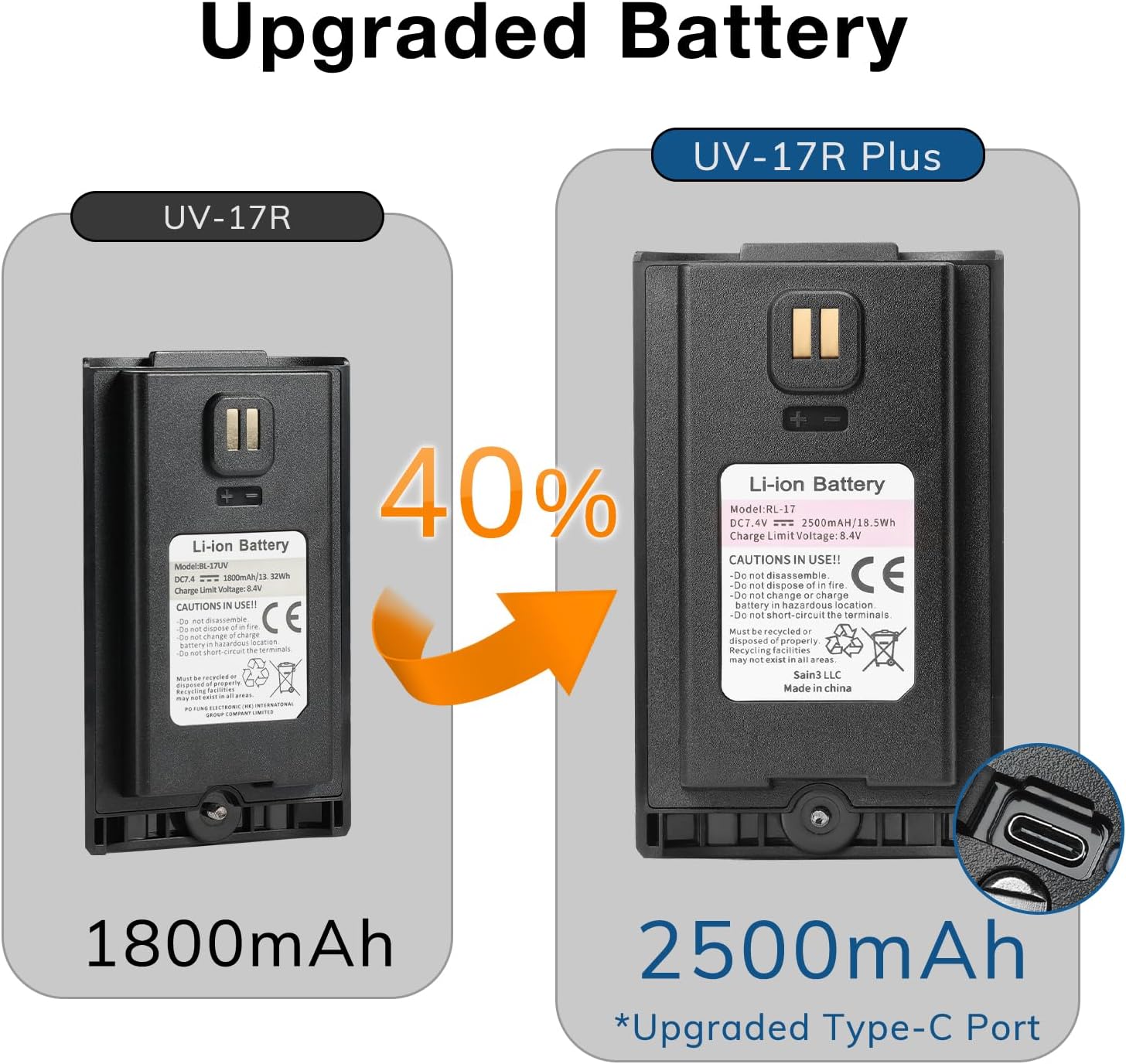
Image: A close-up view of the upgraded 2500mAh Li-ion battery for the UV-17R Plus, highlighting its integrated USB-C charging port, a significant improvement over the previous 1800mAh battery.

Image: The open battery compartment of the BAOFENG UV-17R Plus radio, showing the contacts and the design for battery insertion and removal.
2. Antenna Attachment
The radio comes with both a standard antenna and a long high-gain antenna. Choose the appropriate antenna for your communication needs.
- Screw the desired antenna clockwise onto the antenna connector at the top of the radio until it is finger-tight. Do not overtighten.
3. Initial Power-On
- Rotate the power/volume knob (located on the top of the radio) clockwise to turn on the device.
- Adjust the volume to a comfortable listening level.
Operating Instructions
Basic Controls
- Power/Volume Knob: Located on top, turns the radio on/off and adjusts speaker volume.
- PTT (Push-to-Talk) Button: Located on the left side. Press and hold to transmit, release to receive.
- Keypad: Used for direct frequency input, channel selection, and menu navigation.
- Menu Button: Accesses the radio's settings and functions.
- Up/Down Arrows: Navigate through menus and adjust frequencies/channels.
Frequency and Channel Modes
The UV-17R Plus supports both Frequency Mode (VFO) for direct frequency input and Channel Mode (MR) for pre-programmed channels. You can switch between these modes and manage two active frequencies/channels simultaneously on the display.
Frequency Scan & Copy
This feature allows the radio to scan for active frequencies and identify their CTCSS/DCS tones. To use:
- Activate the scan function via the menu.
- Place the UV-17R Plus near the radio you wish to scan.
- Upon transmission from the other radio, the UV-17R Plus will display the frequency (±2.5 PPM) and any associated CTCSS or DCS tones.
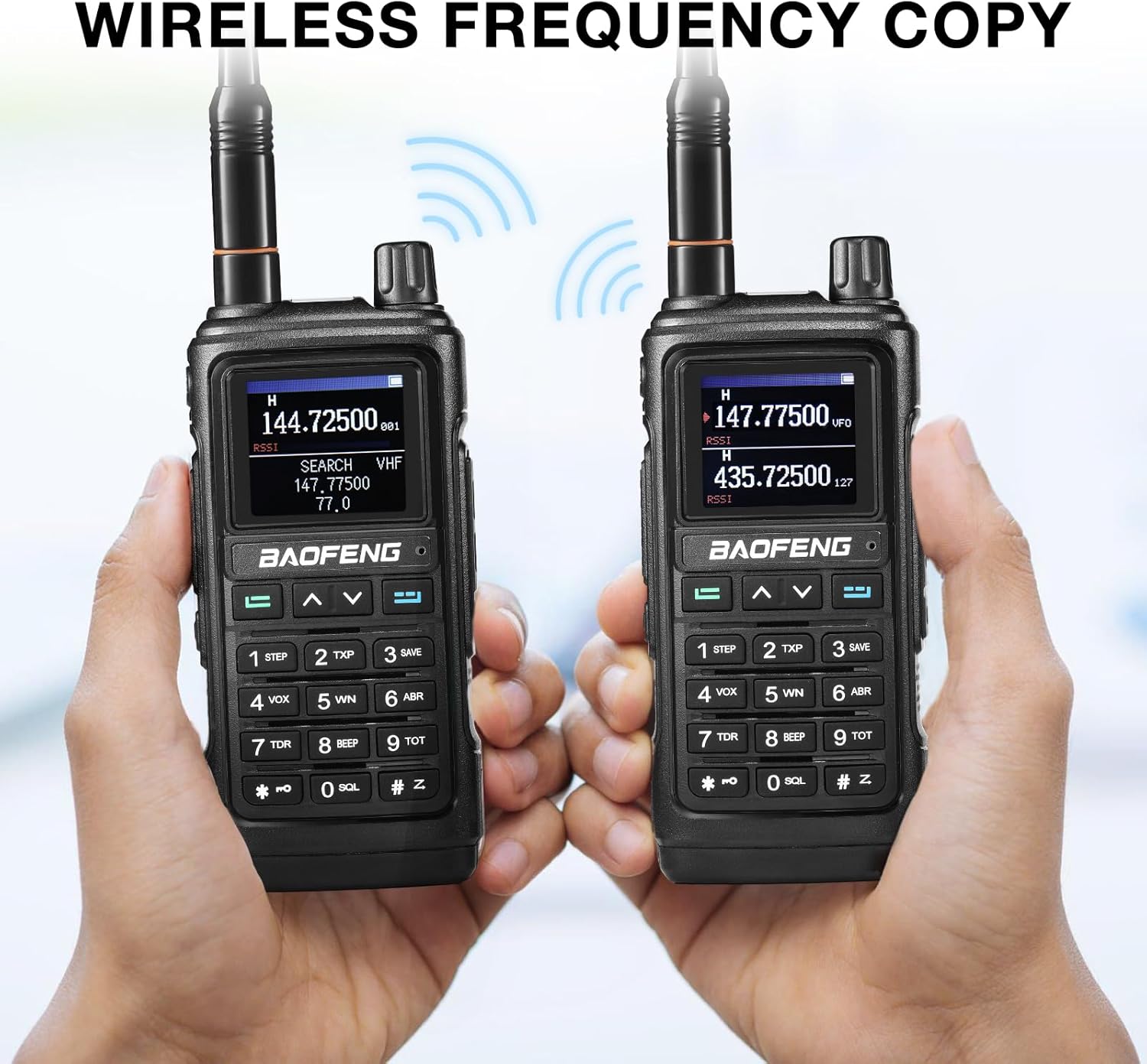
Image: Two BAOFENG UV-17R Plus radios demonstrating the wireless frequency copy function, where one radio can detect and replicate the frequency and tone settings of another.
NOAA Weather Band Reception
The radio can receive 10 NOAA Weather Bands to keep you informed of severe weather alerts.
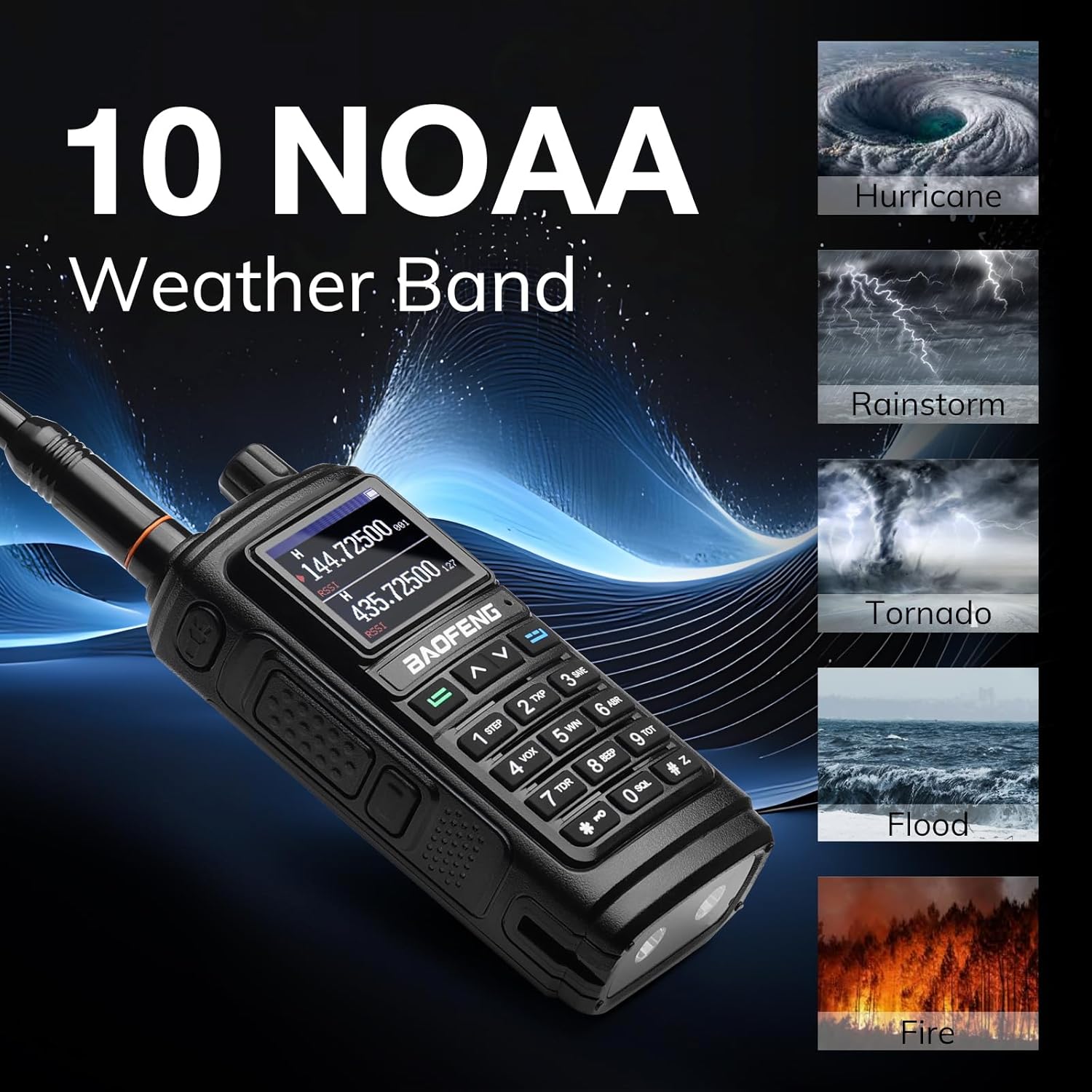
Image: The BAOFENG UV-17R Plus radio displaying weather information, illustrating its capability to receive 10 NOAA Weather Bands for critical weather alerts such as hurricanes, rainstorms, tornadoes, floods, and fires.
Voice Scrambler
To activate the voice scrambler for private conversations, navigate to the corresponding setting in the radio's menu and enable it. This feature encrypts your voice transmission, making it difficult for unauthorized listeners to understand.

Image: An illustration depicting the voice scrambler function of the BAOFENG UV-17R Plus, symbolized by a shield and lock icon, indicating enhanced privacy for communications.
Programming the Radio
While basic operation can be done directly on the radio, advanced programming (e.g., setting up repeaters, custom channel lists) is typically done via computer software. A programming cable (included with this package) is required to connect the radio to your computer. Refer to the specific programming software's instructions for detailed steps.
Maintenance
Battery Care
- Always use the provided USB-C cable for charging.
- Avoid overcharging or completely draining the battery to prolong its lifespan.
- Store the radio and battery in a cool, dry place when not in use for extended periods.
General Cleaning
- Wipe the radio's surface with a soft, damp cloth. Do not use harsh chemicals or abrasive cleaners.
- Ensure the USB-C port cover is securely closed when not charging to prevent dust and moisture ingress.
- The radio is not water resistant; avoid exposure to water or high humidity.
Troubleshooting
| Problem | Possible Cause | Solution |
|---|---|---|
| Radio does not power on. | Low or dead battery. | Charge the battery using the USB-C cable. |
| Poor reception or transmission. | Incorrect frequency/channel, loose antenna, environmental interference. | Verify frequency/channel settings. Ensure antenna is securely attached. Move to an open area away from obstructions. Consider using the high-gain antenna. |
| Cannot program radio via computer. | Incorrect programming cable, driver issues, software incompatibility. | Ensure you are using the correct programming cable and that drivers are properly installed. Use compatible programming software. |
| Voice information system is too loud/annoying. | Voice prompt feature enabled. | Access the radio's settings menu to disable or adjust the voice prompt volume. |
If you encounter issues not listed here or if the suggested solutions do not resolve the problem, please contact BAOFENG customer support.
Specifications
| Feature | Detail |
|---|---|
| Model Number | UV-17R Plus |
| Item Weight | 1.23 pounds |
| Package Dimensions | 7.95 x 4.69 x 4.25 inches |
| Battery Type | 1 Lithium Ion battery (included) |
| Battery Capacity | 2500mAh |
| Voltage | 3.7 Volts |
| Number of Channels | 999 |
| Receiver Frequency | FM 76-108 MHz; AM 108-136MHz; VHF 136-174MHz, 220-260MHz; UHF 350-390MHz, 400-520MHz; 10 NOAA Weather Band |
| Transmission Frequency | 144-148MHz, 420-450MHz |
| Tuner Technology | UHF VHF |
| Water Resistance Level | Not Water Resistant |
| Country of Origin | China |
What's in the Box
- BAOFENG UV-17R Plus Radio
- Standard Antenna (x1)
- Long High Gain Antenna (x1)
- 2500mAh Lithium Ion Battery (x1)
- USB-C Charging Cable (x1)
Warranty and Support
The BAOFENG UV-17R Plus comes with an 18-month manufacturer warranty. For warranty claims, technical support, or any product-related inquiries, please contact BAOFENG customer service through their official channels or the retailer from whom you purchased the product.
For additional resources and software, please visit the official BAOFENG website or authorized support forums.
Documents and downloads
Ask a question about this manual
Ask about setup, troubleshooting, compatibility, parts, safety, or missing instructions. Manuals+ will review the question and use this page’s manual context to help answer it.