
EZVALO LC-37
Contents
EZVALO Under Cabinet Lights Instruction Manual
Model: LC-37
Introduction
This manual provides detailed instructions for the EZVALO Under Cabinet Lights (Model LC-37), designed to enhance lighting in various indoor spaces such as kitchens, closets, and bedrooms. These super bright, dimmable lights feature a motion sensor, remote control, and a 4000mAh rechargeable battery for convenience and energy efficiency.
Package Contents
- 2x Under Cabinet Lights
- 1x Remote Control
- 4x Adhesive Iron Plates
- 1x USB C Charging Cable
- 1x Instruction Manual (this document)

Figure 1: Package Contents. Includes two light bars, a remote, charging cable, and adhesive iron plates.
Setup and Installation
Charging the Lights
Before first use, fully charge the under cabinet lights using the included USB-C cable. The built-in 4000mAh battery provides long-lasting power. A full charge can last up to 9 hours in Always-On mode or 20-60 days in AUTO mode (based on 10-20 activations per day for 20 seconds each).
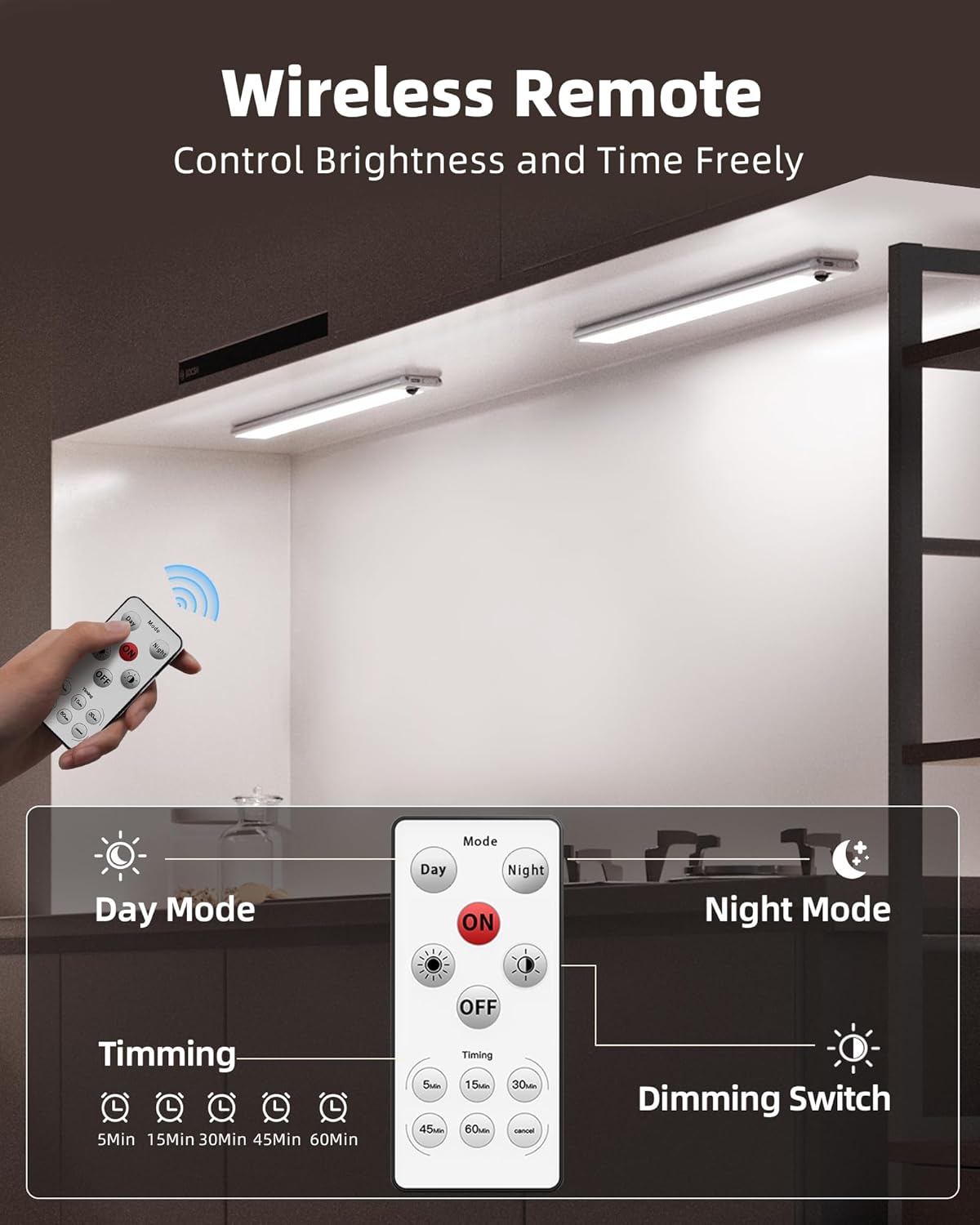
Figure 2: Charging Port. The light bar features a USB-C port for easy recharging.
Mounting the Lights
The EZVALO Under Cabinet Lights offer flexible installation options:
- Direct Magnetic Attachment: The lights have a built-in strong magnet, allowing direct attachment to iron surfaces.
- Adhesive Iron Plate Installation: For non-iron surfaces, use the provided adhesive iron plates.
- Step 1: Clean the surface thoroughly to remove any stains, water, oil, or dust. Ensure the surface is smooth and dry.
- Step 2: Peel off the protective film from the 3M adhesive on the iron plates.
- Step 3: Attach the iron plates to the desired location. Press firmly for at least 5 seconds. Avoid repeated use of the tape.
- Step 4: Align the light bar with the mounted iron plates; the magnets will secure it in place.
Installation Recommendation: For optimal motion sensing and illumination, install the lights within 2 inches from the front edge of the cabinet or shelf.
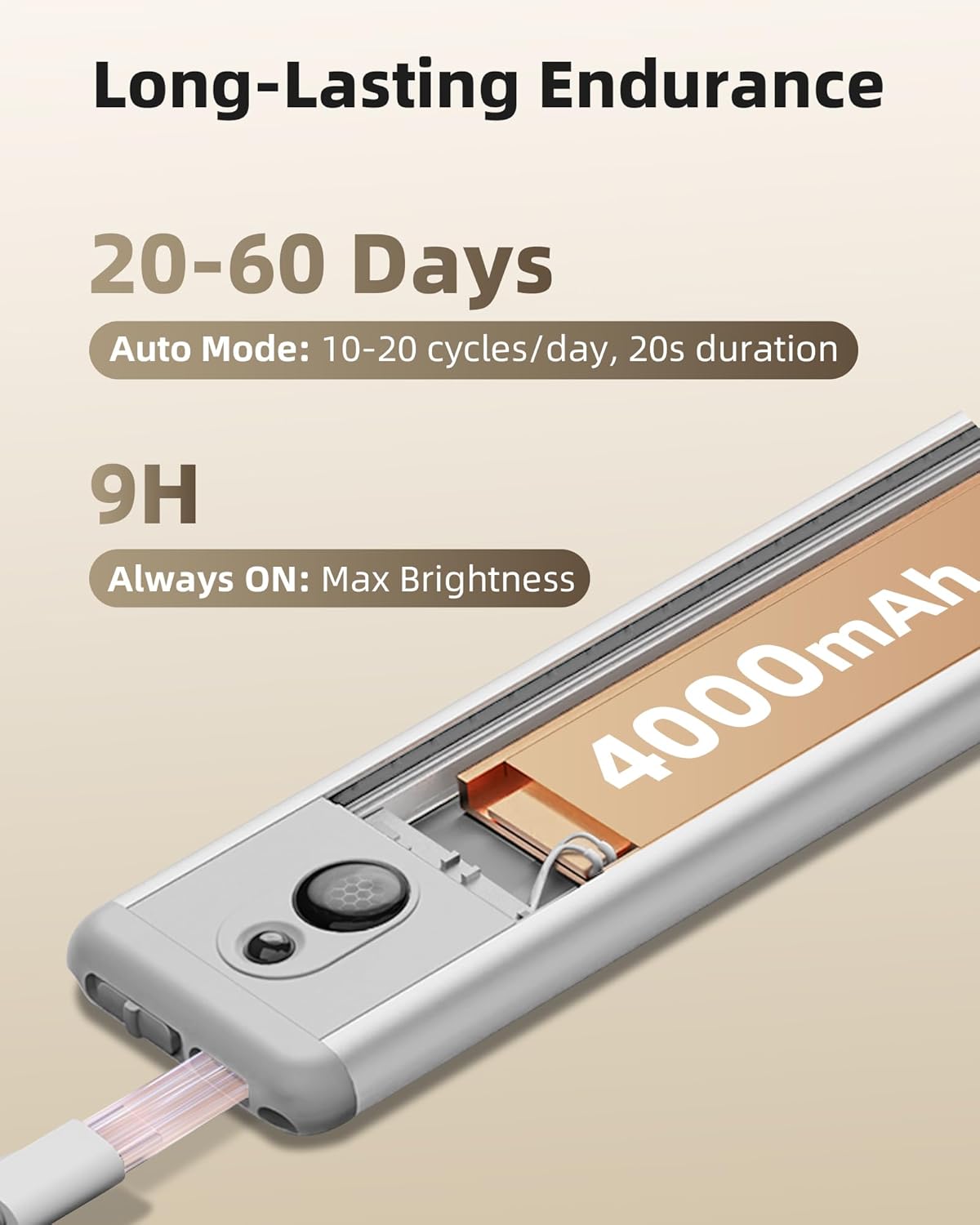
Figure 3: Magnetic Installation. The light attaches magnetically to adhesive iron plates.
Video 1: EZVALO Rechargeable Motion Sensor Light Indoor. This video demonstrates the magnetic installation process and various features of the light.
Operating Instructions
Light Modes
The EZVALO Under Cabinet Lights offer three primary operating modes, selectable via the remote control or the toggle switch on the light bar:
- ON Mode: The light remains continuously on until manually turned off or the battery is depleted. Ideal for prolonged illumination.
- AUTO Mode (Motion Sensor): The light activates when motion is detected within a 10 ft / 120° range. It automatically turns off after 20 seconds of no movement. This mode has two sub-settings:
- Day Mode: Light turns on whenever motion is detected, regardless of ambient light.
- Night Mode: Light activates only when motion is detected in a dark environment.
- OFF Mode: The light is completely off.
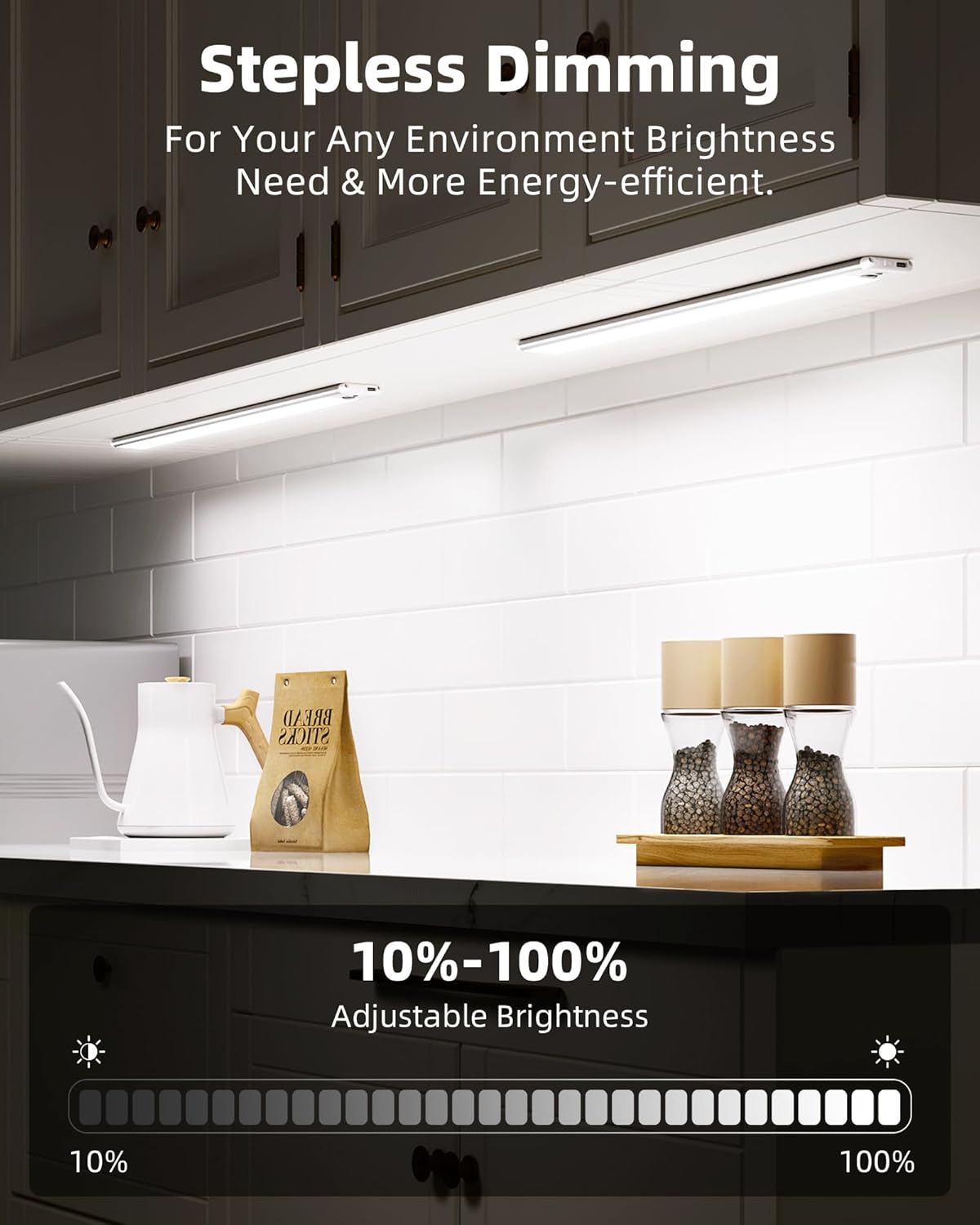
Figure 4: Remote Control. Use the remote to switch between modes and adjust settings.
Remote Control Functions
The included remote control provides convenient access to various functions:
- ON/OFF: Toggle the light on or off.
- Day/Night Mode: Switch between Day and Night settings within AUTO mode.
- Dimming (+/-): Adjust the brightness level from 10% to 100%. Press and hold the brightness buttons for stepless dimming.
- Timer: Set the light to automatically turn off after a specified duration (5, 15, 30, 45, or 60 minutes).

Figure 5: Stepless Dimming. Adjust light intensity to suit your needs.
Maintenance
Recharging
When the light's brightness diminishes or it stops functioning in AUTO mode, it's time to recharge. Simply detach the light bar from its magnetic mounts and connect it to a USB power source using the provided USB-C cable. The indicator light will show charging status (e.g., red for charging, green for full).
Cleaning
To clean the light bar, use a soft, dry cloth. Avoid using abrasive cleaners or solvents that could damage the finish or electronic components. For the adhesive iron plates, ensure the surface is clean before initial application to maintain strong adhesion.
Troubleshooting
- Light not turning on in AUTO mode:
- Ensure the light is sufficiently charged.
- Check if the light is set to the correct AUTO mode (Day or Night) for the ambient light conditions.
- Verify that the motion sensor is not obstructed.
- Remote control not working:
- Ensure there are no obstructions between the remote and the light's sensor.
- Check the remote control's battery and replace if necessary.
- Light falling from mounted surface:
- Ensure the adhesive iron plates were applied to a clean, smooth, and dry surface.
- Re-apply new adhesive strips if the existing ones have lost their stickiness.
Specifications
| Feature | Detail |
|---|---|
| Brand | EZVALO |
| Model Name | Under Cabinet Lights (LC-37) |
| Color Temperature | 5700 Kelvin (Cool White) |
| Battery Capacity | 4000mAh |
| Brightness | 150 Lumen |
| Wattage | 2 watts |
| Product Dimensions | 14.5"L x 1.85"W x 0.35"H |
| Material | Aluminum, Plastic |
| Control Method | Remote, Touch |
| Special Features | Timer, Wireless, Rechargeable, Motion Sensor |
| Indoor/Outdoor Usage | Indoor |
Warranty and Support
EZVALO provides a lifetime warranty for this product. For any questions, concerns, or support needs, please contact the seller, EZMilestone, directly through your Amazon order details. They are committed to assisting you with any product-related inquiries.
For further assistance, you may also visit the official EZVALO Store on Amazon: EZVALO Store
Ask a question about this manual
Ask about setup, troubleshooting, compatibility, parts, safety, or missing instructions. Manuals+ will review the question and use this page’s manual context to help answer it.