
1. Introduction
Thank you for choosing the ARGENDON Shield 60 Dehumidifier. This manual provides essential information for the safe and efficient operation, maintenance, and troubleshooting of your new dehumidifier. Please read this manual thoroughly before installation and use, and keep it for future reference.
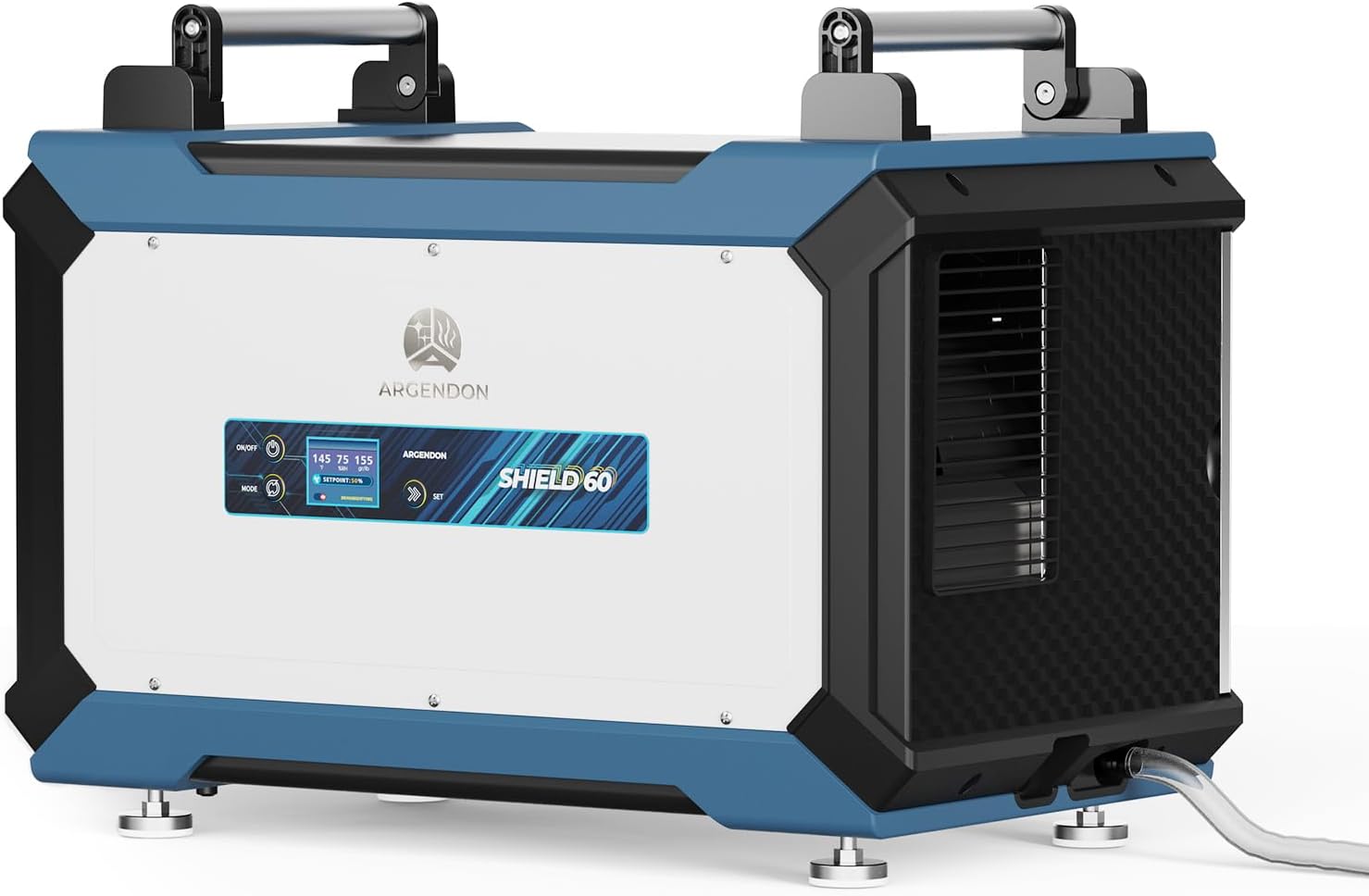
Image 1.1: ARGENDON Shield 60 Dehumidifier
The ARGENDON Shield 60 is a high-efficiency dehumidifier designed for large spaces up to 1,800 sq ft, including crawl spaces, basements, warehouses, garages, and commercial environments. It effectively removes up to 145 pints of moisture per day at saturation (90°F, 90% RH) or 60 pints per day at AHAM (80°F, 60% RH), helping to prevent water damage, mold growth, and improve air quality.
2. Safety Information
Always follow basic safety precautions when using electrical appliances to reduce the risk of fire, electric shock, and injury. This unit is designed for indoor use only.
- Ensure the power supply matches the voltage requirements of the unit.
- Do not operate the unit with a damaged cord or plug.
- Keep the unit away from water and other liquids.
- Do not block air inlets or outlets. Maintain at least 12 inches of clearance around the unit.
- Unplug the unit before cleaning or performing any maintenance.
- This appliance is not intended for use by persons (including children) with reduced physical, sensory, or mental capabilities, or lack of experience and knowledge, unless they have been given supervision or instruction concerning use of the appliance by a person responsible for their safety.
3. Product Features
- High-Efficiency Moisture Removal: Removes up to 145 pints/day at saturation (60 pints/day AHAM) for areas up to 1,800 sq ft.
- User-Friendly Design: Features adjustable humidity settings, clear temperature display, auto fault function, memory start, and GPP mode.
- Auto Defrost: Automatically initiates a defrost cycle to prevent frost buildup in low temperatures, ensuring continuous operation and extending unit lifespan.
- Durable Construction: Upgraded appearance with metal and plastic combination for enhanced strength and durability.
- Portable & Compact: Equipped with built-in handles and adjustable feet for easy placement and transport.
- MERV-1 Filter: Replaceable filter protects internal components from dust and particles, maintaining efficiency.
- Optional Accessories: Compatible with optional remote controllers and hang kits for flexible installation and control.
- ETL Safety Certified: Meets strict safety standards.

Image 3.1: Ultra-Thoughtful Details of the Dehumidifier
4. Setup
4.1 Unpacking
Carefully remove the dehumidifier and all accessories from the packaging. Inspect the unit for any shipping damage. Keep the packaging materials for future transport or storage.
4.2 Placement
Place the dehumidifier on a level, stable surface. Ensure there is at least 12 inches (30 cm) of clear space around all sides of the unit to allow for proper airflow. Avoid placing the unit against walls or furniture that could obstruct the air intake or exhaust.

Image 4.1: Dehumidifier in various household and commercial settings
4.3 Drainage Connection
The Shield 60 is designed for continuous drainage. Connect the provided 6.5ft drain hose to the drainage outlet on the unit. Ensure the hose is sloped downwards to allow gravity to drain the water to a suitable location, such as a floor drain or sump pump. Avoid kinks or blockages in the hose.

Image 4.2: Auto Drainage setup with hose
4.4 Power Connection
Plug the power cord into a grounded electrical outlet. Ensure the outlet meets the electrical requirements specified on the unit's label.
5. Operating Instructions
5.1 Control Panel Overview
The unit features an intuitive control panel with an LCD display. The display shows current temperature, relative humidity (%RH), and grains per pound (gr/lb). Key buttons include ON/OFF, MODE, and SET.

Image 5.1: Smart LCD Display for Effortless Humidity Control
5.2 Turning On/Off
Press the ON/OFF button to power the unit on or off.
5.3 Setting Desired Humidity (Humidistat Setpoint)
- Press the MODE button until "Humidity Control Mode" or "Humidistat Setpoint" is displayed.
- Use the SET buttons (arrows) to adjust the desired relative humidity percentage. The unit will operate until the ambient humidity reaches this setpoint.
5.4 Continuous Dehumidifying Mode
To operate the unit continuously, select the "Continuous Dehumidifying Mode" using the MODE button and set it to ON. In this mode, the unit will run continuously regardless of the ambient humidity level.
5.5 GPP Mode (Grains Per Pound)
The GPP mode accurately measures the humidity level by calculating the number of grains of moisture per pound of air, providing precise readings for more effective moisture removal. This can be accessed via the MODE button.

Image 5.2: Explanation of GPP Mode
5.6 Auto Defrost Function
When the ambient temperature is low, the unit automatically initiates a defrost cycle. During this cycle, the compressor temporarily stops while the fan continues to run, allowing any frost on the coils to melt. Once defrosted, the unit resumes normal operation. This feature prevents ice buildup and ensures efficient performance.

Image 5.3: Auto Defrost in action
5.7 Memory Start
The unit is equipped with a memory start function. In the event of a power outage, the dehumidifier will automatically restart with its previous settings once power is restored.
5.8 Optional Remote Control
An optional remote controller (sold separately) can be used to adjust settings from a distance, providing convenience and reducing noise impact in living areas.

Image 5.4: Optional Remote Control for convenient adjustments
6. Maintenance
6.1 Cleaning the MERV-1 Filter
The MERV-1 filter should be cleaned regularly (approximately every 3 months or after 2 washes) to ensure optimal performance and prevent dust from entering the unit. To clean:
- Turn off and unplug the dehumidifier.
- Locate the filter access panel and remove the filter.
- Vacuum the filter to remove loose dust and debris. For a deeper clean, wash the filter with warm, soapy water.
- Allow the filter to dry completely before reinserting it into the unit.

Image 6.1: Cleaning the MERV-1 Filter
6.2 General Cleaning
Wipe the exterior of the unit with a soft, damp cloth. Do not use abrasive cleaners or solvents.
7. Troubleshooting
If your dehumidifier is not operating as expected, please refer to the following common issues and solutions:
| Problem | Possible Cause | Solution |
|---|---|---|
| Unit does not turn on | No power, power cord unplugged, circuit breaker tripped. | Check power connection, reset circuit breaker. |
| No water collected | Humidity level is below setpoint, ambient temperature is too low, drain hose is clogged or kinked. | Adjust setpoint, check ambient temperature (unit may be in defrost), clear drain hose. |
| Reduced dehumidifying performance | Dirty air filter, air intake/outlet blocked, room size too large. | Clean or replace air filter, ensure proper airflow around the unit, verify unit capacity matches room size. |
| Unit is noisy | Unit not on a level surface, loose parts, fan obstruction. | Place on a level surface, check for loose components, ensure no obstructions in fan. |
For further assistance, please contact ARGENDON customer support.
8. Specifications
| Feature | Detail |
|---|---|
| Brand | ARGENDON |
| Model Name | Shield 60 |
| Dehumidification Capacity | 145 Pints/Day (Saturation), 60 Pints/Day (AHAM) |
| Coverage Area | Up to 1,800 Square Feet |
| Air Flow Capacity | 185 Cubic Feet Per Minute (CFM) |
| Product Dimensions | 12.8"D x 21.3"W x 14.6"H |
| Item Weight | 46.5 Pounds |
| Special Features | Adjustable Humidity Control, Automatic Defrost, Continuous Draining, Memory Start, MERV-1 Filter, Drain Hose |
| Included Components | 6.5ft Drain Hose, Dehumidifier, MERV-1 Filter, User Manual |
| Refrigerant | R32 |
9. Warranty and Support
The ARGENDON Shield 60 Dehumidifier comes with a 5-year limited warranty, demonstrating our commitment to quality and customer satisfaction. The warranty coverage includes:
- 6-Month Parts and Labor: Includes shipment charges for replacement parts or units.
- 1-Year Parts and Labor: Excludes shipment charges to send defective product back for repair or replacement.
- 3-Year Parts and Labor: Parts and labor coverage for the refrigeration system only.
- 5-Year Compressor and Coil: Specific coverage for these critical components.

Image 9.1: ARGENDON 5-Year Limited Warranty Details
For additional warranty information, technical support, or service inquiries, please refer to the contact information provided in your product packaging or visit the official ARGENDON website.
Video 9.1: Official ARGENDON Crawlspace Dehumidifiers Shield 60 Overview. This video provides a visual guide to the product's features and benefits.